













 AIIllustrative image: AI-generated
🥇 8 best popup plugins for WordPress 2026 (free and paid)
Popups are annoying. That's a fact. But here's the paradox: the same popup windows that make you want to close the tab immediately collect double-digit email subscription conversions for skilled marketers, a number every site owner dreams of.
The problem isn't popups themselves. The problem is how they're configured: they appear instantly after landing, cover the entire screen without a visible close button, and offer a tiny discount in exchange for your soul. A good popup has appropriate timing, a relevant offer, and human design. And to build one like that, you need the right plugin.
We tested dozens of WordPress popup plugins, from free open-source solutions to premium all-in-one tools with A/B testing and exit-intent. In our experience, eight tools from this review actually work in 2026: they collect leads, don't annoy visitors, and don't tank site speed.
💡 Quick overview:
- Choose a plugin for your task: email list building, exit-intent popups, WooCommerce targeting, or social proof.
- Compare key parameters of eight plugins in the summary table: price, popup types, triggers, A/B testing, speed.
- Install the plugin following recommendations from its description section. Don't show a popup earlier than 15 seconds after landing.
- Run an A/B test: compare two design and text variants, the conversion difference is often measured in tens of percentage points.
Why popups still work (and will keep working)
Average popup conversion to email subscriptions ranges from a few percent to double-digit values depending on niche, offer type, and timing. This isn't a "dead" technology, but a tool with measurable ROI. But only if you don't repeat the main beginner mistake: showing a popup instantly, before the visitor understands where they landed.
Modern plugins aren't just "a box with a button" anymore. Today's arsenal includes exit-intent detection (catches mouse movement toward the tab close button), geo-targeting, personalization by traffic source, A/B testing of headlines and CTAs, deep integration with CRM and email services. A properly configured popup stops being "intrusive" and becomes a logical continuation of the user experience.
The key criterion for choosing a plugin in 2026 isn't the number of features, but the balance between functionality and impact on load speed. In practice we've seen it many times: a plugin that adds 500 KB of scripts for one "Subscribe" button isn't worth its money.
Comparison table: 8 popup plugins for WordPress
Plugin | Free version | Pro price | Popup types | A/B tests | Targeting | Active installs |
|---|---|---|---|---|---|---|
OptinMonster | Yes (WP.org) | From $7/mo | Lightbox, slide-in, floating bar, fullscreen | Yes | Pages, geo, devices, exit-intent | 1M+ |
Thrive Leads | No | $99/year (Thrive Suite) | Lightbox, slide-in, ribbon, widget, screen | Yes | Posts/pages, categories, tags, devices | 100K+ |
Popup Maker | Yes (WP.org) | $87/year | Lightbox, slide-in, sticky, notice, fullscreen | Yes (Pro) | WooCommerce, pages, user roles | 700K+ |
HubSpot | Yes (WP.org) | From $15/mo | Popup, slide-in, embedded, collected chat | No | Pages, scroll, exit-intent | 300K+ |
Bloom | No | $89/year (Elegant Themes) | Lightbox, slide-in, sidebar, below-post | No | Posts/pages, categories, tags | 200K+ |
Icegram | Yes (WP.org) | $97/year | Lightbox, action bar, toast, messenger | Yes (Pro) | Pages, devices, geo, retargeting | 40K+ |
TrustPulse | Yes (WP.org) | From $5/mo | Social proof notifications | No | Pages, timing | 10K+ |
Ninja Popups | No | $24 (one-time) | Lightbox, slide-in, fullscreen | Yes | Pages, devices, referral URLs | 50K+ |
1. OptinMonster, best popup plugin for conversion
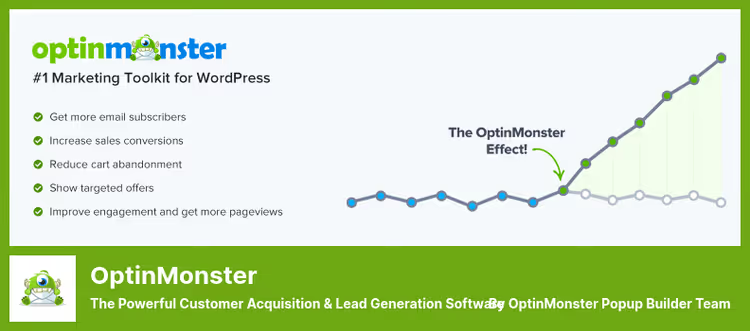
OptinMonster isn't just a popup plugin, but a complete lead generation platform used by over a million sites. Its flagship feature is Exit-Intent technology, which tracks cursor movement and shows a popup exactly when the visitor is about to leave. In practice, this recovers traffic that would be lost forever without a popup.
The drag-and-drop editor lets you build a popup from scratch or take one of hundreds of ready-made templates. Targeting settings are best in class: geo-location, traffic source (Google/Facebook/direct), on-site behavioral retargeting, AdBlock detection, and message personalization for users with ad blockers.
Built-in A/B testing and multivariate testing lets you compare headlines, button colors, and popup types without third-party tools. Results display in real time on the dashboard.
Pros:
- Deepest set of triggers and targeting rules on the market
- Exit-Intent with high detection accuracy
- Integration with 40+ email services and CRMs out of the box
- Doesn't slow down the site (scripts load asynchronously via CDN)
Cons:
- Free version limited by number of displays
- Learning curve, mastering all settings takes 2-3 hours
💵 Price: free Lite version on WordPress.org (limited), Pro from $7/mo with annual payment.
🔗 Download Lite on WordPress.org🔗 OptinMonster official site
2. Thrive Leads, best for building email lists
Thrive Leads is part of the Thrive Suite ecosystem, and its main advantage: pay once a year and get not only popups, but also a landing page builder, landing page A/B testing, quizzes, and a theme editor. No monthly subscriptions, no limits on number of landing pages or displays.
The plugin is sharpened for one task: email list growth. For this it has everything: drag-and-drop form editor, library of dozens of ready-made templates, detailed analytics for each popup (displays, clicks, conversions), and honest A/B testing with automatic winner selection.
Thrive Leads' special feature is "smart" links: you can show a popup only to those who clicked a specific link from your newsletter. This lets you segment your audience and not show a subscription form to those already subscribed.
Pros:
- One-time annual payment, no limits on displays and leads
- Deep integration with Thrive Architect (visual page editor)
- A/B testing and detailed analytics in one interface
- Mobile-responsive forms out of the box
Cons:
- No free version (only 30-day refund)
- Tied to Thrive ecosystem, need the whole Suite for full picture
💵 Price: $99/year (Thrive Leads only) or $299/year (whole Thrive Suite: themes, landing pages, quizzes, certificates).
3. Popup Maker, best free popup plugin
Popup Maker has 700 thousand active installations on WordPress.org and the title of most popular free plugin for popups in the repository. And it's truly free: no cut-down display limits or hidden upsells in every menu. The free version covers 80% of an average site's needs.
The popup editor is based on the standard WordPress editor, a plus for those who don't want to learn a new interface. You can insert a shortcode, form, image, video exactly as in a regular post. Popup themes are configured through the built-in Theme Editor: background, borders, shadows, rounding, all through visual settings without CSS.
The Pro version adds WooCommerce targeting (show popup on specific product or category page), advanced triggers, and integration with popular forms like WPForms and Gravity Forms.
Pros:
- Full-featured free version without limits
- Familiar WordPress editor interface
- WooCommerce targeting in Pro version
- Display frequency management via cookies
Cons:
- No drag-and-drop (design through WordPress editor + CSS)
- Visually simpler than competitors, beautiful popup needs skill
💵 Price: free (Lite on WordPress.org), Pro $87/year.
🔗 Download Lite on WordPress.org🔗 Popup Maker official site
4. HubSpot, popups + CRM in one bottle

HubSpot WordPress Plugin is a free CRM all-in-one where popups are just one function. Besides popup windows you get live chats, feedback forms, built-in analytics, email marketing, and a CRM database where all contacts from forms automatically land.
The workflow is simple: install the plugin, create a popup in the HubSpot portal, and it syncs with the site automatically. Change design or text on the HubSpot side, the popup updates on the site without re-publishing. No code.
Popups in HubSpot are basic: box, slide-in, embedded form. No exit-intent detectors or geo-targeting. Three starting conditions: scroll percentage, time on page, and exit intent. But for a site already using HubSpot CRM, this is the most logical choice, all leads land in one database without Zapier bridges.
Pros:
- Free for existing HubSpot CRM users
- Automatic lead sync with CRM
- Built-in form builder and thank-you messages
- No separate plugin needed for popups
Cons:
- Fewer triggers and popup types compared to OptinMonster
- No A/B testing for popups
- Requires HubSpot account (even for free version)
💵 Price: free Lite version on WordPress.org, Pro from $15/mo.
🔗 Download Lite on WordPress.org🔗 HubSpot for WordPress
5. Bloom, elegant popup plugin from Elegant Themes
Bloom is the brainchild of Elegant Themes, creators of the most popular WordPress builder Divi. The plugin comes as part of an Elegant Themes subscription, which also includes Divi, Extra (magazine theme), and Monarch (social button plugin).
The Bloom builder is visually simple: choose one of 100+ ready templates, configure colors and text, connect an email service, and the popup is ready. There's no drag-and-drop editor (surprising against the Divi backdrop), but enough templates to not hit the wall from lack of visual construction.
Bloom supports six formats: lightbox, slide-in, sidebar form, below-post form, inline form (inside content via shortcode), and "lock" (content unlocks after subscription). Triggers are a basic set: time on page, scroll percentage, form submission, element click.
Pros:
- Included in Elegant Themes subscription, free for Divi users
- 100+ ready templates of different styles
- Six display formats including content-lock
- Integration with 20+ email services
Cons:
- No drag-and-drop editor
- No A/B testing
- Price tied to Elegant Themes ecosystem
💵 Price: $89/year (access to all Elegant Themes products including Divi).
6. Icegram, popups through WordPress interface

Icegram occupies the "utilitarian" popup plugin niche: it doesn't try to impress with a visual editor (its interface is a text editor with template selection), but provides a wide range of formats: lightbox, action bar (strip at top/bottom of screen), toast notifications (floating messages in corner), slide-in messengers.
Icegram's main advantage is managing the entire campaign from one screen. One campaign can include multiple formats distributed across different pages and triggers with unified analytics. The Pro version adds A/B testing, geo-targeting, and advanced analytics.
The free version fully covers creating simple popups, action bars, and toast notifications. If you need a simple popup with a subscription form and four styling options, Icegram will close the task without a single dollar.
Pros:
- Free version without critical limitations
- Wide range of formats (lightbox, action bar, toast, messenger)
- Single campaign for multiple formats
- Custom CSS and JavaScript support
Cons:
- Text interface looks archaic
- A/B testing only in Pro
- Popup design requires manual CSS to stand out from competitors
💵 Price: free (Lite on WordPress.org), Pro $97/year.
🔗 Download Lite on WordPress.org🔗 Icegram official site
7. TrustPulse, social proof as a popup

TrustPulse isn't a classic popup plugin, but a social proof tool that shows popup notifications about other users' actions: "Ivan from Moscow bought this product 5 minutes ago" or "25 people are viewing this page." This creates a FOMO (Fear Of Missing Out) effect and increases conversion according to the service's own data.
The plugin works on a "set it and forget it" principle: default setup takes less than three minutes, choose pages for display, notification style, and data source (real sales, subscriptions, or downloads from your site). TrustPulse automatically pulls events and generates notifications in real time.
On WordPress.org the plugin appeared relatively recently (free version trustpulse-api) and already gained 10 thousand active installations. The Pro version adds custom branding, advanced analytics, and more notification types.
Pros:
- Quick setup (less than 3 minutes to first display)
- Real data from the site, not fake notifications
- Doesn't affect load speed (async loading)
- WordPress, Shopify, Squarespace, and other platform support
Cons:
- This isn't a popup builder, only social-proof notifications
- Free version limited to 500 sessions
- For full picture need a separate popup plugin
💵 Price: free (up to 500 sessions), Pro from $5/mo.
🔗 Download Lite on WordPress.org🔗 TrustPulse official site
8. Ninja Popups, budget option from CodeCanyon
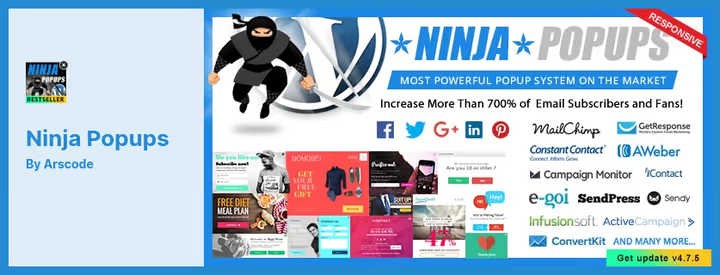
Ninja Popups is a CodeCanyon veteran with thousands of sales and one-time pricing. Pay once and get drag-and-drop editor, 77 ready templates, dozens of animation effects, A/B testing, and integration with major email services. No recurring payments.
The plugin stands out from subscription competitors precisely with its one-time payment model. Buy it, use it on one site, 12 months of updates and support included, then optional renewal.
Notable features: built-in analytics and A/B testing (popups, bars, and sliders are tested inside the plugin without external tools), Google Analytics Event Tracking integration, and dozens of animation effects for popup appearance (from fade to bounce and rotate).
Pros:
- One-time payment of $24 (no monthly subscriptions)
- Built-in A/B testing in this price category
- 77 ready templates and dozens of animations
- Google Analytics Event Tracking integration
Cons:
- Template design slightly outdated, needs refinement
- Updates only for 12 months
- Not from WordPress.org repository (manual updates)
💵 Price: one-time purchase, 12 months of updates.
🔗 Available on CodeCanyon marketplace (search for "Ninja Popups for WordPress").
Watch the video: popup plugin comparison in action
To see how these plugins work in real time, from installation to first popup, we recorded a step-by-step review:
⁉️🤔 Frequently asked questions
Is a popup even needed on a site in 2026?
Needed, but with intelligence. Average conversion of a properly configured popup ranges from a few percent to double-digit values for email subscriptions. Key rules: don't show earlier than 15 seconds, don't cover the entire mobile screen, give a relevant offer (discount, checklist, PDF guide), not abstract "subscribe to news." Plugins with exit-intent show the window only on exit intent and annoy far less.
Which plugin slows down the site the least?
Popup Maker and TrustPulse are the lightest from the list. Both load scripts asynchronously and don't add extra CSS frameworks. OptinMonster uses external CDN for core scripts and also barely affects PageSpeed. Worst case scenario is a plugin that loads jQuery UI and its own bootstrap.css for one modal window; none of the eight plugins in the review do this.
Can you get by without a plugin?
You can if you're ready to write a popup in pure HTML/CSS/JS and integrate it with an email service via API. For a simple popup with a Mailchimp form it's a few dozen lines of code. But as soon as you need triggers (exit-intent, scroll), A/B tests, and analytics, a custom solution becomes an order of magnitude more expensive than a plugin. For the vast majority of sites, a plugin is the right choice.
What makes OptinMonster better than free Popup Maker?
Targeting. Popup Maker builds simple popups well, but OptinMonster provides geo-targeting, personalization by traffic source, AdBlock detection, on-site retargeting (show different popup to someone who already closed the first), and automatic A/B test winner selection. The difference is like between a screwdriver and a power drill: the basic task is solved by both, but the complex one only by the second.
Will these plugins work for WooCommerce?
Popup Maker and OptinMonster are best for WooCommerce. Popup Maker provides targeting by products, categories, and cart status (show discount if amount exceeds N). OptinMonster can show a popup with coupon on exit-intent at checkout page, this recovers a noticeable share of abandoned carts. TrustPulse complements the picture with social-proof notifications about real purchases.
Which popup plugin to choose in 2026
There's no universal answer, there's an answer for a specific task.
If you need maximum results and are ready to pay for the tool, take OptinMonster. It's the flagship with best-in-class targeting, exit-intent, and A/B testing. For a WooCommerce online store, first recommendation.
If you need a popup without monthly subscription and you're already in the ecosystem, look at Thrive Leads (annual payment) or Bloom (inside Elegant Themes subscription with Divi as a bonus). Both give lifetime access without limits on displays and leads.
If budget is minimal, start with Popup Maker. The free version covers everything a regular blog or landing page needs: lightbox, slide-in, sticky, trigger setup, and display frequency. When you grow, Pro will add WooCommerce targeting.
If you already have HubSpot CRM, just activate the HubSpot plugin so leads from popups land in the same database as requests from chats and forms. Free and without extra software.
And remember: the most expensive plugin with the best triggers won't save a bad offer. Create a lead magnet that your audience actually needs, and then any of the eight tools in this review will show results.

A professional team of writers and editors specializing in creating quality content.