














✉️ 10 best email newsletter plugins for WordPress 2026 (free and premium)
A newsletter without subscribers is a message to the void. You write the text, design the template, click "Send," and there's no one to read it. A database of five hundred active addresses brings more sales than a landing page with a thousand daily visitors, proven across dozens of our readers' sites.
Standard WordPress doesn't know how to collect email addresses. There's no subscription form, no newsletter engine, no automation for WooCommerce abandoned carts. All of this is added with plugins.
Some just show a popup and save addresses to CSV. Others are full-featured email marketing platforms with drag-and-drop email editors, automation chains and detailed analytics. We've selected 10 tools that cover the entire spectrum: from a simple sidebar form to sending 50,000 emails per hour through a dedicated sending service.
💡 Quick overview:
- Choose
MailPoetif you need newsletters directly from the WordPress admin with a dedicated sending service and WooCommerce automations, 500,000+ active installations, updated June 2026. - Install
OptinMonsterwhen the main goal is to grow your list through behavioral popup forms: exit-intent, scroll triggers, A/B tests, geo-targeting. - Take
Brevoif you need SMS, transactional emails and chat in one account alongside email, free tier includes 300 emails per day with no subscriber limits. - For a site on
Divi, nativeBloomis already paid for and built for the Elegant Themes ecosystem. - Working through Mailchimp,
MC4WPwith tick-to-subscribe in comments and checkout is unmatched.
Comparison table
Plugin | Primary use case | Free tier | Pro price (from) | WooCommerce |
|---|---|---|---|---|
| Newsletters from admin + sending | Yes (up to 1,000 subscribers) | Free (MailPoet Sending) | Yes, full cycle |
| Popup forms and lead generation | Lite version | $9/mo | No |
| Opt-in forms + A/B tests | No | $89/year (Elegant Themes) | No |
| Self-hosted newsletters + unlimited emails | Yes (full-featured) | $49/year (extensions) | Through extensions |
| Popup builder + targeting | Yes (full-featured) | $45/year | Through integrations |
| Newsletter broadcasts + unlimited subscribers | Yes | $7/mo | No |
| Popup builder | No | $21 (CodeCanyon) | No |
| Email + SMS + transactional emails | Yes (300 emails/day) | $9/mo | Yes |
| Notifications via any channel | Yes | Extensions separate | Through carrier |
| Mailchimp integration | Lite version | $59 | Yes |
1. MailPoet

MailPoet, the most powerful newsletter plugin in the WordPress.org repository: 500,000+ active installations, version 5.33.0, last updated June 30, 2026. The plugin creates, sends and tracks email campaigns directly from the admin, without external services and extra tabs.
Built-in drag-and-drop editor assembles emails from ready-made blocks: heading, text, image from media library, button. Templates are responsive, they don't break on mobile devices. Sending goes through MailPoet Sending Service, a proprietary delivery infrastructure with 98.5% deliverability and throughput up to 50,000 emails per hour.
WooCommerce integration is one of the strongest sides: abandoned cart, first purchase, product from category, upsell. Everything automatic, without manual trigger configuration. The plugin itself is free up to 1,000 subscribers, more than enough for a small blog or store at launch.
But there are two sides to the coin. The free tier adds MailPoet branding to the email footer, removable only with a paid subscription. The interface is not fully localized, part of the settings remain in English.
Pros:
- Emails assembled with drag-and-drop editor directly in WordPress admin
- High deliverability through proprietary sending service
- WooCommerce automations out of the box: abandoned cart, welcome series, upsell
- Free up to 1,000 subscribers
Cons:
- MailPoet branding in free tier
- Advanced segmentation only in paid version
- Part of interface not translated to Russian
Price: Free up to 1,000 subscribers (with branding), paid tiers from 0 euros (MailPoet Sending, up to 500 subscribers). Exact figures on MailPoet site.
🔗 MailPoet on WordPress.org🔗 MailPoet site
2. OptinMonster
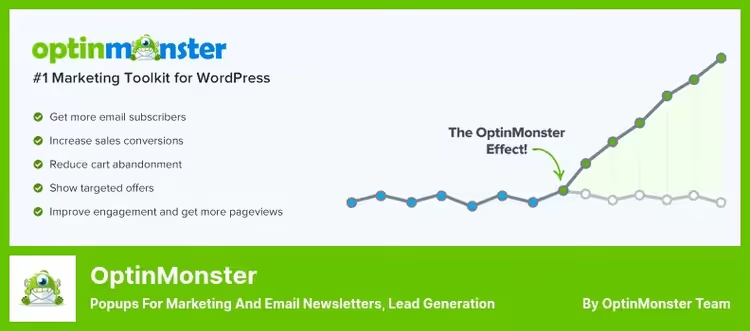
OptinMonster, not just a popup plugin, a full-featured lead generation tool. Six optin form formats in one plugin: popups, inline forms, full-screen welcome mats, notification bars, slide-in. And all are configured for a specific page, visitor behavior and even their geolocation.
Behavioral engine is what people value it for. Exit-intent: visitor moves cursor to the tab close button, popup triggers with a subscription offer. Scroll trigger: read to 60% of page, form. Inactivity trigger: paused for 15 seconds, form. In practice this gives 2-4 times higher conversion than static sidebar forms, according to OptinMonster data.
Drag-and-drop builder plus 100+ ready-made templates. MonsterEffects animations add visual responsiveness without slowing down the site. Built-in A/B testing lets you test heading, button color or offer and keep the winning variant.
Limitations: full functionality requires subscription, free Lite version is more of a demo. Plus dependency on external service: OptinMonster engine runs on their servers, form is served through API. If their instance has problems, popup won't show.
Pros:
- 6 optin form formats: popup, inline, welcome mat, notification bar, slide-in, content locker
- Behavioral triggers: exit-intent, scroll, inactivity, timer
- A/B testing built in, 100+ ready-made templates
- Segmentation by page, geo and behavior
Cons:
- Lite version is demo, full functionality only with paid subscription
- Dependency on external API: forms load from OptinMonster servers
- Price $9/mo for one site only, for multiple sites it's more expensive
Price: Lite, free; Pro, from $9/mo (1 site).
🔗 OptinMonster on WordPress.org🔗 OptinMonster site
3. Bloom
Bloom, a product from the Elegant Themes team, creators of Divi. This means two things: integration with the Divi ecosystem out of the box and support at the premium theme level. If the site is already on Divi, Bloom installs like a native component.
The plugin has 6 display types: popup, fly-in, widget area, inline (in text), below content (after article), content locker (form before content). Triggers are flexible: timer, scroll, comment (form slides out when visitor types a review), purchase, click. 100+ design templates for each type.
Integration with 19 email services: Mailchimp, ActiveCampaign, ConvertKit, HubSpot, Brevo and others. A/B testing and built-in analytics help understand which form and offer work better.
But Bloom is sold only as part of the Elegant Themes package for $89 per year, you can't buy the plugin separately. If you don't need Divi and budget is limited, look at standalone tools. For existing Divi users, it's practically a free bonus.
Pros:
- 6 form types + flexible triggers, including comment
- 19 integrations with email services
- A/B testing and analytics built in
- Native integration with Divi ecosystem
Cons:
- Only in Elegant Themes package (subscription $89/year), can't buy separately
- Interface somewhat overloaded for beginners
- Without Divi, part of features lose meaning
Price: Annual subscription $89 as part of Elegant Themes.
4. Newsletter

Newsletter, one of the oldest and most powerful self-hosted newsletter plugins in the WordPress.org catalog: 300,000+ active installations, rating 4.8. Version 9.3.0, updated July 7, 2026, the plugin has been actively developed for over ten years.
Inside is a full-featured newsletter engine: drag-and-drop email composer with responsive templates, subscriber list management, segmentation by status and custom fields, open and click statistics. Emails are sent through built-in SMTP or wp_mail(), without free tier limits, the plugin doesn't push its own sending service. WP-CLI commands for bulk operations: import, export, queue cleanup.
Extensions cover advanced scenarios: WooCommerce integration, automatic digests (Autoresponder), integrations with Mailchimp, SendGrid, Amazon SES. Free core covers the needs of an average blog, premium extensions for stores and professional newsletters.
Downside: interface looks functional but not modern. Learning curve is noticeable, many settings and not all are obvious at first glance. And drag-and-drop composer is inferior to MailPoet in smoothness.
Pros:
- Full-featured self-hosted engine without external sending services and limits
- Drag-and-drop composer with responsive templates
- Statistics, segmentation, WP-CLI out of the box
- 300,000+ installations, 10+ years of active development
Cons:
- Interface functional but visually dated
- Many settings, higher entry barrier than Email Subscribers
- Drag-and-drop composer inferior to MailPoet in smoothness
Price: Free (core); premium extensions, from $49/year.
🔗 Newsletter on WordPress.org🔗 Newsletter site
5. Popup Maker

Popup Maker, the most popular free popup plugin in the WordPress.org catalog: 780,000+ active installations, rating 4.9 based on 4,400+ reviews. Unlike many "free" competitors, the plugin core is not cut down, you get a popup window builder with targeting and triggers without payment.
The plugin can create popup windows of any type: modal windows, slide-in, notification bars, full-screen overlays. Targeting is flexible: by pages, categories, post types, user roles, traffic source (UTM tags, referrer). Triggers include timer, scroll, element click, exit from page and inactivity.
Popup Maker integrates with popular form builders: Ninja Forms, Gravity Forms, Contact Form 7, WPForms. Extensions cover advanced scenarios: Exit Intent, A/B testing, Age Verification, WooCommerce popups. The plugin is actively supported, version 1.23.0, updated June 28, 2026.
Downside: basic plugin is exactly a popup engine, without a built-in email editor. For the full cycle "collected address → sent newsletter" you need a connecting service (Mailchimp, Brevo, MailPoet). And some Premium extensions are paid.
Pros:
- Full-featured free core: targeting, triggers, customization
- 780,000+ installations, rating 4.9, regular updates
- Integrations with Ninja Forms, Gravity Forms, Contact Form 7, WPForms
- Extensions for any scenario: Exit Intent, A/B tests, WooCommerce
Cons:
- No built-in email sending, need connecting email service
- Part of extensions available only in Premium on Popup Maker site
- Learning curve: targeting flexibility requires time to master
Price: Free (core); Premium extensions, from $45/year.
🔗 Popup Maker on WordPress.org🔗 Popup Maker site
6. Email Subscribers

Email Subscribers from Icegram, a lightweight plugin for newsletter broadcasts with a focus on simplicity. Free version doesn't limit number of subscribers, collect even 50,000 addresses. Version 5.9.29, updated July 2, 2026, the plugin is alive and actively supported.
Sending emails through built-in editor with basic set of blocks. Shortcode [email-subscribers] is inserted into any page or widget and turns into a subscription form. Ready-made email templates save time when there's no time to design each issue from scratch.
But this is exactly a newsletter broadcast, not an email marketing platform. No drag-and-drop email editor, no automations and funnels, no WooCommerce integration. For a blog that sends a digest once a week, it's enough. For a store with abandoned carts, take MailPoet.
Pros:
- Free with no subscriber limits
- Simple interface, minimal learning curve
- Ready-made email and form templates
- Active support: updated July 2026
Cons:
- No drag-and-drop email editor
- No automations and funnels
- Interface is spartan, only basic analytics
Price: Free; Premium, from $7/mo.
🔗 Email Subscribers on WordPress.org🔗 Icegram site
7. Green Popups

Green Popups (formerly Layered Popups), another CodeCanyon contender with 200+ templates and drag-and-drop builder. A/B testing and analytics built in: you can track impressions, clicks and conversion of each form. 20+ elements for popup window, from text and button to video and map.
Integrations with CRM systems, email services and external databases at a level sufficient for most use cases. But the same caveats as for other CodeCanyon plugins: one-time purchase doesn't guarantee regular updates, which means compatibility with new WP versions is questionable.
Before purchasing, check the date of last update and author activity on the product page. For long-term projects, it's more reliable to take a plugin with an active WordPress.org repository and regular commits.
Pros:
- 200+ popup window designs
- Built-in A/B tests and conversion analytics
- 20+ form elements: video, map, button, text
- One-time purchase (license for $21)
Cons:
- CodeCanyon model: updates not guaranteed
- Visual style of templates is aging
- Fewer integrations than leaders
Price: One-time payment $21 (CodeCanyon license).
8. Brevo

Brevo (formerly Sendinblue), email marketing platform with official WordPress plugin. Unlike purely subscription forms, Brevo gives a full-featured sending service, transactional emails, SMS campaigns and even chat, all in one account. Free tier includes up to 300 emails per day with no subscriber limits.
Subscription forms are built through drag-and-drop builder and embedded via shortcode, widget or through Gutenberg block. Double opt-in out of the box, GDPR compliance, custom fields. WooCommerce integration: abandoned cart email, follow-up after purchase, product recommendations, all through automations on Brevo side.
Plugin is actively updated: version 3.3.5, latest release June 24, 2026. For a small blog or store at launch, free tier is more than enough. Downside: part of interface in English, and learning curve is a bit steeper than MC4WP or Email Subscribers.
Pros:
- Email + SMS + transactional emails in one account
- Free tier: 300 emails/day, unlimited subscribers
- WooCommerce automations through Brevo Automations
- Drag-and-drop form and email builder
Cons:
- Interface predominantly in English
- Learning curve higher than simple forms
- Advanced automations only on paid tiers
Price: Free (300 emails/day); paid tiers from $9/mo.
🔗 Brevo on WordPress.org🔗 Brevo site
9. Notification

Notification from BracketSpace, universal notification engine for WordPress. Unlike plugins that only show a panel on the frontend, this one can send notifications through any channel: email, Slack, Webhook, SMS (through extensions), Telegram, Discord and a dozen others. Triggers are WordPress events: new post, comment, user registration, WooCommerce order status change.
System is built around the triad "Trigger, Notification, Carrier". Trigger fires (for example, "Post published"), plugin assembles notification from customizable template with merge tags, carrier sends it to recipient. Configuration is flexible: for each trigger its own delivery channel, its own recipient, its own template.
Basic plugin is free, extensions (Slack, SMS, conditional rules) are paid separately. Plugin is actively supported: version 9.0.10, updated March 2026.
Pros:
- Dozens of delivery channels: email, Slack, Webhook, SMS, Telegram, Discord
- Flexible "Trigger, Notification, Carrier" system
- Merge tags and templates for email personalization
- Active support and fresh updates
Cons:
- Doesn't collect email addresses itself, need separate subscription form
- Extensions (SMS, Slack) paid separately
- Learning curve: configuring first "trigger-carrier" pair is not easy
Price: Basic plugin free; extensions paid separately.
🔗 Notification on WordPress.org🔗 BracketSpace site
10. MC4WP (Mailchimp for WordPress)

MC4WP, the best bridge between WordPress and Mailchimp. If the site already lives in the Mailchimp ecosystem and there are no plans to change email service, this plugin covers the need for subscription forms without alternatives. Version 4.13.1, updated June 22, 2026.
Forms are created through intuitive builder, customized to brand, embedded via shortcode anywhere on site. Feature is "tick to subscribe": checkbox "Subscribe to newsletter" is added to comment forms, registration, WooCommerce checkout, Contact Form 7, WPForms, Gravity Forms. Visitor leaves email for a reason and automatically gets into Mailchimp database.
AJAX support: form submits without page reload. Pro version adds detailed campaign reports directly in admin and multiple forms (free version only one). WooCommerce, BuddyPress, MemberPress integration out of the box.
Pros:
- Direct Mailchimp integration, no intermediaries
- Tick-to-subscribe: checkbox in comments, registration and WooCommerce checkout
- AJAX form submission without reload
- Compatibility with WPForms, Gravity Forms, Contact Form 7
Cons:
- Only one form in free version
- Tied to Mailchimp, changing email service means changing plugin
- Campaign reports only in Pro
Price: Lite, free; Pro, $59.
🔗 Mailchimp for WordPress on WordPress.org🔗 MC4WP site
⁉️🤔 Frequently asked questions
What's the difference between a newsletter plugin and an email marketing service?
Newsletter plugin works inside WordPress admin and sends emails through your hosting or SMTP server. Email service (Mailchimp, Constant Contact, Brevo) is a separate platform with its own delivery infrastructure. Plugins like MailPoet blur this line, offering their own sending service without leaving the admin.
Can you use two plugins at the same time?
Yes, and it's a common practice. Often people install OptinMonster for popup forms and MailPoet for sending newsletters. The main thing is not to duplicate functionality and make sure scripts don't conflict. One form on a page converts better than three.
Does a popup plugin affect site speed?
It does, if scripts load synchronously in
<head>. Good plugins (OptinMonster, Bloom, Popup Maker) load forms asynchronously and don't block page rendering. Bad ones add 200-300 KB of scripts to every page. Test in PageSpeed Insights before and after installation.
What to choose: free plugin with limitations or premium for a few dollars a month?
For a blog with 500 subscribers, take MailPoet (free up to 1,000) or Email Subscribers. For a commercial project where email marketing brings money, look at OptinMonster or MailPoet Pro. Saving a few dollars a month on a plugin that costs you a fifth of your subscription conversion is not savings.
Do you need a separate SMTP service for newsletters?
If the plugin uses its own sending service (MailPoet, Brevo), no. If it sends through
wp_mail()(Email Subscribers in free version), highly desirable. Hosting mail servers (especially shared) rarely provide high deliverability, and every lost email is a lost subscriber. SMTP service like Postmark or Amazon SES raises deliverability almost to perfect level.
What to do if my popup plugin stopped updating?
If the plugin was discontinued or hasn't been updated for more than a year, change it. Popup Maker is the closest analog for those migrating from ConvertPlus or outdated CodeCanyon solutions. Free core, regular updates and 780,000+ installations speak for themselves.
What to install in 2026
The task comes down to one question: what do you do with the database after you've collected addresses.
If email marketing is the foundation of sales, take MailPoet. It will replace both email builder and sending service and automation for WooCommerce abandoned carts. Half a million sites aren't wrong.
If the main thing is to grow the database through popup forms, your choice is OptinMonster. Behavioral triggers give 2-4 times higher conversion than static forms, and A/B tests will show which offer works.
Site on Divi, install Bloom. It's already paid for, integrated and built for the ecosystem.
Need a popup builder without budget, Popup Maker. Free core with targeting and triggers, 780,000+ installations, active development.
Working through Mailchimp and not planning migration, MC4WP. Tick-to-subscribe in comments and checkout gives an influx of subscribers without extra effort.
For those who need a simple sidebar form and nothing more, Email Subscribers. Lightweight, free, doesn't distract from the main task.
Try the one that fits your scenario. A subscriber obtained through a relevant offer on a relevant page is worth ten random addresses.

A professional team of writers and editors specializing in creating quality content.