














📧 11 best WordPress mailing list plugins 2026 (free and paid)
A static form in the sidebar collects addresses at a rate of one subscription every few days. A visitor read the article, closed the tab and left, the moment when they were ready to leave their email was missed.
A good newsletter plugin catches that moment. Exit-intent before closing, a scroll trigger halfway through a long post, a timer 8 seconds after arrival. And immediately passes the contact to Mailchimp, ConvertKit or another service, without CSV export and manual transfer.
Below are 11 tools for email capture on WordPress in 2026. From the free all-in-one MailPoet to the powerful OptinMonster with proprietary Exit-Intent®. We compared prices, form types and scenarios, choose for your task.
💡 Quick overview:
- Install MailPoet if you want to send newsletters directly from the WordPress admin, free up to 1,000 subscribers
- Get OptinMonster for campaigns with exit-intent and targeting by URL, device and geolocation
- Use Mailchimp for WordPress when you already work with Mailchimp and need a simple subscription checkbox in an existing form
- Choose Popup Maker for a free start with popups and scaling up to Pro as your list grows
- Thrive Leads will handle A/B testing of forms and funnels in the Thrive Suite ecosystem
Plugin | For whom | Price | Feature |
|---|---|---|---|
Thrive Leads | Marketers | from $299/year (Suite) | A/B test + Smart Analytics |
OptinMonster | Conversion growth | from $9/month | Exit-Intent®, 97+ integrations |
MailPoet | Bloggers, startups | free / paid plans | Newsletters directly in WordPress |
Popup Maker | Budget start | free / Pro from $99/year | 780,000+ sites, popups without subscription |
HubSpot for WP | All-in-one | free | CRM, forms, analytics |
1. Thrive Leads
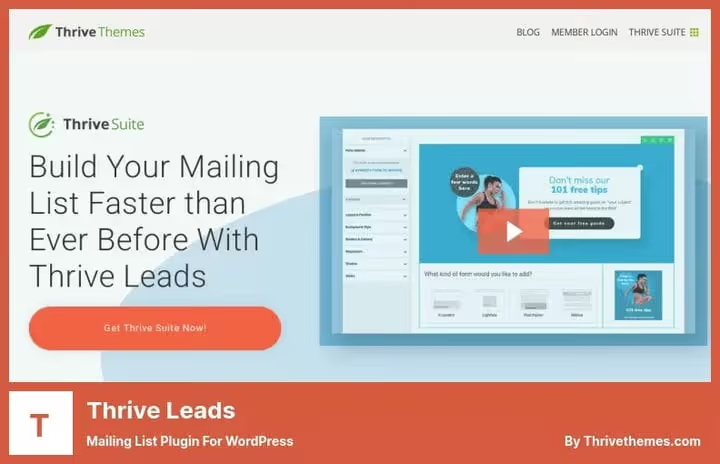
Thrive Leads is part of the Thrive Suite ecosystem and remains one of the most advanced plugins for subscriber acquisition. The drag-and-drop editor assembles opt-in forms of any type: popovers, embedded blocks, ribbon bars, widgets, full-screen overlays. No code, directly on the page.
What sets it apart from the rest is the Smart Analytics module. It shows not just "how many subscribed," but where these people came from, what content converts and which form wins the A/B test. In practice, this allows you to disable weak forms in the first week. The plugin is only available in the Thrive Suite subscription, there is no standalone version in the WordPress.org catalog.
- Pros: drag-and-drop editor, A/B testing of forms, Smart Analytics with detailed reports, integration with 40+ email services
- Cons: only as part of Thrive Suite, no free version on WordPress.org
- Price: from $299/year on Thrive Themes (full access to Thrive Suite)
- Download: 🔗 Thrive Leads on developer site
2. OptinMonster
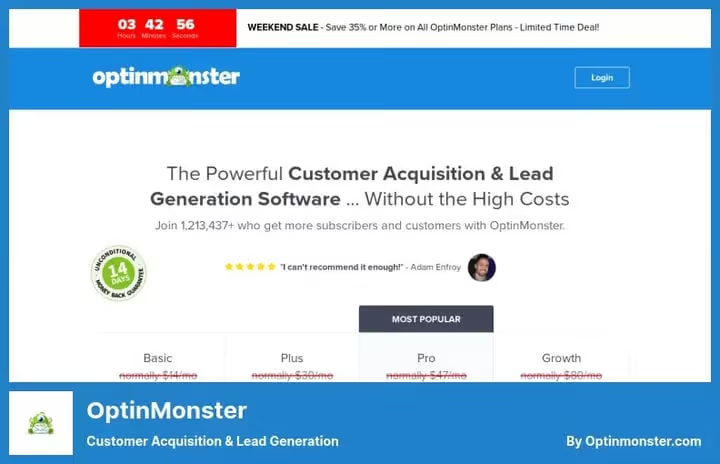
OptinMonster works on both WordPress and any other platform via embeddable code. Its main feature is Exit-Intent®: the technology detects the moment when the cursor leaves the window boundaries and shows the form at exactly that second.
In our test, campaigns with exit-intent consistently outperform static inline forms in conversion. Targeting by URL, device and geolocation allows you to show different offers to different audience segments in one campaign. Supports 97+ integrations with email services and CRM.
- Pros: Exit-Intent®, targeting by URL/device/geo, A/B testing, compatible with WordPress and other platforms
- Cons: no free version, only 14-day money-back guarantee, some features only on Pro tier and above
- Price: Basic from $9/month with annual payment
- Download: 🔗 OptinMonster on developer site
3. Convert Pro
Convert Pro is developed by Brainstorm Force, the team behind the Astra theme and Schema Pro. The plugin builds opt-in forms with flexible targeting: popovers, widgets, slide-ins, yes/no forms, multi-step forms and content-lock.
The main difference is speed. Unnecessary modules are disabled in settings, and Convert Pro adds fewer extra scripts than most alternatives. For a site where every kilobyte counts, this is noticeable. Compatible with Mailerlite, ConvertKit, ActiveCampaign, AWeber, GetResponse and Mailchimp.
- Pros: targeting by geo, device and behavior, disableable modules for speed optimization, various form types
- Cons: no free tier or trial period
- Price: paid plans on developer site
- Download: 🔗 Convert Pro on developer site
4. ConvertBox
ConvertBox is a SaaS platform that integrates with WordPress as a plugin. The editor here is the simplest of the entire list: from opening the panel to publishing the first form, a few clicks. No extra settings.
The strong side is segmentation. ConvertBox shows different forms depending on tags and segments in your ESP or CRM, supports multi-step surveys and personalized offers. A nice bonus: a lifetime deal is available without a monthly subscription.
- Pros: simple editor, segmentation by CRM data, A/B tests, sticky bars and full-page forms
- Cons: SaaS dependency, data on third-party servers, fewer form types than Thrive Leads
- Price: lifetime deal, current price on ConvertBox site
- Download: 🔗 ConvertBox on developer site
5. MailPoet

MailPoet works inside WordPress without external services. You create a list, add a subscription form, write an email in the drag-and-drop editor and send, all in one place. No switching between tabs.
According to wordpress.org/plugins/mailpoet, the plugin is active on more than 800,000 sites. The free version supports up to 1,000 subscribers, sends unlimited emails and includes welcome series and new post notifications out of the box.
- Pros: everything in WordPress without external services, simple email editor, welcome series, free up to 1,000 subscribers
- Cons: for large lists you need a paid plan or external SMTP, analytics simpler than OptinMonster
- Price: free up to 1,000 subscribers, paid plans on site
- Download: 🔗 MailPoet on WordPress.org
6. Mailchimp for WordPress

Mailchimp for WordPress (MC4WP) does exactly one thing. And does it well: connects any existing form on the site with Mailchimp. Contact form, WooCommerce registration, checkout page, you add a checkbox via MC4WP, and new contacts automatically go to the right list.
According to wordpress.org/plugins/mailchimp-for-wp, the plugin is active on more than 2 million sites with a rating of 4.8 out of 5. The fastest way to attach Mailchimp subscription without a single line of code.
- Pros: free, works with WooCommerce, Contact Form 7, Gravity Forms, WPForms, MemberPress and others
- Cons: only Mailchimp, no A/B tests, no advanced behavioral targeting
- Price: free, advanced features on mc4wp.com
- Download: 🔗 Mailchimp for WordPress on WordPress.org
7. HubSpot for WordPress

HubSpot for WordPress adds CRM, forms, live chat and analytics to the site, all free. Unlike regular form plugins, HubSpot records the behavior of each contact: what pages they read, what forms they filled out, what emails they clicked.
According to wordpress.org/plugins/leadin, the plugin has more than 200,000 active installations. Especially useful for startups and service businesses: one tool instead of three separate ones.
- Pros: free CRM with behavioral analytics by contacts, forms and live chat without extra charges
- Cons: advanced automation and segmentation require a paid HubSpot plan, with a large database CRM works slower than local solutions
- Price: free, advanced plans on hubspot.com
- Download: 🔗 HubSpot for WordPress on WordPress.org
8. Bloom
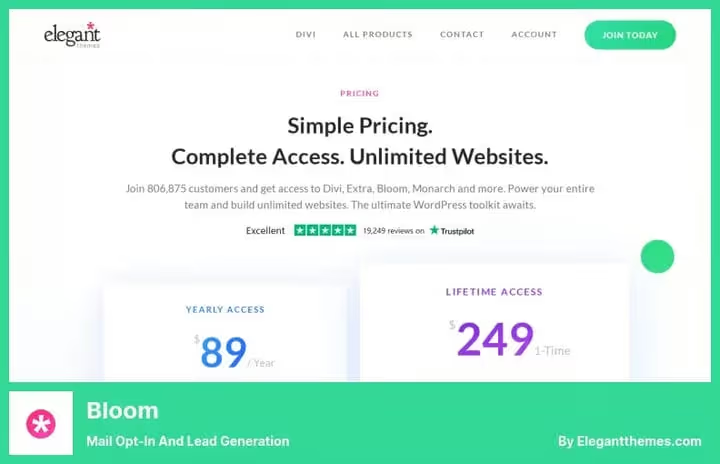
Bloom is an opt-in form plugin from Elegant Themes, the authors of the Divi theme. It is supplied only as part of the Elegant Themes subscription along with Divi and the Monarch builder.
The main advantage: more than 100 ready-made form templates that look professional right out of the box. If the site is already on Divi, Bloom logically complements the ecosystem. Supports 16 email services: AWeber, Mailchimp, Campaign Monitor, ConvertKit and others.
- Pros: beautiful ready-made templates, A/B testing, targeting by page and category, content-lock
- Cons: available only in Elegant Themes subscription, no standalone version, exit-intent only in advanced configurations
- Price: from $89/year via Elegant Themes
- Download: 🔗 Bloom via Elegant Themes
9. OptimizePress
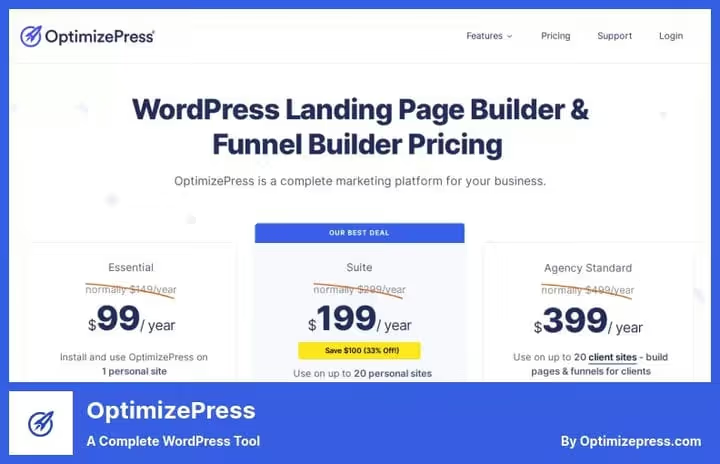
OptimizePress is not just a form plugin, but a full-fledged builder of landing pages, sales pages and webinar registrations. If you need not a form in the sidebar, but a landing page for a lead magnet, OptimizePress handles this task completely.
The drag-and-drop editor builds pages without code. Supports accepting payments through Stripe and PayPal directly from the landing page, convenient for selling digital products. Membership portals with content protection and integration with major email services are included in the basic plan.
- Pros: full-fledged page builder for funnels, payment via Stripe and PayPal, membership portals, pages for webinars
- Cons: excessive for the simple task of adding a subscription form, higher entry barrier for beginners
- Price: plans on developer site
- Download: 🔗 OptimizePress on developer site
10. Thrive Architect

Thrive Architect is a visual page builder for WordPress with a focus on conversion. Editing directly on the frontend, ready-made blocks for capturing email: countdown timers, lead-generation forms, CTA buttons with hover effects.
In our experience, Thrive Architect combined with Thrive Leads gives a full cycle: you build a landing page and immediately embed the right type of opt-in form. Both are included in Thrive Suite. The standalone plan suits those who build custom landing pages without the rest of the Suite tools.
- Pros: frontend editing, ready-made landing page templates, countdown timers, integration with Mailchimp, Infusionsoft and other services
- Cons: full potential only combined with Thrive Leads, standalone is more expensive than just a form plugin
- Price: plans on Thrive Themes site
- Download: 🔗 Thrive Architect on developer site
11. Popup Maker

Popup Maker is the most popular free popup plugin on WordPress.org: 780,000+ active installations and 4,300+ five-star reviews. Unlike most competitors on this list, it starts with a fully working free version: create popups, configure click and auto-open triggers, target by pages and categories.
Growth to Pro ($99/year) adds exit-intent, scroll triggers, geo-targeting and an analytics panel with reports on views and conversions. Pro+ for $249/year connects WooCommerce and Easy Digital Downloads: discount popups when adding to cart and abandoned cart recovery. No monthly payments and traffic limits, data stays on your server.
- Pros: fully working free version, 780,000+ installations, exit-intent and scroll triggers in Pro, WooCommerce integration in Pro+, no monthly payments
- Cons: A/B tests only through third-party integrations, advanced targeting requires Pro
- Price: free, Pro from $99/year
- Download: 🔗 Popup Maker on WordPress.org
Watch how to set up a free email newsletter in WordPress using MailPoet:
⁉️🤔 Frequently asked questions
Which newsletter plugin is suitable for a beginner?
Start with MailPoet: install from the WordPress.org catalog, send emails free up to 1,000 subscribers and manage everything directly in the dashboard. When the list grows and you need A/B tests or exit-intent, switch to OptinMonster or Thrive Leads.
How does a subscriber collection plugin differ from an email newsletter service?
A plugin (OptinMonster, Thrive Leads, Bloom) collects subscribers through a form on the site and passes them to a newsletter service (Mailchimp, ConvertKit, ActiveCampaign). These are two different tools for different tasks. MailPoet combines both: collects subscribers and sends emails directly from WordPress.
How much does a good email subscription plugin cost?
The range is wide: free, MailPoet, HubSpot for WP, MC4WP and Popup Maker. OptinMonster starts from $9 per month. Thrive Suite with full access to all tools, from $299 per year. Popup Maker Pro costs $99 per year without monthly payments.
How to choose a trigger for showing a subscription form?
It depends on the goal. Exit-intent best retains visitors before leaving. A timer for a few seconds suits quick landing pages. A scroll trigger in the middle of the page is for long articles: the reader has already shown interest in the content before seeing the form.
Can I use several such plugins simultaneously?
Technically yes, but you should not: competing scripts slow down the site. Optimally, one plugin for forms (Thrive Leads or OptinMonster) plus one newsletter service (Mailchimp, ConvertKit). Two tools from Thrive Suite (Architect + Leads) work without conflicts, they are from the same ecosystem.
What to install in 2026: recommendations by task
Each plugin on this list has its own niche. Here is how to distribute them by scenarios:
- If you are just starting and need everything in one: get MailPoet. Free, inside WordPress, without external services.
- If you want maximum conversion with exit-intent and targeting: OptinMonster pays off quickly.
- If you already work with Mailchimp and need quick integration: Mailchimp for WordPress, installed and forgotten.
- If the budget is limited and popups are needed here and now: Popup Maker covers basic scenarios for free, and Pro adds exit-intent without a monthly subscription.
- If you are building funnels with custom landing pages: look at OptimizePress or Thrive Suite.
Check that the selected plugin supports your email service, test the form on a mobile device and launch the first A/B test a week after installation.

A professional team of writers and editors specializing in creating quality content.