













 AIIllustrative image: AI-generated
🪟 Modal windows in WordPress: how to add popup content to your site in 2026
💡 How to add a popup window in WordPress
- Choose your approach: the Popup Maker plugin for a quick start or custom code for full control
- Install Popup Maker via "Plugins → Add New" and activate it
- Create a new popup, set the post or page content, and configure a trigger (click, timer, or scroll)
- For a custom solution, add CSS styles for the modal window to your theme file or the customizer
- Enqueue the JavaScript file via wp_enqueue_script() with a jquery dependency, verifying the load order
- Open the page and test the popup in your browser while monitoring the console for errors
What modal windows are and why your WordPress site needs them
A modal window is a popup block of content that opens on top of the page while dimming the background. The user never leaves the current URL but sees additional information: post text, a form, a video, or a gallery.
For a WordPress site, modal windows solve three specific problems. First, a user dashboard: instead of a separate profile page, you display settings, orders, or messages in a popup block. Second, quick content preview: a visitor clicks a product card or article teaser and sees the full content without a reload. Third, lead-capture forms: subscription, registration, and contact forms appear exactly when the visitor is ready to act.
The key advantage of a modal window over a separate page is speed. There is no waiting for a full page load with its header, sidebar, and footer. You load only the_content(), pure content. This saves both user time and server resources.
WP Post Popup: why the veteran plugin left the stage
Until 2023, one of the most popular solutions for modal windows in WordPress was the WP Post Popup (wp-post-modal) plugin. It could turn any post, page, or custom post type into a popup; all you had to do was specify a URL with a parameter. The plugin worked with shortcodes, Contact Form 7, and BuddyPress; it could load external pages and even selectively display a specific div from another site.
In October 2023, the plugin was closed. The reason was a security vulnerability. The WordPress.org page now shows the status "This plugin has been closed… Reason: Security Issue." Since then it has been unavailable for download, and active installations have dropped to zero.
But the ideas behind WP Post Popup have not gone anywhere. The task of displaying content in a popup without a reload is still solvable today, and by two routes: modern plugins and pure code.
3 modern ways to add a modal window in WordPress
Here are the current options for 2026, from ready-made plugins to a fully custom solution.
Method | Complexity | Flexibility | Cost |
|---|---|---|---|
Popup Maker | Low | Medium | Free (basic version) |
Bootstrap 5 modal window | Medium | High | Free |
Pure CSS + JavaScript (DIY) | High | Maximum | Free |
Popup Maker is the most popular free plugin for popups: 700,000+ active installations and a 4.9 rating on WordPress.org. It creates any type of popup, from modal windows with content to slide-in panels and banners. Triggers include click, timer, scroll, or exit intent. If you need a quick no-code solution, this is the best starting point.
Bootstrap 5 is built into many modern themes. Its native Modal component works out of the box: responsiveness, animation, closing on Escape, and clicking outside the window. Just include Bootstrap in your theme and use the ready-made markup with data attributes.
Pure code is the path for those who need total control over every pixel and behavior of the window. No extra scripts, dependencies, or conflicts with other plugins. This is the method we will walk through step by step.
The video above is a hands-on tutorial for creating a custom modal window in WordPress from scratch: 12 minutes of pure code with a ready result at the end.
Step-by-step guide: building a modal window from scratch
This method works on any WordPress site regardless of theme. We will write a CSS framework for styling the popup block, fix a typical JavaScript error, and add a smart preloader so that content appears smoothly without flickering.
Step 1: CSS framework for the modal window
Basic styling accomplishes three things: it centers the window on the screen, dims the background, and adapts tables inside the modal block. Here is working code for your theme's style.css file or the "Additional CSS" tab in the customizer:
1 /* Modal window — basic styles */ 2 .modal.show { 3 max-width: 650px; 4 } 5 6 .modal.show .kk-star-ratings.bottom-right.rgt { 7 display: none; 8 } 9 10 /* Tables inside the modal window */ 11 .modal.show table { 12 border-collapse: separate; 13 max-width: 100%; 14 overflow: auto; 15 table-layout: fixed; 16 border: none; 17 width: auto; 18 } 19 20 .modal.show table th { 21 background: #F8F0F8; 22 padding: 17px 10px; 23 vertical-align: middle; 24 color: #7F617E; 25 font-size: 12px; 26 text-align: left; 27 } 28 29 .modal.show table th:first-child { 30 border-radius: 5px 0 0 5px; 31 } 32 33 .modal.show table th:last-child { 34 border-radius: 0 5px 5px 0; 35 } 36 37 .modal.show table th.th-border { 38 border-left: 1px solid #ECE1EC; 39 } 40 41 .modal.show table td { 42 color: #424242; 43 font-size: 13px; 44 border-bottom: 1px dashed #E5E5E5; 45 padding: 10px 5px 5px 4px; 46 text-align: left; 47 } 48 49 .modal.show table tr:last-child td { 50 border-bottom: none; 51 padding-bottom: 20px; 52 } 53 54 .modal.show table td { 55 border-right: 1px solid #F7F7F7; 56 } 57 58 .modal.show table td:last-child { 59 border-right: none; 60 } 61 62 .modal.show table tr:first-child td { 63 padding-top: 20px; 64 }
The key point: the .modal.show selector ensures that styles apply only when the modal window is active. In the collapsed state, the block does not affect page layout. Tables inside the modal block get separate treatment: rounded corners on headers, dashed row dividers, and responsive scrolling.
Step 2: JavaScript errors and how to fix them

The most common problem when working with modal windows in WordPress is the Uncaught ReferenceError: wp is not defined error. It occurs when a plugin or custom script tries to use the wp object (the WordPress JavaScript API) before the core has loaded it.
In the case of WP Post Popup, the problem was in the modalCustomizer() function, which pulled settings from the admin via wp.customize. Here is how it looked in the plugin code:
1 // Window load 2 $(window).on('load', function () { 3 modalCustomizer(); 4 });
The fix is simple: comment out the call if you style the window through your own CSS:
1 // Window load 2 $(window).on('load', function () { 3 // modalCustomizer(); 4 });
A general rule for any modal scripts in WordPress: always verify the loading order of dependencies. Enqueue your scripts via wp_enqueue_script() with explicit dependencies on jquery and wp-util. And never insert <script> directly into the body of a post; that is a sure path to errors like $ is not defined and wp is not defined.
Step 3: smart preloader with jQuery
The preloader's job is to show a loading indicator while post content loads via AJAX. Once the data arrives, the preloader fades out smoothly. To track DOM changes, we use the micro-library jquery-watch (25 lines of code that monitor attribute and property changes on an element).
CSS for the preloader: a background gif indicator centered in the modal block:
1 /* Modal window preloader */ 2 .modal-wrapper.styled .modal { 3 min-height: 385px; 4 background-color: white; 5 background-size: inherit; 6 } 7 8 div#modal-content { 9 background-color: white; 10 } 11 12 .modal-wrapper.styled .modal { 13 background: white url(/wp-content/uploads/2018/02/dollar-glass.gif) center center no-repeat scroll; 14 } 15 16 #single-post-meta-manager { 17 opacity: 0; 18 } 19 20 div.modal-content-post-wrapped.load { 21 opacity: 1; 22 }
How it works: initially the content is hidden (opacity: 0) and the background preloader is visible. When data has loaded, jQuery adds the .load class, the content fades in, and the preloader disappears. Here is the JS code:
1 jQuery(document).ready(function($) { 2 3 // Smooth appearance of content in the modal window 4 $("div#single-post-meta-manager").animate({ 'opacity': '1' }).fadeIn('slow'); 5 6 // Add class-informer "content loaded" 7 $("div.modal-content-post-wrapped").addClass("load"); 8 9 // Track modal window changes via jquery-watch 10 $(".modal-wrapper").watch({ 11 properties: "top,left,opacity,display,attr_class", 12 watchChildren: true, 13 callback: function (data, i) { 14 // Set preloader as background image 15 $('.modal-wrapper.styled .modal').css( 16 'background', 17 'white url(/wp-content/uploads/2018/02/dollar-glass.gif) center center no-repeat scroll' 18 ); 19 // If content is loaded — remove preloader 20 if ($('.modal-content-post-wrapped').is('.load')) { 21 $('.modal.show').css('background', 'white'); 22 } 23 } 24 }); 25 26 });
Important warning. The code above uses jQuery and the jquery-watch plugin. Before inserting it, make sure jQuery is enqueued and loads before your script. On modern WordPress sites jQuery ships with the core, so no additional includes are necessary. Add the script via wp_enqueue_script() in functions.php, not directly in the post body.
What to do if the modal window does not load
Over 6 years of working with WordPress modals I have compiled a list of typical causes, from the obvious to the obscure. Here is a diagnostic checklist:
- jQuery is not loaded or is conflicting. Check the browser console (F12 → Console). The error
$ is not definedmeans jQuery is either not enqueued or your script executed too early. Solution:wp_enqueue_script('my-modal', ..., array('jquery')). - The page template does not output
the_content(). Some custom templates likepage-modal.phpuseget_the_content()instead ofthe_content(). The former does not apply filters, so shortcodes and formatting break. - Conflict with caching plugins. If you load AJAX content and the site uses WP Rocket or LiteSpeed Cache, disable caching for the URLs that the modal window fetches.
- CORS error when loading an external page. The browser blocks requests to a different domain. This is solved by proxying through the WordPress REST API or configuring CORS headers on the target server.
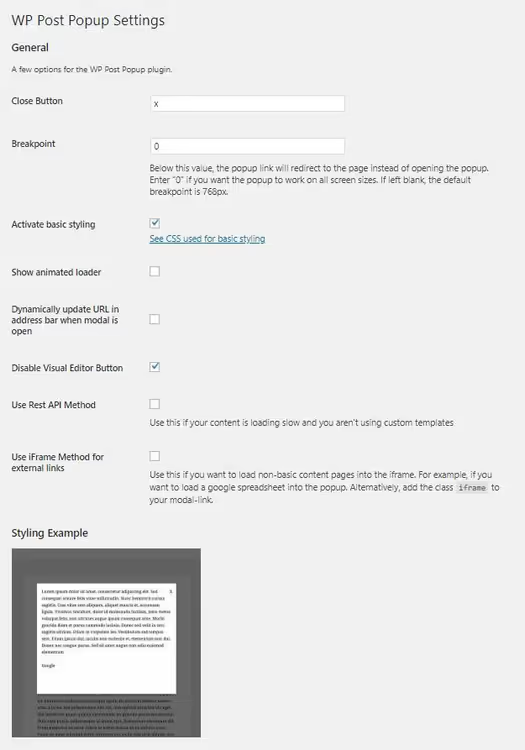
- Breakpoint. On mobile devices the modal window is often replaced by a direct link so the user simply navigates to the page. Check the
@mediarules in your CSS: below 768px the window may not appear intentionally.
⁉️🤔 Frequently asked questions
Plugin or pure code: what should I choose for a modal window?
If you need a ready solution in 5 minutes, install Popup Maker. It covers most typical scenarios: subscription forms, quick previews, notifications. If you have a non-standard design, complex AJAX logic, or performance requirements (not a single extra kilobyte), write it by hand. Pure code gives full control at the cost of several hours of development. Popup Maker adds roughly 40-60 KB of scripts and styles to a page. A custom solution fits in 2-5 KB, a difference of 10-30 times. For a high-traffic site, that is noticeable.
Can I open an external page in a popup window?
Yes, but with limitations. WordPress does not proxy third-party content by default. If the target site does not send the CORS header
Access-Control-Allow-Origin: *, the browser will block the AJAX request. The workaround is to write your own server-side proxy usingwp_remote_get()or set up a REST API endpoint that fetches the content and delivers it to your frontend. For public APIs and trusted sources, CORS is typically already configured. The GitHub API and the WordPress.org API are open for reading from any domain.
How does using modal windows affect SEO?
Content inside a modal window loaded via AJAX is less visible to search engines than static HTML on a dedicated page. The rule is simple: if the content matters for ranking, it should have its own canonical page with a direct URL. Use the modal window as an additional entry point, not as a replacement for a page. Googlebot has executed JavaScript since 2019, but indexing of dynamically loaded content is still unstable. It is better to play it safe and have a static version.
Why was WP Post Popup closed and what can replace it?
The
wp-post-modalplugin was closed in October 2023 due to an unresolved security vulnerability. If it is still installed on your site, remove it immediately. As replacements, consider Popup Maker (free, universal) or the custom solution described in this article. Both options are secure and supported in 2026.
Is jQuery required for a modal window in WordPress?
No, it is not required. Modern native JavaScript (ES6+) covers all necessary operations:
fetch()for AJAX,classListfor toggling CSS classes, andaddEventListenerfor handling clicks. However, jQuery is still deeply integrated into the WordPress core and most themes, so it is easier to use what is already loaded than to include yet another framework.
Modal windows in 2026: what to install and how to build
If you have reached this section, you have three ready paths. Popup Maker is for those who need a "set it and forget it" solution. 700 thousand active installations do not lie: the plugin is stable, flexible, and free in its basic version. Bootstrap 5 Modal: if your theme already runs on Bootstrap, use the native component and do not create extra dependencies. Pure code is for perfectionists and anyone who wants to control every line.
Personally, in 2026 I choose the second or third path. Plugins for modal windows solve the problem here and now, but custom code solves it forever, without updates, vulnerabilities, or conflicts. And 2-5 KB instead of 40-60 KB per page is an argument that is hard to ignore.
Try both approaches on a test subdomain and compare. WordPress has survived 20 years precisely because it offers freedom of choice, from zero code to a ready-made plugin in a minute.

A professional team of writers and editors specializing in creating quality content.