














🌦 7 best weather plugins for WordPress 2026 (free and premium)
A visitor opens a page, sees a weather block with a week-old temperature, and closes the tab. A weather widget either works accurately or undermines trust in the site.
A good plugin pulls live data from weather stations, updates the forecast regularly, and doesn't attach unnecessary scripts to every page. A bad one caches the forecast for a day and adds noticeable weight to each page. We selected 7 options: free ones without an API key, plugins with interactive maps and layers, decorative animations, and one paid widget with deep customization.
💡 Quick overview:
- Determine your data source: Open-Meteo (free, no key), OpenWeatherMap (requires API key, more details), Windy.com (interactive maps and wind layers).
- Choose based on your needs: simple forecast without settings (WP-Forecast, Weather Atlas), extended data and templates (Location Weather Pro), interactive wind map (Ventus), decorative seasonal effects (AWPLife Weather Effects).
- Check API key requirements: WP-Forecast and Ventus work without one. Location Weather, Weather Widget Pro, and Elfsight require a free OpenWeatherMap key (2-minute registration).
Plugin | Active Installs | Free | Premium | Data Source |
|---|---|---|---|---|
WP-Forecast | ✅ | ❌ | Open-Meteo, OpenWeatherMap | |
Weather Atlas | ✅ | ❌ | Weather Atlas API | |
Location Weather | ✅ Lite | from $29 | OpenWeatherMap | |
Elfsight Weather | ❌ | $24 | OpenWeatherMap | |
Ventus | ✅ | ❌ | Windy.com | |
Weather Widget Pro | ✅ | ❌ | OpenWeatherMap | |
AWPLife Weather Effects | ✅ Lite | $15 | Not required |
Watch a quick overview of WordPress weather plugins in action before choosing:
1. WP-Forecast
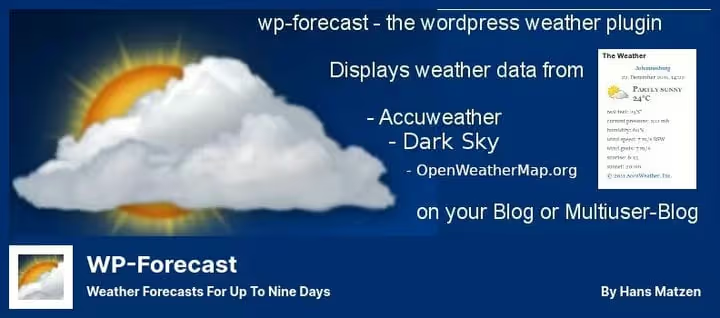
A free plugin that pulls data from Open-Meteo and OpenWeatherMap. No API keys needed: works out of the box, just specify the city. Forecast up to 9 days ahead, plus current conditions: wind speed, humidity, dew point.
- Pros: works without API key via open Open-Meteo; forecast up to 9 days; 12+ interface languages including Russian; visitor location auto-detection; flexible metric display settings
- Cons: basic design without animations; no built-in weather maps or radar
- Price: free
- Download: 🔗 WP-Forecast on WordPress.org
2. Weather Atlas Widget
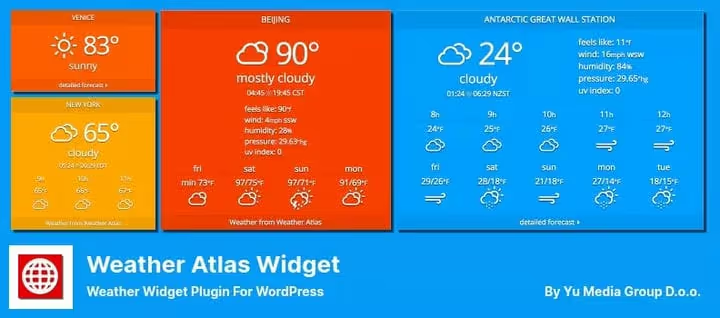
One of the most popular weather widgets in the WordPress catalog: 9,000+ active installs and 41 ratings in the repository. Distinctive feature: automatic text color adjustment based on temperature. Below zero the text shifts to cool tones, above zero to warm tones. Looks clean in any theme without CSS tweaks.
- Pros: automatic color adaptation to background and temperature; two layout presets (vertical and horizontal); detailed hourly and daily forecast; responsive mobile design; translation to major languages, Russian included
- Cons: only proprietary Weather Atlas API, less flexibility in choosing data source; no precipitation maps or radar
- Price: free
- Download: 🔗 Weather Atlas on WordPress.org
3. Location Weather
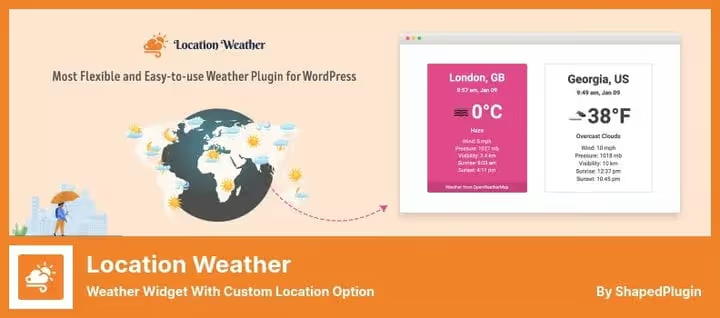
Leader by number of active installs in the category: 10,000+ sites and 100 ratings in the repository. The Lite version covers basic needs: current temperature, icon, brief forecast. Pro for $29 adds weather maps, historical data, air quality index (AQI), and over 200 ready-made templates.
- Pros: forecast up to 16 days; 200+ ready-made templates in Pro; weather maps, AQI, AI weather search in Pro; compatibility with Elementor, Gutenberg, and shortcodes; visitor location auto-detection
- Cons: maps and advanced templates only in Pro; requires OpenWeatherMap API key
- Price: Lite free, Pro from $29
- Download: 🔗 Location Weather on WordPress.org | 🔗 Location Weather Pro
4. Weather Forecast, Elfsight
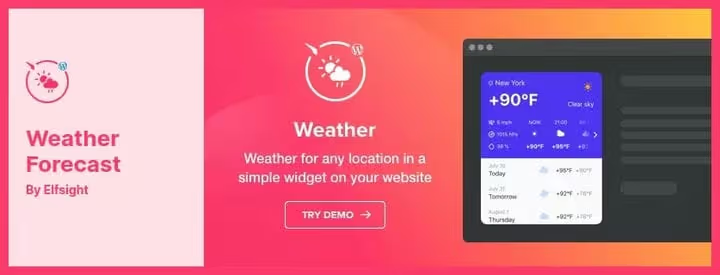
The only paid plugin in the roundup. What sets it apart is deep appearance customization: colors, fonts, background, card shapes. Three ways to set location: city name, ZIP code, or coordinates. Suitable when the widget's appearance matters as much as the data itself.
Note: the last plugin update on CodeCanyon is dated 2021. Check compatibility with your WordPress version before purchasing.
- Pros: extensive customization (colors, fonts, themes, layout); three location input methods; 50+ interface languages; built-in Gutenberg block; support included in price
- Cons: no free version; plugin hasn't been updated in a while (2021); against free alternatives the price is noticeable with annual renewal
- Price: $24 (Regular License, 12 months support and updates)
- Download: 🔗 Elfsight Weather Forecast on CodeCanyon
5. Ventus, Weather Map Widget

Not a typical widget with an icon and temperature, but a full-featured interactive map from Windy.com. Users see not just numbers, but a map of winds, precipitation, waves, sea temperature, or CO concentration. Embeds via shortcode or through the standard WordPress widget. No API key needed.
- Pros: interactive map with 11 layers (wind, precipitation, waves, sea temperature, CO); lightweight code without extra server load; works without API key; built-in widget and shortcode
- Cons: no text forecast for multiple days, map only; modest styling options compared to Elfsight
- Price: free
- Download: 🔗 Ventus on WordPress.org
6. Weather Widget Pro

Flexible weather widget for any city in the world. According to the catalog, 1,000+ active installs in the repository. Appearance customization without code: font size, color scheme, units of measurement. Forecast is cached, which reduces load on the OpenWeatherMap API.
- Pros: customization without code (color, font, units of measurement); shortcode and widget support; forecast caching to reduce API requests; active updates
- Cons: small install base compared to leaders; requires OpenWeatherMap API key
- Price: free
- Download: 🔗 Weather Widget Pro on WordPress.org
7. AWPLife Weather Effects

The most unconventional plugin in the roundup. Instead of a forecast: visual weather effects over content. Falling snow, autumn leaves, rain, sakura petals. According to the catalog, 4,000+ active installs and 30 ratings in the repository. Supports all four seasons plus holiday themes: Halloween, Thanksgiving, New Year, Valentine's Day.
- Pros: effects for all seasons and 8 holidays; particle speed and quantity settings; activation on specific pages or posts; doesn't require API keys
- Cons: doesn't show actual weather, only decorative animations; effects may lag on weak devices
- Price: Lite free, Premium $15
- Download: 🔗 AWPLife Weather Effects on WordPress.org
⁉️🤔 Frequently asked questions
Do I need an API key for a weather WordPress plugin?
Depends on the plugin. WP-Forecast and Ventus work without a key: the first via open Open-Meteo, the second via Windy.com. Location Weather, Weather Widget Pro, and Elfsight require a free OpenWeatherMap key. Registration takes 2 minutes, free tier is 1,000 requests per day. With forecast caching at 30 minutes, this is enough for sites with traffic up to 10,000 views per day.
Which plugin puts the least load on the site?
Ventus and WP-Forecast. Ventus embeds a map via Windy.com iframe and creates no load on your server. WP-Forecast uses Open-Meteo (free, no limits) with forecast caching. Both plugins don't load extra CSS and JS on pages without the widget.
Can I display weather for multiple cities at once?
Yes. Location Weather allows you to create any number of widget instances with different locations. Weather Widget Pro supports multiple shortcodes with different cities. WP-Forecast offers a choice: auto-detection by visitor IP or fixed location for each widget.
What's the difference between a weather widget and a weather map?
A widget displays data as text and icons: temperature, humidity, wind speed. A map (Ventus) visualizes weather layers on a geographic base: air mass movement, precipitation zones, sea temperature. For a news portal or event site, a widget is sufficient. For a surf station, yacht club, or aviation site, a map is more useful.
Can I use a weather plugin on a commercial site?
All plugins in the roundup allow commercial use. Free ones (WP-Forecast, Weather Atlas, Ventus, Weather Widget Pro) are distributed under GPLv2. Lite versions of Location Weather and AWPLife Weather Effects are also free. Note: Elfsight's license on CodeCanyon requires renewal for updates, but the widget itself will continue working after expiration.
💎 Which weather plugin to choose in 2026
Most sites get by with free tools. Weather Atlas covers the need for a clean widget with hourly forecast without a single setting. Choose WP-Forecast when you need a week-ahead forecast without API key registration.
- If you need a simple forecast without keys, get WP-Forecast.
- If automatic color adjustment and readability are important, get Weather Atlas.
- If you need maps, AQI, and 200+ templates, get Location Weather Pro for $29.
- If you want an interactive map of winds and precipitation, get Ventus.
- If widget appearance is critical and budget allows, get Elfsight Weather Forecast.
- If you need decorative seasonal effects over content, get AWPLife Weather Effects.
Install the plugin on a test page and check mobile behavior before launching in production. Which weather plugin do you use? Write in the comments.

A professional team of writers and editors specializing in creating quality content.