













 AIIllustrative image: AI-generated
🥇 9 best portfolio plugins for WordPress 2026 (free and premium)
💡 Quick overview:
- Why the standard WordPress gallery doesn't solve the problem of a selling portfolio, and how plugins turn a collection of images into a client acquisition tool
- Comparison table of all 9 plugins: price, content types, grid builder, filtering, compatibility with page builders
- Detailed breakdown of each plugin with interface screenshots, strengths and weaknesses, real pricing numbers and CTA buttons
- Selection matrix: which plugin to choose for a photographer, agency, freelancer, videographer and developer
The standard "Gallery" block in WordPress arranges images in even rows, and that's where its capabilities end. No category filtering, no masonry layout, no lightbox with project descriptions. Good enough for a blog. Not for a portfolio that should sell services.
A portfolio plugin adds layers that aren't in the core: visual hierarchy, interactive navigation, video and audio support, call-to-action buttons. Most importantly, it shows your work not as a file warehouse, but as an exhibition hall where clients want to enter.
The goal of this article is to review 9 current portfolio plugins for WordPress in 2026: from lightweight free starters to combines with WooCommerce storefronts and SEO lightboxes. Each was tested by the author on real builds, prices and versions verified from official websites.
Plugin | Free version | Pro price | Content types | Grid builder | Filtering | Page Builder |
|---|---|---|---|---|---|---|
Portfolio Gallery | Yes | $5 (one-time) | Images | Masonry, grid, grayscale | Yes (categories) | Shortcode |
WP Portfolio | No | $49/year | Images, sites, video, pages | 40+ themes | Yes | Elementor, Beaver Builder, WPBakery, Gutenberg |
Grid Kit | Yes | $29.99 (one-time) | Images, products, YouTube, Instagram | Gutenberg blocks | Pro only | Gutenberg |
Visual Portfolio | Yes | $39/year | Images, YouTube/Vimeo, Spotify/SoundCloud | 4 layouts + 5 styles | AJAX (Pro) | Gutenberg |
NextGEN Gallery | Yes | $49/year | Images, video, audio | Slideshow, thumbnails, blog-style | Yes (albums) | Shortcode, Gutenberg |
Media Grid | No (7-day trial) | $35 (one-time) | 14 types: images, video, HTML, audio | Free-form (no rows) | Built-in | Shortcode |
Go Portfolio | No | $27 (one-time) | Images, video, audio | FLEX, DOOR, VARIO, DELUX | Yes (taxonomies) | WPBakery |
Envira Gallery | Yes | from $26/year | Images, Instagram, video | Drag-and-drop | Yes | Gutenberg |
Portfolio Designer | Yes | $39 (one-time) | Images, YouTube, Vimeo, SoundCloud | 4 layouts + overlays | Yes | Shortcode |
1. Portfolio Gallery, quick start with a free core
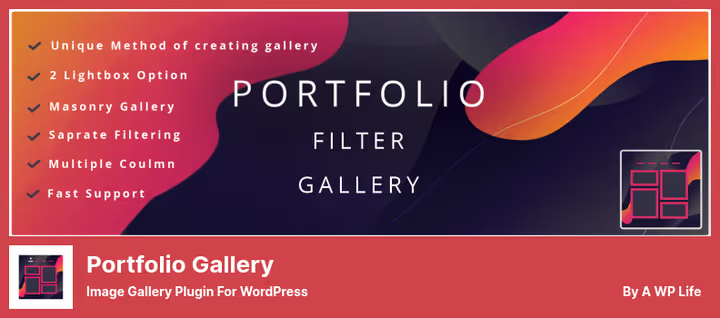
Portfolio Gallery is one of the highest-rated plugins for image grids in the WordPress repository. Install it, choose a grid format, upload images, and your portfolio is live on the page in 5 minutes. No magic, just a polished tool.
Three display formats: masonry, equal-cell grid and grayscale mode. The grid breaks down to 4 columns, plenty for a stock photo portfolio. Built-in filtering sorts work by categories, and animation effects add smoothness on scroll. Bootstrap responsive out of the box: on mobile the grid rebuilds rather than squishing into mush.
The Pro version ($5, one-time) adds custom post types, so portfolios can be embedded not only via shortcode but as part of the site structure. For a freelancer building their first business card site, the free core covers the vast majority of tasks.
But there's a limit: grid designs are basic. Unique layouts with text overlays, complex hover effects and custom lightboxes aren't there. The built-in styles are enough for a clean, tidy presentation, not for a "wow" effect. If clients choose with their eyes, take a closer look at Media Grid or WP Portfolio.
- Pros: 5-minute setup, masonry and grayscale out of the box, Bootstrap responsive, category filtering, free version not crippled on key features
- Cons: modest grid designs, no-frills lightbox, no direct integration with Elementor and Gutenberg
💵 Free Lite version on WordPress.org. Pro, $5 (one-time) on developer site.
🔗 Portfolio Gallery on WordPress.org🔗 Pro version on AWPLife
2. WP Portfolio, 40+ themes and deep integration with page builders

WP Portfolio is a product of Brainstorm Force, the team behind the Astra theme. The kinship shows: the plugin works seamlessly with Elementor, Beaver Builder and WPBakery. Shortcodes are simple, editable without diving into code, and recently a native Gutenberg block appeared, so you can assemble grids right in the editor.
The main feature is 40+ ready-made themes for different portfolio types: sites, images, video, individual pages. Import a demo grid in one click, swap in your content, and the portfolio is ready. For a web studio there's white-label: load the "skeleton," show the client what their future site will look like, and approve the concept in one call.
Technical stuffing: masonry, infinite scroll, lazy loading, all out of the box. Search across portfolio items helps when you've accumulated close to a hundred works. Price is $49/year (or lifetime), includes 12 months of support and updates.
The downside is obvious: no free version. If you're just testing the hypothesis with a portfolio, paying $49 upfront may be uncomfortable. But for an active agency or freelancer with a flow of clients, this is a reasonable investment that saves hours of layout work.
- Pros: 40+ ready themes, compatibility with Elementor, Beaver Builder and WPBakery, white-label demos for clients, masonry and infinite scroll, Gutenberg block, search across items
- Cons: no free version, tied to the Brainstorm Force ecosystem
💵 $49/year (or lifetime) on wpportfolio.net. Includes 12 months of support and updates.
3. Grid Kit, product catalog and YouTube gallery in one package
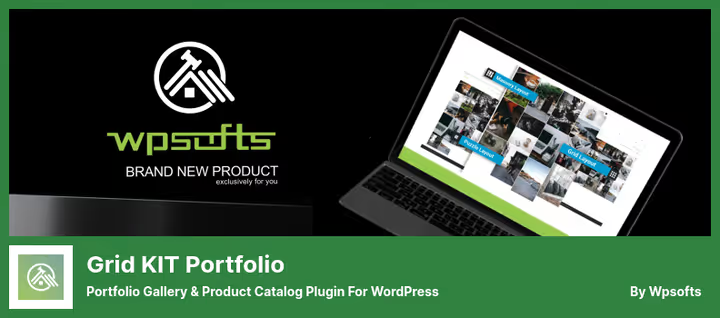
Grid Kit (formerly Portfolio WP) stands apart: it's not just a gallery but a full catalog. The plugin can display products with descriptions, prices and a "buy" button. If you sell services through WooCommerce, Grid Kit becomes a storefront without additional plugins.
The second strong point is YouTube gallery. Insert a video link, the plugin pulls the thumbnail itself and builds a grid from clips. For a videographer or streamer this is a ready portfolio in 10 minutes. Instagram feed also pulls automatically.
Gutenberg blocks let you add portfolio sections right in the editor. Lazy loading of images turns on with one toggle, a page with 50+ works doesn't lag. Slideshow works without scrolling, the viewer flips through projects within one screen.
The main downside: filtering is locked in the Pro version ($29.99, one-time). In the free version the grid is static, you can't filter work by category or type. For a small portfolio of 10-15 projects this is tolerable, for a large catalog with diverse content, it's critical.
- Pros: WooCommerce catalog, YouTube gallery, Gutenberg blocks, lazy loading, Instagram integration, slideshow without scrolling
- Cons: filtering only in Pro, visual grid styles simpler than competitors
💵 Lite, free on WordPress.org. Pro, $29.99 on wpsofts.com.
🔗 Grid Kit Lite on WordPress.org🔗 Pro version on WpSofts
4. Visual Portfolio, open-source with a powerful block builder

Visual Portfolio grew from the idea of a "Gutenberg-native" portfolio. The code is open, modular architecture allows extending functionality without hacks. If you have a developer on your team, this plugin gives maximum flexibility with zero vendor lock-in.
In the box are 4 preset layouts and 5 styles, from strict grid to magazine layout. The block editor shows a live preview: change settings in the sidebar panel, the grid rebuilds before your eyes. Supported are not only images but also video from YouTube and Vimeo, audio from Spotify and SoundCloud, multimedia portfolios assemble without crutches.
The plugin is lightweight: modular structure loads only what's actually used. The "Load More" button and AJAX filtering make navigation smooth, without page reload. For developers there's template saving, CSS editing, export and import of settings.
The downside: advanced layouts are locked in Pro ($39/year). The free version gives basic grids, enough for a photographer or illustrator, not enough for an agency with a dozen project types. The block interface requires getting used to: a beginner will spend an hour or two on learning.
- Pros: open-source, live preview in editor, video, audio and images in one grid, lightweight and modular, Load More + AJAX filtering
- Cons: advanced layouts in Pro, requires getting used to the block interface
💵 Lite, free on WordPress.org. Pro, $39/year on visualportfolio.co.
🔗 Visual Portfolio on WordPress.org🔗 Pro version on visualportfolio.co
5. NextGEN Gallery, a veteran since 2007: for photographers and studios

NextGEN Gallery is the oldest plugin in this roundup: on the market since 2007, installed on more than 1 million sites. It grew from photographers' needs and remains the standard for those who process hundreds of shots per shoot.
Key features: batch FTP upload, album and gallery management, watermarks, download protection (right-click disable). Proofing, sending a selection to the client for approval, is built in natively. Selling shots through WooCommerce, Stripe and PayPal turns the gallery into a store.
Three display types, slideshow, thumbnails and blog-style, are configured individually for each album. Deep customization of transitions, effects, preview sizes and image metadata gives control over every detail of display. For a wedding photographer who delivers 200-300 frames from one shoot, NextGEN is a practically unbeatable tool.
But you pay for power with speed: the plugin is heavier than competitors. Five galleries of 50 shots each without caching will start to lag. Social sharing is Pro only, and the admin interface is, let's be honest, dated. That said, functionally the plugin covers nearly all professional photographer scenarios.
- Pros: batch FTP upload, albums and galleries, watermarks, proofing, selling shots through WooCommerce, Stripe and PayPal, deep transition settings
- Cons: heavy, outdated admin interface, social sharing only in Pro, overkill for a simple portfolio of 10-20 works
💵 Lite, free on WordPress.org. Pro, $49/year on imagely.com.
🔗 NextGEN Gallery on WordPress.org🔗 Pro version on Imagely
6. Media Grid, free-form grid builder without row constraints
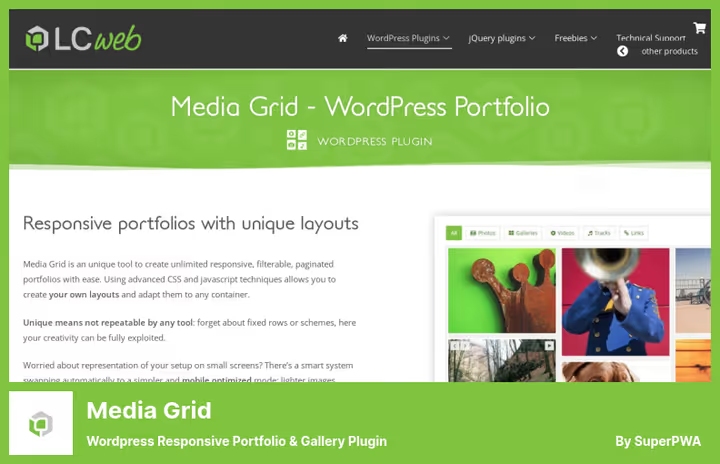
Media Grid from Italian studio LCweb does what no other plugin in this roundup can: a completely free-form grid builder. You're not tied to rows and columns, each element can be placed anywhere with arbitrary size, shape and position. The result looks like a magazine spread assembled by hand by an art director.
The plugin supports 14 element types: from static images to inline video and custom HTML blocks. The lightbox deserves separate mention: two modes (content and media), 5 layouts, 8 control layouts and deeplinking, each element gets its own URL, which search engines openly love. SEO file for Google Webmaster Tools is included.
Media support is omnivorous: YouTube, Vimeo, Dailymotion, SoundCloud, Spotify, Mixcloud, custom audio players. Elements can be assembled not only manually but also automatically, from WordPress posts, WooCommerce products or the media library.
The plugin is paid, $35 one-time, with a 7-day trial. The interface at first glance is overloaded, lots of buttons and settings, the entry barrier is higher than competitors. But if your portfolio should look "like they write about on Awwwards," Media Grid pulls that level.
- Pros: free-form builder without row constraints, 14 element types, SEO lightbox with deeplinking, auto-generation from posts, WooCommerce and media library, omnivorous media support, 7-day trial
- Cons: high entry barrier, interface overloaded, no free version
💵 $35 (one-time) on lcweb.it/media-grid. Trial, 7 days.
7. Go Portfolio, 38 starter templates and flexible query system

Go Portfolio bets on templates: 38 starter blanks cover photographers, design agencies, restaurants, construction companies, almost any business will find a suitable style. Four base styles (FLEX, DOOR, VARIO, DELUX) are customizable down to the pixel: colors, fonts from a library of 650+ Google Fonts, corner radii, shadows, overlays.
The query system is one of the most flexible in the roundup. You can display posts of a specific type in the grid, filter by taxonomies, set limits and sort order. This is convenient when the portfolio is not a separate page but, say, a "Similar projects" block inside a blog post.
Compatibility with WPBakery (formerly Visual Composer) is out of the box. Slider layout works on touch devices without lags. The price is modest: $27 one-time, 12 months of support and updates included.
On the downside: documentation is sometimes outdated, support is not instant (India time zone). The admin interface hasn't been reworked since 2020, functionally everything works, but visually the plugin looks like a guest from the past decade. If backend appearance matters to you, go with Visual Portfolio or WP Portfolio.
- Pros: 38 templates, 650+ Google Fonts, flexible query system with taxonomies, limits and sorting, WPBakery compatibility, slider layout
- Cons: admin interface outdated, documentation not always current, no free version
💵 $27 (one-time) on go-portfolio.com. 12 months of support and updates.
8. Envira Gallery, drag-and-drop builder with image protection
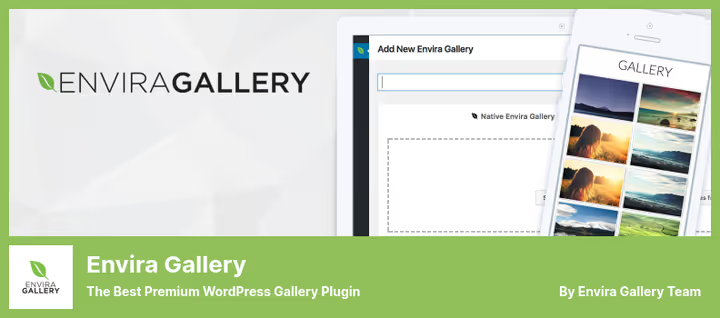
Envira Gallery positions itself as "the fastest drag-and-drop gallery builder," and this isn't just marketing. The code is optimized so that even a dozen galleries on a page don't tank Core Web Vitals. For a photographer whose portfolio is 50-70 shots on a landing page, loading speed is critical, and Envira handles this task.
Image protection is a key feature: watermarks, right-click disable, download prevention. A full set for those who earn from shots and don't want to see them on other people's sites. Deep linking gives each shot its own URL, useful for image SEO. Ready-made dark and dropdown themes adapt to the existing site design.
WooCommerce integration allows selling shots through Stripe and PayPal. Instagram feed pulls automatically. Gutenberg blocks add galleries right in the editor. A rare feature is the publication scheduler: you can schedule a series of shots to go out on a specific date. A wedding photographer posts frames from the wedding exactly when the newlyweds return from their honeymoon.
The free Lite version is cut on image protection and e-commerce, which is fair, basic gallery features work fully. Pro unlocks unlimited galleries, watermarks, social sharing and WooCommerce.
- Pros: drag-and-drop builder, watermarks and download protection, deep linking, WooCommerce, Instagram, publication scheduler, lightweight and fast code
- Cons: protection and e-commerce only in Pro, free version is basic gallery without advanced features
💵 Lite, free on WordPress.org. Pro, from $26/year on enviragallery.com.
🔗 Envira Gallery Lite on WordPress.org🔗 Pro version on EnviraGallery.com
9. Portfolio Designer, 50+ effects and cross-browser compatibility
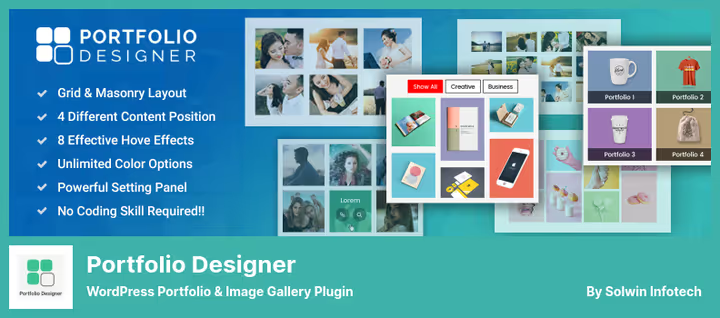
Portfolio Designer lives up to its name: 50+ effects for images, shadows, overlays, hover animation, transitions. Four portfolio layouts and four content positions (above, below, left, right of the image) give designers tools, not rigid frames. Typography is flexible, fonts and sizes are customizable to brand style.
Media support is omnivorous: YouTube, Vimeo, Screenr, SoundCloud, like Visual Portfolio, the plugin doesn't limit formats. Cross-browser compatibility is stated as a feature: grids don't fall apart in Safari and Firefox, which is critical for Mac audiences. The built-in popup box opens works in a lightbox without additional plugins.
Development pace is the main cause for concern. The last update of the Lite version on WordPress.org came out in August 2024. For a gallery plugin this isn't fatal: image formats don't change every month. But if you're expecting compatibility with new WordPress 6.7+ features, rough edges may surface. Before buying Pro, test on a staging environment.
- Pros: 50+ image effects, 4 layouts and 4 content positions, flexible typography, omnivorous media support, cross-browser compatibility, built-in popup box
- Cons: infrequent updates (last one August 2024), admin interface hasn't changed in years
💵 Lite, free on WordPress.org. Pro, $39 on solwininfotech.com.
🔗 Portfolio Designer Lite on WordPress.org🔗 Pro version on Solwin Infotech
⁉️🤔 Frequently asked questions
How does a portfolio plugin differ from the standard WordPress gallery?
The standard "Gallery" block in WordPress can arrange images in a rectangular grid, and that's it. Portfolio plugins add category filtering, masonry layout, video and audio support, lightboxes with project descriptions, call-to-action buttons, integration with WooCommerce and Instagram. Showing 10 images in a blog, the gallery is enough. A portfolio sells services, you need a plugin.
Can I use a free plugin for a commercial portfolio?
Yes. Portfolio Gallery, Grid Kit, Visual Portfolio, NextGEN Gallery, Envira Gallery and Portfolio Designer have free Lite versions, licensed for use on client sites. Limitations concern advanced features: filtering (Grid Kit), watermarks (Envira), non-standard layouts (Visual Portfolio). For a starting freelancer, the free version is enough for the first six months to a year of work.
Which plugin is best for a photographer?
NextGEN Gallery, if you process hundreds of shots per shoot: batch FTP upload, albums, proofing, watermarks and selling through WooCommerce. For a small photo portfolio of 20-30 works, Envira Gallery is enough, it's lighter, faster and friendlier to set up.
Do these plugins support video?
Yes, most do. Grid Kit and WP Portfolio are designed for YouTube galleries. Visual Portfolio, Media Grid and Portfolio Designer support YouTube, Vimeo, SoundCloud and Spotify. NextGEN and Envira have video through Pro versions. Only Portfolio Gallery is oriented exclusively toward images.
Which plugin gives the most non-standard layout?
Media Grid. A free-form builder without row and column constraints, 14 element types, you can assemble a layout of any complexity level. You pay for this with a higher entry barrier: the interface requires several hours to master.
Do I need a paid plugin if I use Elementor?
Elementor has a built-in Portfolio widget, but it's inferior to specialized plugins in filtering flexibility and media support. If Elementor is your main builder, go with WP Portfolio (40+ themes, Gutenberg block, native integration) or Visual Portfolio (open-source, live preview). Both work with Elementor without conflicts.
What to do if a plugin hasn't been updated in a long time?
Assess risks soberly. A gallery plugin without updates for a year or two is not a catastrophe: image formats are stable. But if a plugin hasn't been updated in 3+ years and WordPress 7.0 is on the horizon, it's better to migrate to an actively supported alternative. From our roundup, the most concerning by update pace is Portfolio Designer (last Lite update, August 2024). Before using on a live site, test compatibility on staging.
Which portfolio plugin to choose in 2026?
Nine plugins are not a reason for choice paralysis. Here's a short matrix tied to the task, not the brand:
- Photographer with wedding shoots and client proofing: NextGEN Gallery. Batch upload, albums, watermarks and WooCommerce sales, perfectly tuned for the task. Yes, the interface is dated, but functionally the plugin covers the vast majority of scenarios.
- Agency delivering sites to clients: WP Portfolio. 40+ themes, white-label demos and compatibility with Elementor, Beaver Builder and WPBakery save hours on every project. $49 per year is pennies per saved time.
- Videographer or streamer: Grid Kit Portfolio. YouTube gallery out of the box: insert links and get a grid from clips. Plus Instagram feed for additional reach.
- Designer with a taste for unique layout: Media Grid. Free-form builder and SEO lightbox with deeplinking, for a portfolio that should stand out against template grids. Budget entry: $35 one-time.
- Freelancer on a limited budget: Portfolio Gallery or Envira Gallery Lite. Free features are enough for early projects. Pro upgrade from $5 for Pro to $26, you won't go broke when you want more.
- Developer who wants to customize everything: Visual Portfolio. Open-source, modular architecture, template saving and CSS editing. Maximum flexibility with zero vendor lock-in.
The standard WordPress gallery is a shelf in the hallway. A portfolio plugin is an exhibition hall with proper lighting. Choose the one where clients will want to enter, and where your work will look worth its real price tag.

A professional team of writers and editors specializing in creating quality content.