














🧩 6 plugins for automatic image alt-text 2026 (free and Pro)
Images without alt text are a blind spot that eats traffic from Google Images. The search engine doesn't understand what's in the picture. Screen readers stay silent. Accessibility suffers, and the site owner doesn't even suspect how many clicks are lost monthly.
Manual alt filling for hundreds of files turns into hours of routine. And when uploading new images, the attribute is easy to forget, WordPress admin doesn't force you to fill it. According to WebAIM data for 2025, every fourth image on the internet has no alt attribute. On small sites, the share of omissions often exceeds 60%.
Automation plugins close this task completely: in bulk, on schedule, tied to an SEO keyword. We tested 6 tools for WordPress that actually work in 2026. Four veterans with tens of thousands of installations and regular updates. Two solutions with AI content analysis, for cases when the file name isn't enough. No fluff, only facts, prices and scenarios.
💡 Quick overview:
- Automatic alt insertion when uploading an image, plugins do this differently: from the file name, through AI image analysis or from the Yoast/Rank Math SEO keyword.
- Bulk processing of existing media library, run it once and get alt for thousands of images, including those that hung without attributes for years.
- Integration with Yoast, Rank Math, AIOSEO and SEOPress, the keyword from the SEO plugin gets into alt automatically, without manual copying.
Why alt text is still a problem
Alt performs two roles simultaneously. For accessibility: the screen reader reads the description, without it the picture simply doesn't exist for a blind user. 67% of screen reader users consider alt "very" or "somewhat" useful, according to the same WebAIM survey.
For SEO: Google ranks images in search by alt text and considers it in the overall page context. Missed alt, missed traffic from Google Images, and that's more than 20% of all search clicks.
Plugins from the selection solve both tasks. Choose for your scenario, below is an analysis of each tool with pros, cons and prices.
Comparison table: 6 plugins in 30 seconds
Plugin | Alt generation principle | WooCommerce | Free version | Pro price |
|---|---|---|---|---|
| From Yoast/Rank Math/AIOSEO SEO keyword | Yes | Yes | $89 |
Media Library Helper | Manual bulk editor | ❌ | Yes | - |
Auto Image Attributes | From file name | ❌ | Yes | $49 |
| AI image content analysis | Yes | 25 credits | from $5/100 |
Image SEO Optimizer | AI + social cards | Yes | Yes | $49 |
| From product attributes | WC only | Yes | - |
1. BIALTY
A plugin that builds alt text based on the SEO keyword from Yoast, Rank Math or AIOSEO. It picks up the focus keyword of the page and automatically inserts it into the alt of the uploaded image. Works with the existing media library through bulk mode.
Key difference from competitors: BIALTY doesn't overwrite metadata in the media library, but adds alt dynamically when rendering the page. Disabled the plugin, generated alts disappeared. This is instant reversibility without risk of damaging the database. Supports six languages, including Russian. The Pro version adds WooCommerce, custom post types and fine-tuning of templates.
Pros:
- Direct connection with Yoast, Rank Math and AIOSEO, the keyword from the SEO plugin gets into alt without manual actions
- Bulk editing of existing tags through change history
- WooCommerce out of the box, product names in alt automatically
Cons:
- Free version is limited to basic templates
- Pro for $89, more expensive than AI generation analogs on WordPress.org
Price: free version on WordPress.org, Pro, $89 one-time on bialty.com.
🔗 BIALTY on WordPress.org🔗 BIALTY Pro
2. Media Library Helper

Lightweight bulk alt tag editor right from the WordPress media library. Unlike automatic generators, here you have full control over the content: open the library in list mode, unlock editing and fill empty alts in one click.
Works with image titles, captions and descriptions simultaneously. No API keys and credits, clean UI on top of the standard media library. 10,000+ active installations, rating 4.9. Updates stably, latest version tested on WordPress 6.8.
Pros:
- Full manual control, no AI will make up anything extra
- Bulk editing in one click, saves hours on large libraries
- Completely free, no registrations and credits
Cons:
- No automation, each image requires manual attention
- Doesn't integrate with SEO plugins, doesn't pick up keywords
Price: completely free.
🔗 Media Library Helper on WordPress.org
3. Auto Image Attributes from Filename with Bulk Updater
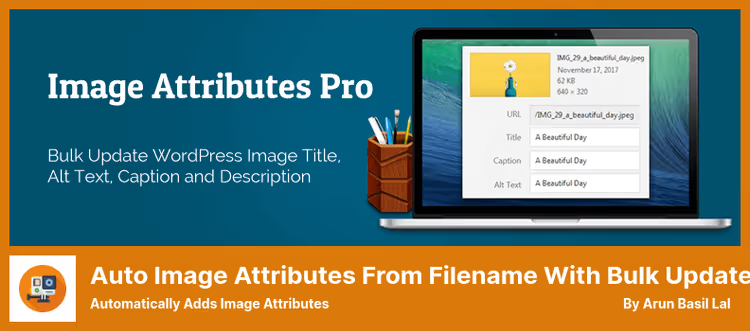
The most straightforward approach: takes the file name and turns it into alt text. Uploaded krasnyy-iphone-15.jpg, got alt "krasnyy iphone 15". Hyphens, underscores and numbers from the name can be automatically cut. Bulk mode processes the entire media library in one pass.
100,000+ active installations, 92 ratings, version 4.9.1 on WordPress.org. The project is alive and regularly updated, in practice one of the most reliable free options for sites with disciplined file naming. Pro version for $49 adds custom templates, tags%posttitle%,%yoastfocuskw%,%rankmathfocuskw% and source priorities.
Pros:
- No setup, installed and it worked
- Bulk update of existing images in one click
- Pro version adds custom templates and SEO sources
Cons:
- Alt quality depends on file names,
IMG_0042.jpgwill give garbage - No AI image content analysis, only text from the name
Price: free version on WordPress.org, Pro, $49 on imageattributespro.com.
🔗 Auto Image Attributes on WordPress.org🔗 Pro version
4. AltText.ai

An AI generator that actually looks at the picture. Computer vision analyzes the content and produces meaningful alt in 130+ languages. Not just "photo of food", but "carbonara pasta with bacon and parmesan on a white plate".
20,000+ active installations, version 1.10.35, update from May 2026. Integrates with Yoast, Rank Math, AIOSEO, SEOPress, The SEO Framework, SmartCrawl and Squirrly SEO, picks up keywords and weaves them into the description. Separate "Ecommerce Vision" for WooCommerce: AI sees the product and includes the product name in alt. Supports JPG, PNG, WebP, SVG and AVIF, full coverage of modern formats.
Pros:
- AI content analysis, alt is meaningful, not mechanical
- 130+ languages, WPML and Polylang out of the box
- Integration with seven SEO plugins and WooCommerce
Cons:
- Free only 25 images, further, from $5 for 100 credits on alttext.ai
- Requires registration and API key
Price: 25 free credits, then from $5 for 100 images on AltText.ai website.
5. Image SEO Optimizer
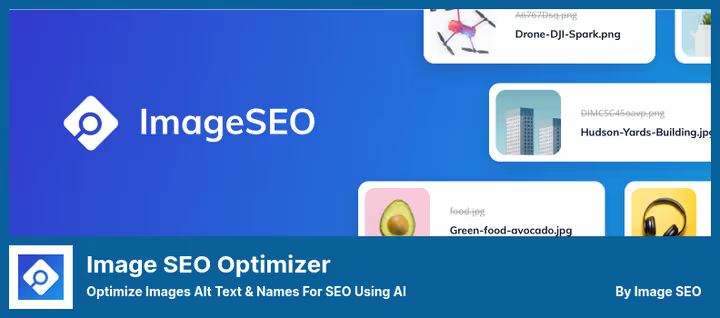
A combine for image SEO: alt text, title, captions, social cards for Facebook and Twitter, Pinterest optimization, all in one plugin. Bulk mode processes the existing media library. When uploading a new image, attributes are filled automatically.
Version 3.2.6, update from June 2026, compatibility with WordPress 7.0 confirmed on WordPress.org. Integrates with WooCommerce and main SEO plugins. Works with JPEG, PNG, WebP and GIF. Pro for $49 adds priority templates and extended customization. In practice: AI generation handles typical images, but specific interface screenshots are better checked manually.
Pros:
- Social card generation for Facebook and Twitter, not only alt
- Bulk and automatic modes in one bundle
- Compatibility with WooCommerce and WordPress 7.0
Cons:
- Free version doesn't include AI image analysis
- Rating on WordPress.org is mixed (3.4), some users complain about support quality
Price: free version on WordPress.org, Pro, $49 on imageseo.io.
🔗 Image SEO Optimizer on WordPress.org🔗 Image SEO Optimizer Pro
6. Top Image SEO (formerly Woo Image SEO)
A highly specialized plugin for WooCommerce stores. Automatically sets alt text and title for product images based on dynamic attributes: product name, category, tags, site name. At the end of 2025 renamed from Woo Image SEO to Top Image SEO, functionality remained the same, but support for fresh versions of WordPress and WooCommerce was added.
Free, from the WordPress repository. 5,000+ active installations, rating 4.9. Supports bulk mode and custom attribute templates through a builder. Doesn't conflict with most themes, but before installing on a custom theme it's better to test. If the store is on WooCommerce, you may not need anything else.
Pros:
- Sharpened exclusively for WooCommerce, no extra functionality
- Dynamic attributes: product name, category, tags, site name
- Completely free
Cons:
- Only WooCommerce, not suitable for regular content
- May conflict with some custom themes
Price: free.
🔗 Top Image SEO on WordPress.org
⁉️🤔 Frequently asked questions
Is it mandatory to write alt for each image?
For content images, mandatory. For purely decorative (background, divider) you can leave empty
alt="", the screen reader will skip the picture. But if the image has semantic load, product, screenshot, infographic, without alt the search engine won't understand what's on it. Alt text is not just a "picture description". It's a textual replacement of the image for search robots and screen readers. According to WebAIM data, 67% of screen reader users consider alt "very" or "somewhat" useful. Without it, the image for this audience simply doesn't exist, as if you inserted an empty white square.
Can a plugin completely replace manual alt filling?
A quality AI generator like
AltText.aihandles 80-90% on WordPress.org. For typical products and stock photos the result is good. Specific interface screenshots and diagrams are better checked. In practice, we recommend a hybrid approach: AI or a file name-based plugin does the initial filling of the entire media library, and you go through the most important pages and check alt manually. This gives a balance of speed and quality. In our experience: on projects with an organized media libraryAuto Image Attributescloses the task completely and for free. For a store with thousands of products and uncontrolled file names, it's better to takeAltText.aiorImage SEO Optimizerright away, manual name cleanup will cost more.
How to check which images have no alt text?
Install any plugin from the selection with a bulk audit function, it will show a list of images without alt. Alternatively: free online scanner Ahrefs Webmaster Tools or Sitebulb. In Google Search Console, the accessibility report also highlights image problems. The easiest way is a free online auditor from AltText.ai. You upload the page URL and in a minute you see a complete list of images with missing alt and an assessment of the quality of existing descriptions. For large sites, this is faster than manual media library scrolling.
What's better: a file name-based plugin or an AI generator?
Depends on naming discipline. If files are uploaded with meaningful names (
krasnyy-iphone-15.jpg), a plugin likeAuto Image Attributeswill give a good result and won't spend a penny. If the media library is chaos fromIMG_0042.jpgand screenshots with UUID in the name, only AI will pull through. In our experience: on projects with an organized media libraryAuto Image Attributescloses the task completely and for free. For a store with thousands of products and uncontrolled file names, it's better to takeAltText.aiorImage SEO Optimizerright away, manual name cleanup will cost more.
Is it safe to give an AI plugin access to images?
Yes, provided the plugin is from the WordPress.org repository with open source code. The image is sent to the generator API, analyzed, and alt is returned back. The picture itself is not stored on a third-party server:
AltText.aiandImage SEO Optimizerwork exactly like this. For confidential images, choose solutions without external sending,BIALTYandMedia Library Helperwork completely locally. All plugins in this selection pass the WordPress.org team check before publication. Nevertheless, if the site has images under NDA, use local solutions.BIALTYandMedia Library Helperdon't send pictures to third-party servers and don't require API keys.
Which plugin to choose in 2026
If you have an online store on WooCommerce, take BIALTY (connection with Yoast/Rank Math plus WooCommerce out of the box) or Top Image SEO (free, no frills, only for WC). Need maximum automation with AI, AltText.ai is beyond competition in description quality. Love control and don't trust machines, Media Library Helper will give bulk editing without automation.
Budget option without compromises, Auto Image Attributes From Filename: free and reliable, if file names are in order. And when besides alt you also need social cards, Image SEO Optimizer will close everything at once.
Choose not by rating, but for your task. And be sure to check the media library with any of these plugins, you'll be surprised how many images hung for years without alt.

A professional team of writers and editors specializing in creating quality content.