














🧑 6 best avatar plugins for WordPress 2026 (free and premium)
Standard Gravatar doesn't suit everyone. Small size, dependency on a third-party service, identical gray placeholders for users without avatars, the list of complaints grows quickly.
An avatar affects trust in a commenter and author recognition. Without a proper plugin, this small detail turns into a constant source of minor inconveniences: users can't change their photo without registering on Gravatar, and the administrator can't manage avatars centrally.
We've gathered 6 plugins that completely solve the local avatar question in WordPress. From simple photo upload in profiles to letter avatars for guests, each tool fits a specific scenario.
💡 Quick overview:
- Install ProfilePress if you need a full-fledged membership plugin with avatar uploads and frontend registration.
- Install Simple Local Avatars if you need a lightweight Gravatar replacement without extra functionality.
- Add Leira Letter Avatar to automatically generate colorful letter avatars for users without photos.
- Configure BP Local Avatars if the site runs on BuddyPress with groups and forums.
Understanding the differences between plugins in practice is helped by the video above, a quick guide to configuring avatars in WordPress without Gravatar. Now let's compare all six plugins by key criteria.
Comparison table
Plugin | Free version | Premium | Local avatars | Letter avatars | BuddyPress |
|---|---|---|---|---|---|
| ✅ | from $79/year | ✅ | ❌ | ❌ |
| ✅ | ❌ | ✅ | ❌ | ❌ |
| ✅ | ❌ | ✅ | ❌ | ❌ |
| ✅ | ❌ | ✅ | ❌ | ❌ |
| ✅ | ❌ | ✅ | ❌ | ✅ |
| ✅ | ❌ | ❌ | ✅ | ❌ |
1. ProfilePress
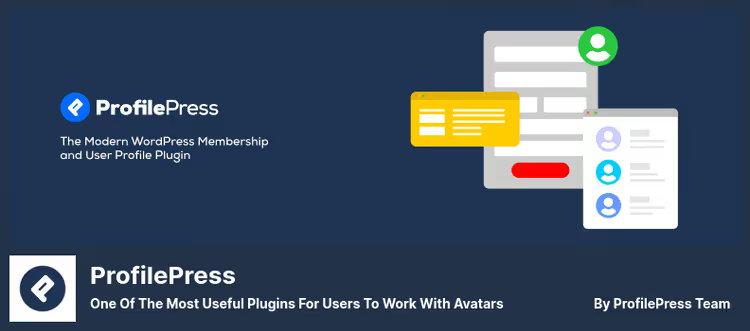
ProfilePress is not just a plugin for avatars. It's a full-fledged membership system with registration, user profiles and photo upload through the standard WordPress media library.
A user uploads any image from the media library as an avatar. No additional files, no Gravatar dependency. If you want to completely disable Gravatar, the plugin gives that option with one toggle.
In practice, this means: install, configure avatar policy and forget. Users manage their own photos, the administrator sets only file size limits.
Pros:
- Full-fledged membership functionality: registration, profiles, redirects
- Avatar upload through standard WordPress media library
- Short shortcode
[avatar]for output in any theme - Default avatar for users without their own photo
Cons:
- Excessive if you only need a Gravatar replacement
- Premium features (especially membership) are paid: from $79/year
Price: free (basic version), premium: from $79 per year.
🔗 ProfilePress on WordPress.org🔗 ProfilePress Pro
2. Simple Local Avatars
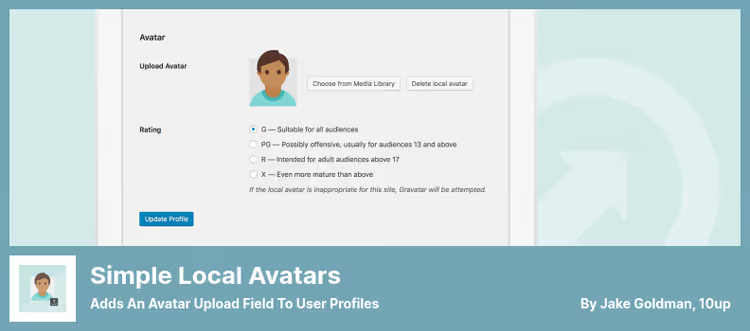
Simple Local Avatars does exactly what's written in the name: adds an avatar upload field to the user profile. No extra settings, no bloat.
The plugin integrates directly into the standard WordPress interface, the user sees the familiar media file uploader. The uploaded image is automatically cropped to the required sizes. Gravatar remains as a fallback: if there's no local avatar, the plugin shows the Gravatar image.
Sizes are generated on the fly. For comments, the plugin will deliver a thumbnail, for the profile page, a full-size image. No gigantic files in microscopic icons. In practice, this gives a noticeable speed gain for loading pages with dozens of comments.
Pros:
- Extremely lightweight, less than 50 KB of code
- Native integration into user profile
- Size generation on the fly
- Gravatar as a fallback option
Cons:
- No frontend avatar upload form
- Minimal settings, won't suit lovers of fine customization
Price: free.
🔗 Simple Local Avatars on WordPress.org
3. One User Avatar

One User Avatar is an actively maintained fork of the classic WP User Avatar. When the original plugin outgrew into ProfilePress with its membership focus, the community picked up the idea of a simple avatar manager and continued development in a separate repository.
The plugin allows using any image from the media library as an avatar. You can set a single default avatar for all users without photos, this gives a cleaner, branded look to comments and author lists. Disabling Gravatar, in one click.
The key difference from ProfilePress: there are no membership functions here. Only avatars. This is exactly what's needed when a site requires a Gravatar replacement without extra infrastructure.
Pros:
- Clean, focused functionality without membership bloat
- Active support, last update June 2026
- Default avatar for all users
- Shortcodes for displaying upload form on frontend
Cons:
- Fewer customization options than ProfilePress
- No premium tier with extended support
Price: free.
🔗 One User Avatar on WordPress.org
4. User Profile Picture
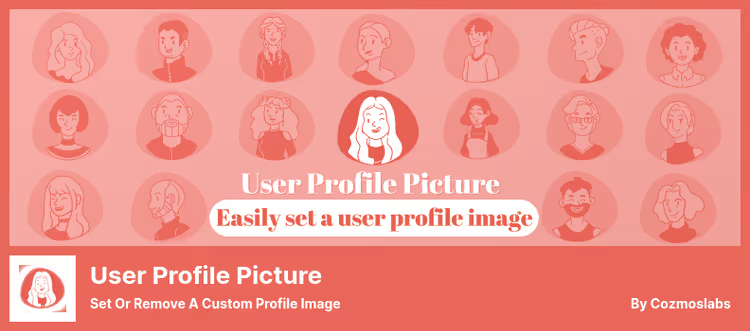
User Profile Picture solves the task as straightforwardly as possible: an "Upload profile photo" button in the admin and a "Delete" button if you change your mind. That's it.
The plugin replaces Gravatar globally across the entire site, in comments, in the admin bar, in the user list. No complex settings: upload an image through the standard media uploader and you're done.
For developers, the plugin provides hooks for custom integration. If the standard behavior doesn't suit, you can intercept the avatar output through get_avatar and modify it for your needs.
Pros:
- Direct integration with WordPress media library
- "Delete" button for quick avatar change
- Works with
get_avatarfunction without conflicts - Stable, over a million active installations
Cons:
- No letter avatars for users without photos
- Updates less frequently than competitors, last release July 2024
Price: free.
🔗 User Profile Picture on WordPress.org
5. BP Local Avatars
BP Local Avatars is tailored for BuddyPress communities. If the site has BuddyPress deployed with groups, forums and extended profiles, this is your plugin.
Users upload an avatar through the BuddyPress profile. Groups also get their own avatar. If a user hasn't uploaded a photo, the plugin creates a Gravatar Identicon, a geometric pattern based on the email address. The solution is a compromise: not as beautiful as a letter avatar, but completely automatic.
Avatar sizes strictly follow BuddyPress standards. Full version, thumbnail, icon, everything is generated according to community specifications. The administrator can change any user's avatars through the admin panel.
Pros:
- Full integration with BuddyPress, profiles and groups
- Automatic Gravatar Identicon for users without photos
- Size compliance with BuddyPress standards
- Administrator can change other users' avatars
Cons:
- Useless without BuddyPress
- Identicon looks less modern than letter alternatives
Price: free.
🔗 BP Local Avatars on WordPress.org
6. Leira Letter Avatar

Leira Letter Avatar solves the "empty" commenter problem elegantly. Instead of a gray Gravatar placeholder, the plugin generates a colored circle with the first letter of the user's name. The result, a clean, modern look for comments without forcing registration anywhere.
Background color and letter are customizable. You can set a specific palette or leave random selection, avatars will be bright but not chaotic. Output format, SVG, so on retina screens letters remain sharp at any scale.
The plugin works as a fallback: if a user has a local avatar or Gravatar, it shows them. If not, the letter generator kicks in. This logic covers all scenarios without manual intervention.
Pros:
- Automatic letter avatar generation for all users
- High-quality SVG on any screens
- Background color and font customization
- Works as a fallback, doesn't conflict with local avatars
Cons:
- No photo upload, only letters
- Fewer downloads than niche leaders
Price: free.
🔗 Leira Letter Avatar on WordPress.org
⁉️🤔 Frequently asked questions
Do I need Gravatar if I've installed a local avatars plugin?
No. Most plugins from this collection allow completely disabling Gravatar. Some (
Simple Local Avatars,Leira Letter Avatar) use Gravatar as a fallback: if a user hasn't uploaded a local photo, the plugin shows the Gravatar image. But this behavior is configurable, you can disable Gravatar completely and leave only local avatars or letter generation.
Why does a letter avatar plugin need background color settings?
A letter avatar works for recognition: a regular commenter with a blue "A" circle is instantly recognized by readers, even without looking closely at the nickname. Color customization allows fitting avatars into the overall site design, and a random palette excludes visual chaos. Plus SVG gives a sharp image on retina displays without blurring.
Can I use multiple avatar plugins simultaneously?
Technically possible, but not necessary. Each plugin intercepts the
get_avatarhook, and two plugins doing this simultaneously will create a conflict. Choose one for your task: local avatars,Simple Local AvatarsorOne User Avatar; letter avatars,Leira Letter Avatar; BuddyPress community,BP Local Avatars.
Which plugin is better for a WooCommerce online store?
ProfilePress. A WooCommerce store usually needs user registration, a personal account and custom profile fields, ProfilePress provides all this out of the box. Avatar upload through the media library works for both customers and administrators. If the store uses BuddyPress for community, additionally connectBP Local Avatars.
What to do if an avatar plugin conflicts with the theme?
Check if the theme uses a custom avatar output function instead of the standard
get_avatar. If yes, refer to the theme documentation or replace the call with the standard WordPress hook. Plugins from this collection:Simple Local Avatars,One User AvatarandUser Profile Picturework correctly with the standardget_avatar. If the theme overrides this hook rigidly, the problem is in the theme, not the plugin.
What to install in 2026
Choosing an avatar plugin comes down to one question: what else, besides avatars, does the site need.
If you're building a community with registration and profiles, ProfilePress will cover everything with one tool. The free version is enough for avatars and basic profiles. Connect premium when you need full-fledged membership with paid subscriptions.
If you just need to replace Gravatar with local photo upload, Simple Local Avatars. Nothing extra. One User Avatar will give a bit more flexibility through shortcodes and a custom default avatar. For letter avatars, only Leira Letter Avatar.
Working with BuddyPress, BP Local Avatars. No alternatives.
Try the plugin that most precisely fits your site's task. Write in the comments which solution you chose and why.

A professional team of writers and editors specializing in creating quality content.