














🔐 8 best login and registration plugins for WordPress 2026 (free and pro)
The standard WordPress login page is a form with the WordPress logo and two links: "forgot your password" and "register." A user lands on the site, sees someone else's branding, and closes the tab.
The problem runs deeper than design. Bots target wp-login.php first: brute-force attempts, spam registrations, server load. And if the site hosts courses or a gated section, the default registration cannot accept payments or grant access by subscription.
Below are eight plugins that cover the entire cycle, from replacing the logo on the login page to a full-fledged membership system with recurring payments. Each one has been tested on a staging site, was updated in 2025-2026, is compatible with the current version of WordPress, and is broken down by the facts: what it does, how much it costs, and when to use it.
💡 Quick overview:
- Use LoginPress or Custom Login Page Customizer if you need simple login page customization: swap the logo, colors, background, and form in 5 minutes with no code.
- Add Nextend Social Login for social login via Google, Facebook, Apple, and LinkedIn: one click and the user is on the site.
- Install MemberPress for a membership site with paid access: subscriptions, content protection, Stripe and PayPal, fully automated access control.
- Choose User Frontend for registration through custom forms and guest posting: a frontend dashboard, AI builder, drag-and-drop.
- Try ProfilePress for flexible user profiles with custom fields: registration, membership, and recurring payments in a single plugin.
- Enable CM Registration and Invitation Codes for invite-only registration: invitation codes, Ajax forms, CSV export.
- On a tight budget, take a look at WP User Manager: frontend registration, GDPR compliance, and a free core that covers most needs.
Comparison table
Plugin | Free version | Pro price | Social login | Membership / subscriptions | Active installs |
|---|---|---|---|---|---|
MemberPress | ❌ | from $199.50/yr | ❌ | ✅ Full-featured | 60K+ |
WP User Manager | ✅ WordPress.org | from $149/yr | ❌ | Via extensions | 50K+ |
ProfilePress | ✅ WordPress.org | from $79/yr | ✅ Google, FB, GitHub | ✅ Lite + Pro | 60K+ |
Nextend Social Login | ✅ WordPress.org | from $49/yr | ✅ 10+ providers | ❌ | 400K+ |
LoginPress | ✅ WordPress.org | from $49/yr | ✅ Pro add-on | ❌ | 200K+ |
CM Registration | ✅ WordPress.org | from $39 | ❌ | ❌ | 10K+ |
Custom Login Page Customizer | ✅ WordPress.org | - (free) | ❌ | ❌ | 100K+ |
User Frontend (weDevs) | ✅ WordPress.org | from $69/yr | ✅ Pro add-on | ✅ Pro | 30K+ |
1. MemberPress: membership, subscriptions, and full access control
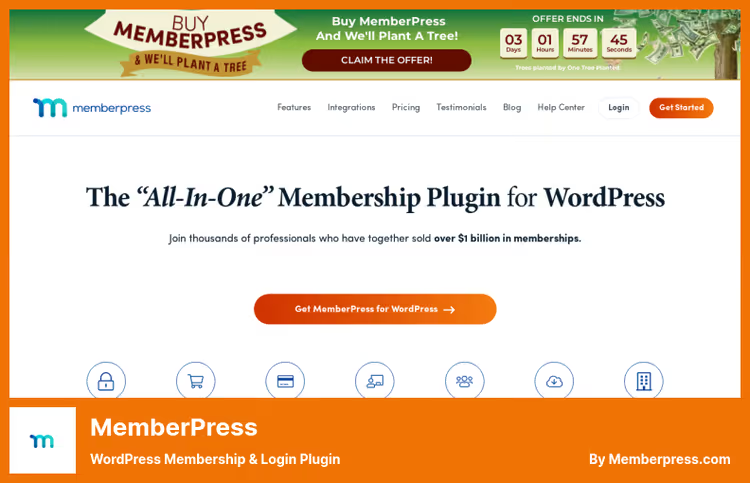
MemberPress is not a registration plugin but a complete membership system. If your site earns revenue from paid content, courses, or gated sections, it covers the entire cycle: registration → payment → access → automatic deactivation when the subscription expires.
Unlimited membership levels. Content protection via "smart rules": pages, posts, categories, tags, and even individual text fragments. Payment processing through Stripe (Launch) and PayPal/Square (Growth). Automatic email notifications for overdue payments. A coupon system with percentage or fixed-amount discounts.
ReadyLaunch™ assembles a visually polished site in minutes without wrestling with themes and code. For course creators, the AI Course Generator lets you describe a topic and the plugin generates the structure and lesson drafts.
Pros:
- Fully zero-code: thank-you, account, and login pages are created automatically on activation
- "Smart rules" are more flexible than competitors': you can gate even a single paragraph
- Integration with bbPress, WooCommerce, Elementor, Zapier (Scale), Easy Affiliate (Scale)
- CoachKit™ for coaching programs (Growth)
- Zero transaction fees starting from the Growth plan
Cons:
- No free version, only paid plans
- The Launch plan charges a 4.9% transaction fee, per the MemberPress pricing page
- No built-in social login, compensated by third-party plugins
Price: Launch $199.50/yr (basic), Growth $349.50/yr (recommended), Scale $499.50/yr (full). Prices reflect a first-year discount; renewal is at full price.
🔗 MemberPress on the official site
2. WP User Manager: registration, profiles, and membership without overpaying
WP User Manager is a solid mid-range option with a free core that covers the bulk of an average site's needs. Frontend registration, custom profile fields, SEO-friendly URLs, role-based content restriction, and custom post-login redirects are all included in the free version.
Pro extensions add: a member directory with search and filtering, social login, paid subscriptions, WooCommerce and Mailchimp integration, and private messaging between users.
Pros:
- Free core with frontend forms, custom fields, redirects, and GDPR support
- Not bloated: 50,000+ active installs, steady updates
- Developer-friendly: clean code, hooks, filters
- Personal data export and GDPR compliance out of the box
Cons:
- Pro features are split across separate extensions, so the total cost adds up
- Social login is Pro-only
- No built-in payment system; payments are handled through the WooCommerce integration
Price: free core on WordPress.org; Pro extensions from $149/yr per bundle.
🔗 WP User Manager on WordPress.org | 🔗 Pro version
3. ProfilePress: registration, membership, and payments in one plugin
ProfilePress (formerly WP User Avatar) is an all-in-one solution that combines registration forms, profile management, membership subscriptions, and recurring payments. The platform grew from a simple avatar plugin into a powerful tool: Stripe, PayPal, RazorPay, Mollie, Paddle, and Paystack for payment processing, content paywalls, digital product sales, and subscriptions.
Social login (Google, Facebook, GitHub) is included even in the Lite version. Unlimited forms and fields. Multi-step registration forms, where each additional page reduces drop-off during lengthy signups. WooCommerce integration for managing billing/shipping fields.
Pros:
- Recurring payments and content protection, a rarity in the "registration" category
- Social login in the free version
- Multi-step registration forms help maintain conversion
- Ready-made templates for specific industries, enabling a quick start
Cons:
- Steep learning curve: there are many settings, and beginners can easily get lost
- The Lite version on WordPress.org is called
wp-user-avatar, which is misleading since it is actually full ProfilePress - Custom CSS requires an understanding of layout and styling
Price: Lite is free; Pro from $79/yr.
🔗 ProfilePress on WordPress.org | 🔗 Pro version
4. Nextend Social Login: social sign-in with one click
400,000+ active installs, and deservedly so. Nextend Social Login does exactly one thing, but flawlessly: users log in and register through social networks without filling out forms. Facebook, Google, X (Twitter), Apple, LinkedIn, Amazon, GitHub, PayPal, TikTok: all major providers in a single plugin.
Social login buttons embed into the standard WordPress form, via shortcode anywhere on the page, or as a widget in the sidebar. The Pro version adds custom post-registration redirects, email requests from the provider, domain restrictions, and login statistics.
Pros:
- 10+ providers, including Apple, Amazon, and TikTok
- Zero configuration after installation: activate and it works
- WooCommerce integration with social login on the checkout page, plus EDD and BuddyPress
- The Lite version is completely free and not stripped down
Cons:
- Social login only: it does not replace a registration plugin but rather supplements one
- Pro pricing is steep for a single-site license
- Setting up Apple Login requires an Apple Developer account
Price: Lite is free; Pro from $49/yr (single site).
🔗 Nextend Social Login on WordPress.org | 🔗 Pro version
5. LoginPress: login page customization without code
With 200,000+ active installs and a 4.8 out of 5 rating based on 1,000+ reviews, LoginPress holds the title of the most popular login page customizer. The plugin changes everything: the logo with its size and margins, colors, background (static or slideshow), Google Fonts, shadows, border radius, padding, and button hover effects.
Live preview in the Customizer: you change a setting and immediately see the result without reloading. The Pro version adds social login, auto-login, login attempt limiting, hiding and renaming the login URL, custom error messages, and the LoginPress Widget.
Pros:
- Intuitive visual editor in the Customizer, zero-code
- Dozens of ready-made templates for a faster start
- Google reCAPTCHA on login, registration, and password recovery pages
- Import and export settings between sites
- Compatible with WooCommerce, EDD, BuddyPress, LearnDash
Cons:
- Only customizes the login page: does not touch registration forms or membership
- Social login is a separate paid add-on
- Frequent Freemius SDK updates sometimes conflict with caching plugins
Price: Lite is free; Pro from $49/yr.
🔗 LoginPress on WordPress.org | 🔗 Pro version
6. CM Registration and Invitation Codes: invite-only registration
CM Registration solves a narrow problem: registration by invitation codes only. It is suited for closed communities, corporate portals, beta tests, and sites where access needs to be controlled.
Ajax login and registration forms work without a page reload. Email verification on registration, custom email notifications, reCAPTCHA support, and CSV user export. The Pro version adds an invitation code requirement on registration and extended code management.
Pros:
- Narrow focus: no feature bloat
- Ajax forms keep the user on the same page
- Integration with membership plugins
- CSV export of all users
Cons:
- Invitation codes work fully only in Pro
- The out-of-the-box design is minimalist and may require CSS
- A modest number of installs (10,000+ versus hundreds of thousands for the leaders)
Price: Lite is free; Pro from $39.
🔗 CM Registration on WordPress.org | 🔗 Pro version
7. Custom Login Page Customizer: a free login page customizer
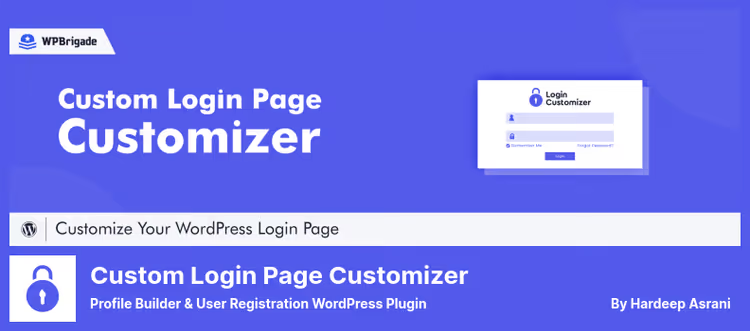
Custom Login Page Customizer is a completely free plugin with no Pro version, no upsells, and no premium add-on ads in the admin. It does roughly the same thing as LoginPress: changes the logo, background, colors, fonts, shadows, and spacing on the login page. 100,000+ active installs, compatible with the current version of WordPress.
Live preview in the Customizer. WordPress Multisite support. Custom CSS for advanced customization. Lightweight, with virtually no impact on load speed.
The ideal choice if you need a login page customizer and nothing else, with no paywalls or ads.
Pros:
- Completely free: not a single paid add-on
- Live preview in the Customizer
- WordPress Multisite support
- Custom CSS for advanced customization
- Lightweight, with virtually no impact on site speed
Cons:
- No social login
- No Google reCAPTCHA
- No login attempt limiting or URL hiding
- Functionally narrower than LoginPress Pro
Price: free.
🔗 Custom Login Page Customizer on WordPress.org
8. User Frontend: frontend dashboard, posting, and registration
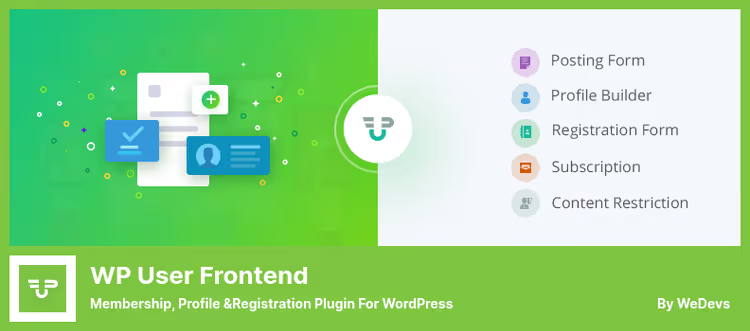
User Frontend (formerly WP User Frontend) by weDevs is the most feature-rich plugin in this roundup. It is an entire frontend management ecosystem: users register, fill out their profile, publish posts, and manage subscriptions, all without ever entering the WordPress admin.
AI form builder: describe the form you need, and the plugin generates the structure with fields, labels, and logic. Integration with n8n for automating form data processing. Ready-made templates: job listings, products, events, directories.
The free version includes: a drag-and-drop form builder, unlimited post types, guest posting, image uploads, a Gutenberg block for embedding forms, and role-based access control (RBAC). Elementor widgets for accounts, subscriptions, and forms.
Pro modules (20+): social login (Facebook, X, LinkedIn, GitHub), a user directory with search, paid membership subscriptions, Stripe integration, conditional logic in forms, an SEO module, a profile builder with 20+ field types, and BuddyPress integration.
Pros:
- Frontend dashboard with an editor, uploader, and content management
- AI form builder and n8n integration, free of charge
- 20+ Pro modules: assemble the features you need like building blocks
- Elementor compatibility with dedicated widgets
- WooCommerce integration: users manage products from the frontend
Cons:
- High barrier to entry: too many settings for a simple use case
- Pro costs increase with each module
- The Lite version has a stripped-down interface compared to the Pro demo
🔗 User Frontend on WordPress.org | 🔗 Pro version
📺 Video: how to set up a membership site on WordPress
The topic of logins and registrations is best explored through a live walkthrough. Here is a step-by-step video on setting up a membership site, from installing the plugin to accepting payments:
⁉️🤔 Frequently asked questions
What is the difference between a login plugin and a registration plugin?
A login plugin changes the appearance and behavior of the
wp-login.phppage: the logo, background, fonts, and bot protection. A registration plugin adds custom registration forms, profile fields, and role management. LoginPress and Custom Login Page Customizer are examples of "pure" login plugins: they customize the login page but do not touch registration forms. ProfilePress and WP User Manager focus on registration, while login page changes are optional. MemberPress is a full membership system that automatically creates and customizes all pages: login, registration, account, and thank-you page. The choice depends on your goal: simply dress up the default login or build the entire user lifecycle from scratch.
Can you use multiple plugins from this list at the same time?
Yes, and it is common practice. The combination of MemberPress (membership) + Nextend Social Login (social sign-in) + LoginPress (login page customization) is a working configuration for a membership site with a polished login. The key is to avoid overlapping features: do not install two login page customizers at once, as they will conflict. ProfilePress already includes social login in its Lite version, so adding Nextend Social Login on top is redundant unless you need providers like TikTok or Amazon that ProfilePress lacks. Another caveat: MemberPress and ProfilePress both have built-in paywalls, and two parallel content-restriction mechanisms can break page access.
Which plugin should you choose for a WooCommerce store?
User Frontend and ProfilePress offer the deepest WooCommerce integration. ProfilePress manages billing/shipping fields directly from the user profile. User Frontend lets users create and edit WooCommerce products from the frontend. Nextend Social Login adds social sign-in buttons to the checkout page, which boosts conversion because the user does not have to fill out a form manually. For a store with guest checkout and simple registration, Nextend Social Login plus the standard WooCommerce form is enough. For a multi-tier wholesale store with different prices for different groups, use MemberPress with the WooCommerce add-on. For a marketplace where vendors manage products from the frontend, use User Frontend.
Does my site need social login?
The data says yes: 86% of users are frustrated by having to create a new account, and 77% prefer social sign-in. Nextend Social Login with 400,000+ installs confirms the demand: one click through Google or Facebook and the user is on the site. For online stores, social sign-in at checkout increases conversion by 5-15% according to usability studies. But there is a caveat: if your audience is corporate clients, social login may look unprofessional. In that case, it is better to use a custom registration form via WP User Manager or ProfilePress with a minimal number of fields and leave social login as an option.
What should you do if a plugin conflicts with your theme?
All plugins in this roundup have been tested for compatibility with popular themes and builders: Elementor, Divi, Beaver Builder, WPBakery. LoginPress and Custom Login Page Customizer work through the native WordPress Customizer, so theme conflicts are virtually eliminated. User Frontend and ProfilePress use their own CSS classes and rarely overlap with the theme. If a conflict does occur: clear your cache (plugin + server-side), temporarily switch to the default Twenty Twenty-Five theme to isolate the issue, and contact the plugin's support. All solutions on this list have actively maintained repositories with responsive support teams.
Is a free plugin enough, or do you need Pro?
For 70% of use cases, the free core is sufficient. LoginPress Lite covers basic login page customization. Nextend Social Login Lite gives you Facebook, Google, and X (Twitter), which is enough for most sites. WP User Manager Lite handles frontend registration and profile management. Custom Login Page Customizer is 100% free with no limitations. The Pro version becomes necessary when specific requirements arise: login attempt limiting (LoginPress Pro), invitation codes (CM Registration Pro), recurring payments (MemberPress / ProfilePress Pro), a user directory (WP User Manager Pro), or custom redirects after social sign-in (Nextend Social Login Pro). Start with the free version and upgrade to Pro when you outgrow it. Every plugin on this list except MemberPress lets you do so without data migration.
Which registration plugin to pick for your use case
Let's walk through the scenarios. Choose the one that fits:
Login page customization and nothing else: Custom Login Page Customizer (free) or LoginPress Lite (free, but Pro unlocks social login and protection).
Social sign-in without extra complexity: Nextend Social Login Lite, 400,000+ installs, 10+ providers, works out of the box.
A gated community with paid access: MemberPress Growth, subscriptions, content protection, automated access management.
Flexible registration with custom fields and subscriptions: ProfilePress Pro, an all-in-one "registration + membership + payments" solution with social login included.
A frontend portal with user-generated content: User Frontend Pro, dashboard, posting, user directory, AI form builder.
A budget-friendly solution with solid features: WP User Manager, free core with frontend registration, profiles, GDPR compliance, and custom redirects.
Invite-only registration: CM Registration Pro, invitation codes, Ajax forms, CSV export.
No single plugin will cover every need. Build your stack to match the task. But each of these eight deserves a place in your toolkit. What combination do you use? Share in the comments.

A professional team of writers and editors specializing in creating quality content.