














🚀 9 best online course platforms in 2026 (comparison)
Anyone can create and sell an online course today. But between the idea and a student's first payment lies platform selection, and it's rarely obvious.
Some services take a percentage of every sale and dictate what you can teach. Others give full control but require dealing with hosting and updates. Still others look cheap until you calculate the transaction fees for a year.
We tested 9 platforms for creating and selling online courses: from WordPress plugins to fully cloud-based SaaS solutions. We broke down the pros, cons, current prices and scenarios each is built for. No generalities, only what affects your revenue.
💡 Quick overview:
- Choose a platform type for your task: WordPress LMS for full control, SaaS for quick launch without a site, marketplace for learning.
- Compare sales commissions: SaaS platforms reach 7.5% on lower tiers (see Teachable pricing grid), WordPress solutions typically have 0%.
- Watch the video interface comparison in the section below to see platforms live before registration.
Platform comparison table
Platform | Type | Price (minimum) | Sales commission | Custom domain | For whom |
|---|---|---|---|---|---|
MemberPress | WordPress plugin | $199.50/year | 4.9% (Launch), 0% (Growth+) | Yes | Course creators on WP |
LearnDash | WordPress plugin | $259/year | None | Yes | Course creators on WP |
Teachable | SaaS | $29/month | 5-7.5% (Starter) | Yes | Beginners without a site |
Thinkific | SaaS | Free (3 courses) | None | Yes | Start without budget |
LifterLMS | WordPress plugin | $99/year | None | Yes | Coaches and communities |
WooCommerce + Sensei | WordPress plugin | $0 + $129/year | None | Yes | WooCommerce stores |
LinkedIn Learning | Marketplace | $29.99/month | N/A | No | Professionals |
Skillshare | Marketplace | $3.29/month | N/A | No | Creative professionals |
Coursera | Marketplace | Free / from $49 | N/A | No | Students and academic learning |
1. MemberPress
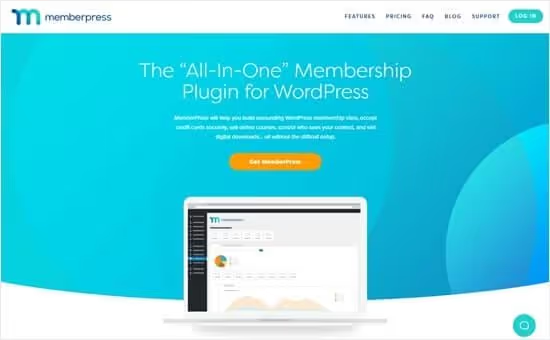
MemberPress, the most powerful plugin for creating online courses on WordPress. According to the vendor's data, plugin users have earned over $2.5 billion on courses and subscriptions.
Unlike SaaS platforms, you get full control: courses, payments, subscribers and content are stored on your server. Nobody will shut down your business for violating someone else's content policy.
Course builder, visual drag-and-drop: lessons, sections, quizzes and certificates are assembled without code. Classroom mode automatically styles materials to any WordPress theme, no need to think about design.
From new features: in 2025-2026 they added AI Course Generator, describe a topic in one paragraph and the plugin generates course structure and lesson drafts. Bundled with Growth and Scale is CoachKit, a coaching platform allowing you to guide clients through individual programs and communicate with them inside the site via ClubConnect.
MemberPress works with PayPal, Stripe, Square and Authorize.net. Integrates with bbPress for forums, with Affiliate Royale for affiliate programs and with SeedProd for landing pages. Zapier opens access to 2000+ apps.
Pros:
- Full control over site, prices and subscribers, no external restrictions (see MemberPress features overview).
- Visual course builder and classroom mode without design setup.
- Powerful membership system: subscriptions, drip content, group sales.
- CoachKit and AI Course Generator included in Growth and Scale.
- 0% sales commission on Growth tier and above.
Cons:
- Need a WordPress site, self-managed hosting and updates.
- Entry barrier for beginners: WordPress learning curve takes a couple weeks.
- Launch tier includes 4.9% commission on each transaction, at revenue of $50K+/year this is noticeable (see MemberPress pricing).
Price: Launch, $199.50/year (first year, then $399) + 4.9% of sales. Growth, $349.50/year (then $699), 0% commission. Scale, $499.50/year (then $999), full package (see current pricing).
🔗 MemberPress on official site
2. LearnDash
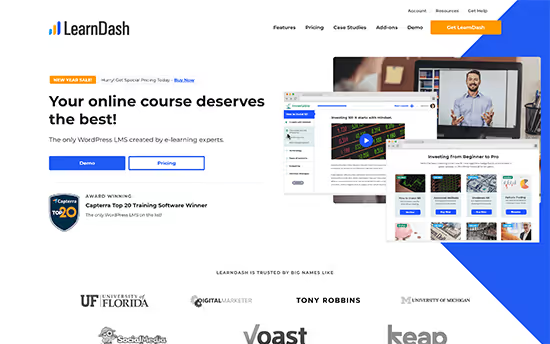
LearnDash, the second most popular WordPress LMS plugin with focus on academic depth: quizzes with a dozen question types, assignments with manual review, certificates, drip content and SCORM compatibility (via Uncanny Owl Toolkit).
Since 2025, LearnDash moved to a new pricing grid. Old Basic/Plus/Pro structure is canceled. Now three plans: Essentials ($259/year), Pro ($399/year) and Elite ($599/year) (see LearnDash pricing breakdown). In practice, most course creators need Essentials: it includes drag-and-drop builder, quizzes, subscriptions, Stripe/PayPal, Focus Mode and certificates.
Pro adds advanced reporting, weighted grades and cohorts. Elite, instructor roles, front-end course creation, multi-instructor collaboration and student reviews. Elite target audience, large learning platforms, not solo authors.
AI features (course structure and quiz generator) are tied to Pro tier and above, but the market has third-party solutions like LMS Crafter AI Copilot ($149/year), adding AI tutor and predictive churn analytics on any LearnDash tier.
Pros:
- Richest set of academic LMS features: quizzes, assignments, SCORM.
- Flexible integration with WooCommerce, bbPress, MemberPress.
- Full control, you own the site, courses and student data.
Cons:
- Access control weaker than MemberPress: less flexibility in subscriptions and access levels.
- AI features require Pro tier ($399/year), more expensive than Essentials + third-party AI tool (see LearnDash plan comparison).
- Need a WordPress site and its maintenance.
Price: Essentials, $259/year, Pro, $399/year, Elite, $599/year. No sales commission (see current LearnDash pricing).
3. Teachable
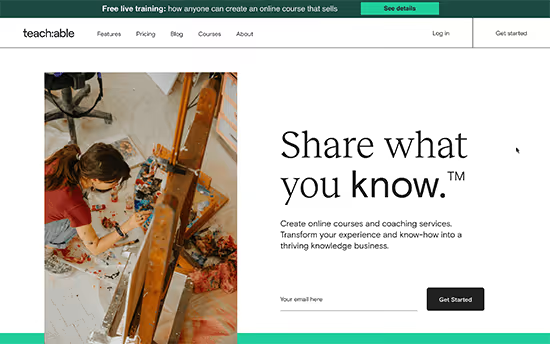
Teachable, a cloud SaaS platform that handles everything: hosting, security, scaling and payment processing. You upload videos and text, and the platform renders course page, checkout and student dashboard.
As of 2026, Teachable has three tiers: Starter ($29/month), Pro ($99/month) and Pro+ ($139/month) (see Teachable pricing grid). Starter cuts 7.5% from each transaction, at a $200 course you lose $15 on every sale. Pro removes the commission but adds $99 monthly fixed costs. Pro breakeven point, approximately $1,320 revenue per month.
Teachable supports custom domain, email newsletters, affiliate program (on Pro and above) and built-in analytics. Integrations, Zapier, Mailchimp, ConvertKit, Google Analytics. Video uploads directly to the platform, no need for your own CDN.
Pros:
- Launch without technical knowledge: registration, video upload, publish, all in 30 minutes.
- No need to manage hosting, updates and backups.
- Built-in payment processing and protected video hosting.
Cons:
- 7.5% commission on Starter tier significantly above market (see Teachable pricing).
- Limited control: platform can change terms or block course.
- Design and functionality customization inferior to WordPress solutions.
Price: Starter, $29/month (7.5% commission), Pro, $99/month (0% commission), Pro+, $139/month (see current Teachable pricing).
4. Thinkific

Thinkific, a direct Teachable competitor with one important difference: free tier with ability to launch up to three courses without transaction fees. This is the best way to test a niche without financial investment.
Free plan includes drag-and-drop builder, quizzes, unlimited students and payment acceptance via Stripe. Downside, on free tier Thinkific adds its branding to course pages.
Paid tiers: Basic ($39/month), Start ($74/month) and Grow ($149/month) (see official Thinkific pricing). Basic removes branding and opens custom domain. Start adds member communities, coupons and email integrations. Grow, full package: mass mailings, affiliate program, user groups and priority support.
According to TrendMeadow, Thinkific beats Teachable on interface ease for beginners but loses on sales funnel customization depth.
Pros:
- Free tier with full launch of three courses, no commissions and hidden payments.
- Simple visual builder requiring no training.
- Fully managed platform: hosting, backups and scaling included.
Cons:
- Less customization flexibility than WordPress LMS.
- Thinkific branding on free tier.
- Advanced marketing tools, only on upper tiers ($74+/month) (see Thinkific pricing).
Price: Free (up to 3 courses), Basic, $39/month, Start, $74/month, Grow, $149/month. No transaction commission (see current Thinkific pricing).
5. LifterLMS
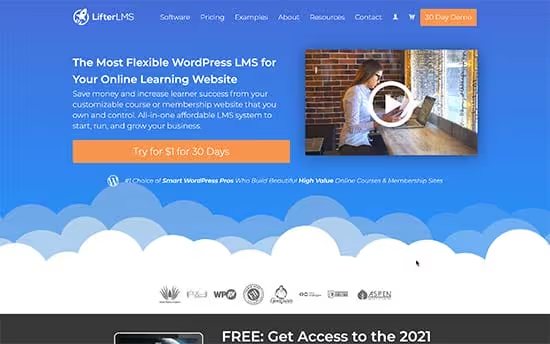
LifterLMS, a WordPress plugin created for online coaching and learning communities. Unlike MemberPress and LearnDash, multi-level courses, learning tracks, group membership and drip content are available out of the box here.
LifterLMS actively develops an add-on ecosystem: Private Areas for closed discussion zones, Social Learning for student social interaction, Assignments for homework. Downside, add-ons are sold separately and quickly increase the final bill. Base plugin starts from $99/year, but average user buys 2-5 add-ons at $99-199 each (see LifterLMS pricing).
First year all tiers come with 50% discount, lowering entry barrier. Second year price doubles, consider this when calculating ROI (see LifterLMS discounts).
Pros:
- Powerful coaching and community toolkit out of the box.
- Gamification, groups and social features without third-party plugins.
- Flexible course structure: modules, tracks, categories, prerequisites.
Cons:
- Cost grows quickly with each purchased add-on.
- Requires WordPress site maintenance.
- Fewer ready integrations with email marketing than MemberPress.
Price: from $99/year (first year with 50% discount). Add-ons, from $99/year each. No transaction commission (see LifterLMS prices).
6. WooCommerce + Sensei LMS
Sensei LMS, a plugin from Automattic (company behind WordPress.com and WooCommerce). If you already sell physical or digital products via WooCommerce, Sensei adds courses to your store without infrastructure change.
Base Sensei LMS plugin is free and includes lesson creation, quizzes and certificates. For payment acceptance you need the WooCommerce Paid Courses extension ($129/year), which adds paid courses, subscriptions and drip content.
Sensei Pro (formerly WooCommerce Paid Courses) now includes: WooCommerce Subscriptions integration, drip content, advanced quizzes with a dozen question types, automatic certificate issuance and group learning. Automattic itself uses Sensei for internal training of 2,000+ employees, an indirect reliability indicator.
Pros:
- Seamless WooCommerce integration: unified cart, payments and customer base.
- Free Sensei LMS core, can start without investment.
- Behind one of the most stable vendors in WordPress ecosystem (Automattic).
Cons:
- For paid courses need paid extension.
- Fewer LMS features than MemberPress or LearnDash.
- Administration of WooCommerce store + WordPress site.
Price: Sensei LMS, free. WooCommerce Paid Courses, $129/year. No transaction commission (see Paid Courses).
7. LinkedIn Learning
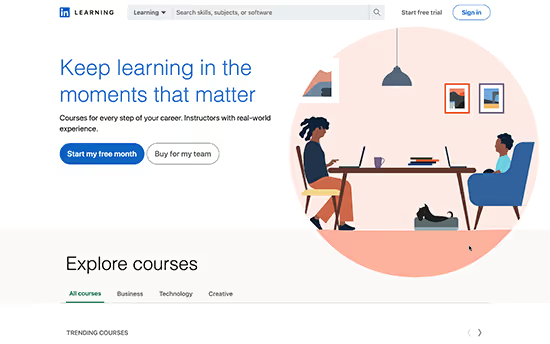
LinkedIn Learning (formerly Lynda.com), the largest professional video course library: programming, project management, design, marketing, data science. All courses are led by practicing professionals with verified qualifications.
Subscription ($29.99/month or ~$240/year) opens access to entire library, over 20,000 courses (see LinkedIn Learning site). Completed courses display in LinkedIn profile with certificate badge, directly affecting profile visibility to recruiters. Subscription also includes LinkedIn Premium: unlimited profile views, InMail messages and salary analytics by position.
For course creators LinkedIn Learning doesn't work: only platform-approved experts can publish courses. This is purely a student platform.
Pros:
- Courses from experts with real industry experience.
- Certificates integrated with LinkedIn profile.
- In subscription, LinkedIn Premium with salary and job analytics.
Cons:
- Not a platform for creating and selling your own courses.
- Price higher than Skillshare, lacking creative directions.
- Free trial period, 1 month, no refund.
Price: $29.99/month after trial month (see LinkedIn Learning subscription).
🔗 LinkedIn Learning on official site
8. Skillshare
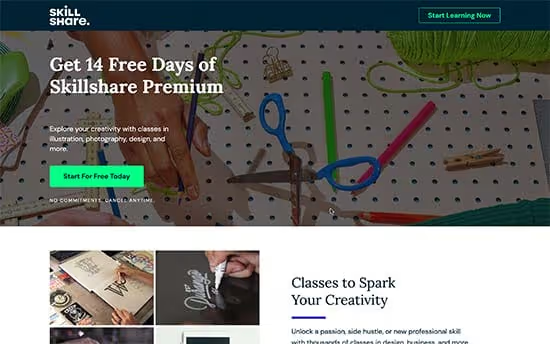
Skillshare, a course marketplace focused on creative and applied skills: illustration, photography, video editing, animation, writing, UI/UX design. According to Upskillwise, the platform has over 35,000 courses from independent instructors.
Skillshare model differs from competitors: instructors receive payments per student viewing minutes. This incentivizes creating not just a course but engaging content that students watch to the end. Downside, quality control weaker than LinkedIn Learning: anyone can publish a course.
Premium subscription costs $3.29/month with annual payment ($39.48/year) (see Skillshare site). Monthly plan, around $14/month. For course creators Skillshare gives multi-million audience reach, but revenue per student is low, earnings depend on viewing volume.
Pros:
- Very low price for students on annual plan.
- Built-in community and project-based learning model, learn by practice.
- Huge selection of creative directions.
Cons:
- Course quality is uneven, no instructor entry control.
- Hard to choose course from tens of thousands options without navigation.
- For authors: low revenue per student due to royalty-per-view model.
Price: $3.29/month with annual payment, ~$14/month monthly (see Skillshare subscription).
9. Coursera

Coursera, an academic online learning platform created by Stanford professors. Unlike Skillshare and LinkedIn Learning, here you can get not just a certificate but a full bachelor's or master's degree from a partner university.
Coursera partners, Google, IBM, Meta, Yale, University of London and 300+ more universities and companies. Free courses are abundant, but certificate and access to graded assignments require payment. Professional certifications (Google Data Analytics, IBM Data Science) cost from $49/month and take 6-8 months.
For course creators Coursera, a closed platform: only accredited universities and large companies can publish content. Not suitable for independent authors.
Pros:
- Degrees and certificates from leading world universities.
- Academic approach: lectures, tests, peer review, thesis projects.
- Free access to most course materials (without certificate).
Cons:
- Constant upsell to paid programs and degree tracks.
- Not a platform for independent course creators.
- Certification and degree prices above market.
Price: free access to materials. Certifications, from $49/month. Degree programs, from $2,000 (see Coursera prices).
See also: video platform comparison
If choosing between WordPress LMS and SaaS platforms and want to see interfaces live, this English breakdown is an excellent starting point:
⁉️🤔 Frequently asked questions
Which platform is best for a beginner creator without a site?
If no site exists and course needs launch today, Thinkific (free tier for 3 courses, no commissions) or Teachable Starter (see Teachable pricing). Thinkific wins due to no transaction fees on any tier; Teachable, for deeper marketing tools on Pro plan. After 3-6 months, when course starts bringing stable income, makes sense to move to WordPress LMS, platform costs will drop 2-3 times.
MemberPress or LearnDash, what to choose for WordPress?
MemberPress, if flexible subscriptions, access levels and maximum monetization control matter. LearnDash, if academic features are needed: complex quizzes, assignments with review, SCORM compatibility. In practice many use them together: MemberPress manages payments and access, LearnDash manages learning process.
Can you change platforms after course launch?
Technically yes, but content migration between platforms, a manual process. From SaaS (Teachable/Thinkific) to WordPress LMS data exports via CSV/API partially. Between WordPress LMS plugins migration is easier. So choose platform targeting at least 2-3 years.
Platforms take sales percentage, how critical is this?
At revenue of several tens of thousands dollars per year, SaaS platform commission becomes comparable to WordPress LMS annual tier cost. SaaS platform ROI drops sharply after reaching stable sales. Rule: if forecasting significant annual revenue, switch to zero-commission platform.
What should a student choose: LinkedIn Learning, Skillshare or Coursera?
LinkedIn Learning, if goal is professional growth and recruiter visibility. Skillshare, for creative and applied skills at minimum price. Coursera, if need university certificate or degree program. Many combine: Skillshare for hobby and exploration, LinkedIn Learning or Coursera, for systematic learning.
Which online course platform to choose in 2026?
Final picture depends on your entry point. For course creators on WordPress the optimal choice, MemberPress Growth: full toolkit, 0% commissions and fresh AI features for $349.50/year (see MemberPress prices). If academic LMS depth matters more than subscription flexibility, LearnDash Essentials for $259/year (see LearnDash pricing).
For launch without a site Thinkific Free, best way to test niche without budget. Teachable Pro is justified when sales funnels and analytics become more important than saving on commission.
For students: Skillshare, painless start at minimum price; LinkedIn Learning, career growth tool; Coursera, path to degree.
Choose platform for your project phase. In a year or two you'll likely outgrow the starter tool, and that's normal. Main thing is current one doesn't take a percentage you could spend recording another course.

A professional team of writers and editors specializing in creating quality content.