














🎓 How to create an online course with WordPress
Anyone who already knows how to install plugins and create pages can launch an online course on WordPress. You don't need a dedicated developer or a budget of several thousand dollars. You need the right tool and an understanding of the course structure.
In practice, most authors get stuck at the selection stage: which plugin to choose, whether a special theme is needed, how to accept payments. This article provides a step-by-step breakdown of the technical side of launching: from hosting to publishing the first lesson.
💡 Quick overview:
- Managed WordPress hosting (WP Engine, Bluehost) or local installation for testing
- Course structure, modules, lessons, content type and access model (free/paid, immediate/drip) are planned BEFORE choosing a plugin
- Plugins, Sensei LMS, LearnDash, LifterLMS, LearnPress and WP Courseware: comparison, pros, cons and pricing
- Themes, BuddyBoss, WPLMS and Astra: why you need a specialized theme and when you can get by with a standard one
What you need to launch
Before choosing plugins and themes, set up your technical foundation. Here is the minimum required to get started.
Hosting. Speed and stability are critical for an educational site. Video lessons shouldn't lag, and the registration form shouldn't crash in the middle of payment. Managed WordPress hosting solves these problems: the server is already configured for WordPress, updates and backups are automatic, and technical support understands the platform's specifics.
- WP Engine, from $20 per month. The leader in managed hosting with geo-distributed CDN, automatic backups and a staging environment for testing changes. For a course with video and high traffic, a justified choice. Pricing at wpengine.com
- Bluehost, from $2.95 per month (promotional price for shared plan). One-click WordPress installation, suitable for getting started. Note that the promotional price only applies to the first billing term. Bluehost
If you want to set everything up locally first, install WordPress on your computer using Local or XAMPP. When the site is ready, transfer it to a live server.
Domain. A separate domain for the course or a subdomain like courses.your-site.com should be decided at the start. A separate domain is better for branding, a subdomain is cheaper and simpler.
Planning your course: where to start
The technical platform is just a tool. Without a clear course plan, even the best plugin won't save you. Here's what you need to think through before installing any solution.
Course structure. Break down the material into modules and lessons. For example: "Introduction to the topic" → "Basic concepts" → "Practical block" → "Exam". Each lesson should lead the student to a specific outcome. Write down the content of each lesson in one sentence; if you can't, the material isn't ready yet.
Content type. A text-only course is built differently than a multimedia one. Video requires hosting or integration with YouTube/Vimeo. Tests and quizzes are a separate mechanic that the plugin must support. Practical assignments with review are yet another level of complexity. Determine what content will be included in the course during the planning stage.
Access model. A free course for subscribers is faster and easier to create. A paid one brings along a payment gateway, content protection, possibly VAT and receipts. Also think about the delivery method: the entire course immediately after payment or drip (lessons unlock on a schedule, every few days). Drip keeps students engaged longer but requires more complex logic.
Integrations. If you already have an email list, CRM or analytics, check whether your chosen plugin supports them. Almost all modern LMS solutions work with WooCommerce, but the details (tax accounting, recurring payments) differ.
Once the structure, content type and access model are fixed, you can choose a plugin.
Plugins for creating online courses
Below are five current WordPress plugins for LMS. All work on real projects and are regularly updated. The comparison table will help you quickly evaluate the options.
Plugin | For whom | Price | Main feature |
|---|---|---|---|
Sensei LMS | Beginners, WooCommerce stores | Free / Pro from $149/year | Native integration with WooCommerce |
LearnDash | Professionals, corporate sector | from $199/year | Tin Can API standard, deep analytics |
LifterLMS | Courses + membership, communities | Free / from $99/year | Versatility: courses, membership, communities |
LearnPress | Budget start | Free / add-ons from $19.99 | Free core with full functionality |
WP Courseware | Drag-and-drop, simplicity | from $159/year | Visual module and lesson builder |
Sensei LMS

Sensei LMS is developed by Automattic, the same team behind WordPress.com, WooCommerce and Jetpack. This is the most "native" plugin for this ecosystem.
The free version allows you to publish courses, create lessons and basic quizzes. Sensei Pro adds drip content, student progress tracking, an advanced quiz system and WooCommerce integration for paid courses. The subscription also unlocks groups and student reports.
- Pros: seamless integration with WooCommerce, minimal learning curve, regular updates from Automattic, works with any theme
- Cons: free version is limited to basic features; advanced analytics only in Pro
- Price: free on WordPress.org; Sensei Pro from $149 per year for one site
- Download: 🔗 Sensei LMS on WordPress.org | 🔗 Pro pricing
LearnDash
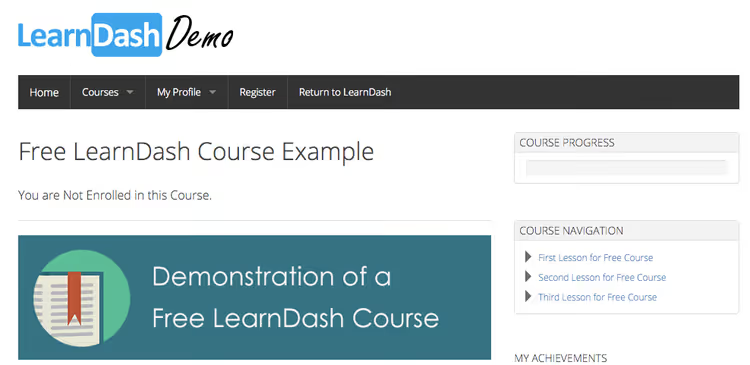
LearnDash is one of the oldest and most feature-rich LMS plugins for WordPress. It's used by universities, corporate training centers and course authors with audiences of thousands.
The plugin supports Tin Can API (xAPI), the industry standard for data exchange between learning systems. This means student progress can be transmitted to external LRS systems. LearnDash offers a flexible quiz system with eight question types, timers and random ordering, as well as detailed analytics for each student.
- Pros: full set of LMS capabilities out of the box, xAPI and SCORM integrations, powerful analytics, active community and many add-ons
- Cons: above-average price, admin interface takes getting used to, plugin noticeably loads the server on shared hosting
- Price: from $199 per year for one site (subscription, not one-time license)
- Download: 🔗 LearnDash
LifterLMS

LifterLMS covers three tasks at once: online courses, membership and digital product sales. The free core provides a full-featured course builder with lessons, quizzes and certificates, without cutting functionality.
Paid add-ons extend capabilities: CRM and email marketing integration, payments through various gateways, private student groups, individual learning plans. The plugin works with any properly coded theme and doesn't require a special "LMS theme."
- Pros: powerful free functionality, compatibility with most themes and plugins, active community, good documentation
- Cons: some important features (student email notifications, drip content) only in paid add-ons; admin interface is cluttered
- Price: core free on WordPress.org; extensions from $99 per year per bundle
- Download: 🔗 LifterLMS on WordPress.org | 🔗 Extension bundles
LearnPress
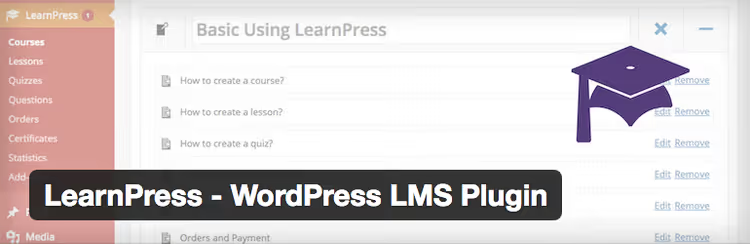
LearnPress is a completely free LMS plugin with over 70,000 active installations and a 4.3 rating on WordPress.org. In functionality, it's comparable to paid solutions: lessons, quizzes, certificates, drip content are available through add-ons.
Free extensions are enough to get started. Paid add-ons (from $19.99 on the developer's site) add WooCommerce payments, BuddyPress integration, assignment system and advanced statistics. An excellent option for those who want to launch a course without investing in a plugin.
- Pros: completely free core, intuitive interface, many free add-ons, good documentation
- Cons: dependency on add-ons for extended functionality (some are paid), core updates sometimes lag behind WordPress
- Price: free; premium add-ons from $19.99
- Download: 🔗 LearnPress on WordPress.org
WP Courseware
WP Courseware is a plugin built on the drag-and-drop principle: modules and lessons are assembled in a visual builder without technical knowledge. It integrates with WooCommerce, Easy Digital Downloads, MemberPress and major email services.
The plugin has existed for over ten years and has developed a stable codebase during that time. It's suitable for those who need a course "here and now," without diving into settings: upload the material, arrange the lesson order, set up quizzes and launch.
- Pros: visual builder, easy drip content setup, integration with popular membership plugins and email marketing
- Cons: fewer features than LearnDash or LifterLMS; course frontend design requires customization for branding
- Price: Teacher $159/year (2 sites), Professor $199/year (10 sites)
- Download: 🔗 WP Courseware
Themes for designing an educational site
Any of the plugins listed above works with standard WordPress themes. But a specialized theme provides a ready-made structure for course pages, student dashboard and catalog, without building from scratch.
BuddyBoss

BuddyBoss is more of a platform than a theme. It's deeply integrated with LearnDash and LifterLMS: it customizes course pages, adds lesson timers, student reports and gamification. Built-in BuddyPress integration allows adding a social network for students, forums, groups, private messages.
The free BuddyBoss Theme version is available on WordPress.org. The paid BuddyBoss Platform adds a mobile app, advanced analytics and white-label.
- Pros: deep LearnDash integration, ready layouts for all course pages, community support, regular updates
- Cons: heavy, on weak hosting the site will be noticeably slower; many features require the paid version
- Price: theme free on WordPress.org; platform from $299 per year
- Download: 🔗 BuddyBoss Theme | 🔗 Platform pricing
WPLMS
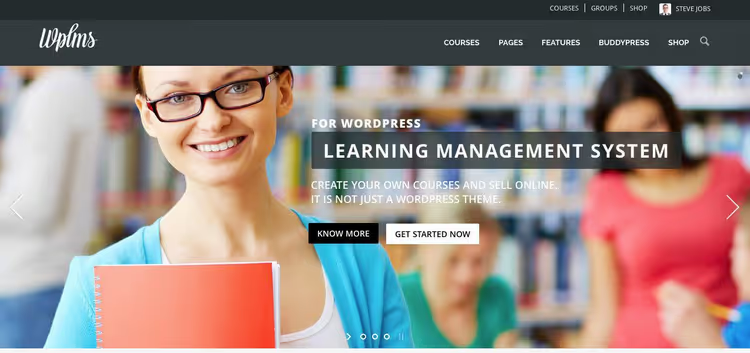
WPLMS is a veteran among LMS themes, sold on ThemeForest since 2014 and updated to version 4.97. It's a full-fledged learning management system with a built-in course builder, quizzes, certificates and instructor panel.
The theme is built on BuddyPress and includes social features: students can communicate, create groups and track each other's progress. Suitable for large educational projects, academies, corporate universities, MOOC platforms.
- Pros: standalone solution (theme + built-in LMS), mature code, PWA support, active updates
- Cons: complex setup for beginners, tied to the built-in LMS (switching course plugins without changing the theme is difficult)
- Price: $69 (one-time license on ThemeForest)
- Download: 🔗 WPLMS on ThemeForest
Astra

Astra is the most popular WordPress theme in the ecosystem with over 2 million installations. For an educational site, official LearnDash integration matters: the theme automatically picks up course pages and customizes their appearance without additional code.
The free Astra version provides a modern responsive design and compatibility with major builders. Premium (from $49 per year, pricing at wpastra.com) adds educational site templates and detailed course page settings.
- Pros: lightweight and fast, official LearnDash integration, hundreds of ready templates, free version is fully functional
- Cons: Astra Pro needed for maximum flexibility; some educational templates only in Agency Bundle ($69/year)
- Price: free on WordPress.org; Pro from $49/year
- Download: 🔗 Astra on WordPress.org | 🔗 Pro pricing
Video: launching an online course on WordPress in an hour
For those who learn better visually, an end-to-end tutorial on creating a course from scratch:
⁉️🤔 Frequently asked questions
Do I specifically need a paid plugin for a course?
Not necessarily. LearnPress and the free version of LifterLMS cover the needs of most solo authors. Paid plugins are needed when requirements appear: detailed student analytics, integration with corporate standards (xAPI/SCORM), email notification automation or the need for priority technical support.
How long does it take to launch the first course?
With ready content, from one day to a week. Technical launch (installing WordPress, the plugin, setting up payments) takes a few hours. Content preparation takes the most time: recording videos, laying out lessons, creating quizzes and practical assignments stretch over weeks. A realistic timeframe from idea to first students is one month.
What hosting should I choose for a course with video?
Managed WordPress hosting with sufficient disk space and bandwidth. WP Engine, Cloudways, Kinsta all provide automatic backups and CDN for fast video delivery. Video files are better stored on YouTube/Vimeo and embedded, so you don't use hosting disk space, and playback speed depends on the video platform's CDN, not your server.
Can I get by without a theme, just a plugin on a standard theme?
Yes. Any plugin from the list above works with default WordPress themes. A specialized theme saves time on design and provides ready course page layouts, but the plugin provides course functionality. If the budget is limited, start with a free plugin on a standard theme. You can switch to BuddyBoss or Astra Pro later.
What should I do if the course isn't selling?
Check three points: the course landing page (does it describe the outcome, not the content?), the price (too low raises suspicion, too high repels without social proof) and the availability of a free introductory lesson (removes the barrier to first purchase). Technically, the plugin barely affects sales; the problem is more often in marketing than in the tool.
What to choose for your task
The choice comes down to three scenarios. Identify yours, and the decision will become obvious.
If you're launching your first course and aren't sure about volume, start with LearnPress or Sensei LMS (free). Both plugins let you publish a course without investment. When an audience appears and the need for advanced features arises, switching to LearnDash or LifterLMS isn't difficult: all major plugins can import courses from each other.
If you're building a professional educational platform, take LearnDash paired with BuddyBoss or Astra. This combination provides both functionality and design out of the box. Add-on developers and integrations also target this setup, so when customization is needed, finding a specialist will be easier.
If the course is an addition to an existing WooCommerce store, Sensei LMS or LifterLMS with WooCommerce integration. Both plugins can tie a course to a product: buy the item, get access to the training module.
In practice, the difference between top plugins is minimal at the start. All of them can create lessons, quizzes and accept payment. Differences show up at scale: when students number 500+ and the course has 50+ lessons. The main thing at the first stage is not to get stuck choosing a tool and to start creating content. The WordPress platform with any of the listed plugins will handle it.

A professional team of writers and editors specializing in creating quality content.