














12 plugins for WordPress online store 🥇2026 (Free & Pro)
You launched an online store on WordPress and a month later realized: WooCommerce brings along a dozen extensions, the cart is slow, and customers complain about inconvenient payment.
Or the opposite, you have digital products but struggle with a plugin designed for physical shipments.
Actually, the problem isn't WordPress or the plugins. It's that each sales model needs its own tool. A plugin for membership subscriptions will fail an online storefront with thousands of SKUs, while a universal combine will be excessive for selling three ebooks.
We tested 12 plugins for WordPress online stores, from ecommerce engines to SEO tools, caching and lead capture. In this breakdown: honest comparisons, prices, pros and cons of each solution for specific business tasks.
💡 Quick overview:
Decide on product type and choose an ecommerce engine.
Speed up the site with caching and configure search optimization.
Connect lead generation and build a sales funnel to grow average order value.
Comparison table: all 12 plugins in 60 seconds
Plugin | Type | Price (from) | For whom |
|---|---|---|---|
WooCommerce | Ecommerce engine | Free + extensions | Physical products, universal store |
Easy Digital Downloads | Digital sales | Free / $99.50/year | Software, eBooks, music, files |
MemberPress | Membership/subscriptions | $199.50/year | Courses, subscriptions, paid content |
BigCommerce | Enterprise ecommerce | $29/month | Large catalogs, high load |
SureCart | Modern ecommerce | Free / $99/year | Fast launch, clean analytics |
Ecwid | Multi-platform | Free / $12.50/month | Sales on site, Facebook, Instagram |
WP EasyCart | All-in-one | Free / $69/year | Small business without technical experience |
CartFlows | Sales funnels | Free / $99/year | Conversion, upsells, downsells |
Yoast SEO | SEO optimization | Free / $99/year | Search promotion for store |
WP Rocket | Caching | $49/year | Speed, Core Web Vitals |
OptinMonster | Lead capture | $14/month | Popups, email collection, conversion growth |
All in One SEO | SEO audit | Free / $149/year | Technical SEO, schema, robots.txt |
1. WooCommerce, universal engine for physical products
WooCommerce, the most popular ecommerce plugin for WordPress: over 5 million active installations, a third of all top-tier online stores. Its main strength isn't the feature set "out of the box," but the ecosystem, hundreds of extensions, themes and integrations that let you build a store exactly for your task.
The plugin is free. You only pay for hosting, domain and the extensions you actually need: payment gateways (Stripe, PayPal, Square), advanced analytics, CRM integration. To start, the built-in inventory management, automatic tax and shipping calculation, and support for unlimited products are enough.
In practice, WooCommerce is good for physical products with complex logistics: size and color variants, stock tracking, shipping zones. It works with digital products too, but the interface is overloaded with "physical" settings you don't need in that scenario.
Pros: open source (full control over data), huge Russian-speaking community, support for dozens of payment systems without additional commission.
Cons: setup not for beginners, you'll need to figure out hosting, SSL and extension compatibility. Direct support, only through tickets.
2. Easy Digital Downloads, best choice for digital products
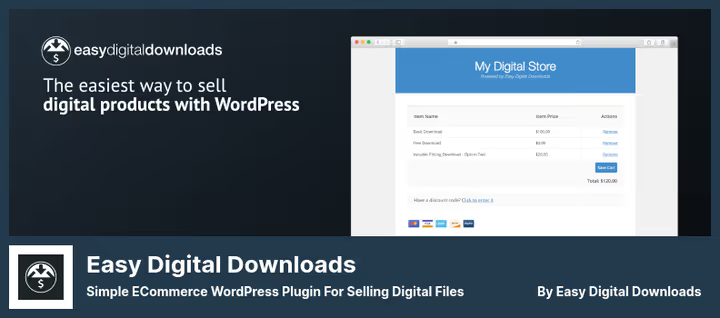
If your store sells ebooks, software, music, PDF guides or photos, Easy Digital Downloads (EDD) is designed exactly for this. Unlike WooCommerce, there are no extra entities here: shipping, weight, dimensions disappear from the interface, and in return you get file protection from direct download, download count limits and automatic link delivery to the buyer's email right after payment.
EDD comes in two versions: Lite (free, on WordPress.org) and Pro ($99.50/year, extended reporting, Mailchimp integration, activity tracking, shopping cart with upsells). The free version is enough to start: full-featured cart, file management, basic payment gateways.
From practice: if you have 50+ digital products with different licenses and updates, EDD saves hours of manual work. For one or two products, the difference from WooCommerce isn't critical.
Pros: tailored for "digital," clean interface, flexible licenses, dozens of addons.
Cons: not suitable for physical products (by design), some useful features, only in paid extensions.
🔗 Download Easy Digital Downloads (Lite) | 🔗 Easy Digital Downloads Pro
3. MemberPress, membership and subscriptions without compromise
MemberPress solves a task classic ecommerce plugins can't handle: content monetization through subscriptions. Online courses, premium articles, closed forums, paid file access, all configured through access restriction rules for posts, pages, categories and tags.
Key feature, drip content: you release course lessons not all at once, but on a schedule. A student gets access to the next module in a week, this keeps the subscription active and increases LTV. Combined with LearnDash, MemberPress turns WordPress into a full-fledged LMS platform.
Out of the box: unlimited membership levels, dynamic pricing, coupons, integration with Mailchimp and Constant Contact. Payment gateways, Stripe, PayPal, Authorize.net.
Pros: best in class access control, built-in course builder, drip content.
Cons: not designed for regular product sales; limited set of payment gateways (no Square, Apple Pay out of the box).
💵 $199.50/year for one site license (current price on MemberPress).
4. BigCommerce, enterprise solution for large catalogs
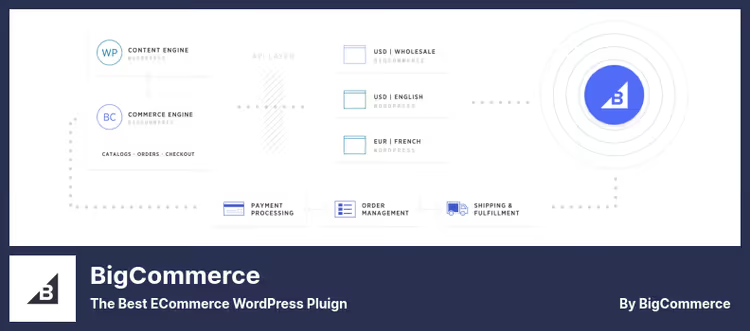
BigCommerce, this isn't just a plugin, but a cloud ecommerce platform with WordPress integration. The backend (cart, payments, security, hosting) runs on BigCommerce servers, while the frontend is built through WordPress. This hybrid removes the store owner's concern about PCI Compliance and scaling, but preserves flexibility on the content side.
Among clients, Skullcandy, Ben & Jerry's, Camelbak. The platform supports 80+ templates, dozens of payment gateways and multi-channel sales through Facebook, Instagram and Amazon.
This plugin is especially good for enterprise scenarios with thousands of SKUs and high traffic: built-in CDN, automatic scaling, enterprise security. But if you have a small store, BigCommerce is excessive and expensive.
Pros: doesn't load your hosting, PCI Compliance out of the box, multi-channel.
Cons: limited app selection (extension store still growing), poorly suited for digital products.
💵 Free Lite version; Pro, from $29/month (BigCommerce pricing).
🔗 BigCommerce Lite (WP.org) | 🔗 BigCommerce Pro
5. SureCart, modern ecommerce with clean analytics

SureCart, a relatively new player that has already won an audience thanks to a fresh approach: clean, uncluttered interface and headless architecture. Like BigCommerce, SureCart offloads critical logic (cart, payments, security) to its cloud infrastructure. Your WordPress site stays light and fast.
The plugin supports one-time payments, subscriptions, trial periods and donations. Unlike WooCommerce, where analytics require separate extensions, SureCart gives detailed sales funnel and customer reporting right in the dashboard.
A good choice for those who want to launch a store quickly and without diving into technical details. But the extension ecosystem still lags behind WooCommerce.
Pros: doesn't slow down the site, intuitive interface, built-in analytics, fast setup.
Cons: fewer integrations and extensions than WooCommerce; transaction fee on free tier.
💵 Free version with 1.9% fee; Pro, from $99/year (SureCart pricing).
6. Ecwid, multi-platform commerce out of the box
Ecwid stands out from the rest with one capability: it works everywhere. The same product catalog can be embedded in a WordPress site, Facebook page, Instagram and even Joomla or Wix, with inventory and order synchronization across all touchpoints.
The free plan allows up to 10 products with a mobile-responsive cart. This is enough for micro-business: merch, handmade, small storefront. Paid tiers remove limits and add automatic tax calculation, Google Shopping integration, discount coupons and POS for offline sales.
Ecwid handles PCI Compliance and transaction security, so you don't need to configure an SSL certificate for payments separately.
Pros: multi-platform, fast start, all included without third-party libraries.
Cons: free plan heavily limited (10 products), customization not as deep as WooCommerce.
💵 Free up to 10 products; Pro, from $12.50/month (Ecwid pricing).
Video: step-by-step store setup on Ecwid + WordPress from OSTraining
7. WP EasyCart, all included for small business
WP EasyCart positions itself as an "all in one" solution for small business owners who don't want to deal with a dozen extensions. Out of the box here: 100+ payment gateways, physical and digital products, integration with QuickBooks, TaxCloud and ShipStation for automating accounting and shipping.
The plugin will especially be appreciated by those who sell both products and services simultaneously: built-in support for donations, event registration and invoicing. At the same time, the interface remains simple enough for beginners.
WP EasyCart absorbed Cart66 Cloud, which was in previous versions of this list, now it's a unified product with extended functionality.
Pros: 100+ gateways out of the box, QuickBooks integration, simple setup.
Cons: admin design looks less modern than SureCart; community smaller than WooCommerce.
💵 Lite free; Pro, $69/year for one site (WP EasyCart pricing).
🔗 WP EasyCart Lite | 🔗 WP EasyCart Pro
8. CartFlows, sales funnels for maximum conversion

CartFlows doesn't replace an ecommerce engine, it complements it. This is a sales funnel builder that works on top of WooCommerce and lets you design the customer journey from landing page to "thank you for your order" without coding.
Typical scenario: a customer adds a product to cart, and before checkout sees an upsell, "take the extended version with 30% discount." After refusal, a downsell on a cheaper complementary product. This mechanic on average raises average order value by 20-30%, according to CartFlows' own built-in analytics.
The builder is visual, with ready templates: upsell/downsell, order bump, abandoned cart recovery. Works with WooCommerce, Easy Digital Downloads, MemberPress.
Pros: visual funnel builder, ready templates, average order value growth without additional integrations.
Cons: requires WooCommerce (or compatible engine) as foundation, not a standalone store.
💵 Free version; Pro, from $99/year (CartFlows pricing).
9. Yoast SEO, search optimization for store
An online store without SEO, this is a storefront in the basement without a sign. Yoast SEO covers two critical ecommerce tasks: correct indexing of product cards and readable snippets in Google results.
The plugin automatically generates XML sitemaps, checks readability of product descriptions (what matters: Google understands meaning better and better, not just keywords), manages canonical URLs (protection from page duplicates) and breadcrumbs for navigation. The Pro version ($99/year) adds redirects, internal linking and focus keyphrase analysis.
For a store on WooCommerce, Yoast is especially useful: it knows how to properly handle variable products so the search engine doesn't see 50 nearly identical pages with different sizes as duplicates.
Pros: market leader, clear color indication of SEO quality, deep integration with WooCommerce.
Cons: Pro features significantly expand capabilities, but the free version covers basics.
💵 Free; Premium, $99/year (Yoast SEO pricing).
🔗 Yoast SEO (WP.org) | 🔗 Yoast SEO Premium
10. WP Rocket, loading speed and Core Web Vitals
A slow store loses customers: according to Portent data, a one-second delay reduces conversion by 4.42%. WP Rocket solves this problem as simply as possible, after activation it automatically enables page and browser caching, GZIP compression and cache preloading.
What this gives a store: repeat visitors don't wait for static assets to load (product images, CSS, JS), and new pages get into cache automatically. Plus, optional features: lazy loading of images, HTML/CSS/JS minification, unused CSS removal, CDN integration and Cloudflare compatibility.
Separately worth noting ecommerce optimization: cart, checkout and account pages are automatically excluded from cache so dynamic customer data doesn't break.
Pros: works "out of the box" without complex setup, ecommerce-friendly (excludes cart from cache).
Cons: only paid version (no Lite), no trial period.
💵 $49/year for one site (WP Rocket price).
11. OptinMonster, lead capture and returning leaving customers
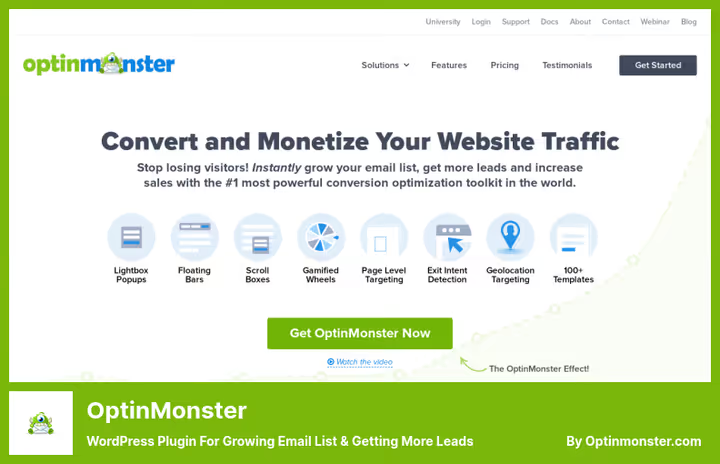
Average online store conversion, by industry data, around 2-3%. OptinMonster helps work with the remaining visitors who leave without purchase: exit-intent popups (trigger when cursor moves beyond window boundaries), floating bars, fullscreen welcome mats and content lockers.
For ecommerce, this is the number one tool for recovering abandoned carts without buying an additional plugin. The mechanic is simple: a visitor puts a product in cart, is about to leave, a window appears with a coupon for a discount when placing an order now.
The built-in drag-and-drop builder and 50+ templates let you launch the first campaign in an hour even without a designer. Real-time analytics show which offer converts better.
Pros: best in class triggers (exit intent, scroll, time on page), visual editor, A/B testing.
Cons: monthly subscription (no one-time license), no free tier currently.
💵 From $14/month (OptinMonster pricing).
12. All in One SEO, SEO audit and technical optimization
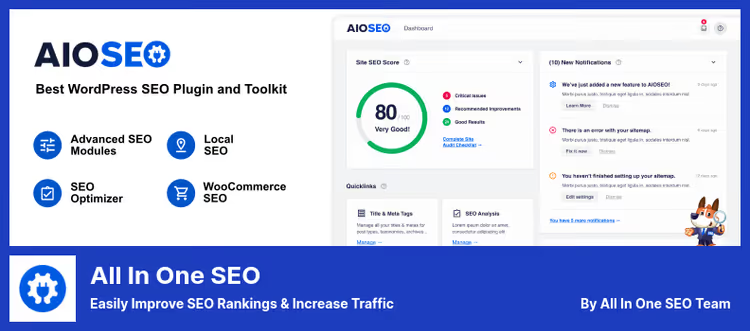
All in One SEO (AIOSEO), main competitor to Yoast with a somewhat different focus: it's stronger in technical SEO and automation. The plugin conducts a full SEO audit of the site, checking dozens of parameters, from meta tags to robots.txt, and produces a checklist of errors with recommendations for fixing them.
Useful for ecommerce: automatic schema markup generation (Product, BreadcrumbList), local SEO management, knowledge graph and social markup. The plugin also automatically submits sitemaps and RSS feeds to Google, Bing and Yahoo.
The Pro version adds an advanced headline analyzer, page indexing prioritization and internal linking.
Pros: powerful audit with checklist, excellent work with schema, full robots.txt control.
Cons: free version more limited than Yoast; Pro price higher.
💵 Free Lite version; Pro, from $149/year (AIOSEO pricing).
🔗 All in One SEO (WP.org) | 🔗 AIOSEO Pro
⁉️🤔 Frequently asked questions
Is free WooCommerce enough for a real store?
Yes, free WooCommerce is enough for a full launch: product management, inventory, basic payment gateways (Stripe, PayPal), shipping and tax calculation, all included. Paid extensions are needed when specific requirements appear: CRM integration, subscriptions, advanced reporting or specific acquiring. In our experience, a typical startup store gets by without paid extensions the first 3-6 months.
How does SureCart differ from WooCommerce?
SureCart uses headless architecture: all critical logic (cart, payments, security) runs on SureCart cloud servers, not loading your hosting. This gives speed gains and simplifies setup, but limits customization. WooCommerce is completely on your server, more control, but more responsibility for performance and PCI Compliance.
Can you use multiple ecommerce plugins simultaneously?
Not recommended. Ecommerce plugins (WooCommerce, EDD, SureCart) conflict at the cart, checkout and product management level. But combining an ecommerce engine with SEO plugin, caching and sales funnels, standard and safe practice: WooCommerce + Yoast SEO + WP Rocket + CartFlows work great together.
Which plugin to choose for selling 2-3 digital products?
Easy Digital Downloads (free Lite version). It has no extra "physical" settings, built-in file protection and automatic link delivery to email after payment. WooCommerce for 2-3 digital products is excessive: you'll get a shipping interface you won't use.
Is a caching plugin needed if hosting already promises caching?
Server caching (through hosting) and plugin caching solve different tasks. Hosting caches static assets at server level, but doesn't manage which pages to exclude. WP Rocket automatically excludes cart, checkout and account from cache, this is critical for ecommerce. Plus, it does minification, lazy loading and CSS optimization, which server caching doesn't provide.
Which plugin to choose for your task?
The final recommendation depends not on an abstract "best," but on the specific business model:
Selling physical products with growth prospects, take WooCommerce. This is the industry standard, for which almost all extensions, themes and integrations are written.
Selling digital products: software, books, music, photos, your choice Easy Digital Downloads. At every step the interface suggests exactly what's needed for file sales, and nothing extra.
Building a membership base: courses, subscriptions, premium content, MemberPress will give drip content and access rules that classic ecommerce engines don't have.
You have a small catalog and want to launch in an evening, look at SureCart. Clean interface, fast setup and analytics without extra extensions.
Selling on multiple platforms at once, Ecwid synchronizes catalog across site, Facebook and Instagram.
And the combination Yoast SEO + WP Rocket + OptinMonster + CartFlows will give your store search traffic, speed, lead capture and average order value growth, regardless of chosen ecommerce engine.
Test a combination of two or three plugins on a test domain and make sure they solve exactly your task, not complicate the admin with a dozen unused features.

A professional team of writers and editors specializing in creating quality content.