














📋 12 best WordPress job board plugins for 2026
A job board on WordPress is not just a page with a list of positions. It's a tool that brings in money: directly through paid listings or indirectly by filling business hiring needs.
A bad plugin eats up your budget on custom development, confuses applicants with a clunky interface, and forces you to manually process every resume in your inbox. A good one works out of the box, doesn't conflict with your theme, and gives employers a self-service dashboard. We've selected 12 tools for different scenarios: from a lightweight "Careers" page on a landing site to a full-featured portal with paid listings and a resume database.
💡 Quick overview:
- WP Job Manager**: **flagship free plugin from Automattic, minimal code, works with any theme, shortcodes for displaying jobs and submission forms.
- WP Job Board: monetization through built-in Stripe and PayPal payment processing, flexible pricing packages for employers.
- HireZoot / JobWP: modern catalog with filtering and Gutenberg block or lightweight career portal with grid layout and structured data for Google Jobs.
- Apply Online: simple free form builder for job openings, courses, and registrations.
Plugin | Free start | Monetization | User dashboard | Resumes | WP.org rating |
|---|---|---|---|---|---|
WP Job Manager | Yes (core) | Via add-ons | Yes | Via add-on | 4.3/5 |
Apply Online | Yes | No | No | No | - |
Simple Job Board | Yes | No | Yes (via add-on) | Yes (via add-on) | 4.5/5 |
WPMU DEV Jobs & Experts | No (membership) | Yes | Yes | Yes | - |
WP Job Board | No | Yes | Yes | Yes | - |
JS Jobs | Yes | Yes (via add-on) | Yes | Yes | 2.5/5 |
JobWP | Yes | Via PRO | Yes (via PRO) | Yes | 5.0/5 |
WP Job Hunter | No | Yes (PPC) | No | No | - |
Job Board by BestWebSoft | Yes | No | Yes | Yes | 3.9/5 |
Posts Table Pro | No | No | No | No | - |
HireZoot (WP Job Openings) | Yes | Via PRO | No | Yes | 4.8/5 |
Job Manager & Career | Yes | Via premium | No | Yes | 4.0/5 |
1. WP Job Manager
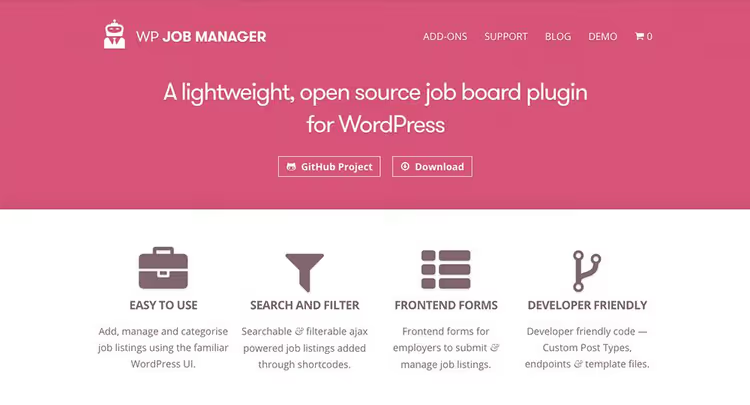
WP Job Manager is the flagship free plugin from Automattic, the company behind WordPress.com and WooCommerce. Built on shortcodes: insert [jobs] on a page and you get a job catalog. The [submit_job_form] shortcode provides a frontend submission form, and [job_dashboard] gives you an employer dashboard.
In practice, this is the most stable tool in the niche. The plugin is theme-independent: works with Astra, GeneratePress, Kadence, and default WordPress themes, anywhere with shortcode support. Basic CSS is enough for fine-tuned styling. As of July 2026, the plugin has 200,000+ active installations and a 4.3 rating.
Pros:
- Free core with full job board functionality: job listings, submission form, employer dashboard, search with AJAX filters
- Add-on ecosystem: Applications (application forms), WooCommerce Paid Listings (monetization), Resume Manager (resume database), Job Alerts (email notifications)
- Documentation at wpjobmanager.com covers installation, field configuration, customization via hooks
- RSS feeds for every search query: job seekers subscribe to new jobs by keywords
Cons:
- Basic job listing layout looks austere, without manual styling the "Careers" page looks generic
- Add-ons sold separately, Pro Bundle requires annual subscription
Price: free core, add-ons and Pro Bundle
🔗 WP Job Manager on WordPress.org🔗 Live demo
2. Apply Online

Apply Online from the Spider Teams, a lightweight free plugin tailored for accepting applications of any type. Formally this is not just a job board: through the [aol] shortcode you can launch applications for a course, event registration, or a "Careers" page with multiple positions.
The key feature is a drag-and-drop field builder. Configure what data to collect (name, email, phone, resume, cover letter), set opening and closing dates. The roles system allows you to designate a separate manager for processing applications, the AOL Manager role.
Pros:
- Free, no ads and no hidden limitations
- Drag-and-drop application form builder, no code needed for custom fields
- Support for multiple listing types: job opening, training course, registration
- Built-in email notifications for applicant and administrator
Cons:
- No user dashboard system, applicants can't track application status
- No built-in monetization: can't charge for listings without third-party plugins
Price: free
🔗 Apply Online on developer's site
3. Simple Job Board

Simple Job Board from PressTigers, a free plugin from the WordPress repository with an impressive list of add-ons. Out of the box it provides a job page with search and filters, job card with attributes (salary, location, employment type), and application form with resume upload.
The strong point is modularity. Don't want to overload your site, keep only the core. Need frontend dashboards for employers, publication deadlines, CSV resume export, purchase add-ons. Version 2.14.4 (June 2026) confirms the project is alive and developing.
Pros:
- Free core with full catalog and application form
- 40+ add-ons: from Google Job Search and AJAX search to integration with Elementor and Divi
- Mobile app for managing jobs (Android + iOS, via Mobile App Connector add-on)
- Multilingual out of the box: compatible with WPML and native WordPress translations
Cons:
- Add-ons sold individually, total cost of full set is high
- Frontend dashboard for job seekers (Job Seeker Dashboard) only as paid add-on
Price: free core, add-ons and bundles
🔗 Simple Job Board on WordPress.org🔗 Live demo
4. WPMU DEV Jobs & Experts
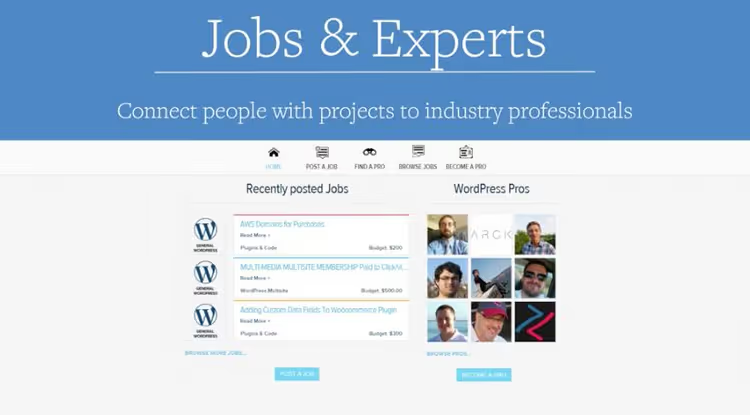
A plugin that WPMU DEV originally wrote for their own expert marketplace. Different from other solutions in approach: this is not just a job board, but a full-featured marketplace where employers and contractors meet. Employers post a project with budget and description, specialists create profiles with portfolio, gravatar, social links, and work samples.
The built-in private messaging system allows discussing project details right on the site, without moving to third-party messengers. This is especially valuable for agencies that want to keep communication within their perimeter. The project has been maintained since 2015, rare stability for the niche.
Pros:
- Ready marketplace: specialist profiles, private messages, ratings
- Strong technical foundation, WPMU DEV has supported the plugin for over 10 years
- Access to entire WPMU DEV ecosystem (hosting, Smush Pro, Hummingbird, Defender) with membership
Cons:
- Available only by WPMU DEV subscription, no separate license
- Overkill for a simple "Careers" page: the plugin is designed for a marketplace, not a list of three positions
Price: included in WPMU DEV membership
5. WP Job Board
WP Job Board (wpjobboard.net) is a premium plugin built around the idea of quick launch. After installation you get a ready portal with search, filters, employer and job seeker dashboard, resume upload, and payment module.
The main advantage is a drag-and-drop form editor. Change the field set in the job submission form, rearrange blocks on the listing page, all without code. Integration with Stripe and PayPal allows accepting payment for job postings right after setting up the payment gateway.
Pros:
- Quick launch: installed, configured payment gateway, portal works
- Drag-and-drop field editor for submission forms
- Paid pricing packages for employers with different numbers of listings
- Free theme included, works with any third-party theme
Cons:
- Annual license more expensive than free alternatives for simple scenarios
- No free version for testing before purchase
Price: annual license
🔗 WP Job Board official site🔗 Live demo
6. JS Jobs
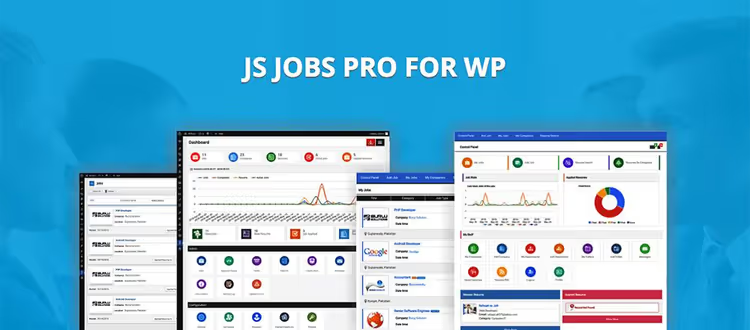
JS Jobs from JoomSky, a heavy all-in-one solution claiming "everything included". 250+ configurations, 45 shortcodes in Pro version, 19 widgets, custom registration and login system, login via Facebook, LinkedIn, Xing.
The plugin covers practically any scenario: credit system for listing packages, geo-search by radius, internal messaging between job seeker and employer, reports. But this volume has a price: the interface is overloaded, and recent user reviews on WordPress.org note instability and slow support. Version 2.0.2 (November 2025), the plugin is alive but developing slowly.
Pros:
- 250+ settings, practically any scenario configured without code
- Full-featured portal: dashboards, resumes, messages, map search
- Social login out of the box
- Free version with basic functionality
Cons:
- 2.5/5 rating on WordPress.org, recent reviews point to bugs and support issues
- Admin interface overloaded: 19 widgets, dozens of tabs, complex onboarding
- Slow developer response to bug reports
Price: free version on WordPress.org, Pro from $49
7. JobWP

JobWP is a fresh free plugin from the WordPress.org catalog that in a couple of years collected 18 reviews and a solid five rating. Ideologically, this is an answer to the complexity of veterans: installed, inserted [jobwp_listing] shortcode on a page, career portal ready.
In the free version, two listing layouts (List and Grid), search with filters by category, type and location, built-in application form with resume upload, and structured data for Google Jobs. Version 2.4.8 (June 2026) tested with WordPress 6.9, the project is actively developing. PRO package adds CSV application export, company profiles, featured jobs slider, and email notification customization.
Pros:
- Perfect balance "easy launch / enough features": grid layout, search, filters, all out of the box
- Structured data for Google Jobs, listings appear in Google search results
- Active development: updates every 1-2 months, responsive tech support
- Simple settings interface, no need to figure out dozens of tabs
Cons:
- PRO features (CSV export, company profiles, featured jobs) only in paid version
- Fewer add-ons than WP Job Manager or Simple Job Board: young ecosystem
Price: free core, PRO version on developer's site
8. WP Job Hunter
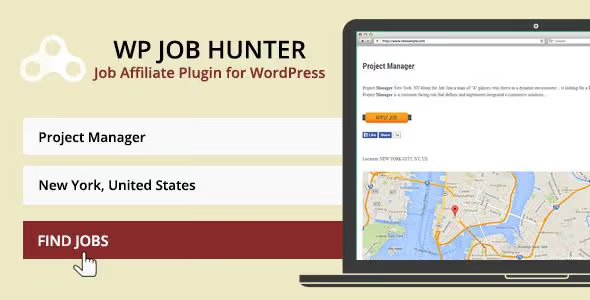
WP Job Hunter differs from other participants in the list by business model: the plugin works as a PPC aggregator. It connects to major job portals, CareerJet and SimplyHired, and gets commission for job seeker clicks. You don't publish jobs manually, but broadcast an external feed and earn on clicks.
This approach suits blogs and content sites with high traffic, where a job board is an additional monetization source, not the main product. But there's a nuance: PPC income on start-up sites with low traffic is usually low.
Pros:
- Doesn't require manual content filling, jobs pulled automatically from CareerJet and SimplyHired
- Built-in statistics: see how many clicks and impressions the board generates
- Simple installation: activated, job feed started
Cons:
- Dependency on external portals: if the aggregator changes API, plugin stops working
- PPC income usually low on sites with low traffic
- No control over job content, moderation on the aggregator's side
Price: premium
9. Job Board by BestWebSoft

A simple free plugin from the BestWebSoft team covering basic needs: add a jobs page, receive applications with resumes, separate jobs by employment type and location. Supports unlimited number of listings and customizable salary currency.
Shortcodes [jbbrd_vacancy] (catalog) and [jbbrd_registration] (registration form) insert on any page. For job search you'll need a separate Custom Search plugin, standard WordPress search doesn't index custom post types. Version 1.2.2 (November 2025), the plugin updates, though not as often as you'd like.
Pros:
- Free, no crippled functionality
- Flexible configuration: employment types (freelance, full-time, part-time, temporary, custom), currency, salary period
- GDPR compliance, regular security updates
Cons:
- Custom search requires installing separate Custom Search plugin
- Basic interface without drag-and-drop and visual configuration
- Update frequency lower than the leaders of the list
Price: free
10. Posts Table Pro

Posts Table Pro from Barn2 is formally not a job board plugin. But its ability to turn any custom post type into a sortable table with search and filters makes it a powerful addition to the job board scenario. If jobs are published as a custom post type (for example, via WP Job Manager or Simple Job Board), Posts Table Pro displays them in a table with sorting by salary, date, location, and any custom fields.
Version 4.0.1 (June 2026) includes a step-by-step table builder, 7 design templates, and AJAX loading, the table doesn't slow down even with tens of thousands of entries. Compatible with ACF, WooCommerce, WPML.
Pros:
- Unlimited number of posts in table without performance loss (lazy load + built-in cache)
- 50+ configuration options: keyword search, sortable columns, dynamic filters
- Display custom fields and taxonomies in columns, salary, city, employment type
- Export, print, built-in audio/video players in cells
Cons:
- Not a job board plugin by itself, needs a data source (custom post type)
- Premium license
Price: from $119/year
11. HireZoot (formerly WP Job Openings)
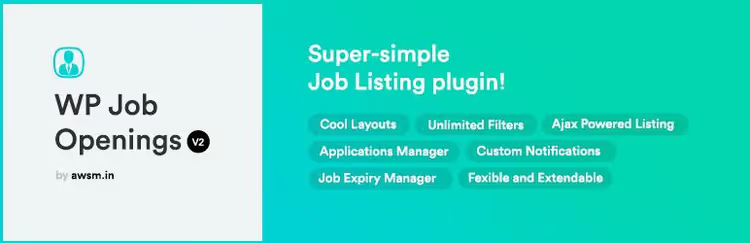
The most actively developing plugin in the list. In 2024-2025, WP Job Openings underwent a complete rebrand to HireZoot, and in May 2026 version 4.0 came out with a major interface update and new Gutenberg block. Rating 4.8/5 on WordPress.org (191 reviews), an indicator of stability and support quality.
In the free version: three listing layouts (Grid, List, Stack), AJAX filters with sidebar, unlimited job attributes, built-in application form, and structured data for Google Jobs. PRO package extends the system with custom application forms, candidate rating, notes, and activity log.
Pros:
- Version 4.0 (May 2026): new dashboard, three job listing layouts, Gutenberg block with style settings
- Sidebar filters with multi-select, sorting, all on AJAX, without page reload
- Built-in application management system in WordPress admin
- Active development: updates every 1-2 months
Cons:
- PRO features (candidate rating, custom forms) only in paid version
HireZootbrand not yet as recognizable as oldWP Job Openings
Price: free core, PRO from $79/year
12. Job Manager & Career
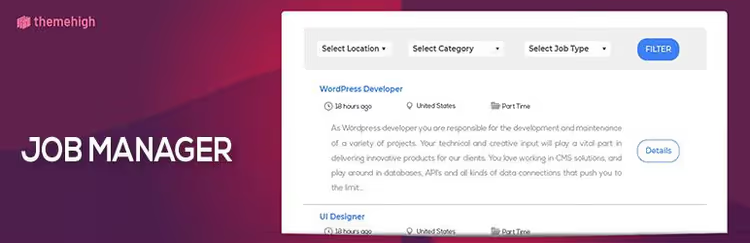
Job Manager & Career from ThemeHigh, a lightweight plugin for job catalog with focus on simplicity. [THJM_JOBS] shortcode on a page, and catalog ready. From the interesting: support for accordion layout in premium version, job cards expand on the listing page without going to a separate page.
The free version provides a basic set: job list with filters by category, type and location, application form with resume upload (.doc,.pdf,.docx), "Featured Job" mark for highlighting urgent positions, and social sharing option. For advanced keyword search and reCAPTCHA on the form, Premium.
Pros:
- Lightweight: minimal impact on page load speed
- Accordion job layout in premium version, convenient for 10-15 positions
- Free version without pushy feature limitations
- Resume format support.doc,.pdf,.docx
Cons:
- Search only by category, type and location, no keywords (that's Premium)
- No user dashboard system: job seeker doesn't see application status
- Last user reviews dated 2023, few fresh ones
Price: free core, Premium from $39
🔗 Job Manager & Career on WordPress.org
⁉️🤔 Frequently asked questions
Can you launch a job board completely free?
Yes.
WP Job Manager+HireZoot+JobWP, three free plugins, each covers its scenario. The first gives a full-featured employer dashboard and add-on ecosystem. The second, a modern catalog with Gutenberg block and filters. The third, a lightweight career portal with grid layout and structured data for Google Jobs. All three available in the WordPress.org repository without limitations.
Do you need a separate theme for a job board?
No, if you use a plugin from the list. All of them work with any WordPress theme. Themes like
Jobifyon ThemeForest are an option for those building a portal as a separate product, not adding a jobs page to an existing site. For most cases a plugin, current theme, and minimal CSS is enough.
How to monetize a job board?
Three main paths. First, paid listings: employer buys a publication package via WooCommerce Paid Listings from
WP Job Manageror built-in moduleWP Job Board. Second, subscription: member access for job seekers and employers (JS Jobs,WPMU DEV). Third, PPC aggregation:WP Job Hunterpulls jobs from CareerJet and SimplyHired and gets commission for clicks.
How does HireZoot differ from WP Job Manager?
HireZoot(formerly WP Job Openings) is about visual presentation and launch speed: three layouts, Gutenberg block, filters in sidebar.WP Job Manageris about infrastructure: employer dashboard, RSS feeds, add-on ecosystem, REST API. ChooseHireZootfor a corporate "Careers" page with 5-10 jobs, andWP Job Managerfor a portal with hundreds of listings and monetization.
What to do if a plugin stopped updating?
Check the last update date on the plugin page on WordPress.org. If the plugin hasn't updated in over a year and hasn't been tested with the latest WordPress versions, look for an alternative from this list. This is exactly why unsupported solutions were excluded from the selection:
JobSearch WP Job Boardwas removed from sale on CodeCanyon and replaced with actively developingJobWP.
Which plugin to choose for an agency?
WPMU DEV Jobs & Expertsis the only tool in the list tailored for the "expert marketplace" model, not "job list". Profiles with portfolio, private messages, rating system, everything for selecting contractors for projects. Plus WPMU DEV membership gives access to hosting and a set of plugins for performance and security.
What to install in 2026
If you need a simple "Careers" page on a corporate site, get HireZoot. Three layouts to choose from, Gutenberg block, filters without reload. Launch in 15 minutes.
Launching a portal with monetization, WP Job Manager + WooCommerce Paid Listings. The bundle works on thousands of sites, documentation covers all scenarios, behavior is predictable. Want even faster, WP Job Board with ready payment module and drag-and-drop editor.
Need a lightweight career section with modern design and minimal settings, JobWP. Grid layout, structured data for Google, application form out of the box. 5 stars on WordPress.org is no accident.
Building an expert marketplace for an agency, WPMU DEV Jobs & Experts. Profiles, messages, project budgets. A tool born from developers' own needs.
And if you're a blogger with traffic and want additional income, WP Job Hunter broadcasts an external job feed and pays for clicks. Minimal effort, passive income with good traffic. Choose for your task, not someone else's rating, and the job board will pay off faster than you think.

A professional team of writers and editors specializing in creating quality content.