














🔒 7 best WordPress paywall plugins 2026 (free and paid)
Content is live, ads cut into the experience, and donations don't cover costs. A subscription model closes this gap: readers pay for value, and you get predictable revenue without depending on algorithms.
The problem is choice. The WordPress paywall market ranges from simple content restrictors to full membership platforms with LMS and coaching. The right choice depends on your monetization model: metered paywall for media, course subscriptions for schools, pay-per-post for blogs.
We've reviewed 7 current solutions for 2026: what each one does, how much it costs, and who it suits.
💡 Quick overview:
- Leaky Paywall builds NYT-style registration walls and starts free with 10% revenue share on subscriptions
- Memberful WP syncs membership with an external Memberful account and provides SSO without duplicate passwords
- MemberPress, the standard for membership sites with courses, coaching, and forums in one plugin
- LearnDash owns the learning subscription niche with gamification, quizzes, and certificates
- WishList Member protects content by levels and includes the CourseCure LMS module in every plan
- s2Member, a veteran with 15+ years of development and unique file protection through Amazon S3/CloudFront
- Jeg Paywall, a budget WooCommerce entry into pay-per-post for $39 with no recurring fees
Comparison table: 7 WordPress paywall plugins for 2026
Plugin | Paywall type | Free version | Min. price | Payment processors | Key feature |
|---|---|---|---|---|---|
Leaky Paywall | Metered + Hard + Hybrid | ✅ WordPress.org | Free (10% revenue share) | Stripe + Apple/Google Pay | Subscriber Insights AI |
Memberful WP | Server-side, by levels | ✅ WordPress.org | $25/mo (Memberful) | Stripe | SSO + private RSS |
MemberPress | Hard, by levels | ❌ | $199.50/yr | Stripe, PayPal, Authorize.net | Courses + CoachKit + ClubSuite |
LearnDash | By courses/levels | ❌ | $199/yr | PayPal, Stripe | Gamification + Focus Mode |
WishList Member | By levels + Pay-per-post | ❌ | $149.50/yr | Stripe, PayPal | CourseCure LMS in every plan |
s2Member | Hard + file-based | ✅ WordPress.org | $89 (one-time) | PayPal, Stripe (Pro) | S3/CloudFront file protection |
Jeg Paywall | Pay-per-post + Subscription | ❌ | $39 (one-time) | PayPal via WooCommerce | WooCommerce-native |
1. Leaky Paywall

Leaky Paywall, the most flexible paywall plugin for WordPress, built by publishers for publishers. Its core idea: a New York Times-style registration wall that turns anonymous readers into known subscribers, then into paying ones.
The monetization model is transparent. The plugin is free on WordPress.org, when you add paid tiers the platform takes a 10% revenue share from new subscribers. When revenue grows, upgrading removes the share or reduces it. You only pay when you earn.
Under the hood: Publisher Flywheel, a four-stage funnel. List Builder collects emails through the registration wall (no popups). Flowletter warms up the list with email campaigns. Paid tiers convert 5 to 10% of registered users into paying ones. Subscriber Insights AI finds readers at risk of churn before they cancel.
The technical side will appeal to developers: REST API, webhooks, 50+ extensions, integrations with Salesforce, HubSpot, and Mailchimp. Stripe Verified Partner, Apple Pay and Google Pay out of the box. WordPress-native architecture: subscribers are stored in the standard wp_users table, no lock-in to external SaaS.
Pros:
- WordPress-native: subscribers in wp_users, full control over data
- Free start without upfront payment, revenue share only with actual revenue
- Hybrid paywall: metered + hard + dynamic in one plugin
- 50+ extensions and REST API for custom integrations
Cons:
- 10% revenue share is noticeable at substantial volumes on the free tier
- Learning curve: documentation is extensive but takes time
- No built-in LMS for courses
💵 Free on WordPress.org (10% revenue share); Pro plans for large publishers from $299/mo with personal support and migration.
🔗 Leaky Paywall on WordPress.org🔗 Leaky Paywall official site
2. Memberful WP

Memberful WP connects WordPress to an external Memberful account and provides server-side content protection plus Single Sign-On. The choice for creators who need a membership engine that just works: payments are handled on the Memberful side, the plugin only syncs statuses and restricts access.
The main advantage, SSO. A subscriber logs in once on Memberful and enters WordPress without a second password. The plugin assigns roles to active and expired members. Fine-grained visibility control: paying members see one thing, expired subscribers another.
Content protection through a meta box: you select membership levels when editing a post or page. Categories, tags, and custom post types are supported. Helper functions are available for developers.
Out of the box: integrations with Mailchimp, Discord, ConvertKit, Klaviyo, and Google Analytics. Webhooks and API allow building custom triggers. Memberful handles Stripe with Apple Pay and Google Pay, automatically calculates taxes, and maintains a membership dashboard.
In practice, Memberful WP works best for paid content and private podcasts: private RSS feeds and protected downloads work without additional plugins.
Pros:
- Server-side protection: content is inaccessible without authorization even via direct link
- SSO, one login for WordPress and Memberful
- Payments, taxes, and billing on the Memberful side, no server load
- Private RSS and protected downloads out of the box
Cons:
- Dependency on external SaaS: without a Memberful account the plugin is useless
- Subscriber data in Memberful, not in wp_users
- No built-in LMS
💵 Plugin free on WordPress.org; Memberful service from $25/mo.
🔗 Memberful WP on WordPress.org🔗 Memberful official site
3. MemberPress
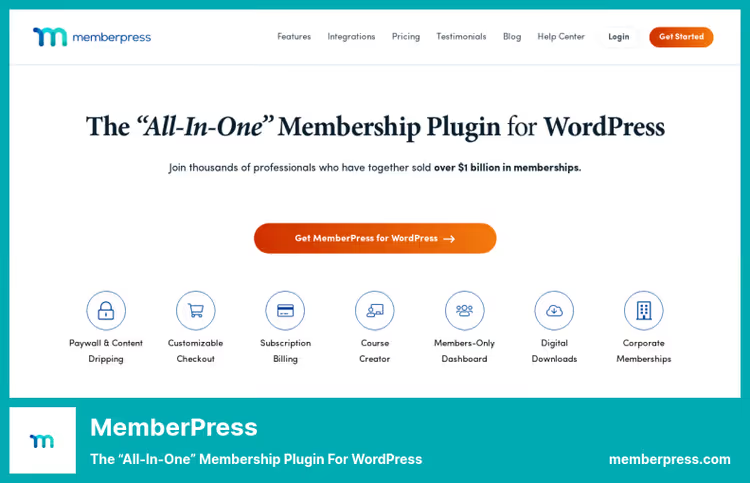
MemberPress, the de facto standard for WordPress content monetization. This isn't just a paywall: it's an ecosystem with courses, coaching (CoachKit), and forums (ClubSuite) that covers most membership business needs without a zoo of third-party plugins.
Access rules here are among the most detailed on the market. You can restrict a specific post, category, tag, custom type, part of content within a post. Rules inherit and combine. Drip content triggers on schedule or event, courses open gradually.
ReadyLaunch, the built-in page builder, provides ready-made responsive templates for pricing tables and member dashboards. Looks professional without a designer. CoachKit lets you run mentorship programs with session scheduling and progress tracking. Competitors don't have this.
Payment integrations remain rich: Stripe, PayPal, Authorize.net, Apple Pay, Google Wallet. The 2026 pricing structure introduced: basic Launch includes Stripe and takes 4.9% on transactions; Growth and Scale remove the commission and add CoachKit + ClubSuite.
Pros:
- All-in-one ecosystem: courses, coaching, and forums without third-party plugins
- Flexible access rules with inheritance and drip content
- ReadyLaunch, ready-made pages without a designer
- Corporate Accounts for B2B sales of bulk memberships
Cons:
- No free version on WordPress.org, only brief money-back trial
- Basic Launch takes 4.9% commission on each transaction
- For simple pay-per-post the plugin is overkill
💵 From $199.50/yr (Launch, introductory price; $399 on renewal), Growth $349.50/yr, Scale $499.50/yr. All plans with unlimited sites.
4. LearnDash

LearnDash, the LMS heavyweight for the "learning subscription" scenario. If your paywall is courses, not articles, LearnDash is unmatched. In 2025 the platform moved under Liquid Web management but remains an active product with pricing from $199/year.
Drag-and-drop course builder with modules, lessons, and topics. Drip content unlocks on schedule or after completing the previous lesson. Focus Mode removes everything unnecessary, leaving the student alone with the material.
The quiz system is advanced: eight question types, question banks, time limits, certificates, and badges. Certificates are customizable to your branding. Integration with MemberPress allows combining LMS with full membership.
In practice, LearnDash works best for niche educational projects: yoga schools, programming courses, corporate training. For article paywalls the plugin is excessive.
Pros:
- Most powerful course builder in the WordPress ecosystem
- Focus Mode for immersive learning without distractions
- Advanced quizzes with question banks and custom certificates
- Multisite: one installation for a network of schools
Cons:
- Courses only, won't cover article paywalls
- No free version
- Move under Liquid Web creates roadmap uncertainty
💵 Basic $199/yr (1 site), Plus $399/yr (10 sites), Pro $799/yr (unlimited).
5. WishList Member

WishList Member, one of the oldest WordPress membership plugins with 15+ years on the market. It covers the classic scenario: content protection by levels with support for multiple payment gateways and built-in LMS.
Every WishList Member plan includes the CourseCure LMS module. This means paid content can be organized as a full course with lessons, progress, and certificates without installing an additional plugin. Convenient for small educational projects.
Membership levels are unlimited: free, trial, paid with one-time or recurring billing. Content attaches to one or more levels, when status changes access updates automatically. Sneak-Peek gives visitors a preview, then shows the paywall.
Integrations include Stripe, PayPal, AWeber, Mailchimp, and GetResponse. For agencies and developers there's API and webhooks. Reporting covers transactions, student activity, and content consumption.
Pros:
- CourseCure LMS in every plan at no extra charge
- Unlimited membership levels with flexible billing
- 15+ years of development, mature codebase
- Sneak-Peek preview increases paywall conversion
Cons:
- No free version on WordPress.org
- Price doubles on renewal (introductory prices only for first year)
- Interface is conservative, lags behind MemberPress in UX
💵 Basic from $149.50/yr (introductory price; $299 on renewal), Plus $249.50/yr (up to 2 sites), Pro $349.50/yr (up to 5 sites).
🔗 WishList Member official site
6. s2Member

s2Member, a market veteran with more than 15 years of continuous development. The plugin is alive and actively maintained in 2026 in the plugin directory, which is itself an achievement for a 2008 plugin.
s2Member protects literally everything: posts, pages, categories, tags, URIs, BuddyPress, bbPress, portions of content within posts, downloadable files from local server or Amazon S3/CloudFront. Media file protection through S3, a unique feature competitors lack: the file is physically inaccessible without a valid subscription.
The free version supports PayPal Standard. Pro adds Stripe, PayPal Pro, Authorize.Net, and ClickBank. One-step checkout through pro-forms: user enters payment details and registers in one window. Pro also adds drip content, coupons, gift codes, and unlimited membership levels.
The free version, a fully functional membership engine, not a crippled trial. IP and concurrent login limits prevent account sharing.
Pros:
- 15+ years of development, active support and community in 2026
- S3/CloudFront file protection, unique for paid downloads
- Free version without trial limitations
- One-step checkout minimizes registration friction
Cons:
- Interface is conservative, the plugin's age shows
- Stripe only in Pro version, free limited to PayPal
- No visual course builder
💵 Free version on WordPress.org; Pro, one-time payment $89.
🔗 s2Member on WordPress.org🔗 s2Member official site
7. Jeg Paywall

Jeg Paywall, a niche WooCommerce solution for pay-per-post through PayPal. The lightest entry into paid access: users buy access to a specific post or activate a subscription without joining full membership.
The plugin works exclusively on top of WooCommerce and PayPal. No additional gateways. Simplicity here is both strength and limitation: you can set up a paywall in minutes, but only if your stack is already WooCommerce + PayPal.
Jeg Paywall lets you restrict access to individual posts, custom types, and publications with specific tags. For premium content a preview is shown: the first few paragraphs are visible to everyone, the rest behind the paywall.
On CodeCanyon the product has been available since 2019 and receives updates. For small WooCommerce sites this is a decent budget option. To scale beyond PayPal you'll need to migrate to Leaky Paywall or MemberPress.
Pros:
- Quick start: WooCommerce + PayPal = paywall in 10 minutes
- Pay-per-post: users pay only for posts they need
- Content preview before paywall increases conversion
- One-time purchase without subscription
Cons:
- PayPal + WooCommerce only, tight coupling to the ecosystem
- No recurring payments through Stripe
- No built-in analytics and reports
- Dependency on CodeCanyon, no support through WordPress.org
💵 One-time purchase $39 on CodeCanyon.
See how metered paywall works in MemberPress in this practical overview from the official channel:
⁉️🤔 Frequently asked questions
What is a metered paywall and how does it differ from a hard paywall?
Metered paywall allows the reader N free articles per period, for example 5 per month, after which it requires a subscription. Hard paywall closes all content immediately without exceptions. Leaky Paywall supports both modes and hybrid: news by meter, analytical pieces hard-closed.
Which plugin to choose for starting with zero budget?
Leaky Paywall on WordPress.org: installs free, List Builder immediately collects emails, Stripe connects without a license. The only expense: 10% on each paid subscription. On a zero base this is literally zero.
How does s2Member differ from MemberPress in 2026?
Key difference: file protection through Amazon S3/CloudFront, which MemberPress lacks. If you sell downloadable PDF books, videos, or source files, s2Member physically blocks the file without a valid session. MemberPress wins on ecosystem: courses, coaching, and forums in one plugin.
Is LearnDash an LMS or a paywall?
LMS with paywall functionality through paid course access. If content is structured as lessons and modules, LearnDash will provide quizzes, certificates, and gamification. For article paywalls it's excessive: take Leaky Paywall or s2Member.
Do these plugins work with WordPress Multisite?
Yes, four of seven: MemberPress, LearnDash, WishList Member, and s2Member Pro support WordPress Multisite. Leaky Paywall is also compatible through standard WordPress architecture, enterprise features available in Pro version.
Which paywall plugin to choose in 2026
The choice comes down to three scenarios.
Publisher or media focused on articles: Leaky Paywall. NYT-format registration wall, AI subscriber analytics, native WordPress architecture. Free start with revenue share allows growth without upfront payment.
Need an all-in-one membership ecosystem: MemberPress. Courses, coaching, and communities on one plugin without additional addons. Note: the basic plan takes a 4.9% commission on transactions, removing the commission requires Growth or Scale.
Building a learning platform: LearnDash with MemberPress integration for payment processing. Gamification, quizzes, and certificates give students a Teachable-level experience with full data control inside WordPress.
Budget entry: s2Member (free on WordPress.org) for content and download protection, or Jeg Paywall ($39 one-time) for pay-per-post on a WooCommerce site.
If you need a course block without investing in LearnDash: WishList Member includes CourseCure LMS in the basic plan from $149.50 per year.
Start with the free version, grow your base, and introduce paid access only when content has already proven its value. Share in the comments which paywall plugin you use and why.

A professional team of writers and editors specializing in creating quality content.