














👨🎓 9 best WordPress LMS plugins 2026 (free and paid)
You're launching a course website on WordPress, picking an LMS plugin, and two hours later you realize: one can't handle quizzing, the second requires five add-ons for payment, and the third simply breaks the theme. Sound familiar?
The WordPress LMS plugin market is overheated: dozens of solutions, each shouting "I'm the best," but in reality the difference between a top tool and a kludge only becomes clear after you set up your first student group. We sorted through current versions, checked compatibility with WordPress 6.7+, and selected nine plugins that actually work in 2026: from free open-source combines to premium monsters with AI course generation.
This breakdown has no theory: just combat features, real prices, and scenarios for "which task needs which tool."
💡 Quick overview:
- Run through the comparison table at the beginning: it will filter out plugins by budget and monetization type.
- Define your scenario: membership access (MemberPress, LearnDash) or open marketplace (Tutor LMS, LearnPress).
- Look at native integrations: the fewer additional plugins for payment and gamification, the easier to maintain the site.
- Check live screenshots of each plugin in the review: the course interface should be clear to your instructor, not just the developer.
LMS plugin comparison table
Plugin | Free version | Starting Pro price | Monetization type | AI features |
|---|---|---|---|---|
MemberPress | No | $179/year | Subscriptions, courses | No |
LearnDash | No | $259/year | Courses, subscriptions | Yes (AI structure) |
Sensei LMS | Yes (Lite) | From $149/year | WooCommerce | No |
LearnPress | Yes | From $49.99/year | Payments, subscriptions | Yes (AI courses) |
LifterLMS | Yes (Core) | $120/year | Courses, membership | No |
Tutor LMS | Yes (Core) | $199/year | Marketplace, subscriptions | Yes (AI Studio) |
WP Courseware | No | $159/year | Courses, membership | No |
MasterStudy LMS | Yes (Lite) | $55/year | WooCommerce | No |
Thrive Apprentice | No | $299/year | Courses, membership | No |
1. MemberPress
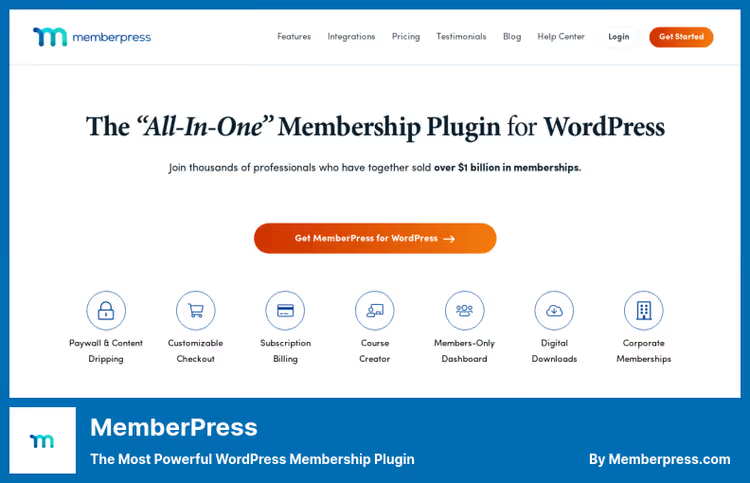
MemberPress grew from a membership plugin into a full-fledged LMS platform, and in 2026 it's arguably the most balanced combine for content monetization. You get not just a course builder, but a unified system: paywall, subscriptions, communities, and coaching, without a zoo of stitched-together plugins.
The built-in Course Creator lets you assemble a curriculum drag-and-drop right from the WordPress admin: lessons, tests, grade book. Classroom Mode shows the course through a student's eyes, which saves a lot of time when debugging structure. Content dripping, coupons, upsells through Order Bumps, and corporate accounts (B2B sales of seats in batches) come out of the box.
Worth mentioning separately are ClubCircles, built-in forums with a member activity feed, and ClubDirectory with profile search. This solves the retention problem: students interact inside your site, not in a third-party Slack or Telegram.
Pros:
- Unified memberships + LMS + communities system without connector plugins
- ReadyLaunch, conversion-ready pages without a designer
- Corporate Accounts for B2B sales of seats to organizations
Cons:
- No AI course generation (competitors are already catching up)
- No free version exists, paid start only
💵 Price: from $179/year (Launch plan). Pro and Elite plans remove transaction fees.
🔗 MemberPress on official site
2. LearnDash

LearnDash, the LMS on which Fortune 500 and major university programs are built. Since 2025 the plugin changed ownership (moved under the Nexcess/Liquid Web umbrella) and received a serious upgrade: built-in MemberDash for membership levels, AI course structure generator, and ProPanel with real-time analytics.
Key difference from MemberPress: LearnDash is tailored specifically for learning. Here you have eight question types in quizzes, weighted grading, plagiarism detection, issued certificates, and focus mode for students (without distracting admin). Content dripping is more flexible than most competitors: you can tie lesson unlocking to calendar date, interval after enrollment, or completion of the previous module.
On the Elite plan you get groups, multi-instructor mode, and front-end course creation, instructors can assemble programs without entering the WordPress admin. This is critical for marketplace models with a dozen authors.
Pros:
- ProPanel: analytics on enrollments, completion rate, and quiz bottlenecks right in the dashboard
- AI Course Outline + Quiz Builder speeds up first course launch
- Built-in forums and member dashboard without third-party plugins
Cons:
- Entry price threshold increased: Essentials $259/year (was $159)
- Requires quality hosting (large courses with video load the server)
💵 Price: Essentials $259/year, Pro $399/year, Elite $599/year. Unlimited courses and students on all plans.
3. Sensei LMS

Sensei, the LMS from the Automattic team (the same one behind WooCommerce and WordPress.com). This means: seamless WooCommerce integration out of the box and zero compatibility problems. The free Lite version on WordPress.org updates stably (v4.26.1, June 2026) and holds 10,000+ active installations.
Sensei doesn't try to be everything at once. You create a course through the standard WordPress editor, add video and audio, set up quizzes with manual or automatic grading, and sell through WooCommerce with any payment method. Certificates and achievements are issued to students automatically. Analytics on progress, grades, and enrollments are sharper than many competitors: you can see who's stuck on which lesson.
But there's a caveat: without WooCommerce the plugin loses half its purpose. Payment gateways, subscriptions, and content drip, all this is added through WooCommerce extensions, which pulls the budget upward.
Pros:
- Native WooCommerce integration: any payment methods without kludges
- Lightweight interface, not overloaded with menus
- Free Lite version with basic LMS functionality
Cons:
- Almost all advanced monetization is tied to WooCommerce extensions
- No built-in certificate builder in Lite
💵 Price: Lite, free. Sensei Pro from $149/year (includes drip, groups, and priority support).
🔗 Sensei LMS on WordPress.org | 🔗 Sensei Pro
4. LearnPress

LearnPress from ThimPress, the most popular free LMS plugin in the WordPress directory: 100,000+ active installations and a 4.4 rating on wordpress.org. If you need a start without budget, this is the first candidate.
The plugin core is free and includes a course builder with lessons, quizzes, and deadlines. Paid add-ons (from $49.99/year) add WooCommerce payment, certificates, drip content, assignments, and H5P interactivity. From the fresh: AI assistant generates course structure and images for covers, and Gutenberg integration lets you assemble course pages with blocks.
LearnPress also handles offline courses: you specify location, schedule, delivery type, and sell tickets to live sessions. This is rare for WordPress LMS, usually the offline part is purchased as a separate event plugin.
Pros:
- Full LMS for free: courses, lessons, quizzes, certificates
- Offline courses out of the box (location, schedule, ticket sales)
- AI course structure generation saves hours of preparation
Cons:
- Free core doesn't include payments: need WooCommerce or PayPal add-on
- Admin interface in places overloaded with settings
💵 Price: core free. Premium Bundle add-ons from $49.99/year.
🔗 LearnPress on WordPress.org | 🔗 LearnPress site
5. LifterLMS
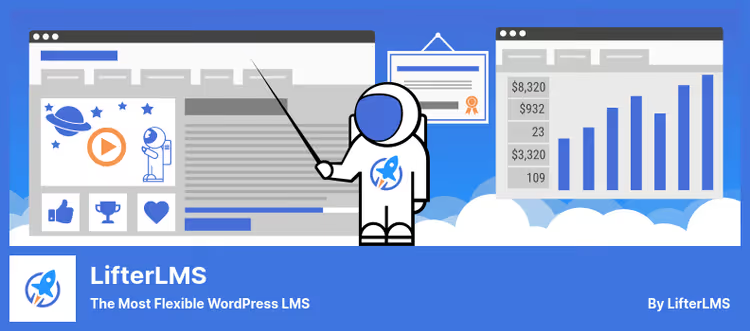
LifterLMS, a market veteran with impressive numbers: 8.3 million enrollments and 12.5 million completed courses on users' account. The Core plugin is free on WordPress.org (v10.0.5, June 2026) and gives course builder, multimedia lessons, quizzes, and certificates without spending a penny.
LifterLMS strength, social learning. Built-in discussion rooms and student profiles create a campus atmosphere, and gamification with points, badges, and achievements really raises completion rate. Content dripping, prerequisites, and group memberships are purchased as add-ons, but the basic set for starting is already in Core.
A separate plus, compatibility with any themes and page builders (Divi, Elementor, Beaver Builder), plus deep integration with WooCommerce, Mailchimp, and AffiliateWP. For certification programs and compliance tracks there are Continuing Education add-ons.
Pros:
- Free Core with full course builder and certificates
- Social features out of the box: discussions, profiles, messaging
- 4.7★ on wordpress.org, active community
Cons:
- Many add-ons are paid, cost grows quickly
- Interface less modern than Tutor LMS or LearnDash
💵 Price: Core free. Pro Bundle from $120/year. Earth Bundle (all add-ons + theme) $599/year.
🔗 LifterLMS on WordPress.org | 🔗 LifterLMS Pro
6. Tutor LMS
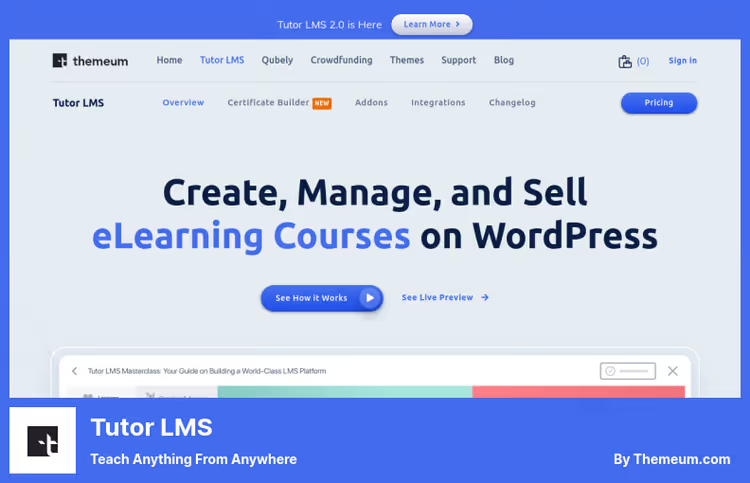
Tutor LMS from Themeum, a plugin that in five years went from newcomer to one of the market leaders. The platform's feature: you launch not just a school, but a full course marketplace like Coursera or Udemy, with multi-instructors, revenue sharing, and automatic payouts to authors.
The course builder, visual drag-and-drop. You add lessons, quizzes (10+ question types), assignments, and live classes through Zoom or Google Meet. Built-in AI Studio can generate an entire course from one prompt: structure, lessons, quizzes, and feature images. Content Bank lets you reuse created lessons and questions in different courses, which saves a lot of time when scaling.
Native eCommerce (without WooCommerce) accepts payments through Stripe, PayPal, Razorpay, Paystack, and a dozen more gateways. Subscriptions, course bundles, and membership levels are also configured inside.
Pros:
- Marketplace model out of the box: revenue sharing, author payouts
- AI Studio generates entire course from one prompt
- Content Bank: reusing content between courses
Cons:
- Pro price increased: now from $199/year
- On small projects excessive: half the features won't be needed
💵 Price: Core free. Pro from $199/year, Agency from $399/year.
7. WP Courseware
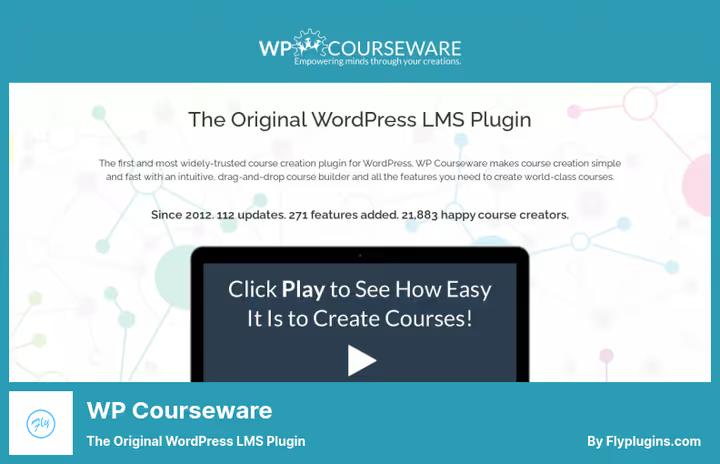
WP Courseware, the "quiet workhorse" among LMS: no loud marketing, but with a fan base of instructors who value it for simplicity. The plugin does exactly what's needed: drag-and-drop course assembly, seven types of quizzes, drip content by schedule, certificates, and gamification with points, badges, and leaderboard.
Built-in payment acceptance through PayPal and Stripe doesn't require WooCommerce (although integration with WooCommerce, Woo Subscriptions, and Woo Memberships exists). A separate plus, Instructor Role: any WordPress user can become an instructor and manage their courses without seeing the site admin. This simplifies author onboarding in a marketplace model.
Modern Look & Feel mode updates the course interface in one click, without editing the theme. Interesting: built-in notepad for students, you can take notes right inside the lesson.
Pros:
- Maximally simple interface: course assembled in an hour
- Instructor Role without access to WordPress admin
- Built-in PayPal/Stripe payments without mandatory WooCommerce
Cons:
- No AI functions, no marketplace mode
- Price rose to $159/year (Teacher, 2 sites)
💵 Price: Teacher from $159/year (2 sites), Professor $199/year (10 sites), Guru $279/year (25 sites).
🔗 WP Courseware on official site
8. MasterStudy LMS

MasterStudy LMS from StylemixThemes stands out technically: the entire frontend is built on Vue.js, which gives instant interface reaction and smooth transitions when navigating the course. For a student it feels like a SPA application, not a classic WordPress site with page reloads.
The plugin supports live sessions through streaming video, quizzes with countdown timers, and an announcement board similar to social networks, students ask questions and get answers from instructors right inside the course. The free Lite version on WordPress.org (v3.7.35, June 2026) gives course builder, lessons with multimedia, quizzes, and certificates.
Pro version for $55 adds WooCommerce integration, Stripe and PayPal, subscriptions, and printed certificates. This is still one of the most affordable commercial LMS on the market.
Pros:
- Vue.js interface: lightning-fast lesson navigation without reloads
- Built-in announcement board with social slant
- Very affordable Pro license: $55 one-time
Cons:
- Fewer integrations than LifterLMS or Tutor LMS
- No AI functions, marketplace mode
💵 Price: Lite free. Pro one-time payment $55 (not subscription).
🔗 MasterStudy LMS on WordPress.org | 🔗 Pro version
9. Thrive Apprentice

Thrive Apprentice, the LMS from the Thrive Themes team, known for their conversion tools. This is the only plugin in the roundup that bets not on quantity of features, but on design control and marketing power. Every course, module, and lesson page is customized by the visual editor Thrive Architect: headers, sidebars, CTA buttons, color schemes, everything edited by dragging.
Drip functionality here is the most flexible on the market: evergreen repeating (interval from student enrollment date), scheduled repeating (by days of the week), and binding to specific dates. Plus built-in A/B tests through Thrive Optimize let you find out which headline or CTA sells the course better.
Thrive Apprentice is included in Thrive Suite (Suite $299/year for all 9 plugins) or purchased separately. If you're already in the Thrive ecosystem, take it without thinking. If not: note that without Thrive Architect the design control loses half its purpose, and that's another plugin in the stack.
Pros:
- Full visual control over every course page
- Most flexible drip system on the WordPress LMS market
- A/B testing course pages through Thrive Optimize
Cons:
- Expensive entry: Thrive Suite for $299/year or tying to Thrive ecosystem
- No marketplace mode, no AI functions
💵 Price: Thrive Suite $299/year (9 plugins) or separate license.
🔗 Thrive Apprentice on official site
What video to watch before choosing
To see the interfaces live and compare the real setup experience, watch this review in English:
⁉️🤔 Frequently asked questions
Can you launch a course completely free, without buying plugins?
Yes. LearnPress and LifterLMS (Core) give a full course builder with lessons, quizzes, and certificates for free. For accepting payments you'll need an add-on or WooCommerce, but the course itself and the student learning process cost nothing. Tutor LMS Core and Sensei Lite are also free, but with reduced functionality compared to LearnPress.
Which plugin is better for a marketplace where 10+ authors teach?
Tutor LMS: revenue sharing, automatic payouts, and front-end course builder for instructors without access to admin. If the budget is lower, look at LearnPress with instructor role add-ons. LearnDash on the Elite plan also handles multi-instructor, but it's a solution for large schools, not startups.
Is WooCommerce needed for selling courses?
Only if you chose Sensei LMS or want a maximally flexible system of discounts and taxes. MemberPress, LearnDash, Tutor LMS, and WP Courseware accept payments through Stripe/PayPal directly, without WooCommerce. LifterLMS and LearnPress, optionally: can be through WooCommerce, can be through native add-ons.
What to choose for corporate employee training?
LearnDash (B2B groups, seat-based pricing) or MemberPress (Corporate Accounts with parent/sub-account management). Both are tailored for selling seats to organizations. LifterLMS also handles through group memberships, but is less tailored for enterprise scenario out of the box.
Is it worth taking Thrive Apprentice if I don't have Thrive Architect installed?
No. The key value of Thrive Apprentice, the visual course page editor, is Thrive Architect. Buying Apprentice separately without it is like buying a car without a steering wheel. If you're not ready for the Thrive ecosystem, look at LearnDash or Tutor LMS.
Which plugin is better for a solo instructor with one flagship course?
WP Courseware (simple interface, course assembled in an hour) or LearnDash Essentials (everything necessary without excess). If budget is zero, LearnPress. All three don't require setting up marketplace mechanics that a solo author simply doesn't need.
What to install for your task in 2026
The WordPress LMS market in 2026 clearly divided into three niches. Membership combines (MemberPress, LearnDash) close the scenario "content by subscription + courses + community" and are best suited for long-term educational projects with recurring payments. Marketplace engines (Tutor LMS, LearnPress) are needed when you're building a platform with a dozen instructors and revenue sharing. Narrow tools (WP Courseware, Sensei, Thrive Apprentice) win where simplicity, launch speed, or design control matters, not scaling to hundreds of courses.
If budget is zero, take LearnPress: 100,000+ users aren't wrong. If ready to invest in a professional tool, look at LearnDash Pro: AI structure generator and ProPanel analytics pay off on the first course. And if you have a membership business and are tired of juggling plugins, MemberPress will replace three tools with one.
Choose for the task, not for the pretty presentation, and in six months you won't have to migrate to another plugin.

A professional team of writers and editors specializing in creating quality content.