













 AIIllustrative image: AI-generated
🚀 10 best online learning platforms (2026): courses for beginners
The online education market has grown fourfold in five years. The question is no longer "whether to try it," but how to avoid wasting six months and a few thousand dollars on a platform that doesn't match your goal.
Dozens of platforms, each claiming to be the best. Marketplaces with hundreds of thousands of video courses. University hubs with master's degrees. Interactive environments where you write code from the first click. And builders for those who want to teach.
The problem is there's no universal platform. Skillshare is useless for switching careers into IT. Coursera is overkill if you need to brush up on Excel over a weekend. And buying a separate course on Udemy for $15 when the same topic is covered by a $20 monthly subscription is simply unprofitable.
We examined 10 leading platforms: registered, tried free trial periods, compared catalogs and certificates, calculated the real cost of three months of learning on each. Below, without filler, with numbers and scenarios.
What you'll learn in 5 minutes
💡 Quick overview:
- Which platforms offer accredited diplomas and certificates, and which only practical skills
- Where to study completely free, where course prices start at $10, and where to prepare $15,000+ for a degree
- How a course marketplace differs from a university hub, community model, and corporate LMS
- How to choose a platform for a specific goal: career change, hobby, professional development, or launching your own courses
Platform comparison table
Platform | Format | Free access | Certificate | Subscription / course price | Best for |
|---|---|---|---|---|---|
Skillshare | Community classes | Limited | No | $15/month or $99/year | Creative skills |
Coursera | University hub | Yes (audit) | Yes, paid | $59/month or $399/year (Plus) | Diplomas and certificates |
Udemy | Course marketplace | No | Yes, from Udemy | $10-200/course, $20/month (personal plan) | Practical skills |
Codecademy | Interactive IDE | Limited | Yes, paid | $0-$24.99/month | Programming |
Thinkific | Course builder | 30-day trial | Depends on author | $49-199/month (for authors) | Creating your own courses |
Pluralsight | Technical platform | 10-day trial | Yes | $29-45/month | IT and development |
LinkedIn Learning | Professional courses | 30-day trial | Yes | $19.99-39.99/month | Business and career |
Udacity | Nanodegree programs | Partial | Yes | ~$399/month | IT career change |
FutureLearn | University courses | Yes (without certificate) | Yes, paid | $39-400/course, $244.99/year Unlimited | Accredited certificates |
edX | University hub | Yes (audit) | Yes, paid | $50-300/course, $9000-26,000/degree | Academic education |
1. Skillshare, community of creative classes
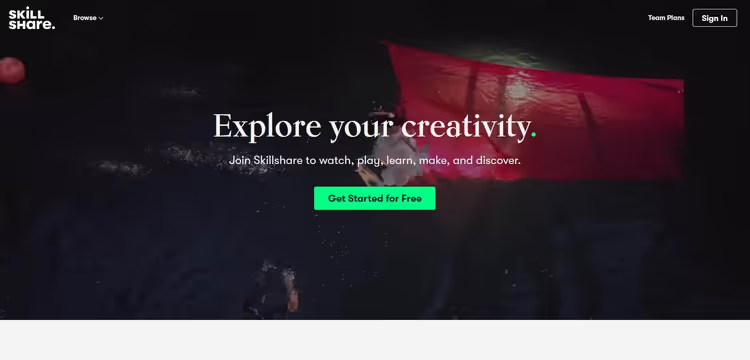
Skillshare operates on an "all-inclusive" model: one subscription, and you have 35,000+ classes in design, illustration, photography, animation, writing, and lifestyle topics. No diplomas, no deadlines. Only practical skills you can apply right after a 15-minute lesson.
Key feature, the instructors. Classes are created by practicing designers, illustrators, and photographers, not academic lecturers. The rating system and reviews help filter out obviously weak material. Each class is broken into 5-15 minute segments, jump in during a break, watch one segment, try it. The mobile app supports offline viewing, new classes are added daily.
In practice, Skillshare best fills the niche of "I want to learn to draw in Procreate" or "figure out video editing for YouTube." This isn't about career. This is about a skill you'll apply tonight.
Pros:
- Unlimited access to the entire library with a single subscription
- Short, focused classes, easy to fit into your schedule
- Active community with feedback and discussions
Cons:
- No accredited certificates
- Class quality depends on the instructor, check ratings
- Not suitable for deep academic study of a subject
Pricing: free tier gives access to a limited number of classes. Premium, $15 per month or $99 per year ($8.25/month). 7-day trial period. Skillshare pricing
2. Coursera, university diplomas and certificates online
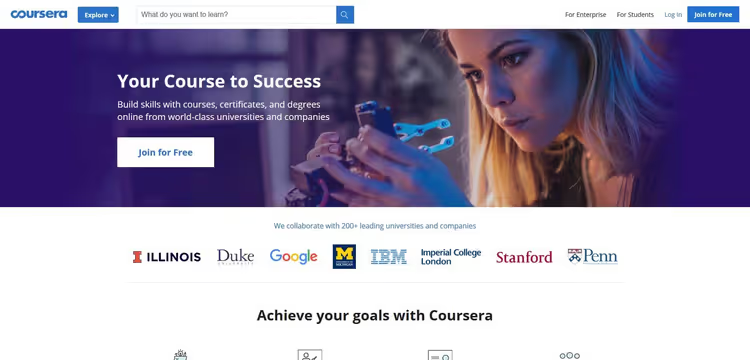
Coursera, a partnership network of 200+ universities and companies: Stanford, Yale, Google, IBM, Meta. The catalog has grown to 10,000+ courses, 1000+ specializations, professional certificates, MasterTrack certificates, and full online bachelor's and master's degrees. This is the largest university platform in the world.
Main advantage, accreditation. Certificates and diplomas from here are valued by employers on par with offline credentials. For students with verified university email, most courses are free.
Coursera Plus for $399 per year (or $59 per month) opens access to 10,000+ courses, projects, and professional certificates, this is the platform's flagship product. They periodically offer a 40% discount for new subscribers, bringing annual Plus down to $240.
Pros:
- Accredited certificates and diplomas from leading universities
- Huge selection of formats: from free courses to master's degrees
- Coursera Plus gives access to 10,000+ courses for a fixed annual fee
Cons:
- High cost of degrees and MasterTrack certificates
- Some content is locked in free mode (audit only)
- Deadlines in specializations require discipline
Pricing: individual courses, $49-99; specializations and professional certificates, $49/month; MasterTrack, $2000-4500; degrees, $15,000-42,000. Coursera Plus: $59/month or $399/year (with discount, $240/year). For students with university email, free access. Coursera pricing
3. Udemy, largest video course marketplace

Udemy, not a subscription service, but a marketplace. You buy individual courses and get lifetime access to them. The library contains over 210,000 courses in dozens of languages: programming, data science, marketing, yoga, guitar, photography, a broader spectrum than any other platform.
Udemy's pricing model, perpetual sales. Nominal cost reaches $200, but every couple of weeks the price drops to $10-20. In our experience, paying full price on Udemy is never worth it: just wait for the next sale, and the same course will cost 10 times less.
In 2026, Udemy launched a personal plan subscription for $20 per month, it opens access to a selected part of the catalog (about 10,000 courses) without needing to buy each separately. But the main scenario remains the same: find a course, wait for a discount, buy for $15, and it's yours forever.
Pros:
- Lifetime access to purchased courses without subscription
- Regular discounts, courses at minimum price
- 210,000+ courses on virtually any topic
Cons:
- Udemy certificates have no accreditation and are almost not valued by employers
- Quality varies greatly, read reviews before buying
- Courses aren't connected into a single ecosystem
Pricing: individual courses from $10 (on sale) to $200 (full price, don't pay it). Personal plan, $20/month. Business plan, from $360/year per user. Udemy catalog and pricing
4. Codecademy, interactive programming education

Codecademy abandoned the passive video format. Instead of "watch and repeat," an interactive development environment right in the browser. You write code from the first lesson, and the system instantly checks each assignment. Python, JavaScript, SQL, HTML/CSS, Ruby, Go, Swift, C++, dozens of languages and frameworks with immediate practice.
Learning is divided into Career Paths and short Skill Paths. A career track is a full program lasting several months: portfolio projects, certificate, and structured path from basics to junior level. In 2026, the Pro plan includes an AI assistant for code help, it suggests but doesn't solve for you.
In practice, Codecademy is the best start for a beginner who has never written code. After 30 minutes you already see the results of your work, not watching someone else's code in a video.
Pros:
- Interactive environment, code is written and executed right in the browser
- Structured career tracks with portfolio projects
- Instant feedback on each assignment + AI assistant in Pro
Cons:
- Only programming, other disciplines are absent
- Pro subscription needed for projects, certificates, and AI assistant
- Doesn't replace deep study of computer science
Pricing: free tier, basic lessons. Pro, $24.99/month with annual payment or $39.99/month monthly. Codecademy pricing
5. Thinkific, builder for creating and selling your own courses

Thinkific, a platform not for students, but for instructors and companies who want to launch and sell their own online courses. This is a SaaS builder: drag-and-drop editor, built-in payment system, marketing and email tools.
You assemble a course from ready-made blocks: videos, texts, quizzes, surveys, certificates. Thinkific handles hosting, security, and payment processing. Key advantage, the platform doesn't take commission on sales. Only fixed monthly fee. Integrations with Mailchimp, Zapier, and Stripe let you build a funnel without developers.
In our experience, Thinkific is the best choice for an expert or company that has already built an audience and wants to monetize knowledge. For a beginner without an audience, the entry barrier is high: you'll need to not only create a course but also independently drive traffic to it.
Pros:
- Full control over content, pricing, and branding
- No commission on sales, only fixed subscription
- Built-in marketing tools: mailings, coupons, affiliates
Cons:
- Not a catalog of ready courses, platform for authors, not students
- Free plan limited to one course
- Requires time for setup and content creation
Pricing: free tier, 1 course. Basic, $49/month. Pro, $99/month. Premier, $199/month. Thinkific pricing
6. Pluralsight, technical platform for IT professionals

Pluralsight, a specialized platform for developers, DevOps engineers, cybersecurity specialists, and data science. Library, 7000+ courses from practicing experts, each undergoes strict editorial control before publication.
Main feature, Skills IQ. A diagnostic test determines your current level in a specific technology (for example, React or AWS) and builds a personalized learning plan: which gaps to close, in what order to take courses. Interactive sandboxes allow practicing on real infrastructure without risk of breaking anything. Certification tracks prepare for AWS, Azure, Google Cloud, CompTIA, and CISSP exams.
In practice, Pluralsight meets the needs of middle and senior developers: when you already have the foundation, and need to level up a specific technology or prepare for certification. For a beginner, the interface is heavy and content sometimes excessive.
Pros:
- Skills IQ, personalized diagnostics and learning plan
- Interactive sandboxes for practice on real infrastructure
- Certification tracks for specific vendor exams
Cons:
- Only IT and development, no other topics
- Price above average for individual user
- Interface overloaded for beginners
Pricing: Individual Standard, $29/month (basic courses). Individual Premium, $45/month (certification tracks and sandboxes). 10-day trial period. Pluralsight pricing
7. LinkedIn Learning, professional development linked to career

LinkedIn Learning (formerly Lynda.com) is integrated into the LinkedIn ecosystem. Completed courses automatically appear in your profile, and recommendations are built based on your position and career goals. Library, 16,000+ courses in business, technology, and creative disciplines.
Each course is led by an expert practitioner, not an academic lecturer. Certificate is added to your LinkedIn profile with one click, and recruiters see it. This is the only platform where a certificate works as a direct signal for job search: you complete a Python course, certificate appears in profile, and a recruiter looking for Python developers sees it in search results.
Corporate tiers are available for companies with analytics dashboard and team progress tracking.
Pros:
- Direct integration with LinkedIn profile, certificates immediately visible to recruiters
- 16,000+ courses from industry experts
- Personalized recommendations based on position and career goals
Cons:
- No educational institution accreditation
- Most courses are basic and intermediate level
- Price above average for individual user with monthly payment
Pricing: individual subscription, $19.99/month (annual plan, $239.88 upfront) or $39.99/month (monthly). 30-day trial period. Corporate tiers, from $379.88/year per employee. LinkedIn Learning pricing
8. Udacity, Nanodegree programs for career change

Udacity is built around the Nanodegree concept, intensive programs lasting 3-6 months, developed jointly with Google, Amazon, Nvidia. Four areas: artificial intelligence, data science, programming, and cloud technologies.
Each Nanodegree includes real projects with individual mentor reviews, career coaching, and resume help. Students spend 10-15 hours per week and complete the program in 3-4 months. Udacity certificates are recognized in the IT industry in the US and Europe, but are not academic degrees.
In 2026, the Nanodegree model is no longer unique: much of what only Udacity used to provide (mentorship, projects, structured track) is now available on Coursera and even on free resources. Udacity's value today is in speed: the program is compressed to 3-4 months and focused exactly on one thing, employment.
Pros:
- Programs developed jointly with Google, Amazon, Nvidia
- Real projects with individual mentor reviews
- Career coaching and resume help
Cons:
- High price: monthly fee from $399
- Narrow focus, only IT and data science
- Intensive pace incompatible with full-time employment
Pricing: individual courses, free (without certificate). Nanodegree, $399/month or $700-2000 for full program (3-4 months). Udacity pricing
9. FutureLearn, accredited courses from British universities
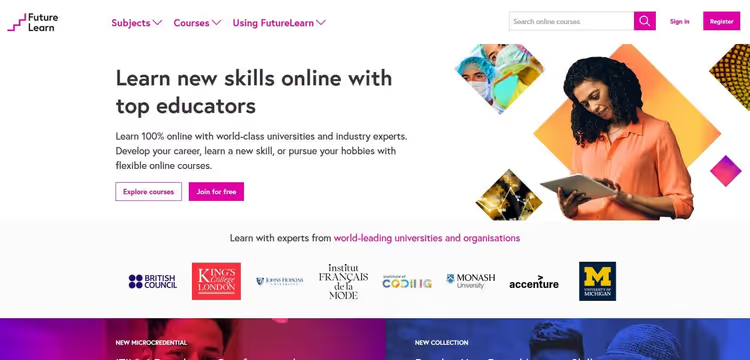
FutureLearn, a British platform uniting 170+ educational institutions: King's College London, University of Edinburgh, University of Glasgow. The catalog has over 1400 courses, and each is created by a university, not an individual instructor. This guarantees high academic standards.
Four formats: short courses (2-8 weeks), premium with certificate, Microcredentials programs, and full online degrees. Short courses can be taken for free, certificate available only in paid version. FutureLearn Unlimited for $244.99 per year opens access to all short courses, one of the best offers for those who study regularly.
Pros:
- All courses created by universities, consistently high quality
- Accredited certificates and microcredentials
- Annual Unlimited plan: $244.99/year for unlimited access
Cons:
- Fewer courses than Coursera (1400+ versus 10,000+)
- Focus on British academic system
- Full online degrees are expensive: several thousand dollars per year
Pricing: short courses, free (without certificate) or $39-99 (with certificate). Premium, $100-400. Microcredentials, from $600. Unlimited, $244.99/year. FutureLearn pricing
10. edX, academic education from MIT and Harvard
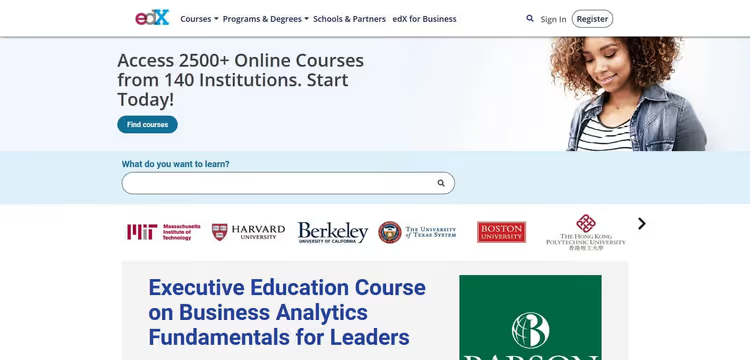
edX was founded by MIT and Harvard University and remains a nonprofit organization with open source code. The platform partners with 160+ educational institutions: Berkeley, Boston University, Delft University of Technology. Catalog, over 3200 courses with focus on science, engineering, computer science, and business.
edX's unique advantage, exclusive MIT courses available nowhere else. Free audit gives full access to materials, verified certificate costs $50-300. The MicroMasters program counts as academic credits when applying to partner universities, this is a direct path to a degree with credit for completed work.
Pros:
- Exclusive MIT courses, unavailable on other platforms
- 160+ partner universities with accreditation
- MicroMasters counts toward master's admission
Cons:
- Focus on STEM, fewer humanities and creative courses
- Master's degrees are expensive (from $9000)
- Interface less intuitive than Coursera
Pricing: free audit, full access to materials. Verified certificate, $50-300/course. MicroMasters, from $1000. Master's degrees, $9000-26,000. edX pricing
How to choose a platform for your needs
Ten platforms, these are ten different scenarios, not ten analogs with different logos. The right choice saves not money, but months of life.
Define your goal. Diploma for resume, Coursera or edX. Specific skill for work, Udemy or Pluralsight. Programming from scratch, Codecademy. Want to sell your own courses, Thinkific.
Assess budget. Completely free: edX (audit), Coursera (with university email), FutureLearn (short courses). Budget entry: Udemy with discounts up to $10-15 per course. Maximum content for fixed fee: Skillshare ($99/year), annual Coursera Plus subscription ($399/year, with discount $240), unlimited FutureLearn access ($244.99/year).
Consider certificate. Accredited: Coursera, edX, FutureLearn. Recognized in industry: Udacity Nanodegree, Pluralsight Certification. For self-discipline, not for resume: Udemy, Skillshare, LinkedIn Learning.
Below, video overview with live comparison of interfaces and formats from three leading platforms:
⁉️🤔 Frequently asked questions
Can you get an official diploma through an online platform?
Yes. Coursera and edX offer full bachelor's and master's degrees from partner universities: MIT, Harvard, Stanford, Yale, University of London. Cost, from $9000 to $42,000 depending on program, which is 2-3 times cheaper than in-person education. Diplomas are valued on par with offline credentials, they don't indicate you studied online.
Which platforms are best suited for learning programming?
Codecademy provides interactive practice in browser from the first lesson, best start for beginners. Pluralsight meets the needs of middle and senior developers with personalized tracks and sandboxes. Udacity offers Nanodegree for career change with mentor support. Udemy is good for quickly mastering a specific framework for $10-20. The combination Codecademy (basics) + Udemy (frameworks) + Pluralsight (certification) will cover the path from Hello World to commercial development in 6-8 months at 10-15 hours per week.
Can you study completely free?
You can, but with limitations. edX gives full access to materials in audit mode, you take an MIT or Harvard course without paying a cent, but don't get a certificate. Coursera opens most courses free for students with university email. FutureLearn allows taking short courses free. Udacity offers free individual courses in AI and programming. Codecademy has a basic free tier. The most generous free access is at edX: course materials are fully available, pay only if you need a certificate.
How do Coursera, edX, and Udemy certificates differ?
Coursera and edX certificates are issued by partner universities and have academic accreditation, they are recognized by employers and can count as credits when applying. Udemy certificates have no accreditation: they confirm completion of a course but don't guarantee quality of knowledge. Udacity Nanodegree certificates occupy an intermediate position: not academically accredited, but recognized in the US IT industry thanks to partnerships with Google, Amazon, and Nvidia.
Which platform is better for corporate employee training?
LinkedIn Learning leads in the corporate segment thanks to LinkedIn integration, analytics dashboards, and team progress tracking. Coursera for Business offers access to accredited courses. Pluralsight for Teams meets IT department needs with personalized tracks and Skills IQ. For distributed teams, LinkedIn Learning gives the best price/coverage ratio: 16,000+ courses with employee-level analytics.
Conclusion: which platform to choose in 2026
The choice comes down to three questions: why you're learning, how much you're willing to pay, and what credential you want at the end.
If you need an accredited diploma or certificate for your resume, Coursera and edX are unmatched. The former gives more formats and broader topic coverage, the latter, exclusive access to MIT courses and the strongest academic reputation.
If you want to quickly master a practical skill without excess theory, Udemy with perpetual discounts down to $10-20 per course will be the most effective investment. For creative professionals, the alternative is Skillshare with unlimited access for $8.25 per month.
If you're learning to program, Codecademy to start, Pluralsight to grow, Udacity for career change. If you're a company training employees, LinkedIn Learning for business skills, Pluralsight for IT department.
And if you want to create and sell courses yourself, Thinkific will give you a builder without sales commission and with full control over branding.
Choose one platform, start with a free trial, and don't spread yourself across five at once. Better to complete one course to the end than start ten and quit.

A professional team of writers and editors specializing in creating quality content.