














📝 9 best block plugins for Gutenberg 2026: free and paid
We opened Gutenberg: heading, paragraph, button. That's enough for a draft, but not for a landing page or corporate site. Built-in WordPress blocks don't provide columns with background control, accordions, or post grids.
The blocks plugin market has stabilized over recent years: out of a dozen and a half projects, nine are actively developed. Each was verified through the WordPress.org API: last update date, compatibility with the current WordPress version, support status. All nine received updates in 2026.
Below is a breakdown of each: what it does, how much it costs, which scenario to choose it for.
💡 Quick overview:
- Define your scenario: universal block set (Spectra, Kadence Blocks), blogger tools (Ultimate Blocks), visual design with UI kits (Stackable), multi-author site with roles (PublishPress Blocks), or lightweight base layer (CoBlocks, Getwid).
- One plugin for everything, choose Spectra: 30+ free blocks, frontend styling without switching to preview, updates every 2-3 weeks.
- Specific tasks (HowTo schema, Click-to-Tweet, role-based access control) are handled by niche plugins on top of the main one, they don't conflict.
The short video below shows key plugins in the editor:
Quick comparison of the five most popular plugins:
Product | For whom | Free | Pro | Feature |
|---|---|---|---|---|
Spectra | Universal | 30+ blocks | from $49/year | Frontend styling without preview |
Kadence Blocks | Design | Row Layout | from $89/year | Column and background control |
Stackable | Visual | 40+ blocks | from $49/year | UI kits and shape dividers |
Ultimate Blocks | Blogging | All blocks | No | HowTo schema, Click-to-Tweet |
PublishPress Blocks | Editorial | 20+ blocks | By plan | Role-based access control |

1. Genesis Blocks: sectional layout under WP Engine's wing
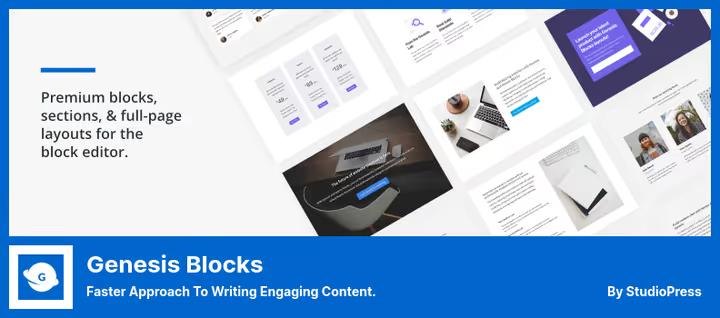
Formerly Atomic Blocks, moved under the StudioPress wing and then WP Engine. Genesis Blocks provides 26+ full-width templates, 56 ready sections, and a block library: containers, columns, post grids, pricing tables, testimonials, and accordions.
The plugin's main idea is sectional composition: you build a page not with individual blocks but with ready sections with preset spacing, colors, and responsive grid. For landing pages this saves several hours of manual setup. Additionally, there's block-level access control: different roles see different sets.
- Pros: 26+ page templates out of the box, sectional composition, role-based access control
- Cons: free version limited to 5-6 blocks, full set only in Genesis Pro
- Price: free, Genesis Blocks on WordPress.org. Genesis Pro, in WP Engine package from $30/month at studiopress.com (includes hosting, themes, and all blocks)
Verdict: choose it if you already work in the StudioPress or WP Engine ecosystem. For everyone else, Kadence or Spectra will give more blocks for free.
🔗 Genesis Blocks on WordPress.org
2. Spectra: the most functional free option
Spectra (formerly Ultimate Addons for Gutenberg) from Brainstorm Force, the same team that develops the Astra theme. On WordPress.org the plugin has over 800,000 active installations, updates come out every 2-3 weeks. By development pace, this is the most dynamic free plugin for blocks in the Gutenberg ecosystem.
The free version has 30+ blocks: advanced headings, columns, buttons with gradients, forms, table of contents, Google Maps, team, post Timeline, and Review schema. Plus 65+ starter templates through the built-in library.
In practice, the main advantage is frontend styling in the editor: you change block settings and see the result immediately, without switching to preview mode. Other free block plugins don't have this.
- Pros: 30+ free blocks, frontend styling without preview mode, 65+ templates, full responsiveness
- Cons: Pro features (slider, modals, Loop Builder) are paid only, settings interface is dense
- Price: free, Spectra on WordPress.org. Pro, from $49/year at wpspectra.com
Verdict: best "set and forget" choice for those who need maximum blocks for free. Install Spectra as your base layer.
3. Kadence Blocks: designer standard
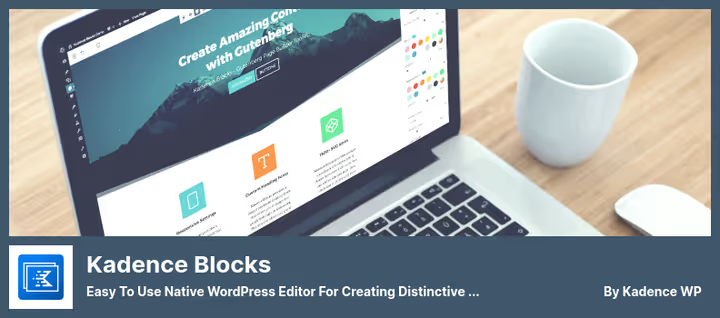
Kadence Blocks from Kadence WP, has become the main competitor to Spectra over the past two years. The focus is not on the number of blocks but on design flexibility.
The signature feature is Row Layout: multi-column structure with control over column width, spacing, vertical alignment, and backgrounds (color, gradient, image, video). Essentially, a mini-page inside Gutenberg. The free version is generous: galleries, forms, tabs, accordions, table of contents, countdown, and Lottie animations. Pro adds 15+ blocks: dynamic post grids, sliders, modals, video popups, image hotspots, and conditional display.
Kadence Blocks is often used together with the Kadence theme: the combination provides full control over typography and colors without CSS.
- Pros: Row Layout with column and background control, built-in section library, Lottie animations, gallery with filters
- Cons: Pro is not cheap (from $89/year), Row Layout requires an hour to learn for beginners
- Price: free, Kadence Blocks on WordPress.org. Pro, from $89/year at kadencewp.com
Verdict: for sites where design matters, not just functionality. Row Layout has no analogues in free plugins. Choose it if you're ready to spend an hour learning.
🔗 Kadence Blocks on WordPress.org
4. Ultimate Blocks: blogger's toolkit
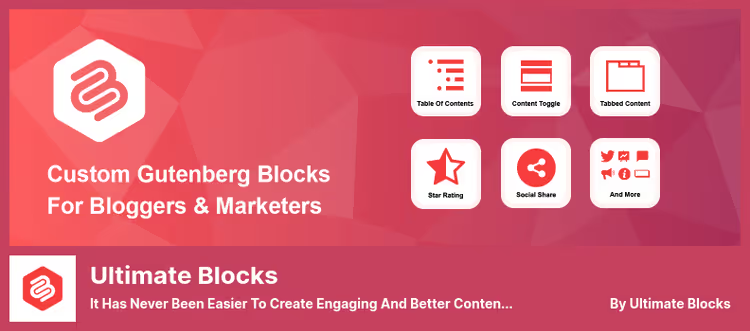
Ultimate Blocks is a highly specialized plugin for content marketing and blogging. The developers consciously rejected design blocks and focused on author tools: HowTo schema, Click-to-Tweet, progress bar, content toggle, image slider, post grid, filterable table of contents.
The key difference from Spectra and Kadence is selective block activation: each block is turned on or off individually on the settings page. The plugin doesn't load unnecessary CSS and JS for unused blocks. Has virtually no impact on PageSpeed. Fully free, no monetization.
- Pros: HowTo schema with valid structured markup, Click-to-Tweet, automatic table of contents, Review block, selective block activation
- Cons: no design blocks (columns, grids are not its profile), modest set compared to universal libraries
- Price: completely free, Ultimate Blocks on WordPress.org
Verdict: must-have for bloggers and content sites. Not a competitor to Spectra or Kadence but a complement: covers scenarios that universal libraries don't have.
🔗 Ultimate Blocks on WordPress.org
5. Otter Blocks: lightweight with template library
Otter Blocks from Themeisle, a lightweight package with a focus on speed. Doesn't try to cover all possible blocks, but gives exactly what's needed for landing pages: sections, headings, columns, subscription forms, Google Maps, tabs, progress bars, and flip cards.
The feature is 50+ ready templates with drag-and-drop inside Gutenberg. A landing page can be built in half an hour without a line of code. Pro adds CSS editor, custom fonts, animations, and priority support. Otter Blocks works well with the Neve theme from the same Themeisle: a lightweight site with good PageSpeed without additional setup.
- Pros: 50+ templates, drag-and-drop inside the editor, lightweight code
- Cons: fewer free blocks than Spectra or Kadence, CSS editor and animations only in Pro
- Price: free, Otter Blocks on WordPress.org. Pro, subscription plans at themeisle.com
Verdict: good choice for landing pages where you don't need a full package but want templates. Combined with Neve, optimal speed to functionality ratio.
🔗 Otter Blocks on WordPress.org
6. Stackable: designer Gutenberg with UI kits
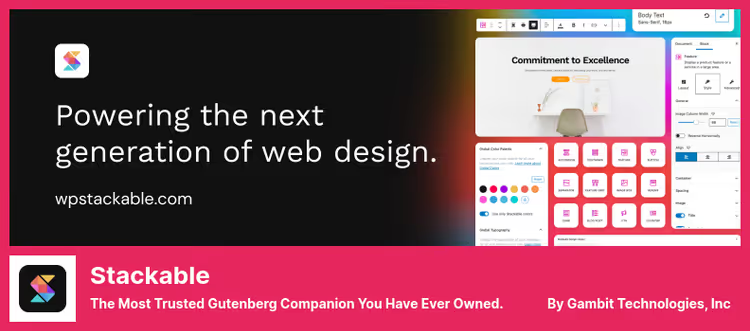
Stackable is one of the oldest block plugins, with a focus on design customization: video backgrounds, gradients, hover effects, section dividers in wave and triangle shapes. The current version has 40+ blocks.
The main difference from Kadence and Spectra is UI kits: sets of ready design systems (colors, typography, shadows, rounded corners) that are applied to all blocks at once. Visual consistency of the page without manually editing each block. Additionally: parallax backgrounds, video backgrounds, shape dividers. The free version covers basic layout. Pro unlocks dynamic blocks (post grid, carousel), conditional display, CSS animations, and the full collection of UI kits.
- Pros: 40+ blocks, UI kits for page visual consistency, shape dividers, video backgrounds
- Cons: Pro from $49/year, excessive for minimalists with simple text content
- Price: free, Stackable on WordPress.org. Pro, from $49/year at wpstackable.com
Verdict: for those who care about visuals: video backgrounds, effects, unified design system. Stackable's UI kits provide visual consistency that's hard to achieve manually.
7. PublishPress Blocks: access control and multi-authorship
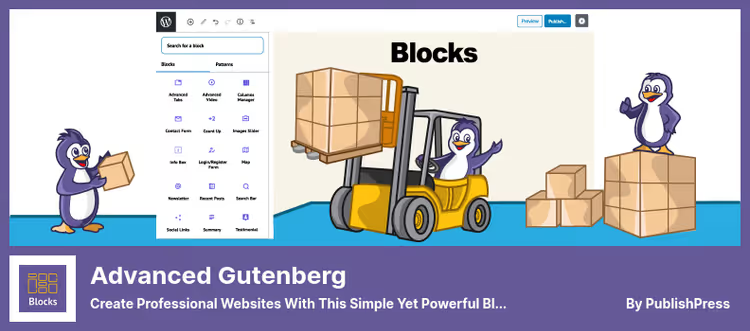
PublishPress Blocks (in the repository, Advanced Gutenberg) occupies a unique niche: the only block plugin with role-based access control. You create block profiles and assign them to administrators, editors, and authors. An author sees only the basic set, an editor sees the full set. This eliminates visual clutter in the editor when several block plugins are installed on a site.
PublishPress is a well-known brand in the WordPress ecosystem: editorial calendar, permission management, publication statuses. Documentation is detailed, updates are regular.
- Pros: role-based block access control, block profiles, Google Maps, subscription form with CSV export, icon lists
- Cons: Pro features (slider, pricing table, WooCommerce blocks) are paid, excessive for a personal blog
- Price: free, PublishPress Blocks on WordPress.org. Pro, plans at publishpress.com
Verdict: indispensable for multi-author sites and editorial teams. Multiple people with different roles, the only plugin with granular access control. Excessive for a personal blog.
🔗 PublishPress Blocks on WordPress.org
8. CoBlocks: minimalist set from GoDaddy
CoBlocks from GoDaddy is the most lightweight plugin in this collection. No Pro versions and subscriptions: one free package that simply works.
The block set is modest but well thought out: Row and Column for grids, Shape Divider for visual section separation, image carousel, author block, colored alerts, and subscription form. A separate plus is the Typography Admin Panel: centralized typography management for all blocks, including standard WordPress blocks, without CSS. Development pace is slower than Spectra or Kadence. CoBlocks is tailored to the Go theme from the same GoDaddy but works with any theme.
- Pros: lightweight, Row + Column for grids, Typography Admin Panel, completely free
- Cons: modest block set, updates less frequent than competitors
- Price: completely free, CoBlocks on WordPress.org
Verdict: for minimalists who need a lightweight set without extra complexity. Good base layer when complex effects are not needed.
9. Getwid: set for developers and landing pages
Getwid from MotoPress is a plugin focused on developers building landing pages. The library has 30+ templates and a rich block set: sections, columns, tabs, accordions, portfolio, team, testimonials, forms, and custom post types.
The key feature is deep customization through block attributes. Each block has several dozen parameters, providing fine control without CSS. For a beginner, this is overkill: the settings UI is dense and requires getting used to. An additional plus is that Getwid inherits the active theme's styles rather than overriding them, so visual consistency is maintained. Supports custom CSS for each block. Completely free.
- Pros: 30+ templates, deep block attribute customization, theme style inheritance, custom CSS per block
- Cons: dense settings interface, beginners need an hour to learn, update pace slower than Spectra/Kadence
- Price: completely free, Getwid on WordPress.org
Verdict: for developers who want fine control without messing with CSS. Templates save time on landing pages. Beginners will find the interface overloaded.
⁉️🤔 Frequently asked questions
How many block plugins should you install on one site?
In practice, one or two is enough. The base layer, Spectra or Kadence Blocks, covers most needs. Add niche ones selectively: Ultimate Blocks for HowTo schema and Click-to-Tweet, PublishPress Blocks if you need role separation. Three or more block plugins simultaneously almost always means style conflicts and bloated CSS.
How does Gutenberg with a block plugin differ from Elementor?
In functionality, Spectra or Kadence Blocks are not inferior to Elementor but work in WordPress's native editor. The main plus is speed: no heavy Elementor JavaScript runtime, pages load faster. The minus is fewer ready templates out of the box. For content sites, Gutenberg wins in performance, for complex landing pages Elementor is sometimes more convenient.
Which block plugin should a beginner choose?
From this list, the easiest to start with is Spectra: 30+ free blocks, 65+ templates, frontend styling without preview mode. Install it and work. If design is more important, Kadence Blocks, but Row Layout requires an hour to learn. For a blog without complex layout, Ultimate Blocks, it doesn't overload the interface.
Can you manage with the free version or is Pro mandatory?
For most sites, free versions are more than enough. Spectra in the free version gives 30+ blocks: sufficient for blogs, corporate sites, and landing pages. Pro makes sense for specific tasks: sliders and modals (Spectra Pro), dynamic post grids (Kadence Pro), WooCommerce blocks (PublishPress Pro).
Do block plugins slow down the site?
Well-written ones don't. Spectra, Kadence, and Ultimate Blocks load CSS and JS only for blocks actually used on the page. Problems start when you install three or four block plugins simultaneously: each pulls its own style library, and Cumulative Layout Shift grows. Rule: one main block plugin plus selectively niche ones.
What to install in 2026: final breakdown
The Gutenberg ecosystem in 2026 is mature. Nine plugins from this list survived the wave of closures and rebrands and continue to be actively developed. Each has its niche, the choice comes down to use case rather than abstract "best."
- If you need one plugin for all cases, choose Spectra: 30+ free blocks, 800,000+ installations, updates every 2-3 weeks.
- If design matters more than quantity of blocks, choose Kadence Blocks: Row Layout and typography control without CSS.
- If you're a blogger and need HowTo schema, Click-to-Tweet, table of contents, Ultimate Blocks will cover these scenarios for free.
- If you're building landing pages from templates, choose Otter Blocks (50+ templates) or Getwid (30+ templates for developers).
- If visuals matter: gradients, video backgrounds, effects, choose Stackable with UI kits.
- If you have a multi-author site with different roles, choose PublishPress Blocks, the only one with access control.
- If you're a minimalist without extra complexity, choose CoBlocks, lightweight and completely free.
- If you're already in the WP Engine ecosystem, choose Genesis Blocks, sectional layout out of the box.
Start with Spectra as the base layer. Selectively cover specific tasks with niche plugins, and you'll get an editor that matches Elementor in functionality and is times lighter in performance.

A professional team of writers and editors specializing in creating quality content.