














💡 8 plugins for restricting content by membership in WordPress
Why restrict content by member status at all
A user registers on your site. What happens next? By default, WordPress treats everyone the same: guests, subscribers, and editors all see identical content. If you're building a club, online school, or team knowledge base, that uniformity kills your entire model.
The solution is restricting access by role or membership level. A private section for premium subscribers, drip-fed lessons for course students, internal documentation for authorized staff only: all of this can be handled with a couple of plugins and minimal code. No custom-built contraptions required.
Below we examine working tools, from simple code in functions.php to full-featured membership platforms with payments, coupons, and automation. All plugins have been verified for relevance in 2026; abandoned or defunct options have been excluded, and prices have been confirmed against official websites.
💡 Quick overview:
- Choose your approach: code in
functions.phpfor targeted page blocking, or a ready-made plugin for a membership system with payments and subscriptions. - For simple "member vs. non-member" separation, free options like Restricted Site Access or Ultimate Member are sufficient.
- Need paid subscriptions and access levels? Go with MemberPress (more powerful) or Paid Memberships Pro (free core + premium add-ons).
- Want to deliver content by role without a payment module? PrivateContent can lock any block, widget, or even individual Gutenberg blocks.
- Bookmark the video tutorial: we've selected an up-to-date walkthrough on setting up restrictions.
Restricting via code: a quick start without plugins
If you're a developer or simply don't want to install another plugin for one locked page, WordPress lets you handle access with a couple of filters. Below are two snippets: one blocks entire pages for non-logged-in users, the other shows different content depending on role.
The first snippet hooks into template_redirect: it checks the page ID (or parent ID), and for non-logged-in users, redirects to the homepage. In a real project, you'd add role checks via current_user_can() or custom user meta.
1 /** 2 * Block page and its children for unauthorized users. 3 * Place in functions.php or via Code Snippets. 4 */ 5 function wpex_restrict_page_to_logged_in_user() { 6 global $post; 7 8 $restricted_page_id = 170; 9 10 if ( is_page() && ( $post->post_parent === $restricted_page_id || is_page( $restricted_page_id ) ) ) { 11 $redirect = true; 12 13 if ( is_user_logged_in() ) { 14 $redirect = false; 15 } 16 17 if ( $redirect ) { 18 wp_redirect( esc_url( home_url( '/' ) ), 307 ); 19 exit; 20 } 21 } 22 } 23 add_action( 'template_redirect', 'wpex_restrict_page_to_logged_in_user' );
The second snippet is simpler: check the current user's role and output content conditionally. This works well in templates where guests see a teaser on the same page while subscribers see the full text.
1 // Show content only for subscriber role 2 $current_user = wp_get_current_user(); 3 $user_role = $current_user->roles ? $current_user->roles[0] : false; 4 5 if ( 'subscriber' === $user_role ) { 6 echo 'Content available only to subscribers.'; 7 }
Code provides the foundation. But when you need subscription tiers, payments, coupons, and a member dashboard, grabbing a ready-made plugin is easier. That's what we'll examine next.
Plugin comparison table
Plugin | Type | Price (from) | Payments | Free version |
|---|---|---|---|---|
Kadence (ex-Restrict Content Pro) | Membership | Included with Kadence WP | Stripe, PayPal, Braintree | No |
PrivateContent | Content restriction | €39/year | Via Premium Plans add-on | Yes (free) |
MemberMouse | Membership | $19.95/month | 8 payment gateways | No |
MemberPress | Membership | $199.50/year | Stripe, PayPal, Square | No |
Paid Member Subscriptions | Membership | Free / Pro from €69 | Stripe, PayPal | Yes |
Restricted Site Access | Access restriction | Free | No | Completely free |
Ultimate Member | Community + Membership | Free / Extensions from $249/year | Stripe (via extension) | Yes |
Paid Memberships Pro | Membership | Free / Plus from $297/year | Stripe, PayPal, Authorize.net | Yes |
1. Kadence, the successor to Restrict Content Pro

Historically, Restrict Content Pro was the gold standard for simplicity: no bloat, just subscriptions, access levels, and solid integration with PayPal, Stripe, and Braintree. In 2025, the product was acquired by Liquid Web and now ships as part of the Kadence WP ecosystem; the standalone product has been discontinued.
If you already use Kadence (the theme or blocks), the membership toolkit is available without additional purchase. For everyone else, this is reason to consider Kadence as a platform: Restrict Content Pro within it has retained its key features, including unlimited subscription levels, discount coupons with shortcodes, and CSV export of member data.
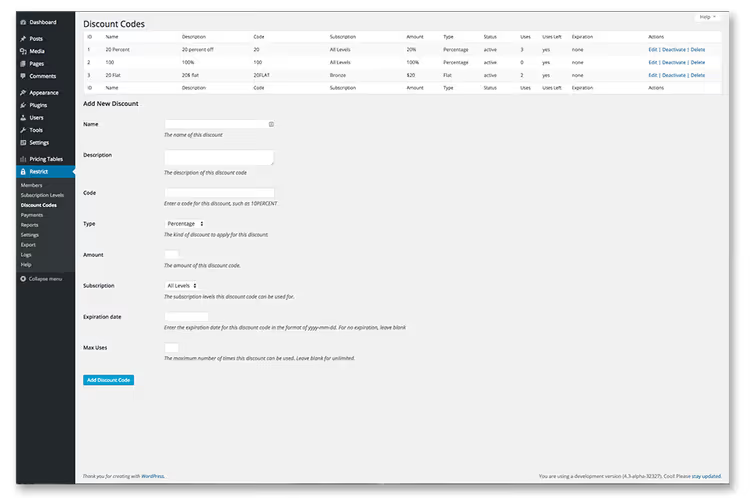
Access levels are highly configurable: each gets its own pricing and its own set of pages and materials. The coupon system supports percentage discounts, expiration dates, and usage limits, which is convenient for affiliate mailings and coupon sites. Member and payment export to CSV works out of the box.
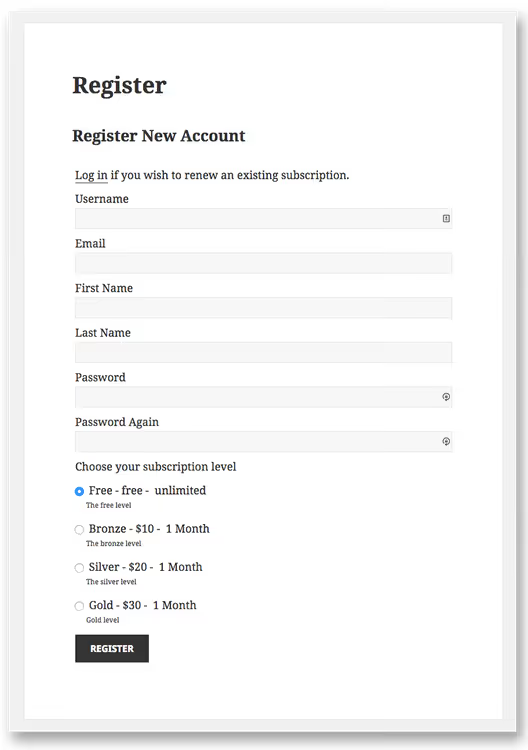
In practice, the "Kadence + former RCP" combination covers the needs of the vast majority of membership sites: courses, paid article access, private communities. There's exactly one downside: the standalone plugin no longer exists; it's only available as part of the Kadence package.
2. PrivateContent, surgical content restriction
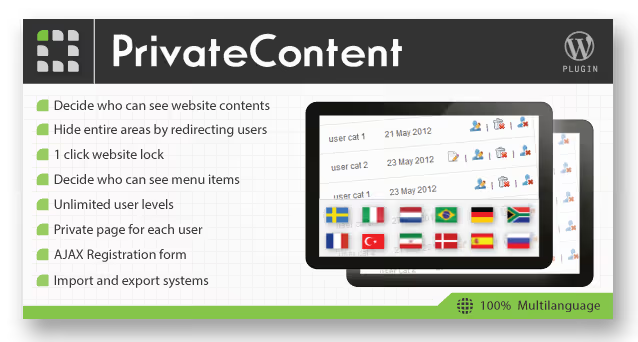
PrivateContent from Italian studio LCweb locks everything: pages, posts, categories, menus, widgets, Gutenberg blocks, and even individual elements in Elementor. The cherry on top is "one-click site lockdown": a single click in the admin panel hides all content from unregistered users (including search engines).
The main advantage over membership platforms is surgical precision. You're not building an entire membership system; you simply specify: "this block is visible only to Premium-tier users, while this one is visible to everyone except guests." The restriction wizard in the admin shows direct and inherited rules for each post.
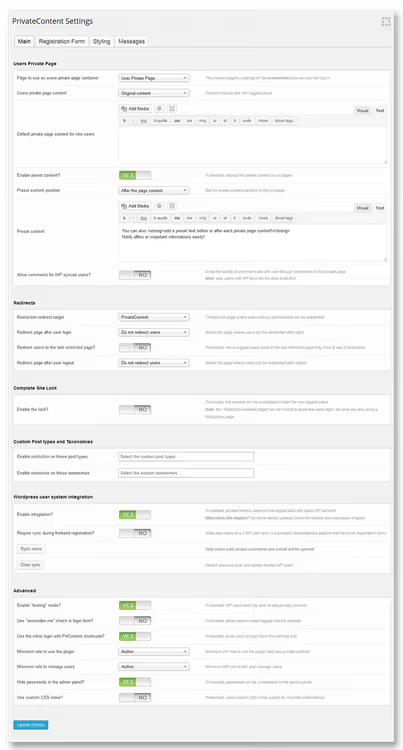
Registration forms are also top-notch: two layout options, honeypot and reCAPTCHA for spam protection, customizable fields. A free version of the plugin is available on WordPress.org, but full functionality with user levels, premium plans, and REST API starts with the paid version, from €39 per year. Its own shortcode wizard and lightbox engine save time on layout work.
🔗 PrivateContent official site
3. MemberMouse, an enterprise membership platform
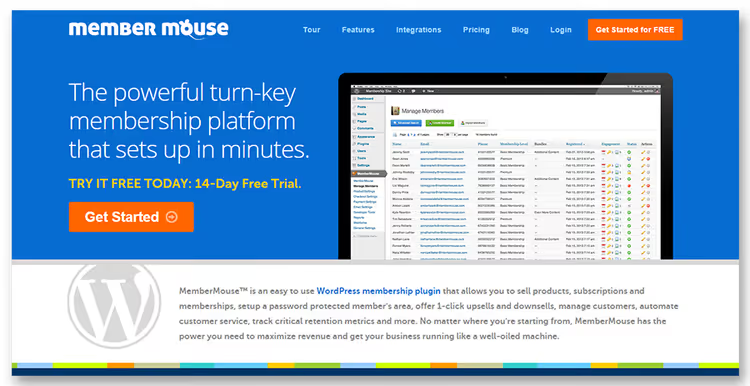
MemberMouse positions itself as an enterprise membership platform: digital products, SaaS portals, subscription content. Inside you'll find page and file protection, trial offers, discount coupons, support automation, and deep analytics.
The plugin works with eight payment gateways, from Stripe and PayPal to less obvious options like ClickBank. For sites with an international audience, this is critical: one plugin covers practically any payment method.
The starter plan costs $19.95 per month. Compared to MemberPress, it's more expensive over time. However, if you need seamless integration with eight gateways out of the box (rather than through add-ons), MemberMouse earns its price. The barrier to entry is higher: steeper learning curve, and support is English-only.
4. MemberPress, the industry standard
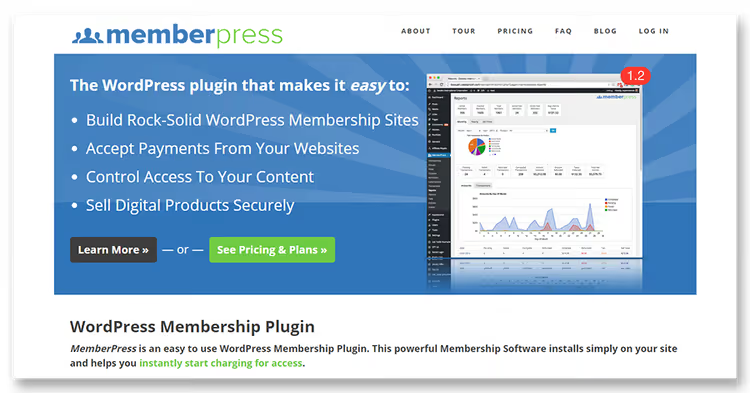
The most popular WordPress membership plugin, with combined user revenue exceeding $2.5 billion. It covers everything: subscriptions, online courses, paid file access, coupons, forums, coaching (CoachKit). Smart Rules protect pages, posts, categories, tags, custom post types, and even individual files.
In 2026, MemberPress offers three tiers: Launch ($199.50/year + 4.9% transaction fee), Growth ($349.50/year, no commission), and Scale ($499.50/year, plus Zapier, REST API, corporate accounts, and Easy Affiliate included). All plans include AI Course Generator, unlimited courses and lessons, and a drag-and-drop curriculum builder.
What sets it apart from competitors is the ecosystem: ReadyLaunch for pre-built pages, integrations with Elementor, Divi, Beaver Builder, WPBakery, plus a no-questions-asked 14-day refund. The plugin has outgrown pure "content restriction": today it's a full-fledged LMS and monetization platform.
5. Paid Member Subscriptions, freemium with WooCommerce

This plugin from CozmosLabs covers the basic "quickly launch paid subscriptions" scenario: registration page, pricing plans, custom login, and restricted content. WooCommerce integration adds exclusive products and member discounts, which is convenient if your store is already running.
The free version includes core membership mechanics. The Pro version (from €69) adds recurring payments, content dripping, role-based discounts, and advanced statistics. The interface is minimalist: setting up a subscription plan takes a couple of minutes, and the shortcode wizard covers typical scenarios.
A good choice when MemberPress or MemberMouse is overkill, and basic "paid/free content" separation with WooCommerce integration is sufficient.
6. Restricted Site Access, a simple barrier

A minimalist free plugin from the official WordPress catalog. No subscriptions or payments: it simply restricts access to the entire site for anyone who isn't logged in or isn't connecting from a specified IP range. Visitors without access can be sent to the login page, a custom URL, or shown a text message.
Ideal for internal corporate portals, staging sites, or development sites that need to be hidden from the public without complex membership mechanics. Example scenario: the staging version of a site is accessible only to the team via IP whitelist, while production is open to everyone. Setup takes a minute.
🔗 Restricted Site Access on WordPress.org
7. Ultimate Member, community with access restriction

Ultimate Member has grown from a profile plugin into a full community platform: registration, user profiles, member directories, custom roles, and global/page-level content restrictions. It distinguishes three modes: logged in, logged out, and "everyone."
The plugin is free and available in the official WordPress catalog with over 200,000 active installations. Extensions (premium) add Stripe payments, user groups, social login, and gamification. Even the basic version covers the scenario of "registration → personal dashboard → locked pages for different roles."
A good compromise between the simplicity of Restricted Site Access and the complexity of MemberPress: visual form builder, drag-and-drop profile fields, conditional menu display. For club sites, forums, or knowledge bases with community elements, it's one of the best free options.
🔗 Ultimate Member on WordPress.org
8. Paid Memberships Pro, a free foundation with premium add-ons

Paid Memberships Pro fills the niche of "free membership out of the box that won't force migration when your project grows." The plugin core is free and includes: unlimited membership levels, flexible content restriction (pages, posts, categories, custom types), Stripe and PayPal, subscription management, and reporting.
When the project grows, premium add-ons become available (Plus plan from $297/year): recurring payments with custom cycles, drip content, email marketing integration, coupon system, and Authorize.net with Braintree gateways. Unlike MemberPress, the free PMPro core isn't artificially limited: you can genuinely launch a working membership site without spending anything.
The plugin is actively updated, compatible with popular themes and builders, and the community has written dozens of free add-ons for integrations with WooCommerce, BuddyPress, and LearnDash. For a startup that wants membership functionality without immediate costs but with room to scale, this is the optimal choice.
Video: setting up restrictions yourself
Theory is one thing, but the best way to understand is to see the process on screen. This tutorial walks through installing Ultimate Member, configuring roles, registration pages, and content restriction rules, going from an empty site to a working membership system in 20 minutes:
⁉️🤔 Frequently asked questions
Can I restrict content without plugins?
Yes, the
template_redirecthook with anis_user_logged_in()check locks pages for guests. For role-based content, use a condition withwp_get_current_user()->roles. But as soon as you need paid subscriptions, trials, drip content, or email integration, the amount of code and risk of errors make a plugin the only sensible choice. WordPress provides no membership mechanics out of the box.
How does MemberPress differ from Paid Memberships Pro?
Positioning and entry price. MemberPress is a premium "all-in-one" solution from $199.50/year, with AI Course Generator, CoachKit, ReadyLaunch, Zapier, and Easy Affiliate in the top tier. Paid Memberships Pro is a free core with optional add-ons: you can launch a membership site without investment and add features as you grow. Choose based on budget: if courses and coaching are priorities, go with MemberPress; if you want membership "with growth potential" at minimal cost, choose PMPro.
What if I purchased Restrict Content Pro before?
Existing licenses continue to work. According to Liquid Web (May 2026), there is no forced migration: your plans and pricing remain the same, and the plugin site now redirects to Kadence WP. If you wish, you can transition to the Kadence ecosystem for a broader toolkit that includes former RCP functionality.
Which plugin should I choose for a completely private site?
Restricted Site Access: one click, and the site is hidden from everyone except authorized users or IP-whitelisted addresses. Free, minimal configuration. For a "private site with access levels" scenario, consider Ultimate Member (free, plus profiles and community) or PrivateContent (paid, surgical control over every block).
Do I need a payment gateway if the content is free but restricted?
No. Plugins like Ultimate Member, PrivateContent (free), and Restricted Site Access work without payment integration; user registration is sufficient. You create a form, assign a role, and segment content. No Stripe, no fees, no webhooks. Payments are only added when you decide to monetize access.
Is it safe to use membership plugins?
Yes, if you choose actively maintained plugins from the official catalog or reputable developers. Avoid abandoned solutions. At the time of writing, Users Ultra was removed from the WordPress catalog (March 2022) due to a vulnerability; we excluded it from this roundup and replaced it with Paid Memberships Pro. Rule of thumb: check the last update date in the plugin's listing on wordpress.org; if it's been more than two years, look for an alternative.
Which content restriction plugin should you install in 2026
There's no universal answer: it all depends on your model. Free community-based content access? Ultimate Member. Quick site barrier? Restricted Site Access. Surgical restriction of blocks, menus, and widgets? PrivateContent. Full-fledged membership business with courses and subscriptions? MemberPress. Starting with no budget but growth potential? Paid Memberships Pro.
Test each plugin in action: most have demos or free versions. Deploy on a staging copy, test registration, payment, and content access. Two hours of testing will save weeks of migration if a plugin doesn't fit.

A professional team of writers and editors specializing in creating quality content.