














👥 Ultimate Member review: building an online community on WordPress
WordPress doesn't support communities out of the box. Registration through the gray wp-login.php from 2003, only five roles, and user profiles visible only to admins in the dashboard. Your site grows, hundreds of people register, but you have no tools to work with them.
Ultimate Member fills this gap. A free plugin with 200,000+ active installations on WordPress.org turns WordPress into a membership site: frontend profiles, custom registration forms, member directories, and content restriction. All without a single line of code.
The core plugin is free and open source. Monetization through extensions: the Standard plan at $276/year ($23/month) unlocks 21 extensions, the Pro plan at $348/year ($29/month) adds Stripe, Zapier, and a branded theme according to the official site. Extensions can also be purchased individually.
💡 Quick overview:
- Registration, login, profiles, directories, and content restriction work immediately after activation, no shortcodes needed.
- Instant setup creates all required pages with one click.
- 30+ extensions: Stripe payments, private messages, groups, social login, gamification.
- The plugin doesn't replace
BuddyPressfor a full-featured social network, but wins in simplicity and launch speed.
What Ultimate Member provides out of the box
The plugin replaces WordPress's standard pages (login, registration, profile) with custom frontend versions. Users never see wp-admin. Configuration through a visual drag-and-drop form builder and control panel.
Key features of the core version:
- Custom roles. Create unlimited roles with individual permissions.
- Multiple registration forms. Each role gets its own form. Role assignment is automatic, based on filled fields.
- Unlimited fields. Text, number, dropdown, checkbox, file upload. Conditional logic: a field shows only if the user selected a specific value in the previous one.
- Frontend profiles. Each user has their own page with avatar, cover, bio, and custom fields.
- Member directories. A list of all users with filters and search. Sorting by roles, registration date, any custom fields.
- Account page. Password change, email, privacy settings, account deletion, all from the frontend.
- Content restriction. Posts and pages accessible only to specified roles. Redirect configured for those without access.
- Conditional menus. Different menu items for guests, logged-in users, and specific roles.
- Email templates. Customizable email notifications: registration confirmation, password reset, welcome message.
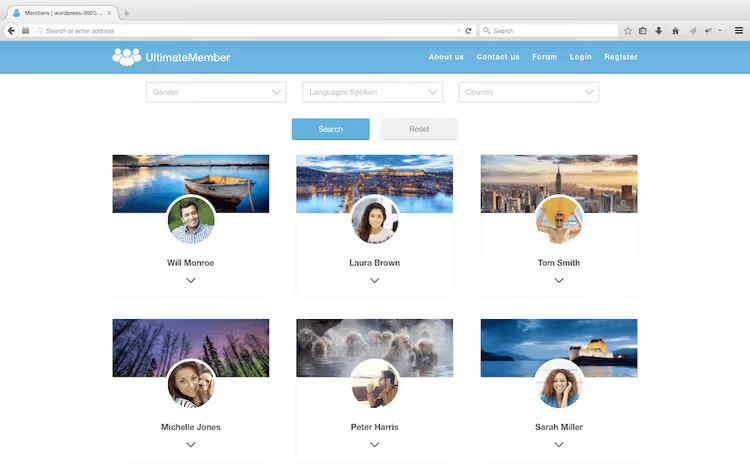
The plugin works with any properly coded theme, is mobile-responsive, compatible with multisite, and automatically excludes its pages from cache. Developers have access to dozens of actions and filters.
Instant setup: a community site in 5 minutes
After activation, the plugin offers to run instant setup. One click, and all pages are ready:
- Registration
- Login
- User profile
- Member directory
- Account
- Password reset
Pages immediately contain the required blocks: Form, Member Directory, Account. No need to insert shortcodes manually. All that's left is to configure roles, forms, and restrictions for your needs. Launching a basic membership site takes minutes.
Extensions: what to buy for your task
The core plugin is free and will remain so. The model is like WooCommerce: the core covers the basics, specific features are paid for by those who need them.
As of mid-2026, the plugin offers 30+ extensions. I'll cover the key ones that handle the most common scenarios.
Social login

Users register and log in through Facebook, X (Twitter), Google, LinkedIn, Instagram, VK. You decide which networks are active. Buttons appear on login and registration forms, as well as anywhere on the site via shortcode.
In practice, one of the most popular modules. Reduces registration friction: no need to invent a password or wait for a confirmation email.
Stripe
A payment extension that wasn't in early versions of the plugin. Connects Stripe subscriptions: you put some content behind a paywall, the user pays and gets access to the required role. Recurring payments, subscription cancellation, management, all through Stripe. Available in the Pro plan ($348/year according to pricing).
Private messages and groups
Two extensions at the intersection with social networks. Private Messages adds a private messaging system between users, like internal mail on the site. Groups allows users to create and join groups. Each group works as a mini-community with its own wall.
WooCommerce
WooCommerce integration expands monetization scenarios. A user buys a product and automatically gets a role with access to closed content. Or vice versa: membership gives a discount on shop products.
MailChimp
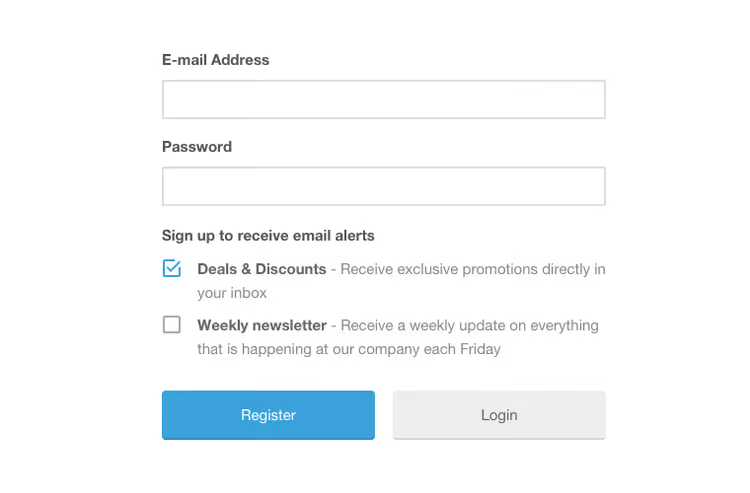
During registration, a user subscribes to one or more MailChimp lists. Profile metadata syncs to the mailing list. Users can unsubscribe directly from the account page, without email hassles.
bbPress and ForumWP

Two extensions for forums. bbPress moves forum profile information to the Ultimate Member profile, giving the user a unified interface. ForumWP, a proprietary forum plugin from the same team, is more modern and lightweight. Both are free in the basic version.
User reviews
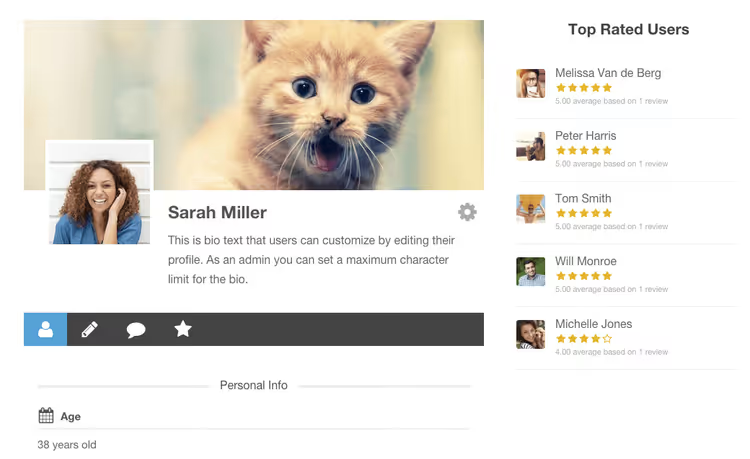
A five-star rating system: users rate each other and write reviews. Directories sort by rating, filter by number of stars, widgets show top users. Works well on sites for freelancers, tutors, and other specialists.
myCRED

Gamification through points. Users earn points for actions: registration, profile completion, comments, posts. Points, badges, ratings, and progress indicators display in the profile. myCRED, a popular point management system for WordPress, has tight integration with UM here.
Notices and real-time notifications
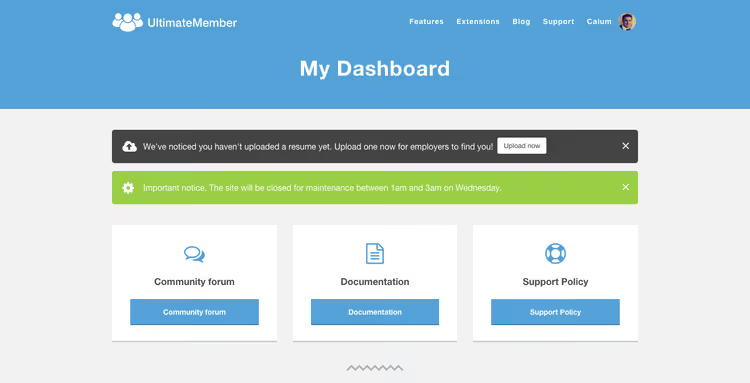
Notices, conditional notifications across the entire site or specific pages. Shown only to specified roles or to guests/logged-in users. Management through shortcodes.
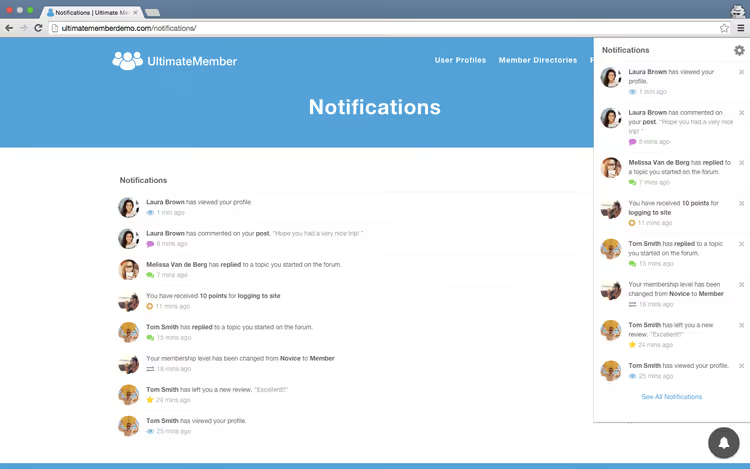
Real-time Notifications, a system like Facebook and X (Twitter): an icon with the number of unread notifications, a dropdown list of events, updates without page reload.
Free extensions
Online Users shows who is currently on the site. Users can hide their online status through privacy settings.

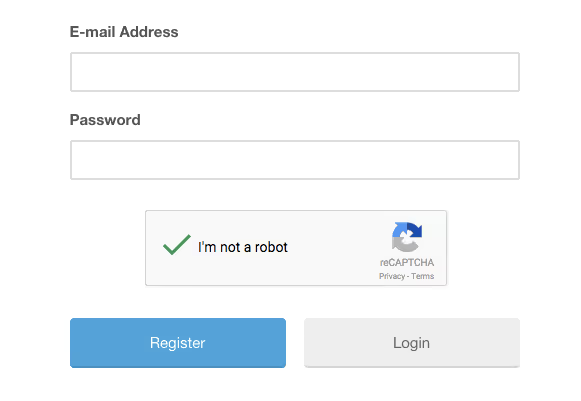
Google reCAPTCHA adds captcha to registration and login forms.
ForumWP and JobBoardWP, a forum and job board from the same team. Both are free and deeply integrated with Ultimate Member.
Terms & Conditions, a consent checkbox for terms on the registration form.
Gallery for Ultimate Member (third-party extension)

Gallery for Ultimate Member, a separate plugin in the WordPress repository. Adds photo and video galleries to user profiles: albums, uploads, lightbox, comments, activity wall. Two modes: one album or unlimited. Video support can be disabled in settings. Hooks are available for developers after photo upload, album creation and editing.
Video: step-by-step membership site setup
For those who prefer a visual format, below is a tutorial on creating a membership site with Ultimate Member from installation to a working community.
Ultimate Member versus BuddyPress
Direct comparison is difficult: BuddyPress builds a full-featured social network, while Ultimate Member creates a membership site with community elements. But the boundaries are blurred, and the choice between them comes up often.
Criteria | Ultimate Member | BuddyPress |
|---|---|---|
Launch complexity | Instant setup, 5 minutes | Requires component configuration |
Profiles | Frontend profiles with custom fields | Extended profiles with activity |
Groups | Through paid extension | Out of the box |
Private messages | Through paid extension | Out of the box |
Activity feed | Through paid extension | Out of the box |
Content restriction | Out of the box | No |
Registration forms | Drag-and-drop builder, conditional logic | Basic registration |
Paid subscriptions | Stripe extension (Pro) | Through third-party plugins |
Price | Core free, Standard $276/year, Pro $348/year | Completely free |
Ideal scenario | Membership site, courses, private club | Open social network, forum community |
The rule is simple: if you need a paywall with subscriptions, custom fields, and content restriction, go with Ultimate Member. If you're building an open community with a feed, groups, and communication, BuddyPress. They don't exclude each other: you can use both plugins simultaneously.
⁉️🤔 Common questions
Do I need coding knowledge to work with the plugin?
No. Everything is configured through a visual interface: form builder, control panel, instant page setup. No need to insert shortcodes manually, the plugin does it itself. Developers have access to dozens of hooks and filters for deep customization.
Does the plugin work with any WordPress theme?
Yes,
Ultimate Memberis compatible with any properly coded theme. But individual themes may cause style conflicts, especially if the theme aggressively overrides form CSS. If you have style issues, contact plugin support.
What about caching? Will profiles break?
The plugin automatically excludes its pages from cache, so one user's data doesn't show to another. Works with popular caching plugins. But if you add UM functionality to other site pages, you need to exclude them from cache manually through your cache plugin settings.
Does the plugin block access to wp-login.php?
No,
Ultimate Memberdoesn't touch wp-login.php to avoid conflicts with other plugins. If you need to completely remove the standard login page, useWPS Hide Loginor similar.
How is it different from paid alternatives like MemberPress?
MemberPress, a commercial plugin focused on content monetization and courses.Ultimate Member, a free core with paid extensions, focused on community and profiles.Ultimate Memberdoesn't limit by number of users, unlike many SaaS alternatives where price grows with your database.
Can the plugin be used on multisite?
Yes,
Ultimate Memberworks on both single installations and WordPress Multisite.
What to install for your task

Ultimate Member solves a specific pain point: turning WordPress into a membership site with profiles, registration, and paid access, quickly and without development. 200,000+ active installations and 30+ extensions show that the plugin is alive and actively developed.
Don't try to turn it into a full-featured social network at Facebook's level, that's what BuddyPress is for. But if your task sounds like "private club," "specialist database with profiles," "courses with staged access," or "site with paid registration," the tool is suitable. Get the core plugin for free, test it on your task, and only buy the extensions you actually need.
🔗 Ultimate Member on WordPress.org🔗 Plugin site and extensions

A professional team of writers and editors specializing in creating quality content.