













 AIIllustrative image: AI-generated
🥇 9 best community plugins for WordPress 2026: free and Pro
You can set up a forum, social network, or live chat on WordPress without renting a SaaS platform for hundreds of dollars a month. All you need is the right plugin and a couple of hours for configuration.
The problem is that the WordPress.org catalog offers dozens of community solutions with overlapping functionality. Install BuddyPress, you'll get an activity feed and groups, but no forum. Choose bbPress, you'll have threads but no profiles. A combination of three plugins can conflict, and a monolithic BuddyBoss might lock you into vendor lock-in with no room for error. The cost of experimentation is losing user content during migration.
We tested nine plugins on a test environment with WordPress 6.4 and selected those that are actively updated, compatible with the current core version, and actually work on Russian-language projects. Each was evaluated on four criteria: stability, deployment speed, localization quality, and server load.
💡 Quick overview:
- Identify the type of community you need: a forum with threads, a social network with profiles and groups, or a real-time chat. This determines the architecture and choice of plugin combination.
- Start with one base plugin: BuddyPress for a social network, bbPress or wpForo for a forum. Don't install both types simultaneously, troubleshooting conflicts takes longer than configuring each separately.
- Plan monetization from the start: Ultimate Member with WooCommerce for paid access, BuddyBoss for courses with a closed community, WP Dating for a dating site with premium features.
- Test each plugin on a dev copy of your site before installing on the production server. Migrating a forum with 500+ topics isn't a simple "deactivate/activate," it's a full migration with the database.

Comparison table of all nine plugins
Plugin | Type | Best scenario | Free version | Pro price |
|---|---|---|---|---|
| Social network | Universal framework | ✅ Free | - |
| Add-on | Modern profiles for BuddyPress | ✅ Free (wp.org) | $49 one-time |
| Forum | Lightweight forum without social network | ✅ Free | - |
| Platform | Courses + community | ❌ | From $299/year |
| Dating | Dating site | ❌ | $149 one-time |
| Profiles + login | Social registration and GDPR | ❌ | $39 one-time |
| Membership | Paid access and directory | ✅ Free | Pro $249 |
| Forum | Modern forum out of the box | ✅ Free | Pro from $15 |
| Chat | Live communication in real time | ✅ Free | Pro $60 |
1. BuddyPress

BuddyPress, the official community plugin from WordPress.org, turns a site into a social network. Member profiles, groups, activity feed, private messages, and a friendship system, all out of the box. More than 200,000 active installations, a 4.2 rating on WordPress.org, last update in September 2025 (v14.4.0).
The plugin works as a modular framework. The basic functionality is free, and extensions like photo albums, gamification, and paid subscriptions are added through separate add-ons. Among the most popular: BuddyPress Docs for collaborative work on documents and GamiPress for points and achievements. Theme integration is straightforward: any WP template that supports standard hooks will pick up profiles and groups without modifications.
The architecture allows you to enable only the components your project needs. For example, groups and private messages without the activity feed. This reduces hosting load and simplifies administration: fewer modules, fewer points of failure.
- ✅ Pros: Free and open source, modular architecture (enable only what you need), huge ecosystem of add-ons, compatibility with most themes.
- ❌ Cons: Standard profile design looks outdated, modern interfaces require
Youzifyor a similar add-on. - Price: Free, available in the WordPress.org catalog.
- Download: 🔗 BuddyPress on WordPress.org
2. Youzify
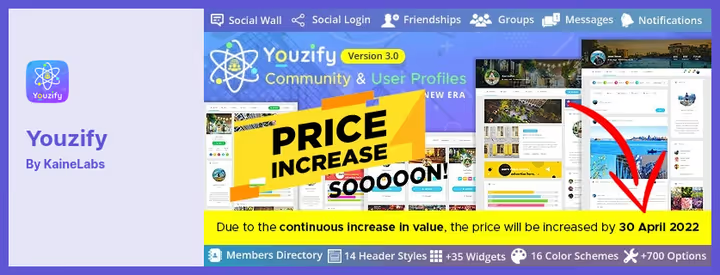
Youzify (formerly Youzer), an add-on for BuddyPress that replaces standard profiles with a modern interface featuring customizable tabs, widgets, and filters. It doesn't work without BuddyPress: it's not a standalone plugin, but a customization layer on top.
The key feature is flexible profile tab configuration. You can change the order, visibility, and names of tabs ("Friends", "Messages", "Groups", "Photos") to match your specific community logic. Add a list of banned words for automatic content filtering, configure attachment limits and post length for members. The free version is available in the WordPress.org catalog, the Pro version removes restrictions for $49 on CodeCanyon.
Beyond profiles, Youzify extends social mechanics: subscriptions, mentions, likes, and a member directory with filtering. For communities where interaction between users is the main value, these features are critical: standard BuddyPress only provides basic capabilities.
- ✅ Pros: Deep profile customization, social mechanics (likes, mentions, subscriptions), built-in banned words filter, live demo on CodeCanyon.
- ❌ Cons: Doesn't work without BuddyPress, Pro version doesn't include support renewal after 12 months, one-time license price has risen to $49.
- Price: Free (WordPress.org) / Pro $49 on CodeCanyon.
- Download: 🔗 Youzify (Free) on WordPress.org | 🔗 Youzify Pro on CodeCanyon
3. bbPress
bbPress, a forum plugin from the WordPress developers. Lightweight and focused on one thing: threads, replies, moderation. No social network, profiles, or feeds, just discussions. bbPress powers the WordPress.org support forums, serving millions of topics. Latest version, 2.6.14 (July 2025).
The main advantage is size. The plugin doesn't pull in heavy frontend code and doesn't conflict with themes. WordPress integration is deep: forum threads are a custom post type, access rights use standard WP roles, and the spam filter is shared with comments. No duplicated mechanisms.
Extensions cover niche scenarios: GD bbPress Attachments adds attachments to replies, bbPress Notify sends email notifications about new replies. Multisite is supported natively: settings can be imported between sites in a WordPress network.
- ✅ Pros: Extremely lightweight (doesn't burden hosting), deep integration with WordPress core (roles, post types), hundreds of extensions, multisite support.
- ❌ Cons: Only a forum (no social network or profiles), standard design is spartan, requires manual access rights configuration for each forum.
- Price: Free, available in the WordPress.org catalog.
- Download: 🔗 bbPress on WordPress.org
4. BuddyBoss
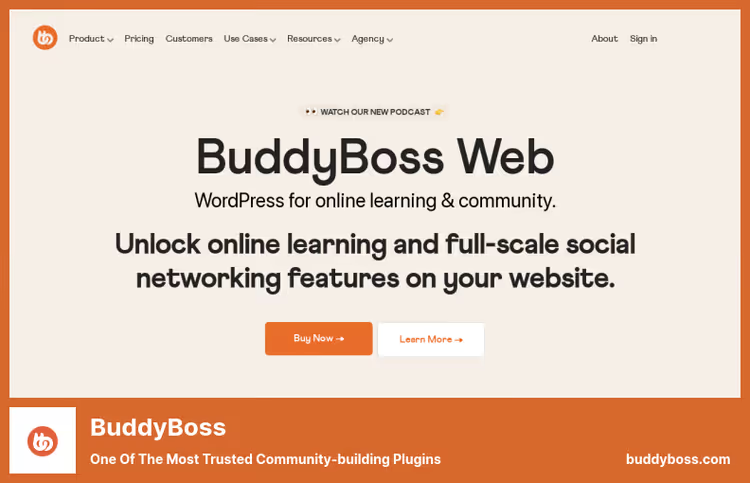
BuddyBoss, a commercial all-in-one platform for communities and online courses. Unlike BuddyPress, where functionality is assembled by modules, BuddyBoss delivers a ready-made product: profiles, groups, forum, activity feed, subscriptions, and gamification, all in one plugin.
The platform is tightly integrated with LMS: LearnDash, LifterLMS, and Tutor LMS work natively. This is the key scenario, a closed community for online school students with phased access to materials and discussions in course groups. A student purchases a course, automatically joins the group, and sees only their cohort's forum.
Mobile apps (iOS and Android) sync with the site in real time via push notifications. For commercial projects with monetization through membership fees, BuddyBoss provides a ready stack without third-party integrations: LMS + community + app. As of June 2026, the platform offers three tiers on buddyboss.com: Pro for $299/year (basic), Plus for $349/year (gamification, media offload), and Done For You Bundle for $2499.
- ✅ Pros: Ready-made ecosystem out of the box, native integration with LearnDash and LifterLMS, mobile apps, built-in monetization (membership, subscriptions).
- ❌ Cons: No free version, high price for small projects, vendor lock-in, migrating to another plugin will require database migration.
- Price: From $299/year (Theme + Platform Pro, 12 months of support and updates).
- Download: 🔗 BuddyBoss, official site
5. WP Dating
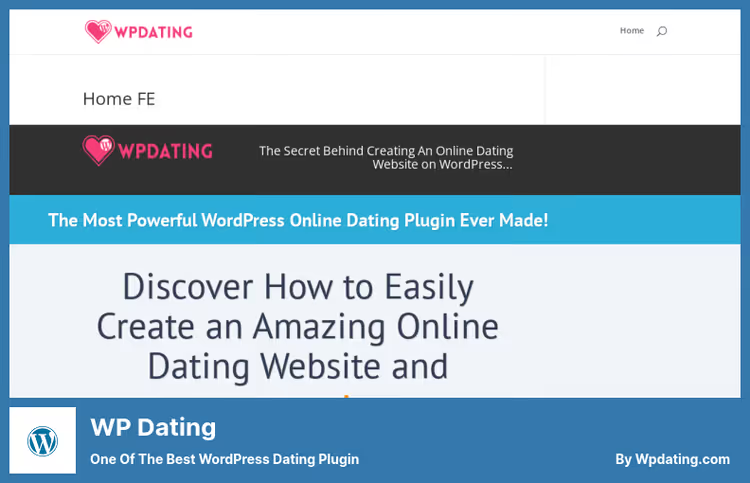
WP Dating, a specialized plugin for dating sites on WordPress. A narrow niche where it remains one of the few solutions tailored specifically for dating, not for a universal community.
Functionality is classic dating: search by location and distance, advanced filters with dropdown questions, favorites, like indicators. Profiles support photos, galleries, audio, and video. The daily status of a member is updated through the frontend, the user indicates what they're up to.
The plugin comes with a set of premium add-ons: auto-login, password reset, admin replies in private messages. For monetizing a dating site through paid features, it's a ready-made set without third-party plugins. As of June 2026, more than 11,000 active users and 52+ feature improvements since launch.
- ✅ Pros: Tailored for dating (not a universal community), geolocation search, multimedia support in profiles, premium add-ons included.
- ❌ Cons: Narrow specialization (not for forums and regular communities), paid version only, one-time license without updates through WordPress.org.
- Price: $149 (one-time license, full documentation).
- Download: 🔗 WP Dating, official site
6. UserPro
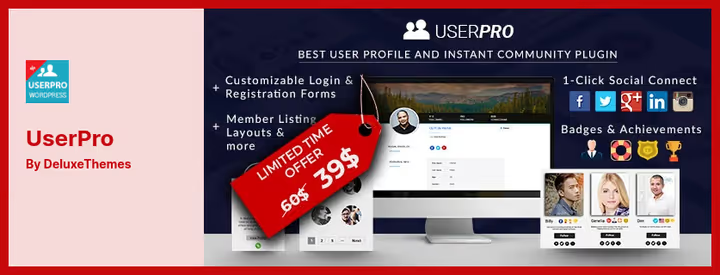
UserPro, a premium plugin for frontend profiles and community management. Strong point: registration via social networks (Facebook, Twitter, Google) and user cards that render without page reload.
GDPR compliance is built in: members control the visibility of their data and can export or delete their profile in two clicks. For European projects, this saves weeks of manual compliance setup.
The social activity feed tracks posts, comments, and registrations. Members subscribe to each other, the admin restricts access to pages and posts by role or verification status. Publishing posts from the frontend, without going to the admin panel, is enabled by default, the moderator doesn't even need access to the WordPress console.
- ✅ Pros: Social registration (Facebook, Twitter, Google), GDPR out of the box, frontend post publishing, flexible access rights by role.
- ❌ Cons: Paid (CodeCanyon), visual style requires customization for modern themes, dependency on a third-party distribution platform.
- Price: $39 on CodeCanyon (one-time license).
- Download: 🔗 UserPro on CodeCanyon
7. Ultimate Member

Ultimate Member, the second most popular community plugin in the WordPress.org catalog after BuddyPress: more than 100,000 active installations, a 4.4 rating. Specialization is membership sites with paid access, member directories, and custom registration forms. Version 2.12.0 was released in June 2026.
Registration forms are built in the visual editor: drag and drop fields, assign roles for different access levels, configure redirects after login. Integration with WooCommerce adds paid subscriptions: the user pays for a plan and automatically gets access to restricted content. No manual role assignment.
Update 2.12.0 brought improved email notification customization and optimized database queries for member directories. On sites with 50,000+ users, directory search became noticeably faster.
- ✅ Pros: Free version with rich functionality, visual form editor, WooCommerce integration for paid subscriptions, active development (update in June 2026).
- ❌ Cons: Pro version is expensive ($249), some add-ons require separate licenses, excessive for a social network without membership.
- Price: Free (WordPress.org catalog) / Pro from $249.
- Download: 🔗 Ultimate Member (Free) | 🔗 Pro version
8. wpForo
wpForo, a modern forum plugin with four design options out of the box. Unlike bbPress, which requires layout work, wpForo looks ready right after installation. Ratings, badges, and a member reputation system are built in, gamification doesn't require separate add-ons. Version 3.1.1 (May 2026).
The architecture is optimized for SEO: forum pages generate a sitemap, breadcrumbs, and microdata. Translation into 16 languages, including Russian, is built in, not through a third-party plugin. Forum management via drag-and-drop: sections and subforums are rearranged with the mouse in the admin panel.
Performance is solid: the plugin caches queries and doesn't create bottlenecks on shared hosting. The Pro version unlocks private forums, role-based moderation, and AI features like semantic search, topic summarization, and a chat assistant. Prices for wpForo add-ons start at $15.
- ✅ Pros: Ready-made design (4 layouts), built-in ratings and badges, SEO optimization out of the box, drag-and-drop forum management.
- ❌ Cons: Key features (private forums, role-based moderation) are Pro only, the free version is not suitable for closed communities.
- Price: Free (WordPress.org catalog) / Pro add-ons from $15.
- Download: 🔗 wpForo (Free) | 🔗 Pro version
9. Wise Chat
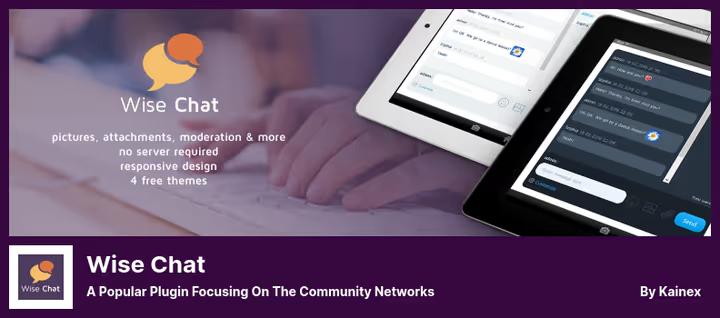
Wise Chat, not a forum or a social network, but a full-featured real-time chat for WordPress. Suitable for projects that need live communication, not asynchronous threads: tech support, community streams, closed groups. Version 3.4 (March 2026).
Users create channels (rooms), communicate in real time, and send private messages. Channels are displayed separately or on one page with tabs. The admin sets the auto-delete period for old messages and bans violators by IP. No cluttering the database with decade-old archives.
24 notification sounds to choose from, login via Facebook and Twitter, offline messages are delivered at the recipient's next login. The Pro version adds voice messages, GPT-based AI operators, and extended chat window branding settings. For support chat or live discussion during a stream, it's a ready-made solution without configuring forum engines.
- ✅ Pros: Real chat (not a forum or comments), channels and private messages, social login, auto-cleanup of old messages.
- ❌ Cons: For a large community, chat won't replace a forum (no structure or topic search), Pro features cost extra.
- Price: Free (WordPress.org catalog) / Pro $60.
- Download: 🔗 Wise Chat (Free) | 🔗 Pro version
In practice, building a community on WordPress looks like this: install BuddyPress as the framework, add Youzify for modern profiles, connect wpForo or bbPress as the forum engine. The video above shows the full process, from installation to a working platform with profiles, groups, and a forum.
⁉️🤔 Frequently asked questions
Do I need BuddyPress if I just want a forum on my site?
No. BuddyPress is a social network with profiles, groups, and an activity feed. For a forum,
bbPressorwpForois enough: they're lighter and don't drag in extra functionality. If you later decide to add a social network, BuddyPress and bbPress integrate natively, forum threads are linked to groups automatically.
Which plugin should I choose for a commercial online course with a closed community?
The combination of
BuddyBosswith LearnDash or LifterLMS is a proven option. The platform provides: phased access to materials by subscription, course groups with separate forums, a mobile app for students. Downside is the price: starter package from $299/year on the BuddyBoss site. Free alternative isUltimate MemberFree with WooCommerce subscriptions, but without a mobile app and native LMS integration.
Can I migrate from BuddyPress to BuddyBoss and back?
Migrating from BuddyPress to BuddyBoss, yes, BuddyBoss is built on a BuddyPress fork and imports data natively. Reverse migration is harder: BuddyBoss adds its own tables and custom fields that BuddyPress won't read. Before any transition, make a full database backup.
Why is wpForo better than bbPress for a new project in 2026?
wpForo wins on deployment speed: four ready-made designs, built-in ratings and badges, SEO microdata out of the box, AI features as an option. bbPress requires more manual configuration but gives full control over layout and is more deeply integrated with the WordPress core. Choose wpForo if you need results today, and bbPress if customization for a specific design is important.
Is WP Dating suitable for a regular, non-dating community?
No. WP Dating is tailored for dating sites and is inflexible for other scenarios. For a universal community, use BuddyPress or Ultimate Member, they cover forums, profiles, and groups without being tied to a specific niche.
What should I install on weak hosting: a forum or a chat?
A chat (
Wise Chat) is lighter than a forum: messages aren't stored forever (auto-cleanup works), no attachments or full-text search across topics. On hosting with 256 MB PHP memory, Wise Chat works without delays, while a forum with 500+ topics will start requiring caching. For starting on minimal resources, go with chat; once the community grows to 200+ active members, a forum.
Which community plugin to choose for your task
There's no universal "best" plugin, each covers its own scenario. Choose based on the specific task, not the big name:
- Need a free social network with groups, profiles, and a feed, go with
BuddyPress+Youzifyfor modern profiles. - Need a lightweight forum without a social network, use
bbPress. Want a forum out of the box with a modern design, go withwpForo. - Launching a commercial project with courses and paid membership, use
BuddyBossorUltimate Member(Free version for starting). - Building a dating site, install
WP Dating. It's the only specialized dating plugin in this list. - Need live real-time communication (support, community streams), use
Wise Chat.
Start with free BuddyPress on a test site: it installs in a minute and immediately shows which exact community features your project needs. Which community plugin do you use, write in the comments.

A professional team of writers and editors specializing in creating quality content.