














📋 8 best WooCommerce catalog mode plugins in 2026
A guest visit, and the client leaves because they don't see the price. Sound familiar? You're losing leads simply because WooCommerce shows the "cart" to everyone by default.
Catalog mode solves this problem elegantly: the store becomes a showcase. Prices and purchase buttons are hidden from unregistered users but available to those who log in. This is how Udemy, wholesale B2B platforms, and private clubs work: registration first, then access to purchase.
We tested 8 plugins that turn a WooCommerce store into a catalog in minutes. From micro-solutions in one click to combines with inquiry forms and role-based pricing, here are the best tools for 2026.
💡 Quick overview:
- Choose a plugin from the list below for your task: hide prices from guests, launch a B2B portal, or create a catalog with quote requests
- Install, enable catalog mode for the required roles or products in two clicks
- Configure custom buttons, inquiry forms, and the registration page, guest traffic turns into registered buyers
Plugin comparison table
Plugin | Free | Prices/cart | Inquiry form | Role management | Custom buttons |
|---|---|---|---|---|---|
WISDM Product Catalog Manager | ❌ | ✅ | Via separate plugin | ✅ (members/guests) | ✅ |
YITH WooCommerce Catalog Mode | ✅ + Premium | ✅ | ✅ (CF7/Gravity) | ✅ (countries/roles) | ✅ |
WooCommerce Catalog Enquiry | ✅ | ✅ | ✅ (multi-product) | ✅ (roles/categories) | ✅ |
ELEX WooCommerce Catalog Mode | ✅ + Premium | ✅ | ✅ (price request) | ✅ (roles/wholesale) | ✅ |
Product Catalog Mode & Enquiry Form | ❌ ($29) | ✅ | ✅ (built-in) | ✅ | ✅ |
eCommerce Product Catalog | ✅ | ✅ | ✅ (price request) | ❌ | ❌ |
WooCommerce Catalog Mode | ❌ ($29) | ✅ | ❌ | ❌ | ✅ |
WooToolkit | ✅ | ✅ | ❌ | ❌ | ❌ |
1. WISDM Product Catalog Manager

WISDM Product Catalog Manager, a solid plugin from WisdmLabs for turning a store into a catalog or "members-only" platform. Suitable for both beginners and experienced users: the interface is intuitive, and fine role settings allow flexible control over who sees prices and who doesn't.
Hide the "Price" and "Add to cart" buttons on the product page, and the store instantly becomes exclusive to registered users. Guest users see only product cards: beautiful, intriguing, without a price tag. Curiosity + desire to buy = registration.
A separate plus, compatibility with WISDM Product Inquiry Pro from the same developers. The combination provides "Inquiry" and "Request price" buttons right in the product card: leads are collected not in the cart but in the manager's email. For the B2B segment, that's exactly what you need.
Key features:
- Instant hiding of prices and "Add to cart" button, the store becomes a showcase
- Exclusive purchase access only for registered users
- Custom link to the registration page instead of price, the guest goes to register rather than leave
- Guest users see attractive product cards without the ability to buy, intrigue works for conversion to registration
Pros: flexible role management, integration with Inquiry Pro for B2B, simple interface. Cons: no free version, inquiry form via separate plugin.
💰 Price: Premium (depends on WisdmLabs tier).
🔗 WISDM Product Catalog Manager
2. YITH WooCommerce Catalog Mode
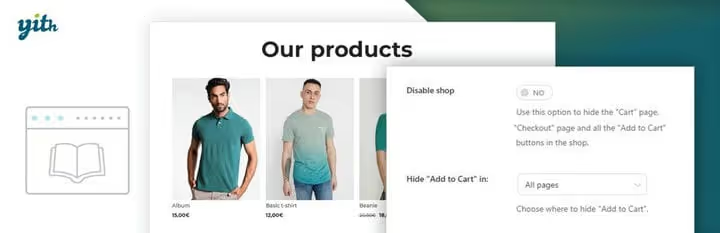
YITH, a name that every WooCommerce user knows. Their catalog mode plugin is one of the most flexible on the market. The free version on WordPress.org covers basic needs, and the Premium upgrade opens access to filters by countries and roles.
In two clicks you hide the "Add to cart" buttons and prices on shop, product, and even checkout pages. You can enable the catalog only for guests from certain countries, useful if you work in multiple regions with different conditions.
The main feature, custom buttons and CTAs. Instead of price you show "Register to view" or "Contact us", with a direct link to the form. Integration with Contact Form 7 and Gravity Forms is built-in: the inquiry form is placed on the product page without additional plugins.
Key features:
- Enable catalog in two clicks, the site remains accessible but sales are paused
- Geo-targeting: catalog is enabled for visitors from selected countries
- Custom buttons and labels instead of prices, CTA for registration or inquiry
- Exclude individual products and categories from catalog mode
- Seamless integration with Contact Form 7 and Gravity Forms for inquiry forms
Pros: free version on WP.org, geo-filters, flexible CTAs. Cons: advanced features only in Premium.
💰 Price: Free / Premium (from €79.99/year on YITH site).
🔗 YITH WooCommerce Catalog Mode🔗 Live demo
3. WooCommerce Catalog Enquiry

WooCommerce Catalog Enquiry from WC Marketplace, a plugin that comes with trump cards: it doesn't just hide prices but adds an inquiry form for multiple products at once. A client can select several items from the catalog and send an inquiry in one email, for wholesale orders and B2B this saves hours of correspondence.
If you're already using WC Marketplace for a multi-vendor platform, the plugin integrates natively. Suppliers can exclude their products from inquiries and configure their own email templates for responses.
The role and category system works predictably: hide prices for guests, leave purchases for regular customers. The administrator flexibly manages which products are sold and which are only displayed.
Key features:
- Hide prices for everyone or only for guest users
- Flexible separation: some products are sold, some are in the catalog
- Responsive inquiry form for multiple products at once
- Custom button/link for redirecting to registration
- Library of email templates for inquiry responses from the admin panel
Pros: multi-product inquiry, integration with WC Marketplace, flexible roles. Cons: maximum benefit only in combination with WC Marketplace.
💰 Price: Free.
🔗 WooCommerce Catalog Enquiry on WordPress.org
4. ELEX WooCommerce Catalog Mode

ELEX WooCommerce Catalog Mode, a plugin that has grown far beyond "just hide prices". This is a full-fledged tool for wholesale trading with role-based pricing, discounts, and price requests. There's a free version on WordPress.org with 10,000+ active installations, and Premium opens wholesale discounts and advanced button customization.
Replacing the "Add to cart" button is configured flexibly: your own text, your own link, your own color. You lead guests to registration, to the terms page, or directly to the inquiry form, you decide.
A separate scenario, site maintenance. You enable the catalog, hide the cart and checkout, and calmly update stock and prices. The site works, customers don't lose interest, and you don't lose sales after completing the work.
Key features:
- Full customization of the "Add to cart" button: text, link, color
- Site maintenance mode without losing store accessibility
- Role-based pricing and wholesale discounts for scaling sales
- Replace price with "Request price" button to start negotiations
- Hide cart and checkout pages for guests
Pros: role-based pricing, wholesale discounts, maintenance mode. Cons: advanced features only in Premium, excessive for simple catalogs.
💰 Price: Premium (from $79/year on ELEX site).
🔗 ELEX WooCommerce Catalog Mode
5. WooCommerce Product Catalog Mode & Enquiry Form

This plugin from CodeCanyon, the golden mean between simplicity and functionality. For $29 you get a lifetime license (see plugin page on CodeCanyon) with catalog mode and a built-in inquiry form, without annual renewals and upgrades. For a small store that doesn't want to multiply subscriptions, an ideal arrangement.
Hiding prices and cart works at the level of individual products and categories. Custom buttons are configured individually: for one product you lead to an inquiry form, for another, to the registration page. The inquiry form is built-in, without additional plugins: the client fills in name, email, message, you receive a lead in the admin panel.
The author has been maintaining the plugin since 2015, the rating on CodeCanyon is consistently high. Out of the box, Russian translation and compatibility with the latest versions of WooCommerce.
Key features:
- Hide prices and cart by products, categories, and roles
- Built-in inquiry form with notifications to the admin panel
- Custom buttons with individual links for each product
- Lifetime license for a one-time payment
- Russian language and compatibility with current WooCommerce
Pros: one-time payment, built-in inquiry form, flexible buttons. Cons: no free version, fewer features than ELEX/YITH.
💰 Price: $29 one-time (see price on CodeCanyon).
🔗 Product Catalog Mode & Enquiry Form on CodeCanyon🔗 Live demo
6. eCommerce Product Catalog for WordPress

eCommerce Product Catalog, a free plugin that goes beyond simple price hiding. It builds a full-fledged product catalog with categories, tags, attributes, and shortcodes for output anywhere on the site. This is not just "catalog mode", this is a replacement of the WooCommerce showcase with a catalog engine.
Prices and attributes are enabled/disabled per section. Want to show price but without a purchase button? Please. Need a clean catalog without a single hint of a store? Easy. Customizer CSS allows you to design the output to match the site theme without code edits.
The "request price" function works on the cart: the client adds several products to the inquiry list and sends one email. Plus, import/export of products via CSV: convenient for filling a large catalog.
Key features:
- Systematize products by categories, tags, and multiple catalogs
- Enable/disable prices, attributes, and product card elements
- Shortcodes for displaying catalogs anywhere on the site
- Customizer CSS for customizing output templates
- Price request for multiple products via form
- Import/export products via CSV
Pros: completely free, shortcodes, CSV import, Customizer CSS. Cons: no role management, excessive for simple "hide prices".
💰 Price: Free.
🔗 eCommerce Product Catalog on WordPress.org
7. WooCommerce Catalog Mode
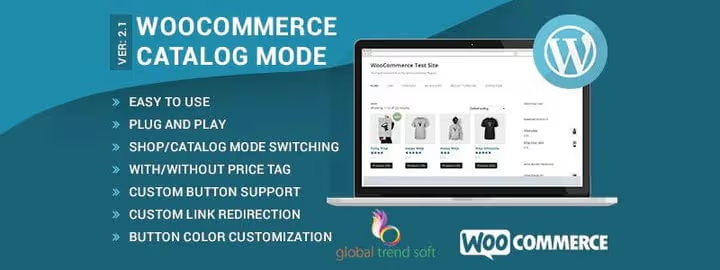
A laconic plugin from CodeCanyon for the same $29 (see price on CodeCanyon) as the previous one. But with a different approach: minimum features, maximum simplicity. Hides prices and the "Add to cart" button, and that's it. Guests see the product, read the description, but cannot buy without registration.
Under each product, a custom button with customizable text and link. Want "Learn about product", you write. Want "Request price", please. Button color is selected to match the site theme, so as not to stand out from the design.
For a small store that just needs to "disable purchases for guests" and nothing more, an option. No training, no extra settings.
Key features:
- Enable/disable price tag on product and shop page
- Hide "Add to cart" button, only registered users buy
- Custom button with customizable URL under each product
- Button colors are selected to match the site theme
Pros: maximum simplicity, one-time payment (see license on CodeCanyon), setup in a minute. Cons: no inquiry form, no role management, minimum features.
💰 Price: $29 one-time (see product card on CodeCanyon).
🔗 WooCommerce Catalog Mode on CodeCanyon🔗 Live demo
8. WooToolkit, A Scalable WooCommerce Addon

WooToolkit from Magnigenie, a micro-plugin that still carries beta-version status. Catalog mode here is just one of a dozen "kits": together with it come accordions for product tabs, custom tabs, product sorting, "Clear cart" button, and a few more small things.
Catalog mode in WooToolkit is minimalist: hides prices, cart, ratings, and reviews. This is enough for the basic scenario "close the store from guests". But no more: no custom buttons, no inquiry forms, no role management here.
The plugin is free and open source. However, 10+ active installations and "beta" status since 2017 speak for themselves: this is a niche tool for those who need exactly a set of small things, not a full-fledged catalog.
Key features:
- Hide prices, cart, ratings, and reviews in one click
- "Continue shopping" button in cart
- "Clear cart" button for quick reset
- New product sorting parameters and renaming existing ones
- Accordions for product tabs, custom tabs, MailChimp integration
Pros: free, several useful small things in one plugin. Cons: beta status, 10+ installations, catalog is just one of the functions, without customization.
💰 Price: Free.
A good catalog is not just a plugin. A competent category structure and thoughtful membership system turn a closed showcase into a working lead generation mechanism. And the right catalog plugin is the foundation of this scheme.
⁉️🤔 Frequently asked questions
How does catalog mode differ from hiding prices via CSS?
CSS tricks (display: none on price and button) break on theme update, don't filter by roles, and don't remove the product from cart if a guest added it earlier. A catalog plugin does this systematically: disables the very ability to purchase for unregistered users, not just hides the button visually.
Can catalog mode be enabled only for certain products, not for the entire store?
Yes, most plugins from the list support selective enabling. YITH, ELEX, and both CodeCanyon plugins allow you to specify specific products or categories for catalog mode. Other products are sold as usual.
Do I need a separate hosting for the catalog?
No, all plugins work on your current hosting with WooCommerce. They don't create load beyond normal: they just intercept the display of prices and buttons at the level of WooCommerce hooks.
What to do if a guest added a product to cart before enabling the catalog?
Most plugins hide cart and checkout pages for guests after activation. The product physically remains in the session, but the guest cannot proceed to payment without registration. After login, the cart is restored.
Can two catalog plugins be used simultaneously?
Technically, yes, but this is a guaranteed conflict. Both plugins hook into the same WooCommerce hooks (woocommerce_get_price, woocommerce_is_purchasable), and behavior becomes unpredictable. Choose one for your task.
Which catalog plugin to choose for WooCommerce in 2026?
If you need simple and fast, take YITH WooCommerce Catalog Mode. The free version covers most scenarios, and Premium adds geo-filters and advanced CTAs. Proven vendor, 200,000+ installations, regular updates.
Counting every penny and don't want to renew a license? Product Catalog Mode & Enquiry Form for $29 one-time (see plugin price on CodeCanyon), and a catalog with inquiry form is yours forever.
Building a B2B portal with wholesale prices? ELEX WooCommerce Catalog Mode with role-based pricing and discounts is your tool.
And if the store is just a showcase and sales go through the sales department? eCommerce Product Catalog will build a full-fledged catalog with CSV import and shortcodes, and all this for free.
Choose for your task. And if you found a plugin that's not on the list and it works great, tell us about it in the comments.

A professional team of writers and editors specializing in creating quality content.