














📊 9 best pricing table plugins for WordPress 2026 (free and premium)
Pricing is read with the eyes, not in paragraphs. A table with clear columns, prices and a button sells 3x better than a wall of text. And a broken table that falls apart on mobile leaves visitors wondering "what should I choose?" and they leave.
A good pricing table plugin solves three problems at once: makes plan comparison visually transparent, keeps layout intact on any screen and doesn't load unnecessary CSS/JS site-wide. We've selected 9 tools for WordPress, from free lightweight options to powerful combines with analytics and A/B testing.
💡 Quick overview:
- Review the summary table: prices, key features and use cases for all 9 plugins
- Read the detailed breakdown of each tool: what's under the hood, pros and cons in practice
- Make your choice in the conclusions: a "task, plugin" matrix without redundant comparisons
The key difference between plugins is not price, but the approach to building tables. Some provide a visual drag-and-drop editor with real-time preview, others a spreadsheet interface, and still others are tailored for WooCommerce and PayPal. Below is a summary table so you don't have to read 9 blocks in a row.
Plugin | License | Price from | Tables | Templates | WooCommerce | Page Builder | Key feature |
|---|---|---|---|---|---|---|---|
| Premium | $27 | ∞ | 300+ | ❌ | Yes | Analytics + PayPal |
| Freemium | $0 | ∞ | 10+ | ❌ | Yes | Ready-made color schemes |
| Premium | $49 | ∞ | 6 | ❌ | Yes | Spreadsheet + Google Sheets |
| Premium | $29 | ∞ | 250+ | ❌ | Yes | 39 column animations |
| Freemium | $0 | ∞ | Ready-made | ❌ | Yes | Drag-and-drop cells |
| Premium | $10 | ∞ | 18 styles | ❌ | No | Compact + slider |
| Freemium | $0 | ∞ | 6 (Pro) | Yes (Pro) | Yes | Gutenberg-native |
| Freemium | $0 | ∞ | 4 | ❌ | Yes | CSS3 animations + ribbon |
| Freemium | $0 | ∞ | Ready-made | ❌ | Yes | Free with no limits |
1. ARPrice

ARPrice is a market veteran with 300+ ready-made templates and built-in analytics. The main thing that sets it apart: you get not just a table editor, but a full-featured comparison tool with click and view tracking.
In practice, this means you can measure which table converts better without connecting Google Analytics. The plugin counts views of each column and button clicks right from the admin panel. Plus, full PayPal integration: the "Buy Now" button is inserted into a column without additional shortcodes.
The visual editor works in real time: change color, font, spacing between columns and see the result immediately. 300 templates are divided by categories, from minimalist to rich with icons and animations.
Pros:
- Built-in view and click analytics, no third-party services
- 300+ templates grouped by niches
- Support for audio, video and Google Maps inside columns
- Month/year toggle for different pricing plans
Cons:
- No free version, premium only
- Editor interface is overwhelming for beginners
- No native Gutenberg block, insertion via shortcode
Price: $27 one-time with 12 months support.
2. Pricing Table by Supsystic

Pricing Table by Supsystic is a universal constructor that covers the "I want a table in 5 minutes with no code" scenario. 288 ratings on wordpress.org and 10,000+ active installs confirm: the plugin doesn't glitch and doesn't conflict with themes.
The editor is built around the idea of ready-made designs. Choose a preset, change colors, fonts, add icons for each row, publish. Customization options include: column backgrounds, hover effects, button shapes, divider types and spacing. The plugin supports custom CSS for those who need more than standard settings.
A feature is the roles and permissions system: you can limit which administrators see and edit tables. Useful for multi-admin sites and agencies.
Pros:
- Free version with full editor functionality
- 288 positive reviews on wordpress.org
- Ready-made color schemes, no need to pick palette manually
- Drag-and-drop sorting of rows and columns
Cons:
- Only 10+ presets in free version, fewer than ARPrice
- No built-in PayPal button
- Analytics only in premium tier
Price: free, Pro from $39.
🔗 Pricing Table by Supsystic on WordPress.org
3. WP Table Manager

WP Table Manager by JoomUnited is not just a pricing table plugin, but a full-featured table editor with a Google Sheets-style interface. If you're used to working with Excel and want to bring the same logic to WordPress, this is your tool.
Under the hood: spreadsheet editor with formulas, Google Sheets and Excel sync, CSV import. The table can be edited in the admin or you can give client access via frontend editor. The plugin automatically pulls data from Google Sheets on each update, convenient for frequently changing price lists.
For pricing tables there are 6 preset themes and customization via CSS. But there's no visual "as you see it" constructor here, you work with cells, rows and columns like in a spreadsheet.
Pros:
- Real-time Google Sheets and Excel sync
- Frontend editor for clients
- Formulas and calculations inside tables
- CSV import/export
Cons:
- No visual drag-and-drop editor
- Only 6 ready-made themes, fewer than specialized plugins
- Price is higher than most alternatives
Price: $49 with 12 months support.
🔗 WP Table Manager on JoomUnited
4. Go Pricing

Go Pricing is a plugin for those who care about visuals. 250+ starter templates in two styles (Classic and Clean) and 39 column animation options, impressive numbers.
The admin interface is built on ajax: all changes apply without page reload. Built-in live preview shows how the table looks on desktop, tablet and phone. Responsiveness is configured by breakpoints, you can set how many columns to show at each resolution.
The plugin supports audio, video, Google Maps and custom iframes inside columns. 2000+ icons (Font Awesome, Icomoon, Linecon, Material Icons) and 650+ Google fonts provide room for customization.
But there's a caveat: the plugin site (go-pricing.com) hasn't been updated since 2018. The plugin still sells and works, but there have been no new versions in a long time, which is a risk for compatibility with future WordPress versions.
Pros:
- 250+ templates and 39 column animations
- Live preview with mobile/tablet/desktop emulation
- 2000+ icons and 650+ fonts out of the box
- Audio/video/Google Maps inside columns
Cons:
- Not updated since 2018, possible issues with new WP versions
- No free version
- Interface looks dated
Price: $29 (Regular License).
🔗 Go Pricing on developer site
5. WP Table Builder
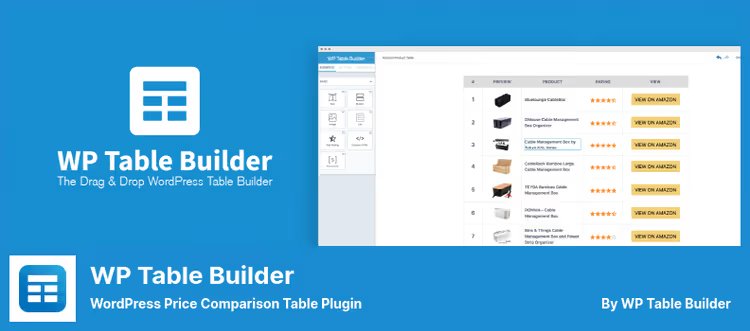
WP Table Builder is one of the most popular table plugins on wordpress.org: 681 reviews, 50,000+ active installs, regular updates (version 2.1.15, May 2026). This is a drag-and-drop constructor where the table is assembled from ready-made elements: text, image, list, button, star rating, custom HTML and shortcode.
The workflow looks like this: create a table, drag elements into cells, configure styles for each cell separately, save, insert via shortcode into a post or page. There's a dedicated Gutenberg block.
The plugin can import tables from CSV and XML (including migration from TablePress), do sorting and search on tables on the frontend. The Pro version adds: sticky columns, vertical alignment, custom styles for each row and real-time search with sorting.
Pros:
- 7 content types inside cells (text, image, button, rating, etc.)
- Import from CSV/XML/TablePress
- 681 reviews and 50,000+ installs, community-tested
- Free version without cutting key functions
Cons:
- Pro version is more expensive than direct competitors
- Update 2.1.2 had issues with breaking tables on some sites
- No built-in PayPal integration
Price: free, Pro from $49.
🔗 WP Table Builder on WordPress.org🔗 Pro version on developer site
6. CSS3 Responsive Compare Pricing Tables
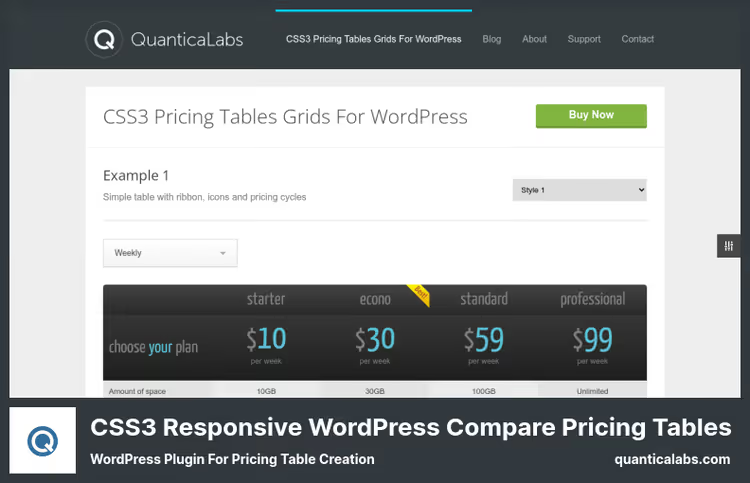
CSS3 Responsive Compare Pricing Tables by QuanticaLabs is a niche tool that does exactly one thing: stylish horizontal pricing tables. And does it well. 18 preset color styles, column slider support, arrow navigation, pagination and animated transitions between columns (crossfade).
Unlike "combines" like ARPrice, there's no Google Maps, video or analytics here. But for the basic task of "beautifully showing 3-5 pricing plans" the plugin handles it without overload. Tables on pure CSS3, no JS for basic display, which is a plus for load speed.
The price deserves special mention, $10. This is the cheapest premium plugin in the selection. Lifetime updates included.
Pros:
- Minimum price among all premium solutions
- 18 ready-made color styles
- Column slider with crossfade animation
- Pure CSS3, minimal site load
Cons:
- No PayPal or WooCommerce integration
- Only horizontal table format
- No visual editor, configuration via settings panel
Price: $10 one-time with lifetime updates.
🔗 CSS3 Responsive Compare Pricing Tables on QuanticaLabs
7. Easy Pricing Tables
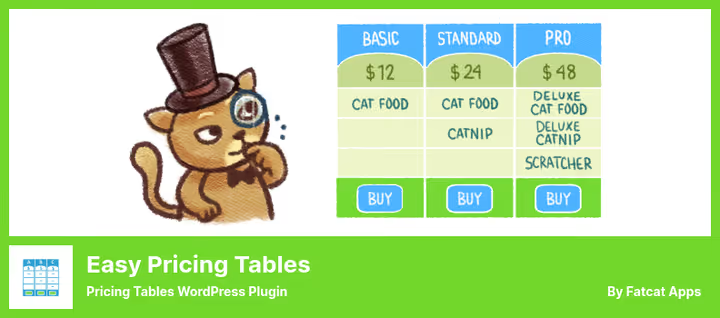
Easy Pricing Tables by FatCat Apps is the first pricing table plugin built specifically for the WordPress block editor. The table is inserted as a Gutenberg block, edited right in the post editor, without going to a separate plugin admin.
The free version provides: table creation in Gutenberg, color customization, adding buttons with custom links and out-of-the-box responsiveness. The plugin is not tied to a specific theme and works with any well-coded template.
Premium (from $29) adds 6 ready-made designs, month/year toggle for different pricing plans, one-click WooCommerce integration and built-in images inside columns. Reviews: 133, average rating 4.5.
Pros:
- Gutenberg-native: editing right in block editor
- Free version with no functional limitations
- WooCommerce integration in Premium (one click)
- Automatic column height alignment
Cons:
- 6 designs in Premium, fewer than ARPrice or Go Pricing
- No built-in analytics
- Support in free version only for bugs
Price: free, Premium from $29.
🔗 Easy Pricing Tables on WordPress.org🔗 Premium on FatCat Apps site
8. WRC Pricing Tables

WRC Pricing Tables is a lightweight plugin with emphasis on CSS3 animations and visual effects. 36 reviews on wordpress.org and 2,000+ active installs, modest but stable. The plugin does exactly what it promises: nice responsive pricing tables with ribbon badges for highlighting the recommended plan.
4 ready-made templates cover basic scenarios: classic horizontal tables with icons, buttons and tooltips. Color, font and spacing customization is available via settings panel, without visual editor.
The plugin's feature is a clean code base. WRC doesn't load tons of assets on every site page, CSS and JS are connected only where a table is inserted. For sites where speed comes first, this is a significant plus.
Pros:
- Minimal site load, assets only on page with table
- Ribbon badges for highlighting recommended plan
- Free version with no limits
- Out-of-the-box responsiveness
Cons:
- Only 4 templates, fewer than competitors
- No visual drag-and-drop editor
- No WooCommerce or PayPal integration
Price: free.
🔗 WRC Pricing Tables on WordPress.org
9. Responsive Pricing Table
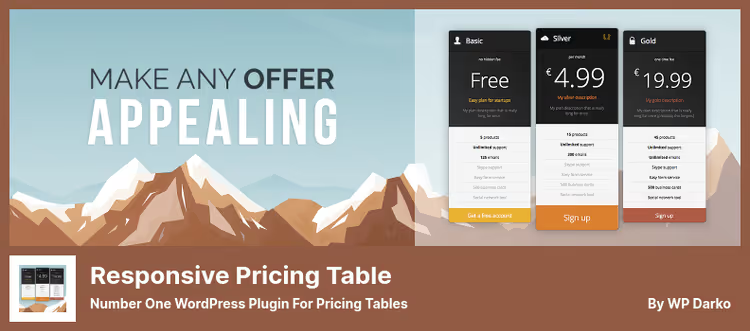
Responsive Pricing Table by WP Darko is a plugin with the philosophy "free means full-featured". Unlike other freemium solutions where the free version is cut on key functions, here you get: unlimited tables, plans and features, custom buttons (Stripe, PayPal), currency change, icons and recommended plan highlighting.
The interface is minimalist: create a table, add plans, fill in price, description, feature list and button for each. Everything is saved as custom post type, inserted via shortcode. There's instant preview in admin.
The Pro version adds: month/year toggle, new designs, tooltips for features and column height "equalizer". 10,000+ active installs and 4.6 stars, a solid mid-tier option that doesn't let down.
Pros:
- Full-featured free version with no table and plan limits
- Stripe and PayPal button support out of the box
- Instant preview in admin, no need to save for viewing
- 10,000+ installs, regular updates (January 2026)
Cons:
- Month/year toggle only in Pro
- No visual drag-and-drop editor
- Short list of supported HTML tags in feature description
Price: free, Pro, price on request.
🔗 Responsive Pricing Table on WordPress.org🔗 Pro on WP Darko
In the video above, a detailed comparison of table plugins for WordPress with emphasis on design, data and conversion. The author shows the interface of each plugin and breaks down use cases.
⁉️🤔 Common questions
Can I use a pricing table without a plugin, on pure HTML/CSS?
Yes, if you have one pricing plan and it doesn't change. But as soon as you need to update a price, add a column or make a mobile version, manual HTML/CSS editing takes hours. A plugin provides a visual editor and responsive out of the box, time costs decrease by an order of magnitude. For 2-3 tiers that are revised once a quarter, a plugin pays for itself on the first update.
Which plugin is best for WooCommerce?
Easy Pricing Tables(Premium) integrates with WooCommerce in one click, products are pulled directly into the table.Responsive Pricing Tableby WP Darko lets you add a Stripe or PayPal button to any plan. If you need a WooCommerce product table, not pricing plans, look towardProduct Table & List Builder for WooCommerce, but that's a different class of plugins.
Does a pricing table plugin affect site speed?
A good plugin has minimal impact.
ARPriceandCSS3 Responsiveload CSS/JS only on pages where a table is inserted.Go Pricinguses ajax interface in admin, not touching the frontend. Problems arise when a plugin loads an entire icon library (2000+ in Go Pricing) or Google Fonts (650+) on every site page, check settings and limit assets to specific pages when possible.
Why does a pricing table plugin need analytics?
To stop guessing which table converts better.
ARPricecounts views of each column and button clicks, you see which pricing plan attracts more attention and where visitors drop off. For landing pages and SaaS products, this data provides growth points without A/B tests.
How to add a month/year toggle to a pricing table?
This function is available in
ARPrice,Easy Pricing Tables(Premium) andResponsive Pricing Table(Pro). AlsoGo Pricingsupports up to 5 toggle variants via toggles. In free versions ofWP Table BuilderandPricing Table by Supsysticthere's no toggle, you'll need to create two separate tables.
What to choose for your task
If budget is limited, Pricing Table by Supsystic (best free constructor) or WP Table Builder (maximum cell flexibility). For a WooCommerce store, Easy Pricing Tables Premium with one-click integration. Need conversion analytics, ARPrice counts everything out of the box. Working with Google Sheets and used to formulas, WP Table Manager is your tool. And when you just want a beautiful table for $10, get CSS3 Responsive Compare by QuanticaLabs, you won't regret it.
Choose not by someone else's rating, but for your specific task. And test the table on mobile before publishing, most visitors read pricing from their phone.

A professional team of writers and editors specializing in creating quality content.