














🚀 10 best pricing table plugins for WordPress in 2026
A visitor lands on your pricing page, compares three columns, and leaves because the difference between plans isn't obvious. Sound familiar? Pricing tables solve this problem at its root: they reduce cognitive load, highlight the differences between adjacent plans, and nudge toward the right option. But the standard block editor in WordPress can't build comparison grids with toggles, "popular" ribbons, and responsive layouts.
That's where specialized plugins come in. We tested and selected 10 tools for pricing tables: from minimalist free solutions to premium builders with 300+ templates and built-in analytics. The list includes options for Gutenberg, Elementor, WPBakery, and the classic editor.
💡 Quick overview:
- Define your budget: 5 plugins are free, 5 are premium, pick your price range.
- Choose for your page builder: Gutenberg, Elementor, and WPBakery require different approaches.
- Watch the video overview at the end of the article: it shows live plugin interfaces and the assembly process.
- Check the final table: pricing, templates, free availability, and the key feature of each option.
Comparison table of all plugins
Plugin | Free | Premium price | Templates | Key feature |
|---|---|---|---|---|
Easy Pricing Tables (Free) | Yes | No | 4 | Editor with real-time preview |
Easy Pricing Tables (Premium) | No | $49/year | 10 | Monthly/yearly toggle |
ARPrice Premium | No | $27 | 300+ | View and click analytics |
Pricing Table by Supsystic | Yes | No | Several | Unlimited columns and rows |
Go Pricing | No | $22 | 250+ | Video and audio insertion in columns |
ABC Pricing Table | Yes | No | 4 | Shortcode and post ID insertion |
WPDarko Responsive Pricing | Yes | $19 Pro | Several | Custom CSS without theme editing |
JetElements (Elementor) | No | $43/year | Widget | 50 widgets in one package |
Pricing Tables for WPBakery | No | $25 | 21 | Native WPBakery styles |
CSS3 Pricing Tables Grids | No | $25 | 2 styles, 20 colors | Pure CSS3, no JavaScript |
1. Easy Pricing Tables (free)
🔗 Easy Pricing Tables on WordPress.org
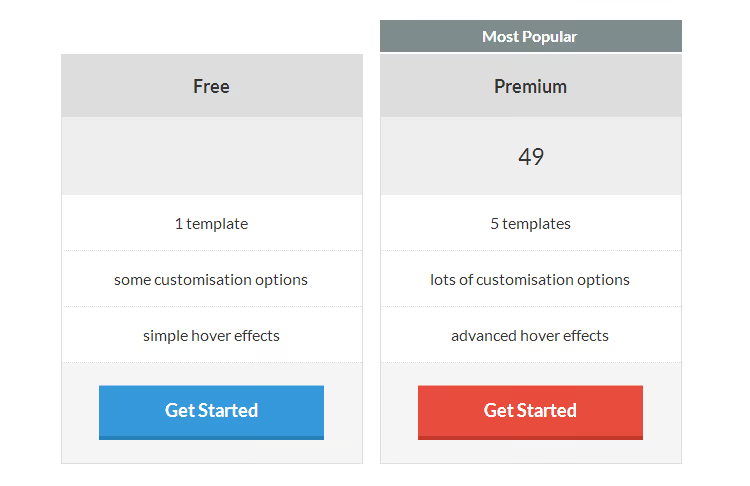
This free plugin from Fatcat Apps didn't land at the top of WordPress.org search results by accident. The table builder is linear: all columns on one screen, you edit each plan's features and see the result immediately. The preview updates as you fill in fields, without interrupting your work.
Available settings include font size, border radius, and button colors. You can designate a featured column that will stand out visually. The downside is that most of the styling panel is locked behind premium: colors and templates in the free version are modest. But the plugin is stable, lightweight, and does exactly what it promises.
Pros: intuitive editor, live preview, featured column highlighting. Cons: upsell on every admin screen, limited color palette in the free version.
2. Easy Pricing Tables (premium)
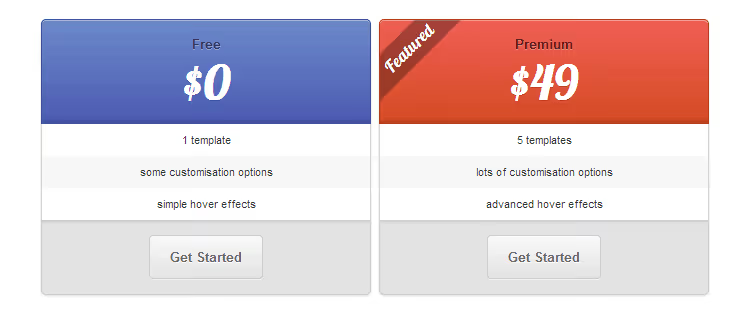
The premium version unlocks everything hidden in the free variant: 10 templates instead of 4, full color palette, hover customization, custom icons, and Google Analytics integration. The main feature, monthly/yearly toggle: a visitor clicks the toggle and sees the annual plan with a discount. Works without page reload.
The featured column can be set to permanently expand or expand on hover. Tooltips add explanations to any table element, convenient for FAQ right in the pricing grid. The plugin suits those already using the free version who want to keep the familiar interface with expanded capabilities.
Pros: monthly/yearly toggle, 10 templates, Google Analytics integration. Cons: tied to the Fatcat Apps ecosystem, annual subscription.
3. ARPrice Premium

The flagship product among pricing table plugins: 300+ templates, integrations with WPBakery, Divi, and Gutenberg, monthly and yearly plan toggle. The live editor lets you customize text, fonts, icons, hovers, and tooltips without touching code.
Unique function, built-in analytics: total number of table views and clicks on links inside cells. You see which plan collects more clicks and can adjust the presentation. Export and import of tables saves time when transferring between sites or within a multisite network.
Pros: 300+ templates, built-in analytics, export/import of tables. Cons: requires time to master due to abundance of settings.
4. Pricing Table by Supsystic (free)
🔗 Pricing Table by Supsystic on WordPress.org
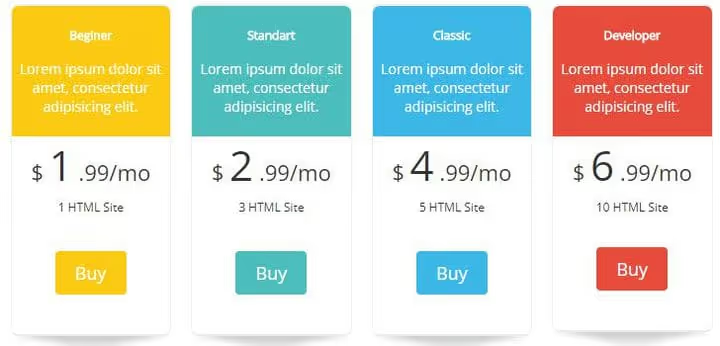
Supsystic offers functionality that in many other plugins is locked behind a premium wall. Drag & drop builder, unlimited columns and rows, color customization, hovers, and button styles. Templates help you start quickly, and fine-tuning lets you move away from the default look.
Interesting scenario: you can build a comparison table for affiliate products with an affiliate link on the button. Price can be duplicated at the top and bottom of the cell, alternate row background colors, and change fonts of individual elements.
Pros: unlimited columns, affiliate links on buttons, flexible styling. Cons: admin interface slightly overloaded.
5. Go Pricing (premium)
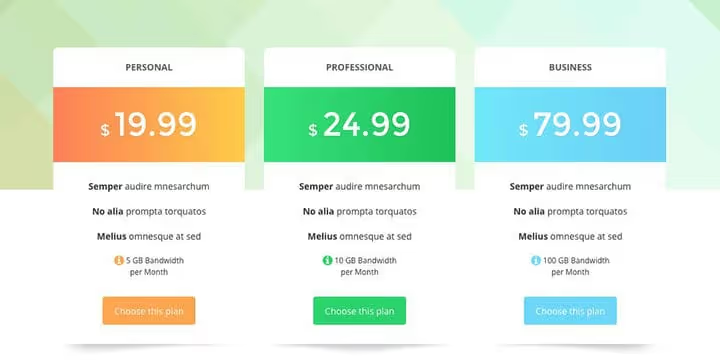
The most visually rich plugin in this roundup. 250+ templates cover any niche: SaaS, info products, services, feature comparison. Up to 7 columns and unlimited rows. Compatibility with Elementor, WPBakery, and Beaver Builder at the native widget level.
A feature competitors don't have: you can insert images, videos, and audio players into cells. Price can be hidden if desired, turning the table into a feature comparison or "meet the team." The downside: due to the abundance of settings, building tables in Go Pricing takes more time than other options. But the result justifies the effort.
Pros: 250+ templates, media in cells, compatibility with top 3 page builders. Cons: steep learning curve, least intuitive interface.
6. ABC Pricing Table (free)
🔗 ABC Pricing Table on WordPress.org
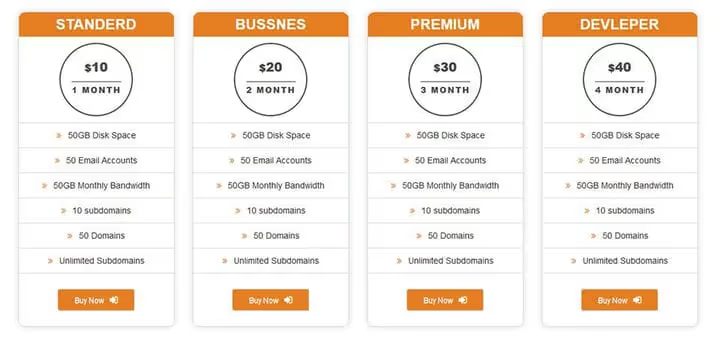
The fastest way to get a pricing table on your site. Four built-in templates, plan data insertion, a couple of clicks, and you have a ready grid on the page. Tables are responsive, header and button colors are customizable, featured column is selectable.
Output is implemented two ways: by post ID and classic shortcode. No block editor, clean and clear interface. Ideal for landing pages and one-pagers where deep customization isn't needed.
Pros: instant launch, two insertion modes, minimalist interface. Cons: 4 templates for everything, no premium upgrade within the ecosystem.
7. WPDarko Responsive Pricing Table (free)
🔗 WPDarko Responsive Pricing Table on WordPress.org
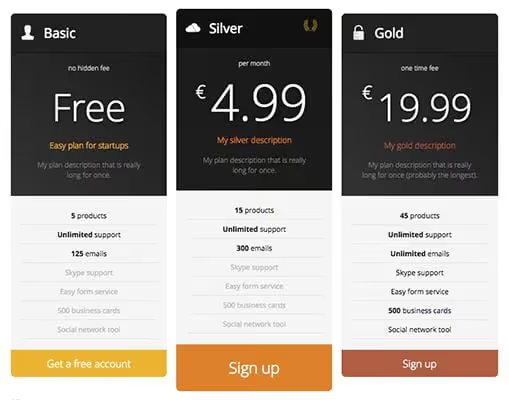
Free and lightweight tool for responsive pricing tables. Setup comes down to choosing plan content, color, icon, button, and custom CSS block. No need to spend hours polishing the design: set a few parameters and publish. The PRO version adds skins, tooltips, and column height alignment, but the free option covers most tasks for small sites.
Pros: simple setup, lightweight CSS block, out-of-the-box responsiveness. Cons: PRO features hidden behind a premium wall without trial.
8. JetElements for Elementor (premium)
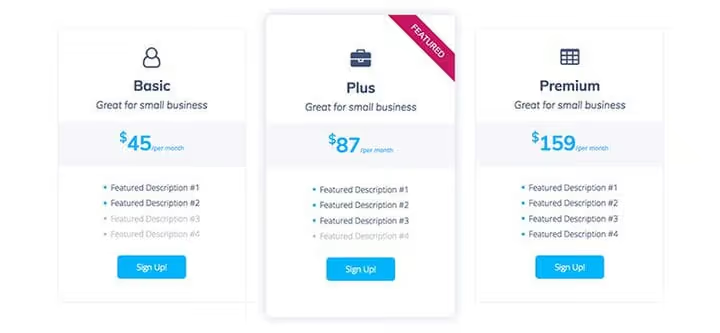
JetElements, a package of 50 widgets for Elementor, and pricing table here is one of the most powerful. Setup happens right in Elementor's frontend editor: icons, images, custom fonts, backgrounds, ribbons, buttons, shadows, gradients. All elements are fully responsive.
The point of getting JetElements isn't just for the pricing table: the package includes widgets for post lists, carousels, timelines, and animated blocks. If the site is already built on Elementor, this one plugin covers dozens of design tasks.
Pros: native Elementor integration, 50 widgets in the package, visual assembly. Cons: Elementor only, Crocoblock subscription.
9. Pricing Tables for WPBakery Page Builder (premium)
🔗 Pricing Tables Addon for WPBakery
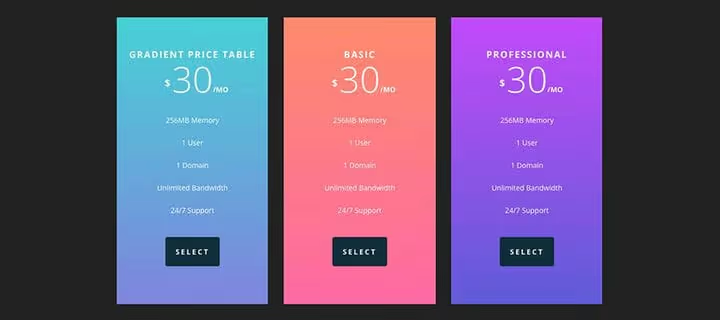
Addon tailored for WPBakery: 21 pre-styled pricing tables with fine-tuning capability. Colors, icons, hovers, borders, shadows, and gradients are edited in the familiar WPBakery interface. A good finishing touch for a site already built on this builder that just needs a pricing page.
Pros: native work in WPBakery, 21 ready-made styles, low entry barrier. Cons: WPBakery only, no standalone mode.
10. CSS3 Responsive Pricing Tables Grids (premium)
🔗 CSS3 Pricing Tables Grids on CodeCanyon
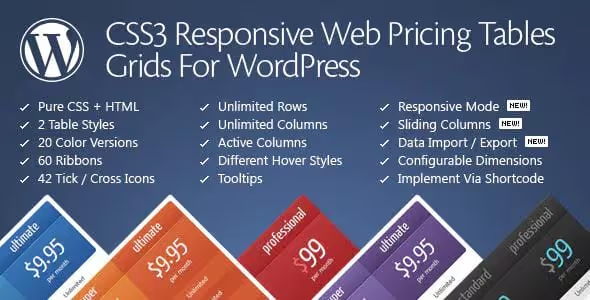
Pure CSS3 plugin without JavaScript: 2 table styles, 20 color schemes with different hover states. The admin panel lets you set column height and width, spacing, alignment, ribbons, tooltips, and sort order. Supports unlimited tables, columns, and rows, plus multisite.
Main advantage, lightweight: not a single line of JavaScript on the frontend. For sites where load speed is critical, this is a strong argument. Table output via shortcode, setup in one admin panel.
Pros: pure CSS3 without JavaScript, 20 color schemes, multisite. Cons: 2 basic table styles, no drag & drop editor.
Video overview of popular WordPress plugin interfaces: live comparison of editors and the pricing table assembly process.
⁉️🤔 Frequently asked questions
Is a free plugin enough or do I need premium?
For a typical landing page with three plans, Easy Pricing Tables (free) or WPDarko is sufficient. Premium is needed when you require a monthly/yearly toggle, click analytics, tooltips, media in cells, or more than 20 templates. The difference between free and paid versions often lies precisely in the number of templates and fine styling settings.
Which plugin should I install for Gutenberg?
From this list, Easy Pricing Tables (both versions), Supsystic, ABC Pricing Table, and WPDarko work with Gutenberg without problems. They use shortcodes or native blocks. JetElements and WPBakery Addon are tied to their builders and don't integrate with Gutenberg.
Which plugin has the most templates?
ARPrice Premium leads with 300+ templates. Go Pricing is second with 250+. Both offer a wide choice of designs for different niches. Free plugins offer from 4 to 10 templates, which is enough for standard scenarios.
Can I insert video into a pricing table?
Yes. Go Pricing supports video, audio, and images inside columns. Easy Pricing Tables Premium allows adding icons and images to cells. Other plugins don't support media in the table body and require manual layout.
How do I track which plan gets clicked more often?
ARPrice Premium includes built-in analytics: total number of views for each table and clicks on links inside cells. Easy Pricing Tables Premium sends events to Google Analytics. Other plugins require manual button markup via UTM tags.
Which pricing table plugin should you choose?
If your site is on Elementor, JetElements will cover pricing tables plus four dozen other design tasks. Site on WPBakery, get the official Pricing Tables Addon, don't complicate things. For Gutenberg and the classic editor, the universal recommendation: start with Easy Pricing Tables (free), and when templates and colors become insufficient, upgrade to Premium or switch to ARPrice Premium for analytics and 300+ templates.
Need maximum visual impact, Go Pricing with media inserts and 250+ templates. Load speed is critical, CSS3 Pricing Tables Grids without frontend JavaScript. Zero budget, get Easy Pricing Tables (free) or WPDarko, they don't look stripped down.
Choose a plugin for your builder and scenario, not for the maximum number of features. A properly selected pricing table works better than a dozen text descriptions of plans.

A professional team of writers and editors specializing in creating quality content.