














📊 10 best table plugins for WordPress in 2026
Tables in WordPress without a plugin are painful. The built-in Gutenberg block gives you a primitive grid with no sorting, search, or import. On mobile, such a table falls apart into an unreadable mess. And if you have a lot of data, manual HTML markup takes hours.
Third-party table plugins solve the problem radically: drag-and-drop editor, import from Excel and CSV, live search, pagination, color themes, and shortcodes for inserting anywhere. But choosing from dozens of options is quite a task.
Below are 10 current table plugins for WordPress in 2026. From the lightweight TablePress to Google Sheets sync with FlexTable. Each plugin has been verified: active repository, fresh updates, real support.
💡 Quick overview:
- Decide on your data type: for simple comparison tables, take TablePress or WP Table Builder; for large datasets with filters, wpDataTables or Ninja Tables.
- For charts and graphs along with tables, Visualizer from ThemeIsle.
- If your data is stored in Google Sheets and updates daily, FlexTable syncs it automatically.
- Choose a plugin for your scenario, not the "most feature-packed" one: overpaying for unused features won't make your site faster.
Plugin comparison table
Plugin | Free version | Excel/CSV import | Sorting and search | Charts | Responsive |
|---|---|---|---|---|---|
TablePress | Yes | Yes | Yes (DataTables) | No | Yes |
Ninja Tables | Yes | Yes | Yes | No | Yes |
wpDataTables | Lite | Yes (all formats) | Yes | Yes | Yes |
WP Table Builder | Yes | No | No | No | Yes |
Visualizer | Yes | Yes | Yes | Yes | Yes |
League Table | Lite | No | Yes | No | Yes |
Data Tables Generator | Yes | Yes | Yes | Yes | Yes |
Tableberg | Yes | No | Yes (Pro) | No | Yes |
FlexTable | Yes | Via Google Sheets | Yes | No | Yes |
Tablesome | Yes | Yes (CSV/XLSX) | Yes | No | Yes |
1. TablePress: the veteran with 800,000+ installs

TablePress is the undisputed leader among free table plugins. More than 800,000 active installations and a 5-star rating on WordPress.org speak for themselves. The interface follows spreadsheet logic: rows, columns, cells with formulas, and basic formatting.
The plugin can import and export data via Excel, CSV, JSON, and HTML. Built-in DataTables library support provides sorting, pagination, and live search without additional setup. Each table gets a unique shortcode [table id=N] that can be inserted into a post, page, or widget.
TablePress is completely free. Extended features (responsive scrolling, automatic import from external sources) are available through free community add-ons. For most tasks, this is a ready-made "install and it works" solution.
Pros:
- Extremely simple interface, learn it in 10 minutes
- 800,000+ installs, active community and documentation
- Completely free, including add-ons
Cons:
- Basic table design, deep customization requires CSS
- No built-in charts and graphs
Price: free.
2. Ninja Tables: 100+ styles and WooCommerce

Ninja Tables is a free plugin with the largest set of built-in styles: more than 100 design presets. Tables are built in a visual drag-and-drop editor, and the result is immediately visible in real time. Ajax data loading eliminates slowdowns on pages with thousands of rows.
The key feature is deep WooCommerce integration. You can display products in a table with filters by price, category, and rating, then add an "Add to Cart" button right in a cell. For content sites, there's built-in import from Google Sheets and CSV.
The free version covers sorting, search, responsiveness, and 100 styles. Pro adds conditional formatting, cell merging, PDF export, and priority support.
Pros:
- 100+ ready-made designs out of the box
- WooCommerce integration with product filtering
- Drag-and-drop editor and live preview
Cons:
- Some styles are Pro only
- Very large tables (50,000+ rows) may require server optimization
Price: free; Pro from $79/year.
🔗 Ninja Tables on WordPress.org
3. wpDataTables: the flagship for big data

wpDataTables is the flagship plugin for working with large data in WordPress. Unlike most competitors, it's designed for data engineering scenarios: aggregation from MySQL queries, import from Excel, CSV, XML, JSON, a built-in formula engine, and server-side processing of tens of thousands of rows.
Tables render through DataTables with a full feature set: multi-column sorting, cascading filters, conditional cell formatting, row grouping. The plugin also builds charts through Chart.js (line, bar, pie, radar, polar area). Everything is edited from a single interface in the WordPress admin.
The free Lite version provides basic table building, import from CSV/JSON/XML/Excel/PHP array, and export. Premium (from $59/year) removes data source limitations, adds MySQL queries, nested tables, and a report builder.
Pros:
- MySQL sources, auto-updating tables from database
- Chart.js charts built in, no separate plugin needed
- Server-side processing of tens of thousands of rows without frontend slowdown
Cons:
- Steep learning curve for non-programmers
- Premium version is one of the most expensive in the niche
Price: Lite free; Premium from $59/year.
🔗 wpDataTables Lite on WordPress.org🔗 wpDataTables Premium
4. WP Table Builder: visual no-code constructor

WP Table Builder is a drag-and-drop table constructor that works like a page editor: 7 elements (text, image, list, button, star rating, custom HTML, and shortcode) are dragged into cells. No code, the table is built visually.
The plugin is ideal for marketing tables: plan comparisons, price lists with buttons, product cards. Built-in elements provide styling without CSS, and the result automatically adapts to mobile. The free version includes all 7 elements and basic style settings.
The Pro version unlocks more elements (ribbon banners, tooltip hints), import from CSV and XML, table export, and premium templates. A good choice if a visual builder matters more to you than working with raw data.
Pros:
- True drag-and-drop without a single line of code
- Built-in elements (rating, button, list) save time
- Excellent compatibility with Elementor and Gutenberg
Cons:
- No sorting and search, only static tables
- No data import in the free version
Price: free; Pro from $49/year.
🔗 WP Table Builder on WordPress.org
5. Visualizer: tables and charts in one plugin

Visualizer from ThemeIsle is a hybrid of tables and charts. The plugin builds interactive graphs (line, bar, pie, geo maps, scatter, timeline) while simultaneously managing the table data that feeds these graphs. Editing happens in real time on the post page.
Data import comes from CSV, Excel, Google Sheets, or via REST API. Built-in Google Sheets synchronization allows charts to update automatically when the source table changes, convenient for dashboards and public reports. Tables support sorting, filters, and pagination.
The free version includes 9 chart types and basic table editing. Pro (from $99/year) adds 6 more types, synchronization, private charts, and premium support.
Pros:
- Tables + charts in one plugin
- Live sync with Google Sheets
- Editing right on the page (front-end editor)
Cons:
- Sync and privacy are Pro only
- Pro price is above average for the niche
Price: free; Pro from $99/year.
🔗 Visualizer on WordPress.org🔗 Visualizer Pro
6. League Table: sortable tables without the extras

League Table is a specialized plugin for sortable tables. Sports statistics, university rankings, plan comparisons, tournament brackets: any scenario where you need column sorting on click and a clean tabular design.
The plugin provides fine control over styling: custom colors, fonts, borders, row striping, and position highlighting (the top three rows are visually distinguished). Tables are responsive; columns collapse on mobile according to specified logic.
The free Lite version on WordPress.org covers basic scenarios. Premium (CodeCanyon, $25 one-time) adds mathematical operations in cells, CSV import, export, and more pagination options.
Pros:
- Clean tabular design with sorting, nothing extra
- Premium is a one-time payment, not a subscription
- Ready-made color schemes and customization
Cons:
- Tables only, no charts and graphs
- Data import is limited in Lite
Price: Lite free; Premium $25 (one-time).
🔗 League Table Lite on WordPress.org🔗 League Table Premium
7. Data Tables Generator: the all-in-one from Supsystic
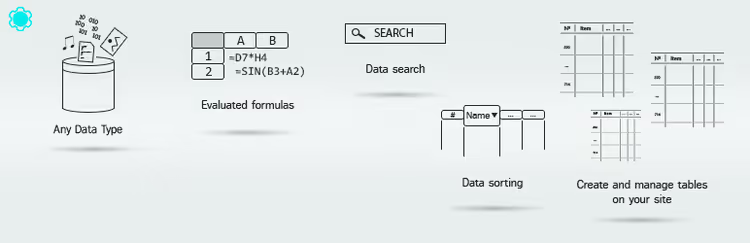
Data Tables Generator from Supsystic is an all-in-one that handles tables, charts, and Google Sheets integration. An internal and external (front-end) editor allows editing data right on the site, while the DataTables engine provides sorting, filters, and pagination.
Import supports Excel, CSV, JSON, and Google Sheets with auto-sync. Charts are built from table data: bar, line, pie, donut. The plugin works with Gutenberg, Elementor, and the classic editor via shortcodes.
The free version on WordPress.org includes all of the above with limits on the number of tables and rows. Pro (from $49/year) removes limits and adds priority support.
Pros:
- Tables + charts + Google Sheets in one plugin
- Front-end editor for on-the-fly data editing
- Broad compatibility with page builders
Cons:
- Free version has row limits
- Admin interface can feel cluttered
Price: free; Pro from $49/year.
🔗 Data Tables Generator on WordPress.org
8. Tableberg: tables with subblocks for Gutenberg

Tableberg is a Gutenberg-oriented table constructor that turns each cell into a block container. You can insert text, a list, a button, an image, or custom HTML into a cell, all through the standard block editor interface.
The plugin provides full control over styling: header and row colors, cell padding, borders, column widths, responsive settings for desktop, tablet, and mobile. Cell merging works via Ctrl/Cmd-click, intuitive and fast. The Pro version adds star ratings, icons, ribbon banners, pagination, and dynamic data sources.
Tableberg suits those who build tables directly in Gutenberg and want more flexibility than the standard table block offers. In practice, the free version is enough for price comparisons, product cards, and feature lists.
Pros:
- Full Gutenberg integration, each cell is a block
- Cell merging, responsive settings, flexible styles
- Active development, updates every few weeks
Cons:
- Sorting and search are Pro only
- No import from external formats
Price: free; Pro version on the developer's site.
9. FlexTable: live sync with Google Sheets

FlexTable solves a specific task that other plugins don't cover: data lives in Google Sheets, and an automatically synchronized table appears on the site. Change a cell in the Google spreadsheet, and within a few minutes it updates on the site. No manual import.
The plugin supports displaying images by URL from the Google spreadsheet, links, cell merging, and three responsiveness modes: standard, collapsible, and horizontal scroll. Built-in Gutenberg block and Elementor widget. There's search, sorting, and pagination. An AI feature gives visitors a "Summarize table" button for instant insights from the data.
The free version syncs up to 100 rows, which is enough for price lists, schedules, and catalogs. Pro removes the limit, adds export to CSV/Excel/PDF, custom CSS themes, and header freezing.
Pros:
- Automatic sync with Google Sheets, no manual import
- AI table summarization for visitors
- Gutenberg block and Elementor widget out of the box
Cons:
- Free version limited to 100 rows
- No built-in charts
Price: free (up to 100 rows); Pro plans on the site.
10. Tablesome: import, export, and frontend editing

Tablesome is a hybrid of a table plugin and a database for contact forms. It saves submissions from CF7, WPForms, Gravity Forms, Elementor Forms, and Forminator into WordPress tables, plus it can create tables from scratch and import data from CSV and XLSX.
The output is fully functional datatable tables with search, sorting, filtering, and pagination. The Pro version unlocks frontend editing: users can edit their entries right on the site, and the administrator can manage tables without going into the admin panel. Plus export to Mailchimp, Notion, HubSpot, Slack, and PDF generation.
Tablesome is the choice for scenarios where a table is not the goal itself but a tool: a submission database, a catalog with user-generated content, workflow automation from forms.
Pros:
- Saving submissions from popular contact forms into tables
- Frontend table editing by users (Pro)
- Data export to Slack, Notion, Mailchimp, HubSpot (Pro)
Cons:
- Main focus is on forms; for purely table tasks, simpler solutions exist
- Most integrations are Pro only
Price: free; Pro plans on the site.
⁉️🤔 Frequently asked questions
Which table plugin should I choose if my data updates daily?
wpDataTables with a MySQL source automatically pulls fresh rows from the database. For Google Sheets, FlexTable syncs up to 100 rows in the free version, while Visualizer Pro and Data Tables Generator update data on a schedule. TablePress with the Auto Import add-on also works for CSV files on the server.
Can I make a table that visitors can filter?
Yes, this is a basic feature in most plugins from this collection. TablePress, Ninja Tables, wpDataTables, and League Table use the DataTables library with live search and column sorting. Filters by price range and categories are in Ninja Tables (WooCommerce) and wpDataTables (cascading). Tableberg adds sorting and search in the Pro version.
Is the free plugin enough or do I need a paid one?
For 80% of scenarios, free is enough. TablePress covers simple tables with sorting. WP Table Builder handles visual plan comparisons. Ninja Tables free gives 100 styles and WooCommerce. Paid is needed when you require MySQL queries, Google Sheets sync without limits, charts, or tens of thousands of rows.
How do tables look on mobile?
All plugins in this list are responsive. On a narrow screen, the table either gets horizontal scroll or columns collapse into rows, where each row turns into a card with labels. FlexTable offers three responsiveness modes to choose from, and Tableberg has separate settings for desktop, tablet, and mobile.
Can I insert a table into a post via shortcode?
Yes. All plugins generate a unique shortcode (for example,
[table id=1]or[ninja_table id=3]) that can be inserted into any post, page, widget, or Gutenberg block. WP Table Builder and Tableberg use Gutenberg blocks natively; for the rest, the universal shortcode works.
Which table plugin to choose in 2026?
If you need a simple sortable table you can "set and forget," TablePress is unmatched. Free, 800,000+ users, active updates. The best balance of simplicity and capability.
For visual plan and product comparisons with buttons and stars, WP Table Builder. Drag-and-drop without code, built-in elements, clean design. If your store runs on WooCommerce, Ninja Tables will give you a product table with filters and a cart button right in the cell.
Heavy data, tens of thousands of rows, MySQL queries and charts: wpDataTables. The most powerful, but also the most demanding to set up. For dashboards and reports with automatic updates from Google Sheets, Visualizer or Data Tables Generator. If your data already lives in Google Sheets and you don't want to think about import, FlexTable.
Choose for your task, not for the marketing feature list. The plugin that solves your specific problem is always better than the "most feature-packed" one. And which table plugin do you use? Let us know in the comments.

A professional team of writers and editors specializing in creating quality content.