













 AIIllustrative image: AI-generated
💡 33 best map plugins for WordPress in 2026
A map on your site is not just a "nice feature." It is a tool that guides clients to your doorstep, shows delivery zones, or unfolds an interactive guide with hundreds of markers. Below are 33 tools, from Google Maps widgets to vector builders with custom regions.
💡 Quick overview:
- Choose your engine: Google Maps (most popular, requires an API key), OpenStreetMap (open stack, no quotas), or vector SVG maps with custom regions.
- Pick a plugin for your scenario: for a contact page, use MapPress or Google Maps Widget; for a real estate directory, Toolset Maps; for a travel blog, MapifyPro; for store finder, WP Store Locator.
- Install the plugin, configure markers and layers, insert the shortcode or block, and the map appears on your page within minutes.
- For filters, geolocation, and custom forms, get the Pro version: it pays for itself with the time you would have spent on manual development.
Comparison table of key plugins
Plugin | Price | Map types | Key feature | WP.org |
|---|---|---|---|---|
MapSVG | From $49/year | SVG, Google, images | Vector builder, 100+ templates | ✅ |
Maps Marker Pro | From €39/year | Google, OSM, Bing, MapQuest | GPX tracks, multi-engine | ❌ |
Interactive Geo Maps | From $59/year | Google, vector regions | Heat maps, drill-down | ✅ |
WP Go Maps | Freemium (Pro from $39) | Google, OSM, Leaflet | Store Locator, 400k+ installs | ✅ |
MapPress | Free | Google Maps | Simple shortcode + Gutenberg block | ✅ |
Toolset Maps | From $69/year | Google, Azure | Custom post types + maps | ❌ |
10Web Map Builder | Freemium (from $30/year) | Google Maps | Visual builder, 6 themes | ❌ |
Google Maps Widget | Free (Pro $19) | Google Maps | Lightbox widget in seconds | ✅ |
WP Store Locator | Free | Google Maps | Store search with directions | ✅ |
Map Block for Google Maps | Free | Google Maps | Native Gutenberg block | ✅ |
1. MapSVG: vector builder that does it all
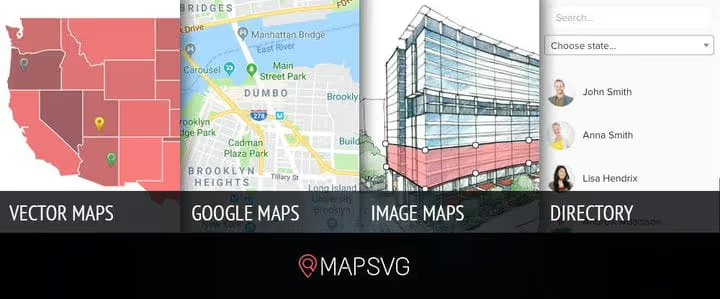
MapSVG works with vector SVG maps, Google Maps, and raster images in a single interface. It includes over 100 maps of countries and regions, a form builder, and choropleth maps. Live preview right in the admin panel.
- Pros: vector + raster + Google Maps; choropleth maps; live preview.
- Cons: advanced features require Pro; steeper learning curve than Google Maps widgets.
- Price: from $49/year (Lite free on WP.org).
🔗 MapSVG on developer site | 🔗 MapSVG Lite on WordPress.org
2. Maps Marker Pro: multi-engine powerhouse with GPX tracks
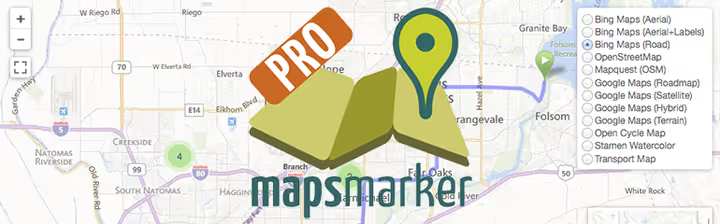
Supports six mapping engines: Google Maps, Google Earth, OpenStreetMap, MapQuest, OGD Vienna Maps, and Bing. The main feature is GPX tracks with elevation and pace right in the post. Over 40 ready language packs, compatible with WPML and Polylang.
- Pros: 6 map engines; GPX tracks out of the box; multilingual.
- Cons: no free version; interface can overwhelm beginners.
- Price: from €39/year.
🔗 Maps Marker Pro on developer site
3. Interactive Geo Maps: heat maps and clustering
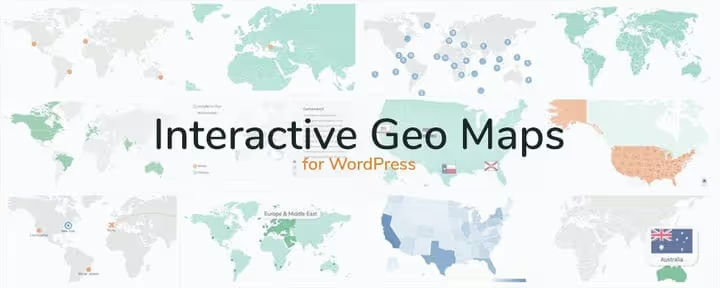
Heat maps, marker clusters, colored legends, real-time filters. Over 250 ready-made maps out of the box: from world map to individual US states. Pro adds drill-down navigation, 10+ projections, connector lines, and text labels.
- Pros: heat maps and clusters; ready maps with drill-down.
- Cons: free version is limited; Pro is expensive.
- Price: from $59/year (free version on WP.org).
🔗 Interactive Geo Maps on developer site | 🔗 Interactive Geo Maps on WordPress.org
4. Toolset Maps: maps tied to content structure
Toolset Maps ties the map to WordPress custom post types. Create a "Property" type with address, price, and area fields, and the plugin automatically displays markers with filters. Geolocation, distance calculations, and WPML compatibility out of the box.
- Pros: ties to custom post types; auto-filters; geolocation.
- Cons: from $69/year; overkill without custom post types.
- Price: from $69/year (as part of the Toolset package).
🔗 Toolset Maps on developer site
5. Interactive World Map: free world map with interactive regions
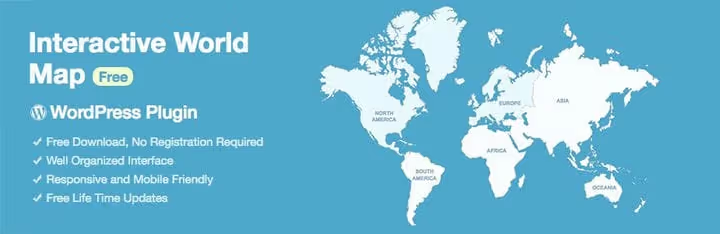
This free plugin adds an interactive world map: hovering over a region displays links, images, and text from the visual editor. Maps are responsive. Premium versions for individual regions are available from the developer.
- Pros: completely free; visual editor; responsive.
- Cons: world map only; premium version needed for countries.
- Price: free.
🔗 Interactive World Map on developer site
6. Map Block for Google Maps: native Gutenberg block for maps

The simplest way to add a Google map to a post: a native Gutenberg block without shortcodes or builders. Enter an address or coordinates, set the zoom and block height. The API key is saved once and used by all blocks on the site.
- Pros: native Gutenberg block; minimal footprint; free.
- Cons: Google Maps only; no clustering or routes.
- Price: free.
🔗 Map Block for Google Maps on WordPress.org
7. Interactive World Maps: large-scale continent and country maps
Shows the entire world, a single continent, country, or state. Each location gets a tooltip with text and images. Suitable for travel blogs and corporate sites with offices worldwide.
- Pros: maps from world to metropolitan area; tooltips with media.
- Cons: premium only; not on WordPress.org.
- Price: premium (price on developer site).
🔗 Interactive World Maps on developer site
8. MapPress Easy Google Maps: simplicity in every detail

A free plugin using the current Google Maps API. Add maps via shortcode or Gutenberg block, with multisite support, street view, and traffic layer. For a contact page with a single map, this is the fastest option.
- Pros: simplest interface; Gutenberg block; multisite.
- Cons: Google Maps only; advanced features only in Pro.
- Price: free (Pro is paid).
9. Open User Map: a map that visitors populate themselves

Visitors add markers to the map themselves without registration. Works on OpenStreetMap, no API keys or quotas. Perfect for communities: bike path maps, local events, bookcrossing spots. Markers go through moderation, and each can include a description and photo.
- Pros: visitors add markers themselves; OSM without API key; free.
- Cons: OpenStreetMap only; not for commercial store locators.
- Price: free.
🔗 Open User Map on WordPress.org
10. WP Go Maps: the community favorite with 400,000+ installs
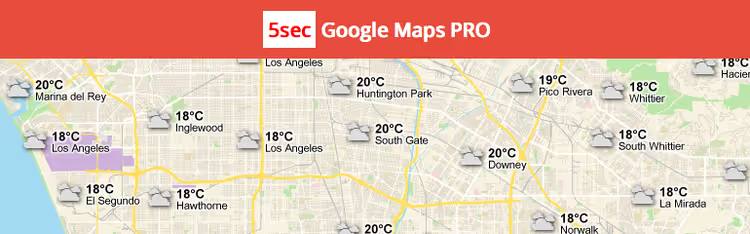
WP Go Maps (formerly WP Google Maps) is the most popular mapping plugin in the repository: over 400,000 active installs and a 4.5 rating. Works with Google Maps, OpenStreetMap, and Leaflet. Pro adds Store Locator, filterable lists, and CSV import.
- Pros: 400k+ installs; Google Maps + OSM + Leaflet; feature-rich free version.
- Cons: Store Locator and filters only in Pro.
- Price: Freemium (Pro from $39/year).
11. 10Web Map Builder: visual builder with preset themes
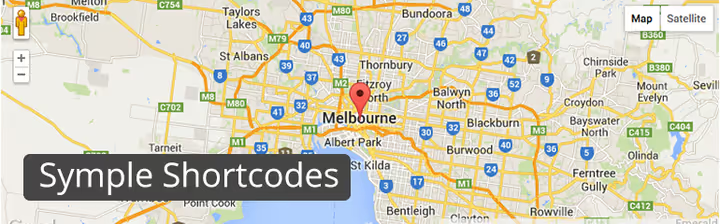
A drag-and-drop builder from 10Web with six preset map themes. Changes the Google Maps appearance in one click. Pro adds layers (traffic, transit, bicycle), clustering, filters, and CSV import.
- Pros: 6 preset themes; visual builder; affordable Pro.
- Cons: Google Maps only; no clustering in the free version.
- Price: Freemium (Pro from $30/year).
🔗 10Web Map Builder on developer site
12. Leaflet Maps Marker: lightweight OSM plugin with markers and layers

A free plugin using OpenStreetMap via LeafletJS: unlimited markers with custom icons, popups with images and links, layers. Actively updated (v6.3.1, 2026). Ideal if you want to avoid depending on Google and their quotas.
- Pros: OSM without API key; actively updated; custom marker icons.
- Cons: OSM only; no clustering in the free version.
- Price: free (Pro from €39).
🔗 Leaflet Maps Marker on WordPress.org
13. Maps Widget for Google Maps: premium widget with thumbnails
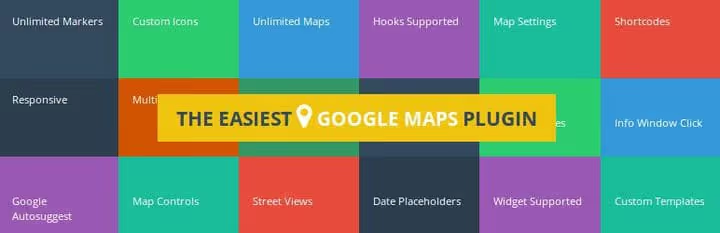
A premium widget: the map thumbnail expands into a lightbox on click, saving space in sidebars and footers. Custom map skins, multiple locations in one widget, Google Maps API support.
- Pros: setup in a minute; lightbox; map thumbnails.
- Cons: premium; Google Maps only.
- Price: premium.
🔗 Maps Widget for Google Maps on CodeCanyon
14. CP Google Maps: shortcode with rich settings
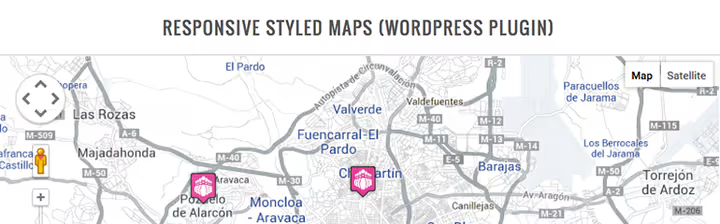
A plugin from CodePeople for Google Maps via shortcode. Multiple markers with different icons, custom descriptions in popup windows, configurable sizes, zoom, and map type.
- Pros: simple shortcode; different marker icons; map type selection.
- Cons: Google Maps only; advanced features through add-ons.
- Price: free (add-ons are paid).
🔗 CP Google Maps on developer site
15. Ultimate Maps by Supsystic: versatile builder

Supports Google Maps and OpenStreetMap, unlimited maps and markers, custom icons, HTML descriptions, traffic and bicycle route layers. Pro adds clustering, filters, and CSV/KML import.
- Pros: Google Maps + OSM; traffic and transit layers; visual builder.
- Cons: clustering and filters only in Pro; interface can feel cluttered.
- Price: Freemium (Pro from $39).
🔗 Ultimate Maps on WordPress.org
16. Google Maps GPX Viewer: tracks and routes on a map
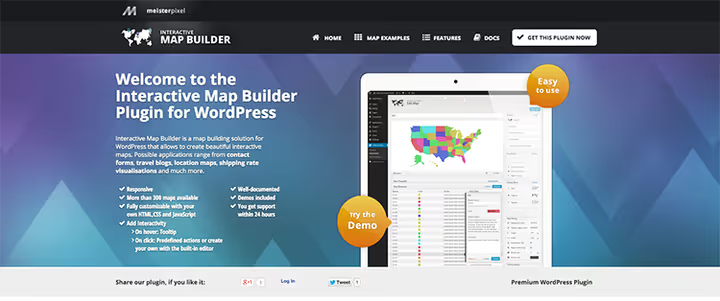
A specialized plugin for GPX tracks. Upload a file from a workout, hike, or bike ride, and the plugin draws the route with elevation, distance, and pace markers. Multiple tracks on one map with color coding by elevation.
- Pros: GPX tracks with elevation profile; elevation color coding; free.
- Cons: GPX only; not for standard maps.
- Price: free.
17. MapifyPro: maps as visual storytelling
Each marker is a full media card with image, text, video, or gallery in a lightbox. Perfect for travel blogs. Clustering, category filters, custom marker styles, location import.
- Pros: media markers with lightbox; ideal for travel blogs; clustering.
- Cons: premium; not on WordPress.org.
- Price: from $39 (one-time).
18. Google Maps by Rolo: light and fast
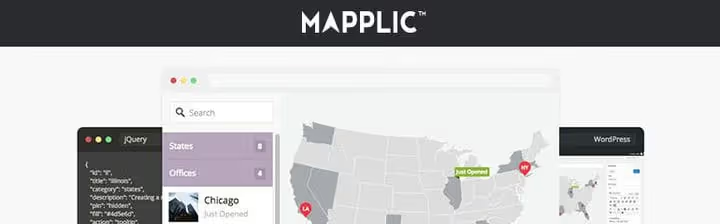
A simple plugin with minimal footprint on the site. Unlimited maps, markers with descriptions, visual editor, shortcode insertion. Does not load extra scripts on pages without maps.
- Pros: minimal footprint; quick setup; lightweight.
- Cons: Google Maps only; limited functionality.
- Price: free.
19. Simple Google Maps by WPGurus: one shortcode, one map

A minimalist shortcode for Google Maps. Specify address, width, height, and zoom level, and the map is ready. No builders. For sites where a map is needed on one page with no reason to install a plugin with 50 options.
- Pros: extremely simple; free; minimal footprint.
- Cons: only one map; minimal settings.
- Price: free.
🔗 Simple Google Maps Shortcode on WordPress.org
20. WP Maps: multi-engine maps with filterable lists

A powerful plugin supporting Google Maps, OpenStreetMap, and Mapbox in one interface. Create maps with location search, category filters, and object lists where map and list sync together. Pro adds clustering, route building, and custom fields. Over 100,000 active installs.
- Pros: Google Maps + OSM + Mapbox; filterable lists; map and list synchronization.
- Cons: some features only in Pro; interface is dense.
- Price: Freemium (Pro from $49/year).
21. Basic Google Maps Placemarks: flexibility without clutter
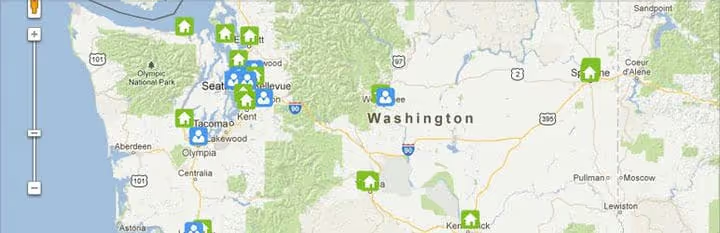
Creates a custom post type for maps: configure icons, map type, zoom, and filters, then insert via shortcode anywhere. Free and actively updated. A good balance of simplicity and flexibility for 5-10 maps on a site.
- Pros: posts as maps; intuitive interface; actively updated.
- Cons: Google Maps only; fewer features than WP Go Maps.
- Price: free.
🔗 Basic Google Maps Placemarks on WordPress.org
22. Google Maps Widget: lightbox widget in seconds

A map in the sidebar, footer, or widget area in seconds: address, map type, color scheme, zoom. Lightbox mode: the user clicks the thumbnail and gets a full-screen map. The free version covers most needs; Pro for $19 adds styles.
- Pros: setup in seconds; lightbox; thumbnails; actively updated.
- Cons: Google Maps only; widget only (not shortcode in post body).
- Price: free (Pro $19).
🔗 Google Maps Widget on WordPress.org
23. Google Maps Builder (Huge-IT): no-fuss builder
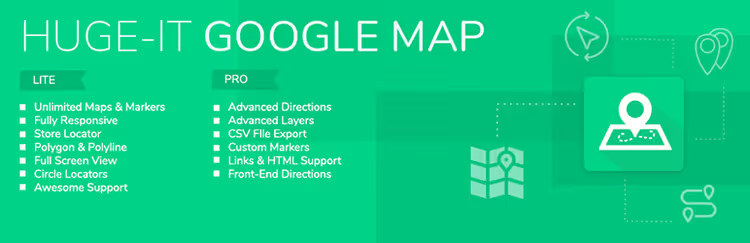
A freemium plugin from Huge-IT: unlimited maps and markers, shapes, circular pointers, and traffic layers already in the free version. Pro adds clustering, routes, filters, and CSV import.
- Pros: unlimited maps and markers free; traffic layers.
- Cons: clustering and routes only in Pro; Google Maps only.
- Price: Freemium.
🔗 Google Maps Builder on developer site
24. Draw Attention: interactive image maps

The #1 plugin for interactive image maps on WordPress.org. Upload a floor plan, infographic, or custom diagram and draw clickable areas right in the admin. On click, a popup appears with text, image, shortcode, or video. Fully responsive, SEO-friendly, touch device support.
- Pros: draw areas right in admin; responsive; SEO-friendly.
- Cons: Pro needed for advanced styles and export; requires image preparation.
- Price: Freemium (free version on WP.org, Pro is paid).
🔗 Draw Attention on WordPress.org | 🔗 Draw Attention Pro
25. Google Maps WD: maps without studying documentation

A simple plugin from Web-Dorado: multiple locations, categorized markers, map layers, and driving directions. Minimalist interface: install, create a map, insert.
- Pros: simple interface; multiple locations; driving directions.
- Cons: Google Maps only; basic functionality.
- Price: free.
🔗 Google Maps WD on developer site
26. WP Store Locator: store search with directions
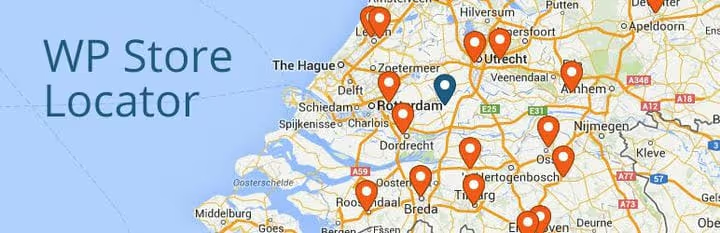
A free plugin for one task: showing where your stores are located. Business hours, phone, URL, marker icons, driving directions, and multilingual compatibility. For a retail chain or franchise, this is the first candidate to install.
- Pros: specializes in store search; directions; multilingual; free.
- Cons: Google Maps only; single-purpose.
- Price: free.
🔗 WP Store Locator on WordPress.org
27. Agile Store Locator: premium store search with geolocation

A premium plugin for store search with GPS geolocation, route building, and category filters. Supports unlimited locations, custom fields, CSV import, and custom markers. The user enters an address or city, and the plugin shows the nearest locations with distance and travel time.
- Pros: GPS geolocation with routes; unlimited locations; filters and search.
- Cons: premium only; Google Maps only.
- Price: from $39 (one-time license).
🔗 Agile Store Locator on CodeCanyon
28. Google Maps Easy: the workhorse from Supsystic
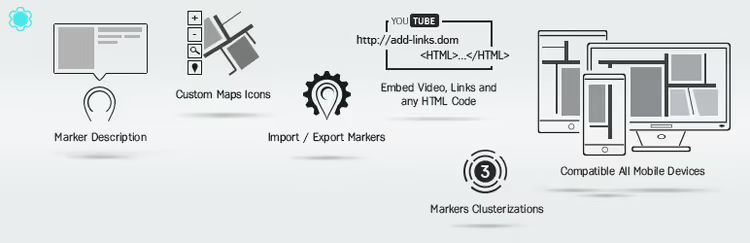
A simple and free plugin from Supsystic: live builder, multimedia descriptions in markers, unlimited maps, shortcode. Actively updated (v1.12.2, May 2026). A reliable "workhorse" for a typical site where the map needs to work flawlessly.
- Pros: simple and reliable; actively updated; free.
- Cons: Google Maps only; no clustering or filters.
- Price: free.
🔗 Google Maps Easy on WordPress.org
29. Simple Google Maps Shortcode: one function, one result
A shortcode with pw_map parameters for address, width, height, and scroll wheel. Maps are cached via the WordPress Transients API, so repeat loads do not use API quota. Insert your Google key, and you are done. Minimalist to the extreme.
- Pros: caching via Transients API; extremely simple; free.
- Cons: basic features only; Google Maps only.
- Price: free.
🔗 Simple Google Maps Shortcode on WP.org
30. Image Hotspots by Pleaseup: interactive points on any image

Adds clickable hotspots to any image: product diagram, infographic, team photo. Set up via a visual builder in admin, draw points, and attach tooltips with text, links, or media. Supports custom icons and appearance animation.
- Pros: visual hotspot builder; custom icons; animation.
- Cons: premium only; not for geographic maps.
- Price: Freemium (basic version on WP.org is free).
🔗 Image Hotspots on WordPress.org
31. 360 Panoramic Image Viewer: virtual tours

A tool for 360-degree panoramas, not for classic maps. Upload images, add hotspots (access points that lead to other panoramas or pages). In tourism and real estate niches, this can become the main engagement tool.
- Pros: 360-degree panoramas; hotspots with transitions; unique format.
- Cons: premium; not a map in the classic sense.
- Price: premium.
🔗 360 Panoramic Image Viewer on CodeCanyon
32. LocateAndFilter: map and filterable list in one interface

A Leaflet plugin that combines a map and a filterable object list. Supports any WordPress custom post types and taxonomies, with markers automatically pulled from your posts. Real-time filters: select a category, and both the map and list update. Caching for thousands of markers without speed degradation.
- Pros: map and list synchronization; taxonomy support; caching.
- Cons: Leaflet/OSM only; Pro needed for advanced filters.
- Price: Freemium (free version on WP.org).
🔗 LocateAndFilter on WordPress.org
33. Jetpack: map as a bonus to a powerful plugin
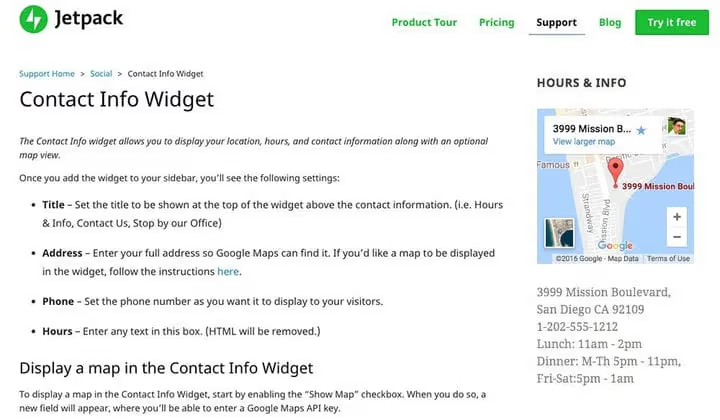
If Jetpack is already installed on your site, the map widget comes free. Adds a block with contact information and an embedded Google map, without a separate API key or shortcodes. Basic functionality: address and map. Not suitable for complex scenarios.
- Pros: free with Jetpack; no separate API key.
- Cons: basic functionality only; requires installing all of Jetpack.
- Price: free (included with Jetpack).
Watch a video review of the top 5 mapping solutions for WordPress in action: interfaces, key features, and use cases.
⁉️🤔 Frequently asked questions
Which map plugin should I choose for a contact page?
For a simple page with one address, use MapPress or Google Maps Widget: both are free and set up in a minute. If you also need store search, WP Store Locator. Want a native Gutenberg block? Map Block for Google Maps.
Do I need a Google API key for maps in WordPress?
For Google Maps plugins, yes. You get the key free in Google Cloud Console: the monthly $200 limit covers most sites' needs. If you do not want to depend on Google, use Leaflet Maps Marker or WP Go Maps in OSM mode: no key needed, no quotas.
How do vector maps differ from Google Maps plugins?
Vector maps (MapSVG, Interactive Geo Maps) are rendered mathematically and do not load tiles from an external server. Pros: faster loading, offline capability, unlimited region customization. Google Maps is easier to set up but requires a key and internet connection.
Can I add a map without a plugin?
Technically yes, via an iframe with Google Maps or Leaflet.js code. But without a plugin you lose responsiveness, custom markers, caching, and easy editing through the admin. A plugin pays for itself with saved time.
What plugin is best for a real estate directory?
Toolset Maps: maps are tied to custom fields, filtered by price and area, and calculate distances. If Toolset is overkill, WP Maps Pro with filterable lists and geolocation. Filters and geolocation are critical here: do not skimp on Pro.
Are free map plugins inferior to paid ones?
Not always. MapPress, WP Go Maps (free), and Google Maps Easy fully cover the needs of a typical site. Pro versions are needed for clustering, Store Locator with geolocation, and CSV import. Start with free and upgrade to Pro only when you lack a specific feature.
What to install for your task in 2026?
- Contact page: MapPress or Google Maps Widget.
- Store and branch directory: WP Store Locator or Agile Store Locator.
- Travel blog with media markers: MapifyPro or MapSVG.
- Real estate site with custom fields: Toolset Maps.
- Independence from Google and quotas: WP Go Maps (OSM), Leaflet Maps Marker, or Open User Map (open data, no keys, no limits).
- Native Gutenberg block: Map Block for Google Maps.
- Community map with markers from visitors: Open User Map.
Start with a free option from the list. When the functionality falls short, you will already know which Pro features you are willing to pay for.

A professional team of writers and editors specializing in creating quality content.