














📍 6 store locator plugins for WordPress: 2026 collection (free and premium)
A customer can't find your store and goes to a competitor. It's frustrating when your site is already running, traffic is coming in, but physical locations sit empty.
A properly configured store locator solves this problem in a minute: a visitor enters their city or zip code, sees the nearest locations on a map, and gets directions. No phone calls, no clarifications, no lost customers.
Below is a collection of 6 store locator plugins for WordPress that we've personally tested. Four proven veterans and two fresh tools that are changing the game in 2026.
In 15 minutes you'll have a working map with search by address, city, or geolocation. No magic, just the right plugin for your task.
💡 Quick overview:
- Choose a plugin for your task: free start, multi-location, hosting on Mapbox, different scenarios
- Install, add addresses via CSV or Google Sheets, insert a shortcode on the page
- The customer opens the map, finds the nearest store by city or geolocation, gets directions with one click
Comparison table
Plugin | Free version | Pro price | Google Maps | CSV import | Geolocation |
|---|---|---|---|---|---|
| Yes | On request | Yes | Yes | Yes |
| Yes | From $49/year | Yes | Yes | Yes |
| Yes | $79 | Yes | Yes | Yes |
| Yes | $15 | Yes | No | Yes |
| Yes | From $9/month | No (Mapbox) | Google Sheets | Yes |
| Yes | From $39.99 | Yes | Yes | Yes |
1. WP Store Locator
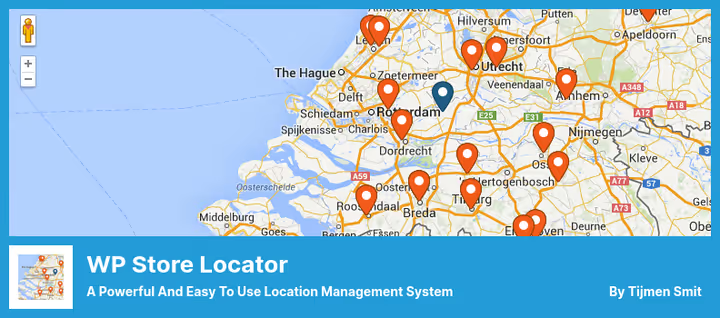
Industry standard since 2012. WP Store Locator is the most mature plugin in this collection: 11,000+ active installations, updated June 2026, version 2.3.2. Under the hood is a full-featured location management system with custom labels, filters, and multilingual support via WPML.
Pros:
- 9 retina-ready marker icons out of the box
- Custom Google Maps styles without a line of code
- CSV manager for bulk import, export, and location updates
- Separate search widget for any theme area
- Unlimited stores even in the free version
Cons:
- Pro pricing is opaque, need to request from the developer
- Admin interface looks dated, steeper learning curve than average
Price: free Lite version on WordPress.org; Pro, pricing on request.
🔗 WP Store Locator on WordPress.org🔗 Pro version on developer site
2. Agile Store Locator
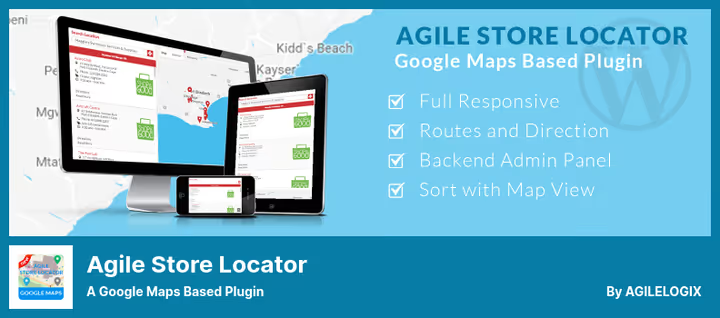
Agile Store Locator for when a standard locator isn't enough. The plugin is built for Google Maps and offers 5 front-end themes, cascading navigation country→state→city→store, and built-in Deals and Real Estate Maps modules. Version 1.6.10, updated June 2026.
Pros:
- 5 ready-made themes, switch with one setting
- Accordion navigation with location hierarchy
- Marker categorization for different location types
- Multi-tab info window with store details
Cons:
- Occasional JS conflicts with themes, fixable but takes time
- Pro version requires annual subscription, no one-time license
Price: free Lite version; Pro, from $49/year (developer data).
🔗 Agile Store Locator on WordPress.org🔗 Pro version
3. Locatoraid

Lightweight locator with automatic coordinate detection. Locatoraid automatically geocodes addresses when added, picks up visitor geolocation, and shows the nearest locations without extra clicks. Version 3.9.71, updated June 2026.
Pros:
- Automatic geocoding, insert an address and coordinates populate themselves
- Flexible shortcode parameters: radius, country, search text, layout
- Bulk import and export via CSV
- Custom map icons and REST API for integrations
Cons:
- Free version limited by number of locations
- Admin design is minimalist, less map customization than competitors
Price: free Lite version; Pro, $79 (one-time payment, developer data).
4. Store Locator Widget
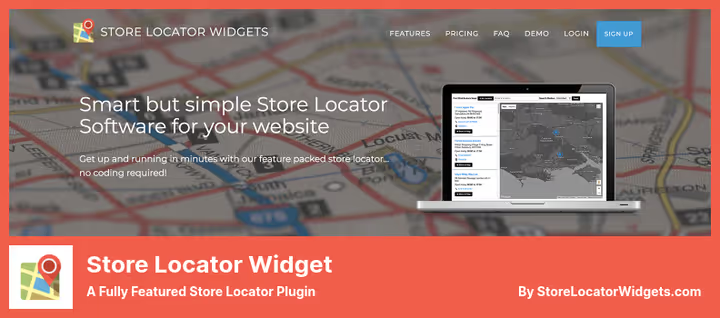
Maximum simplicity to get started. Store Locator Widget installs in a minute, configures in five, and requires no CSV gymnastics. The plugin offers clickable search filters and a built-in distance calculator. Version 2026r3, May 2026.
Pros:
- Simplest installation and setup, a client can handle it without a developer
- Built-in distance calculator in miles and kilometers
- Clickable search filters for any location type
- No traffic or view limits on any plan
Cons:
- No bulk CSV import, locations added one at a time
- Free version functionality more limited than WP Store Locator
Price: free Lite version; Pro, $15 (one-time payment, developer data).
🔗 Store Locator Widget on WordPress.org🔗 Pro version
5. Store Locator for WordPress

The most unconventional option in this collection. Store Locator for WordPress by Micro.company runs on Mapbox, not Google Maps, which means the map loads faster, doesn't drain battery, and looks more pleasant. All addresses are stored in Google Sheets, no database hassle. Version 1.2.0, November 2025.
Pros:
- Mapbox instead of Google Maps, faster, lighter, cheaper
- Location management via Google Sheets, edit addresses from your phone
- Zero code: addresses in spreadsheet → "Update Map" button → map ready
- Free plan forever, no credit card
- Filters and tags set by columns in Google Sheets
Cons:
- Won't suit Google Maps fans, Mapbox only
- Fewer installations and reviews than veterans, product is young
Price: free plan with view limits; paid, from $9/month (pricing on site).
🔗 Store Locator for WordPress on WordPress.org🔗 Demo site
6. WP Go Maps

400,000+ active installations, and that's no exaggeration. WP Go Maps (formerly WP Google Maps) is the most popular WordPress mapping plugin with a full store locator module. If you already have WP Go Maps for maps, the store locator is included out of the box. Version 10.1.02, June 2026.
Pros:
- 400K+ installations, largest community among all map plugins
- Block editor (Gutenberg) supported natively
- Polygons, heatmaps, routes, beyond a simple locator
- Gold addon with CSV import, category filtering, and radius search
Cons:
- Store locator is not the plugin core, but an additional module
- Gold addon (from $39.99, developer data) needed for almost everything beyond "show a map"
Price: free Lite version; Gold addon, from $39.99; Pro, from $99.99 (WP Go Maps pricing).
🔗 WP Go Maps on WordPress.org🔗 Gold addon
📺 Video: how to add a store locator to WordPress
In practice, it's better to see it once. This short video (3 minutes) shows the complete cycle, from plugin installation to a live map with search on your site:
⁉️🤔 Frequently asked questions
Do I need a Google Maps API key for a store locator?
Most plugins in this collection do. WP Store Locator, Agile Store Locator, Locatoraid, Store Locator Widget, and WP Go Maps require a Google Maps API key. You can get one for free in Google Cloud Console, the $200 monthly credit covers typical site needs with room to spare. Store Locator for WordPress runs on Mapbox and doesn't require an API key.
Do I have to pay for the Pro version of the plugin?
No, if you have up to 10 stores and basic needs. Free versions of WP Store Locator and Agile Store Locator don't limit the number of locations and include search, filters, and markers. Pro versions add CSV import, custom themes, analytics, and premium support.
What makes Mapbox better than Google Maps for a locator?
Loading speed and design. Mapbox renders maps faster on mobile devices and consumes less battery. Visually, Mapbox maps are cleaner, used by Facebook, Shopify, and Strava. The downside is a separate ecosystem: Google Maps plugins don't work with Mapbox.
How do I add a locator to my site without a programmer?
Install a plugin from the WordPress catalog, all six from this collection install with one click. Fill in addresses (manually, CSV, or Google Sheets, depending on the plugin), copy the shortcode
[store_locator]to your "Stores" page. Done.
Can I use the locator for pickup points instead of stores?
Yes, same scenario. The plugin doesn't care what type of location it is: store, pickup point, hotel, or restaurant. Just specify the address and hours in the corresponding fields. Locatoraid and Store Locator Widget are especially good for pickup points, they have search by location type.
Which locator plugin to install in 2026
If you need a mature, predictable plugin with thousands of installations and transparent documentation, go with WP Store Locator. Building a site with hundreds of locations across the country, Agile Store Locator with its hierarchical navigation handles it better.
Budget is tight and you need a "set it and forget it" plugin, Store Locator Widget at $15 pays for itself in time saved. Ready to try a modern approach without Google Maps, Store Locator for WordPress on Mapbox surprises with its speed.
And if maps are already working on your site via WP Go Maps, don't multiply plugins. Enable the built-in locator module and sleep easy: 400 thousand users can't be wrong.
Choose for your task, not someone else's rating. And don't forget to check how the locator looks on mobile, the vast majority of nearest-store searches come from smartphones.

A professional team of writers and editors specializing in creating quality content.