














🥇 6 Excel table plugins for WordPress in 2026
A table on a WordPress site is not just a grid with numbers. A price list that doesn't sort by the "price" column, a feature comparison without search and filter, or, worse yet, an Excel screenshot instead of a live table, all of this frustrates the user and hurts conversion.
A good table is dynamic: it filters, sorts on click, pulls data from Google Sheets, and doesn't break on mobile. We've selected 6 plugins that do exactly this, each for its own scenario and budget.
💡 Quick overview:
- Import live Excel with formulas and a frontend calculator, only
Import Spreadsheets from MS Excel+SpreadsheetConverter - Drag-and-drop builder for visual layout of price lists and comparison tables,
WP Table Builder - Maximum data sources (Google Sheets, SQL, WooCommerce) and live sync,
Ninja Tables - Most popular, proven by 19 years of development, classic "Excel-like" editor,
TablePress - Tables plus charts in one plugin, including an AI builder on D3.js,
Visualizer - Quick copy-paste from Excel via spreadsheet editor, one-time license without subscription,
League Table
We'll compare key features, then break down each plugin in detail.
Plugin | Integration type | Free version | Pro price | Live updates |
|---|---|---|---|---|
| Direct.xlsx import with formulas | ✅ (requires SpreadsheetConverter $254) | From $35 (converter) | ❌ (one-time publish) |
| CSV/XML import, drag-and-drop | ✅ | From $59/year | ❌ |
| CSV/JSON/Google Sheets | ✅ | From $49/year | ✅ (Google Sheets) |
| Excel/CSV/HTML/JSON | ✅ | From $79/year | ✅ (via Auto Import) |
| Excel/CSV/Google Sheets | ✅ | From $99/year | ✅ (Data Sync) |
| Manual input, copy-paste from Excel | ✅ | $51 (one-time, CodeCanyon) | ❌ |
1. Import Spreadsheets from Microsoft Excel

The only plugin in this roundup that brings live Excel formulas to the frontend. It doesn't just display a CSV grid, but runs a working calculator: formulas, cell dependencies, charts, everything recalculates in real time on JavaScript.
How it works: the SpreadsheetConverter converter (an add-in for Excel 2007 and newer, Windows only) turns a workbook into web format, the plugin loads the result, and a calculator or form with automatic input validation appears on the WordPress page.
Pros:
- Full Excel logic on the frontend (formulas, cell dependencies, charts)
- Automatic input validation via web forms
- Suitable for price calculators, ROI, engineering calculations, medical calculators
Cons:
- Plugin hasn't been tested with the three latest major WordPress versions, compatibility issues possible
- Requires a paid SpreadsheetConverter license (from $254 lifetime)
- Add-in only works in Excel for Windows
Price: Plugin is free in the WordPress repository. SpreadsheetConverter license, from $254 (lifetime, no server or view limits).
🔗 Import Spreadsheets on WordPress.org
2. WP Table Builder
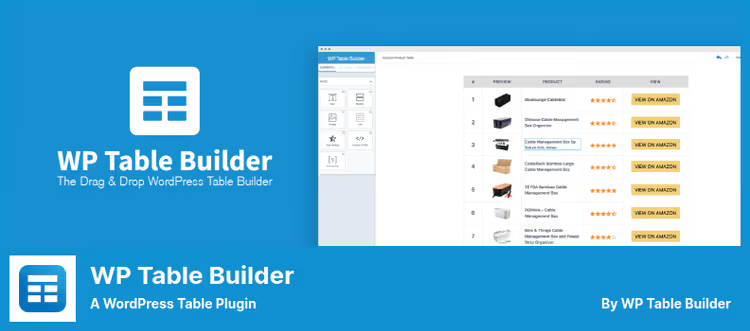
A drag-and-drop table builder designed for visual construction: price lists, comparison tables, feature lists. Works on the paradigm of "drag element, configure, save", with minimal entry barrier.
Seven cell types: text, image, list, button, star rating, HTML, and shortcode. Each can be configured individually, from color to internal padding. Import from CSV/XML, including direct migration of tables from TablePress.
Pros:
- Real WYSIWYG: what's in the editor is what's on the page
- Import from CSV/XML and direct migration from
TablePress - 681 reviews on wordpress.org, actively maintained
Cons:
- No live sync with Excel or Google Sheets
- Free version is limited on elements (no styled list, ribbon, progress bar)
- Settings in small tabs, a bit cramped in places
Price: Free version in the WordPress repository. Pro, from $59/year (Starter).
🔗 WP Table Builder on WordPress.org🔗 WP Table Builder site
3. Ninja Tables

The most feature-rich table plugin in this roundup. Supports 11 ways to create tables: manual input, drag-and-drop (Simple Mode), CSV/JSON import, Google Sheets connection, WooCommerce product display, WP post output, custom SQL queries, and integration with Fluent Forms.
Key advantage: live sync with Google Sheets. Change data in the table, and the changes are pulled to the site without a page reload. Plus conditional formatting, 100+ table styles, responsive layout, and deep integration with Ninja Charts for chart building.
Pros:
- 11 ways to create tables, including Google Sheets and custom SQL
- Conditional formatting and frontend editing (Pro)
- Link with
Ninja Charts: tables and charts in one ecosystem
Cons:
- Google Sheets and WooCommerce, Pro only
- Interface is packed, entry barrier slightly higher than
TablePress - Free version doesn't support multimedia in cells
Price: Free version in the WordPress repository. Pro, from $49/year (wpmanageninja.com).
🔗 Ninja Tables on WordPress.org🔗 Ninja Tables site
4. TablePress

The most popular table plugin for WordPress: 750,000+ active installs, 4,500+ five-star reviews. The interface is a classic spreadsheet: enter data like in Excel, configure sorting, pagination, search, and filtering with checkboxes on the "Edit" tab.
Import and export from Excel, CSV, HTML, JSON, and by URL. The Pro version adds responsive tables, automatic periodic import, fixed headers, advanced filtering, and Column Filter Dropdowns.
Pros:
- Time-tested: 19+ years of development, update 3.3.2 from June 2026
- Free version covers 80% of typical tasks
- Import from Google Sheets, Excel Online, Dropbox, and OneDrive (Pro)
Cons:
- Out-of-the-box appearance is spartan, needs Custom CSS
- Live sync only via periodic Auto Import (Pro)
- For complex visual layout, inferior to
WP Table Builder
Price: Free in the WordPress repository. Pro, from $79/year (tablepress.org).
🔗 TablePress on WordPress.org🔗 TablePress site
5. Visualizer

Visualizer from ThemeIsle solves the "data → visualization" task in one plugin. Tables and charts are built from manual input, CSV, Excel, or Google Sheets. In the Pro version: automatic data sync (Data Sync). Upload a new CSV, and the table and chart update without manual intervention.
Interesting feature: AI chart builder on D3.js. Describe a chart in text, and Visualizer generates it in seconds, without an API key. Under the hood: Google Visualization API, DataTables.net, and ChartJS.
Pros:
- Tables and charts in one interface
- AI chart builder without API key
- Data Sync for auto-updates from external sources (Pro)
Cons:
- Free version limited to 4 chart types (line, column, pie, tables)
- Geo, scatter, bubble, and other charts, Pro only ($99/year)
- Doesn't replace a full table editor, rather a visualization tool
Price: Free version in the WordPress repository. Pro, from $99/year (themeisle.com).
🔗 Visualizer on WordPress.org🔗 Visualizer site
6. League Table

The plugin was originally designed for sports tables (hence the name), but 135+ customization settings make it suitable for any tabular data. Built-in spreadsheet editor based on Handsontable: copy data from Excel, Google Sheets, or OpenOffice Calc and paste directly, the table is ready in 30 seconds.
Automatic generation of the "Position" column based on sorting criteria, support for striped row coloring, responsive font, and separate control of header, row, and border colors.
Pros:
- Copy-paste from Excel directly into spreadsheet editor
- 135+ appearance options, from color to typography
- Automatic and manual sorting via the tablesorter library
Cons:
- Maximum 10,000 rows × 40 columns (400,000 cells)
- Free version without formulas, cell merging, and import/export
- Name "League Table" is misleading, plugin not just for sports
Price: Free version in the WordPress repository. Pro, $51 (one-time payment on CodeCanyon).
🔗 League Table on WordPress.org🔗 League Table Pro on CodeCanyon
Step-by-step video tutorial in English: installing and configuring TablePress, importing tables from Excel and CSV, inserting on a WordPress page via shortcode.
⁉️🤔 Frequently asked questions
Can I display a live Excel file on WordPress without manual updates?
Yes, in several ways.
Ninja Tables(Pro) connects to Google Sheets and syncs changes automatically.TablePress(Pro) does the same via the Auto Import function with periodic updates.Visualizer(Pro) offers Data Sync for CSV and Google Sheets. Fully "live" Excel with formulas and on-the-fly recalculation is only provided by theImport Spreadsheets from Microsoft Excel+SpreadsheetConvertercombo, but that's a one-time publish, not sync.
Which plugin should I choose for a simple price list?
TablePress. Interface like Excel, "Import" button, and the price list is on the site. Sorting and search are enabled with checkboxes. The free version is more than enough.
What should I do if I need to build charts from table data?
Take
VisualizerorNinja Tables. Visualizer is designed specifically for visualization: tables and charts in one plugin, plus an AI builder for quick construction. Ninja Tables integrates withNinja Charts(free companion) and provides 10+ chart types, including histograms and radar charts.
Is there a completely free option with auto-update from Google Sheets?
Completely free, no. Auto-sync with Google Sheets is everywhere in Pro versions. But
Ninja Tablesin the free version can import CSV/JSON with one click, which is enough for infrequent updates.
Which plugin is best suited for large tables (10,000+ rows)?
Ninja Tablesclaims unlimited rows and columns, plus built-in pagination and search for navigating large data.League Tableformally caps at 10,000 rows, in practice tables of this size are already inconvenient for the frontend without server-side pagination.
Can I let users edit the table directly on the site?
Yes.
Ninja Tables(Pro) supports frontend editing: users can change cell values directly from the page, changes are saved to the database.WP Table Builderallows users to create and edit tables via the frontend interface in the Pro version.
What to install in 2026: the bottom line
If the budget is limited and you need the classic, TablePress covers 80% of tasks for free. 750,000+ installs don't lie.
Need a visual builder without code, WP Table Builder. Drag-and-drop, real WYSIWYG, migration from TablePress in one click.
Data lives in Google Sheets and should sync itself, Ninja Tables. Plus 11 ways to create tables and a deep ecosystem with Ninja Charts.
Want not just tables but charts and visualization, Visualizer. The AI builder creates charts from text descriptions, Data Sync pulls data from external sources.
Ready to pay once and forget about subscription, League Table for $51. Copy-paste from Excel and 135+ appearance settings.
And finally, if you need a live calculator with Excel formulas on the frontend, the Import Spreadsheets from Microsoft Excel + SpreadsheetConverter converter combo. Yes, you'll have to buy the converter for $254 and work in Excel under Windows. But there are simply no alternatives for this scenario on WordPress.
Choose for your task, not someone else's rating. And try the free versions before buying Pro, each of them is available in the WordPress repository.

A professional team of writers and editors specializing in creating quality content.