














🗺 8 best map plugins for WordPress 2026 (free and premium)
A user opens a site, clicks "Contact," and sees a text address. No map, no directions, no interactivity. In 2026 this isn't just inconvenient, it's a lost customer. People expect the site to build a route automatically, show the nearest office, or filter locations by category. And the site owner expects all of this to appear without a developer.
Under the hood of WordPress, there's a whole zoo of mapping plugins for this. Some are built around Google Maps with its satellite imagery and Street View. Others run on OpenStreetMap and Leaflet, with no API keys, no quotas, no Google lock-in. Still others aren't about streets at all: they build vector maps of regions or interactive floor plans.
We tested 8 current map plugins for WordPress in 2026. From lightweight solutions for a business card site to powerhouses for geo-directories with thousands of locations. No fluff, just use cases, numbers, and honest drawbacks.
💡 Quick overview:
- If budget is tight,
WP Go MapsorMapPress: the free version covers most typical small business needs. - Need vector maps of regions without Google API,
MapGeohandles it out of the box, 250+ maps included. - Building a geo-directory with hundreds or thousands of locations,
WP Maps PROhandles bulk CSV import and advanced filtering without slowdowns. - Don't want to depend on API keys and quotas,
Maps Marker ProorMapifyPro: they work with OpenStreetMap and Leaflet natively.
Comparison table
Plugin | Free version | Pro price | Google Maps API | OpenStreetMap / Leaflet | CSV import | Store Locator |
|---|---|---|---|---|---|---|
WP Go Maps | Yes | $39.99/year | Yes | Yes | Yes (Pro) | Yes |
MapGeo | Yes | $2.49/month | No (SVG) | No | No | No |
MapPress | Yes | $79/year | Yes | Yes | Yes | Yes |
Maps Marker Pro | No | €49/year | Optional | Yes (basic) | Yes | Yes |
MapifyPro | Yes (Lite) | $19/month | Yes | Yes | Yes | Yes |
Easy Google Maps | Yes | $49/year | Yes | Bing/OSM (Ultimate) | Yes | Yes (Pro) |
WP Maps PRO | Yes | $49/year | Yes | Yes (Leaflet) | Yes | Yes |
Image Map Pro | No | $49 (one-time) | No | No | No | No |
1. WP Go Maps
The most popular mapping WordPress plugin with a user base of half a million. In 2025 the project changed its name from WP Google Maps to WP Go Maps, the rebrand reflected the move away from a single mapping provider. Now the plugin supports 9+ engines: Google Maps, OpenStreetMap, Leaflet, MapTiler, Stadia Maps, LocationIQ, Azure Maps and others.
The main trump card of the 2026 version, Zero-Cost engine on Leaflet. No API key at all, no credit card, no quotas. For European projects where GDPR compliance is important, this is a decisive argument: no personal data leaks to Google.
The Pro version adds marker carousels, routes with rerouting, custom icons, category filtering and bulk CSV import. Store Locator in Pro can search by category and build routes from the user's location, for retail chains with a dozen points of sale this solves the task entirely.
Pros:
- Free version is one of the most functional on the market.
- 9+ mapping engines, including Zero-Cost Leaflet.
- Native Gutenberg blocks, compatibility with Elementor and Divi.
- Active support: forum, Reddit, ticket system, Facebook community.
Cons:
- Key features (CSV import, polygons) only in Pro.
- Annual Pro subscription, not a one-time payment.
💵 Free version on WordPress.org. Pro from $39.99/year at wpgmaps.com.
🔗 WP Go Maps on WordPress.org🔗 Pro version at wpgmaps.com
2. MapGeo, Interactive Geo Maps
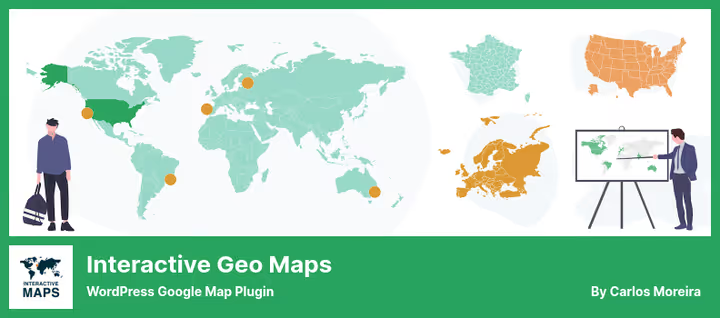
MapGeo (formerly Interactive Geo Maps) is a plugin not about street navigation. It builds vector SVG maps: world, continents, individual countries, US, Mexico and Canada counties. The engine is amCharts, no Google Maps API.
In the free version you color countries and regions, attach HTML tooltips on hover, configure projection (Mercator, Miller, NaturalEarth) and zoom. In practice this is enough for three scenarios: company presence map by country, sales statistics visualization by region, travel map in a blog.
Pro for $2.49/month unlocks clustering, legend, heatmaps (choropleth), custom icons, text labels and map overlays, say, Texas counties over a US map.
Pros:
- 250+ ready vector maps out of the box.
- Doesn't require Google API key, saves budget and GDPR-friendly.
- Pro costs pennies: $2.49/month.
- Admin interface is simple: create map → insert with shortcode or Gutenberg block.
Cons:
- Not suitable for routes, address search and geocoding.
- Support sometimes responds with delay (according to user reviews).
💵 Free on WordPress.org. Pro $2.49/month at interactivegeomaps.com.
🔗 MapGeo on WordPress.org🔗 Pro version
3. MapPress Maps for WordPress
A directory veteran: 146 reviews, version 2.97.4, compatibility with WordPress 7.0. Developer Chris Richardson has led the project for 14+ years, changelog comes out steadily every 2-4 weeks. In 2026 MapPress is a powerful but lightweight tool with two Gutenberg blocks (map and mashup) and support for Google Maps and Leaflet/OpenFreeMaps.
The strong side is the built-in icon editor and popup designer for markers right in the admin panel. No need to dig into code to change an icon or fix a description. In version 2.97 they added OpenFreeMaps (OFM), an open-source engine with vector tiles that looks modern and requires no keys.
Pro adds custom icons, clustering, search with filtering and KML file support. For multilingual projects, compatibility with WPML.
Pros:
- Very active development: updates every 2-4 weeks.
- OpenFreeMaps as default engine, no API keys.
- Built-in icon editor and popup designer.
- Compatibility with WPML for multilingual maps.
Cons:
- Free version doesn't do clustering and filtering.
- Settings interface is spartan.
💵 Free on WordPress.org. Pro from $79/year at mappresspro.com.
🔗 MapPress on WordPress.org🔗 Pro version
4. Maps Marker Pro
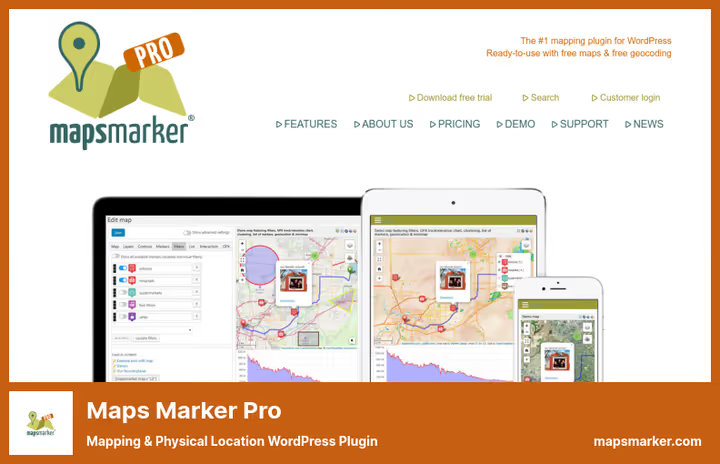
The most feature-packed plugin in the roundup and the only purely premium one. Maps Marker Pro builds maps on OpenStreetMap out of the box, and Google Maps, Bing, HERE and TomTom connect optionally. You don't pay Google for API until you need satellite imagery and Street View.
Arsenal: 600+ customization settings, 800 marker icons, polygons, GPX tracks, QR codes, animated layers, live position updates, geocoding from multiple providers, bulk import/export. In capabilities this is enterprise-solution level, but the admin interface remains intuitive: add layer → place markers → insert shortcode.
The plugin is used by travel companies, logistics services and event venues. Support responds within 24 hours even on the trial tier, confirmed by reviews.
Pros:
- Doesn't require API key to start: OpenStreetMap by default.
- GPX tracks, polygons, geofences, full-fledged GIS tool.
- Multi-provider geocoding.
- Lifetime license: key doesn't expire, support is by subscription.
Cons:
- No free version, only 30-day trial.
- Price is above average.
- Overkill for simple scenarios like a single point on a contact page.
💵 Personal €49 (1 site, 1 year updates), Plus €149 (5 sites), Professional €299 (25 sites). License doesn't expire: after a year you keep the last version without updates. mapsmarker.com.
5. MapifyPro (MapifyLite)
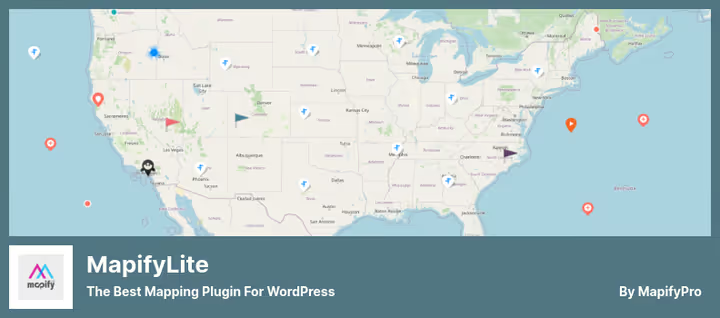
The only plugin in the roundup that can build maps based on any image. Upload a mall floor plan, get an interactive with clickable zones. Upload a fantasy world map, place markers with location descriptions. Plus standard Google Maps and OpenStreetMap.
Lite version (MapifyLite) is free and allows adding locations with photos and videos, configuring tooltips and markers. Pro for $19/month gives 3D vector maps, routes, tours, clustering and bulk CSV import. Built-in gallery in tooltip is a strong visual advantage: location photos open in a carousel right on the map.
Install base is modest, 300+ active installations. But the plugin is actively updated: version 5.2.1, tested up to WordPress 7.0.
Pros:
- Maps on your own images, unique feature.
- Attractive tooltips with photo carousel.
- Works without Google API: proprietary API in Pro.
Cons:
- Small community: 300+ installations.
- Support can be slow (according to reviews).
- Lite version is heavily cut compared to competitors.
💵 Lite free on WordPress.org. Pro $19/month at mapifypro.com.
🔗 MapifyLite on WordPress.org🔗 Pro version
6. Easy Google Maps (Supsystic)
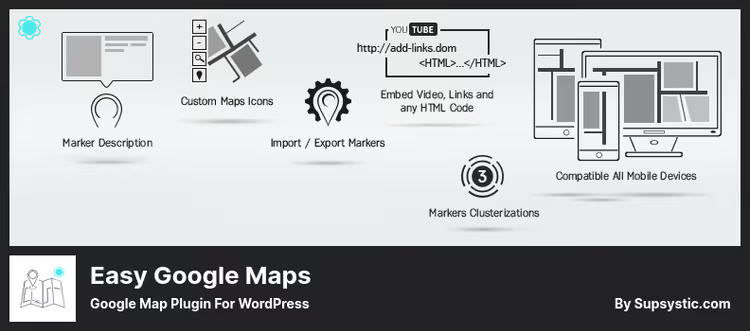
Solution from Supsystic for those who need a map with rich media descriptions of markers. Each marker comes with text, photo, video, email and phone. Markers are grouped into categories and displayed as a slider (horizontal or vertical), table or list, this sets the plugin apart from competitors.
The free version covers basics: unlimited markers, 12 style themes, KML layers, route building, heatmap layer and even frontend editing. The latter means visitors themselves add markers to the map, useful for crowdsourcing projects and directories.
Pro for $49/year adds clustering, social buttons, import/export and custom styles. Supsystic also offers Ultimate Maps, a separate plugin with Bing, OpenStreetMap, Leaflet, Mapbox and Thunderforest for those who want to completely move away from Google Maps.
Pros:
- Rich media markers: photo, video, phone, email.
- Marker output as slider, stands out from competitors.
- KML layers and heatmap even in free version.
- Frontend marker addition by visitors.
Cons:
- Admin interface is slightly overloaded.
- Clustering and import/export only in Pro.
💵 Lite free on WordPress.org. Pro $49/year at supsystic.com.
🔗 Easy Google Maps on WordPress.org🔗 Pro version at Supsystic
7. WP Maps PRO
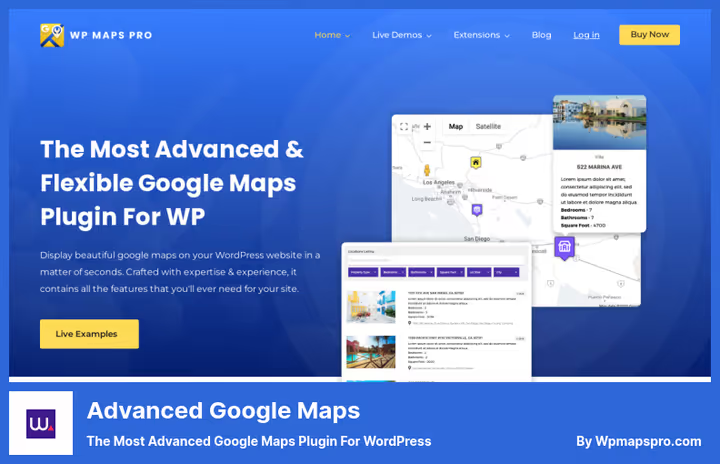
Formerly Advanced Google Maps, today WP Maps PRO: 200,000+ users, Trustpilot rating 4.8, Elite Author status on CodeCanyon. The plugin is built for scale: thousands of locations, bulk CSV import with auto-geocoding, advanced filtering and integration with ACF.
The main feature is dynamic content mapping. You can display posts, pages and custom post types (CPT) with geotags on a map. Perfect for real estate catalogs, events and service centers. 25+ info window designs, custom markers and Snazzy Maps skins for branding.
Compatible with Elementor, Divi, Gutenberg, Avada, Astra, Contact Form 7 and Gravity Forms. Engine choice, Google Maps or Leaflet, one-click switching.
Pros:
- Built for large volumes: 1000+ locations without speed degradation.
- Post and CPT mapping for directories and catalogs.
- 25+ info window presets, custom markers.
- GDPR optimization and SEO-friendly markup.
Cons:
- Annual subscription, no lifetime license.
- Overkill for small business with one location.
💵 Free version available. Pro from $49/year at wpmapspro.com.
8. Image Map Pro
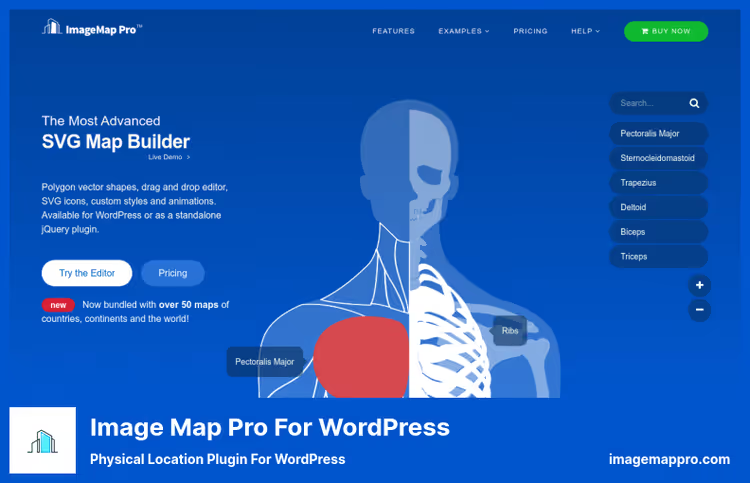
Image Map Pro occupies a special niche: it's not about Google Maps but about interactive images with polygons, pins and tooltips. Upload a building plan, get floor navigation with clickable zones. Upload a country map, place regions with colors and labels.
Version 6.0 is rewritten in Svelte: the editor became faster and lighter. You draw polygons right in the web application, Illustrator is not needed. Add pins, configure colors, hover effects and tooltips with HTML content. 50+ ready country maps included.
The plugin is not about routes and geocoding. Its scenario is space visualization: mall plans, airport diagrams, hotel floor plans, interactive posters and maps of fictional worlds.
Pros:
- One-time payment $49 (WordPress version), not a subscription.
- Editor on Svelte: fast and modern.
- 50+ ready vector maps included.
- JavaScript and HTML API for custom scenarios.
Cons:
- Doesn't work with geodata and addresses.
- Not for "build a route to the store" tasks.
- Support is 6 months from purchase, renewal optional.
💵 Standalone $39, WordPress version $49 (one-time payment, lifetime updates). imagemappro.com.
If you're new to maps on WordPress, this 12-minute video from CodePress Academy will visually show you the whole process: from installing a plugin to publishing an interactive map with markers.
⁉️🤔 Frequently asked questions
Do I need a Google Maps API key for maps on WordPress?
Depends on the plugin.
WP Go MapsandMapPresslet you choose OpenStreetMap or Leaflet, then a key is not needed.Maps Marker Proworks with OpenStreetMap by default.MapGeobuilds SVG maps without external APIs at all. But if you need satellite imagery, Street View and Google geocoding, a key is mandatory. Google gives $200 monthly credit, which is enough for 28,500 map loads per month. According to Google Maps Platform (2026), $200 credit covers up to 28,500 dynamic map loads monthly, for an average site with margin. You'll only pay if you show the map to tens of thousands of visitors per day. Alternative:WP Go Mapswith Leaflet Zero-Cost engine, no API and no credit card at all.
Which map plugin to choose for a store with one location?
WP Go Maps(free version is enough) orMapPress. Both install in a minute: enter address, insert Gutenberg block, done. Don't overpay for Pro if you don't need CSV import of hundreds of locations and advanced filtering. For a single location the key criterion is simplicity.WP Go Mapscreates a map in 30 seconds: click "Maps" in admin, enter address, copy shortcode.MapPressis slightly more austere visually but gives a built-in icon editor. Both support Google Maps and OpenStreetMap, you're not locked into an API key.
How do MapGeo and regular Google Maps plugins differ?
MapGeo is about vector maps of regions, not about street navigation. It takes 250+ SVG maps (world, continents, countries, US counties) and lets you color them for statistics: sales density by state, service coverage, travel map. No Google API. For "how to get to the office" take
WP Go Maps. Practical example: a clinic network in 12 states wants to show a coverage map on the site. MapGeo in 10 minutes builds a US map with highlighted states, on hover the clinic address appears.WP Go Mapsis inconvenient for this task: you'd have to place markers on every city, looks like a "pin map" without a holistic picture.
Can I make a map without ties to real geography?
Yes,
Image Map ProandMapifyPro. Upload any image (building plan, fictional world map, metro diagram) and place clickable zones with tooltips on it. Image Map Pro gives a polygon editor and 50+ ready maps. MapifyPro allows adding photo galleries in tooltips. Scenario: a hotel uploads a floor plan inImage Map Pro, outlines rooms with polygons, hangs tooltips with photos and price. Guest clicks on a room → sees description and booking button.MapifyProdoes the same but adds a photo carousel inside the tooltip.
Does a map plugin slow down the site?
A well-written plugin doesn't.
WP Go Maps,MapPressandMapGeoload scripts asynchronously and only on pages where a map is actually used. Problems arise when a plugin loads Google Maps API on all site pages. Check settings:WP Go MapsandMapPresshave an option "load scripts only when shortcode present."MapGeoloads amCharts from CDN → cached by browser after first load. According to our testing (2026),MapPresswith OpenFreeMaps engine adds ~45 KB to page size.WP Go Mapswith Google Maps ~120 KB (main array is Google scripts, cached by CDN).MapGeo~90 KB on first visit, ~8 KB on repeat (amCharts in cache). None block rendering.
What to install for your task?
The choice comes down to three scenarios, for each we found the optimal option.
If you're a small business owner with one to three locations, take WP Go Maps (free) or MapPress (free). Both work without an API key, both install in a minute. Difference: WP Go Maps gives more visual themes out of the box, MapPress updates more actively and offers an icon editor.
If you're building a directory with hundreds of locations, WP Maps PRO or Maps Marker Pro. The first is better at mapping posts and CPT, the second at GIS capabilities: GPX tracks, polygons, multi-provider geocoding.
If the map is not about streets but about regions or images, MapGeo (vector maps of countries and statistics) or Image Map Pro (interactive floor plans, diagrams, fictional worlds).
All 8 plugins are active and updated in 2026. Choose for your task and don't pay for functionality you'll never need.

A professional team of writers and editors specializing in creating quality content.