














🤗 5 best animation plugins for WordPress 2026 (free and paid)
A site without animation looks outdated. A user arrives, scrolls through a static wall of text, and leaves after 8 seconds: there's nothing for the eye to catch, nothing for the brain to process. Yet a single well-placed hover effect on a button or a smooth block appearance on scroll is enough to bring the page to life.
The problem is that animation on WordPress is easy to ruin. A heavy JS script tanks Core Web Vitals, conflicts with the theme, or stutters on mobile. And there are dozens of plugins in the catalog, half of which haven't been updated since 2021.
We selected 5 tools that actually work in 2026: from lightweight CSS3 solutions to a full-featured page builder with conversion-focused animation. Each was tested for compatibility with the current WordPress version and broken down by pros, cons, and price.
💡 Quick overview:
- Define your task: hover effects for images, block appearance animation on scroll, or background effects for Elementor, each scenario has its own plugin.
- If you need a free all-rounder, go with
Animate It!(50+ CSS3 effects, click and hover triggers). - Building landing pages from scratch with conversion in mind,
Thrive Architectcovers animation, layout, and A/B testing. - Working in Elementor and want animated backgrounds,
Marvyis the only one built specifically for this, the Lite version is free. - For quick hover effects on images without code hassle,
Image Hover Effects(40+ presets, shortcodes, Lightbox). - Want to animate page transitions,
Page Animations and Transitionsoffers 9 effects without slowing down the site.
Comparison table
Plugin | Animation type | Free version | Builder | Elements |
|---|---|---|---|---|
| CSS3 effects (entrance, exit, attention) | Yes, full | No | Any content, widgets |
| Hover effects on images | Yes, full | Shortcodes | Images, galleries, slider |
| Hover + background + video background | No, from $99/quarter | Drag-and-drop | Buttons, boxes, CTA, columns |
| Page transitions (in/out) | Yes, full | No | Entire page |
| Background animation (Elementor) | Yes (Lite, 4 effects) | Elementor settings | Elementor sections |
1. Animate It!
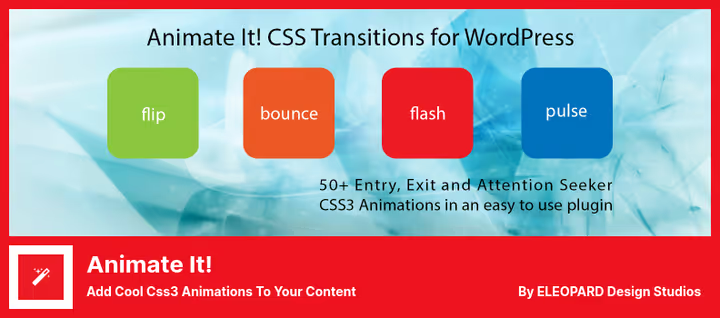
A free plugin that adds CSS3 animation to any content: text, images, widgets. It offers 50+ effects divided into three groups: entry, exit, and attention seekers. Animation triggers on click, hover, or scroll, configurable for each element individually.
In practice, it works like this: select a block in the editor, choose an effect from the dropdown list, and set the trigger. Not a single line of code. The plugin works with Gutenberg and the classic editor, doesn't break mobile devices, and animations adapt to screen width.
Pros:
- 50+ ready-made CSS3 effects with no jQuery dependencies
- Click, hover, and scroll triggers
- Works in Gutenberg, Classic Editor, and widgets
- Completely free, no premium locks
Cons:
- Some transition animations don't work in certain themes
- No visual builder, only selection from a list
- Hasn't been updated since November 2025
Price: free.
🔗 Animate It! on WordPress.org
2. Image Hover Effects
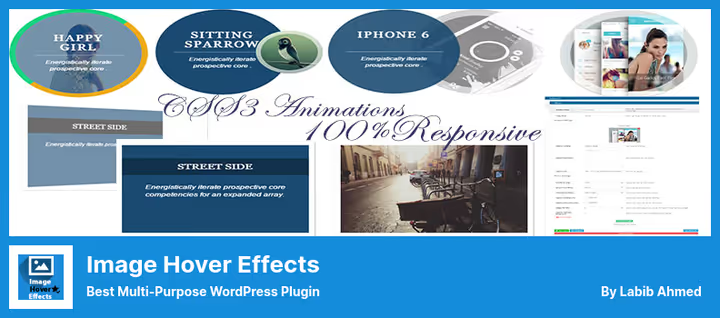
A plugin built for one thing: beautiful hover effects on images. 40+ presets, from color change to 3D rotation and sliding captions. In less than a minute, wrap any image in an effect via shortcode and get an animated image that responds to the cursor.
Under the hood, pure CSS3, no JavaScript. This means hover animation won't affect page load speed. The plugin can also assemble images into a slider and open them in Lightbox, convenient for portfolios and photo galleries.
Pros:
- 40+ hover effects, all in pure CSS3
- Built-in Lightbox and slider mode
- Shortcodes for insertion anywhere
- Completely free
Cons:
- On narrow screens (iPad in landscape orientation) effects on the right get clipped
- Only for images, can't touch text and buttons
- Settings interface could be more modern
Price: free.
🔗 Image Hover Effects on WordPress.org
3. Thrive Architect
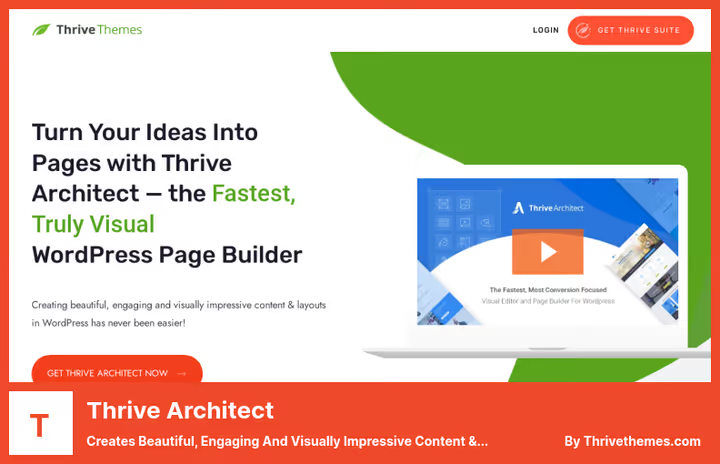
This isn't just an animation plugin, it's a full-featured page builder focused on conversion. Thrive Architect provides a visual drag-and-drop editor where hover effects, entrance animation, and background animation can be attached to any element: button, text block, icon, CTA box, column, testimonial.
A separate plus, animated backgrounds. You can set a YouTube video as a section background or launch CSS animation across the full width of a block. 300+ page templates out of the box speed up landing page launch to a couple of hours. And the built-in A/B tester lets you check which animation variant converts better.
Pros:
- Visual builder: animation configured by clicks, not code
- 300+ page and section templates
- Built-in A/B testing via Thrive Optimize
- Animated backgrounds, including YouTube video as background
Cons:
- Price: subscription only, no one-time license
- Overkill if you only need animation without a page builder
- Steep learning curve for beginners
Price: from $99 per quarter (Thrive Suite, full set of 9 plugins).
🔗 Thrive Architect on vendor site
4. Page animations and transitions
A specialized plugin for one scenario: animating transitions between pages. When a user clicks a link, the current page doesn't just disappear, it exits with one of 9 effects, fade, slide, 3D rotation, zoom. The next page appears with the same or a different effect.
In practice, this adds an expensive, app-like feel to the site. And most importantly, the plugin doesn't burden the site. The code is lightweight, animations are unobtrusive, without flicker or jerks. In-animation and out-animation speed is configurable separately for each page. There's a field for your own HTML code if standard effects aren't enough.
Pros:
- 9 transition effects, configurable separately for in and out
- Lightweight code: doesn't affect load speed
- Support for custom HTML for custom transitions
- Completely free
Cons:
- Only transition animations, no hover or scroll effects
- 9 effects may not be enough for complex design tasks
- No visual preview, settings are blind
Price: free.
🔗 Page Animations And Transitions on WordPress.org
5. Marvy
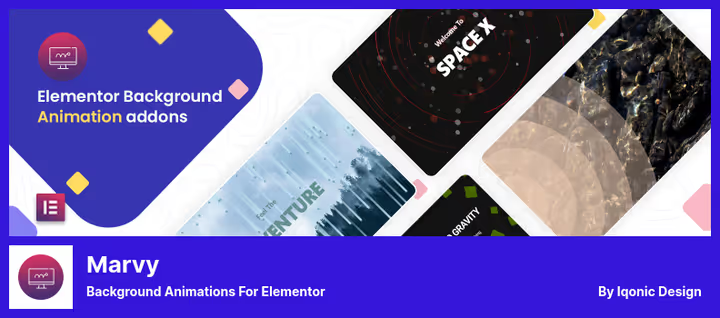
The only plugin in the selection built exclusively for Elementor. Marvy adds background animation to Elementor sections: ripples, waves, particles, parallax shift. The Lite version offers 4 effects, Pro has an extended set with fine-tuning.
The plugin uses a single jQuery library, so multiple animations on one page don't conflict and don't multiply requests. All effects are responsive: they look as clean on mobile as on desktop. The Pro version costs $51 on CodeCanyon and includes 6 months of support.
Pros:
- Deep Elementor integration: effects in the native interface
- Single jQuery library for all animations
- Responsiveness out of the box
- Free Lite version covers basic needs
Cons:
- Only for Elementor, doesn't work with Gutenberg and other builders
- 4 effects in Lite version, run out quickly
- Pro version only through CodeCanyon, no direct purchase
Price: Lite, free; Pro, $51 one-time (CodeCanyon).
🔗 Marvy Lite on WordPress.org🔗 Marvy Pro on CodeCanyon
If you're visual and prefer to see the plugins in action before installation, here's a short video overview:
⁉️🤔 Frequently asked questions
Do I need to know CSS to use animation plugins?
No. All plugins in the selection work through visual settings or shortcodes. Animate It!, Image Hover Effects, and Page Animations let you choose an effect from a list. Thrive Architect, drag-and-drop without code. Marvy is integrated into the Elementor interface. CSS is only useful if you want to write custom animation on top of standard ones, but that's an option, not a requirement.
Does animation slow down page loading?
Depends on the plugin and animation type. CSS3 animations (Animate It!, Image Hover Effects, Page Animations) have almost no impact on speed, they're rendered by the browser without JavaScript. jQuery animations (Marvy) are slightly heavier, but Marvy uses one shared library, not loading a separate one for each effect. Worst-case scenario, Thrive Architect with YouTube background: the video file loads separately and can add 1-2 seconds to section loading. Conclusion: for speed, go with CSS3 plugins, for visual power, Thrive, but monitor metrics through PageSpeed Insights.
Which plugin should I choose for a photographer's portfolio?
Image Hover Effects, the best candidate. 40+ hover presets, built-in Lightbox, and slider provide exactly what a portfolio needs: images come alive on hover and open in full size on click. If you also need to animate work appearance on scroll, addAnimate It!as a second plugin, they don't conflict.
Can I use multiple animation plugins simultaneously?
You can, but carefully. CSS3 plugins virtually don't conflict with each other. The Animate It! + Image Hover Effects combo works stably on tens of thousands of installations. But we don't recommend combining two page builders (for example, Thrive Architect and Elementor): they overlap in functionality, and one's styles can override the other's. Marvy requires Elementor, it simply won't launch with Thrive Architect.
Is there a Thrive Architect replacement for those who only need an animated block, not a page builder?
There's no separate lightweight plugin for "only hover effects on buttons and boxes" in the WordPress.org catalog right now, this is a niche covered either by all-rounders like Animate It! (effects on any content, but without a visual editor) or heavy builders. An alternative path, the
Animate It!(free) +SpectraorKadence Blocks(free Gutenberg blocks with basic animation) combo. This will give hover effects and scroll animation without a subscription.
What to install in 2026: the bottom line
If budget is limited, Animate It! and Image Hover Effects together will cover most needs. The first animates anything, the second makes beautiful images on hover. Both are free and don't conflict.
Building landing pages and counting conversions, Thrive Architect is unmatched. Yes, paid. But the price is justified: you get not just animation, but a complete machine for A/B testing and 300+ templates that save weeks of layout work.
Working in Elementor, Marvy is the only candidate. Get Lite to start, 4 background effects are enough for a typical site. Pro for $51 makes sense when you need particles, waves, and precise curve tuning.
And the main rule: don't install a plugin "just in case." Every extra plugin is a potential conflict and extra requests. Choose for a specific task, test on staging, and check metrics in PageSpeed Insights before and after installation.

A professional team of writers and editors specializing in creating quality content.