














🤖 5 WordPress automation tools in 2026 (paid and free)
WordPress automation saves hours of routine work every day. But choosing the right tool is difficult: some plugins are overloaded with features, others are abandoned by developers, and some cost as much as enterprise software.
We've collected 5 proven automation tools that work in 2026. Each covers its own scenario: from connecting dozens of plugins without a single line of code to targeted email automation for an online store.
💡 Quick overview:
- Understand what type of automation you need: workflow integrator, chatbot, email automation, or CRM platform
- Compare the capabilities of free and paid versions using the table below
- Choose a tool for your task and launch your first automation today
Comparison table
Tool | Type | Free version | Paid from | Installations |
|---|---|---|---|---|
| Workflow integrator | Yes | $149/year | 50,000+ |
| Chatbot + live chat | Yes | $29/month | 80,000+ |
| Email for WooCommerce | Yes | $19/month | 16,000+ |
| Email marketing | Yes | $10/month | 100,000+ |
| CRM + marketing | Yes | $45/month | 200,000+ |
1. Uncanny Automator
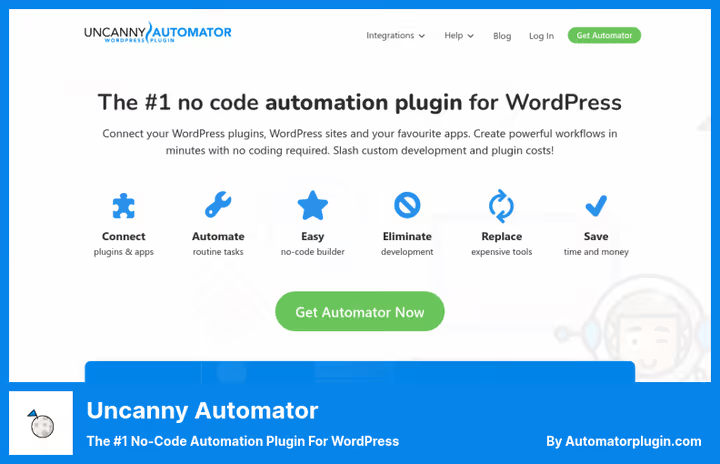
Uncanny Automator, the main no-code integrator for WordPress. It connects over 230 plugins and external services without programming. If you've ever used Zapier, the logic is the same: "when X happens, do Y".
Under the hood, over 350 triggers and actions. The plugin is deeply integrated with WooCommerce, LearnDash, BuddyBoss, Gravity Forms, MemberPress, and dozens of others. It works out of the box with Google Sheets, Slack, Mailchimp, Zoom, OpenAI, Facebook, Instagram, and X/Twitter.
In mid-2026 they added Uncanny Agent, an AI assistant that builds automations from text descriptions. You write "when a product is purchased, add the user to membership and send an email through Mailchimp", and the agent assembles the workflow.
Pros:
- 230+ integrations, from LMS to social networks
- Free version is not artificially limited: all triggers and actions for plugins work
- AI agent for building automations by voice/text
- No limit on the number of executions
Cons:
- Pro version for $149/year, more expensive than most niche plugins
- Some integrations (QuickBooks, Salesforce) are only available in the Elite tier
- Steep learning curve when setting up complex chains with conditions
Price: free version with full access to plugin automations, Pro, from $149/year with annual subscription.
🔗 Uncanny Automator on WordPress.org🔗 Product website
2. Tidio

Tidio, a combined tool: live chat plus AI chatbot in one plugin. It covers the task of automating communication with visitors, which was previously solved by WP-Chatbot (closed in March 2026 due to security issues).
The Tidio chatbot learns from your site's content and answers visitor questions 24/7 without operator involvement. It supports integration with WooCommerce: shows order status, cart contents, and recommends products. Live chat switches to an operator when AI can't handle the situation.
The plugin is actively updated, compatible with WordPress 7.0, and has 80,000+ active installations. The mobile app allows you to respond to messages from anywhere.
Pros:
- AI chatbot with learning from site content, no need to write answer scripts manually
- Integration with WooCommerce out of the box
- Mobile app for iOS and Android
- 80,000+ installations and 4.6 rating on WordPress.org
Cons:
- Free plan limited to 50 conversations per month
- AI chatbot only on paid plans (from $29/month)
- No open API for custom integrations
Price: free plan (live chat, up to 50 conversations/month), paid plans from $29 per month.
🔗 Tidio on WordPress.org🔗 Tidio website
3. Retainful
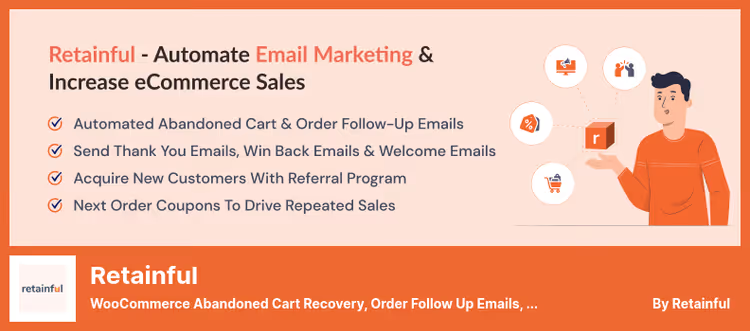
Retainful, a specialized email marketing tool for WooCommerce. It recovers abandoned carts, sends follow-up emails after orders, and welcome sequences to new customers. 16,000+ stores use it as a lightweight alternative to Mailchimp and Klaviyo.
In practice, the plugin recovers up to 30% of abandoned carts through a series of three emails: a gentle reminder after one hour, a discount coupon after 24 hours, and urgency creation after two days. Each email has a one-step cart recovery link.
In 2026, the Retainful team announced a transition to a new plugin with expanded integration. The current version is still supported, but we recommend tracking the developer's news.
Pros:
- Ready-made sequences for cart recovery, welcome emails, and follow-ups
- Drag-and-drop email editor with templates
- Dynamic coupons for the next purchase
- GDPR compliance and sending domain configuration for deliverability
Cons:
- Plugin will be replaced with a new product (exact date not announced)
- Free plan, one active automation
- Exclusively tailored for WooCommerce
Price: free plan (1 automation), Pro, from $19/month.
🔗 Retainful on WordPress.org🔗 Retainful website
4. Constant Contact

Constant Contact, an email marketing veteran with an official WordPress plugin. It allows you to create subscription forms, collect contacts, and automatically sync them with your Constant Contact CRM account. Then, launch automated email sequences directly from the platform.
The plugin installs in a minute: connect your account, create a form in the visual editor, insert it by shortcode or block on any page. Collected emails automatically go into the selected mailing list.
But the plugin has a chronic problem: the authorization token periodically drops, and the form stops collecting contacts without warning. There are dozens of identical complaints on the support forum, from 2022 to June 2026. If you choose Constant Contact, plan regular connection checks into your routine.
Pros:
- Direct integration with the Constant Contact ecosystem (email campaigns, A/B tests, segmentation)
- Simple form setup through visual editor and Gutenberg blocks
- Google reCAPTCHA and Cloudflare Turnstile for spam protection
Cons:
- Regularly loses authorization, form silently stops working
- Minimal form appearance customization options
- Constant Contact account required (free trial, 60 days)
Price: free plugin, Constant Contact account, from $10/month after trial.
🔗 Constant Contact Forms on WordPress.org🔗 Constant Contact website
5. HubSpot
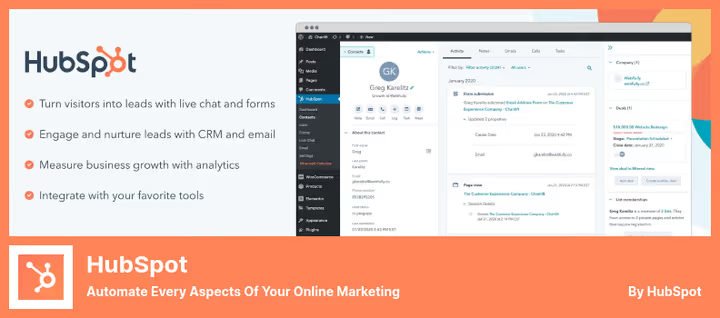
HubSpot, a full-fledged CRM platform with WordPress integration. The free plugin provides: live chat with chatbots, form and popup builder, email marketing with automated sequences, contact database with interaction history, and visitor behavior analytics.
In practice, HubSpot covers three tasks from this list at once: communication automation (chat + bots), email marketing, and contact management. Plus, integration marketplace with 1030+ connectors to external services: Salesforce, Slack, Zoom, Stripe, WooCommerce.
The free tier is not time-limited and includes all tools to get started. Paid tiers add advanced marketing automation, custom reports, and AI functions.
Pros:
- Free plan with no time limit and full set of tools
- Unified contact database: history of visits, emails, chats, and deals
- 1030+ integrations through marketplace
- Drag-and-drop email and form builder
Cons:
- Paid plans start at $45/month, expensive for small businesses
- Interface is overloaded for simple tasks (for example, just email collection)
- Some advanced features require upgrading to Professional plan ($800+/month)
Price: free plan (CRM, chat, forms, email up to 1000 contacts), Starter, from $45/month.
🔗 HubSpot on WordPress.org🔗 Free HubSpot CRM
A short video on the topic of how to connect WordPress plugins into working automations without code:
⁉️🤔 Frequently asked questions
Do I need to know programming to work with Uncanny Automator?
No. The builder is visual: you select a trigger from a dropdown list, then an action. In 2026 they added Uncanny Agent, an AI assistant to which you can describe a task by voice or text, and it will assemble the automation itself. For complex scenarios with conditions and delays, you'll need 30-40 minutes to study the documentation. The paid version includes access to WordPress hooks and custom functions for developers, but this is optional.
How does Tidio differ from regular live chat?
Tidio combines an AI chatbot and a live operator. The chatbot learns from your site's pages and answers typical questions automatically, without scripts. When a question goes beyond the bot's competence, the dialogue is seamlessly transferred to an operator. Minimal setup: install the plugin, connect your account, and the chatbot is ready to work in 5 minutes.
Does Retainful work with regular WordPress without WooCommerce?
No. Retainful is a specialized tool for WooCommerce. All triggers (abandoned cart, order, repeat purchase) are tied to store events. If you have a site without WooCommerce, take a look at Constant Contact or HubSpot, they work with any type of content. For non-WooCommerce email automation, Uncanny Automator with Mailchimp or ActiveCampaign integration will also work.
Why does Constant Contact have bad reviews on WordPress.org?
The main complaint: the plugin loses authorization and stops collecting contacts. The access token doesn't update automatically, and the form silently breaks, the site owner finds out about it by accident. The problem has been known since 2022 and still hasn't been fully fixed. If you use Constant Contact, check the connection once a week. An alternative for those who need stability is HubSpot or Uncanny Automator with Mailchimp.
Can I replace all 5 tools with one?
Partially. Uncanny Automator covers turnkey workflow automation, including sending emails through Mailchimp/ActiveCampaign. But it won't replace an AI chatbot (Tidio), WooCommerce cart recovery with specific templates (Retainful), and a full-fledged CRM with analytics (HubSpot). The optimal combination for most sites: Uncanny Automator + one email marketing tool (Constant Contact or HubSpot).
Which automation tool to choose in 2026
If you need to connect several plugins and services without code, get Uncanny Automator. This is the most powerful and flexible option that grows with your site. The free version is enough for most scenarios.
Need a chatbot that answers visitor questions 24/7, install Tidio. Live AI without programming and scripts, with a mobile app for prompt responses.
For a WooCommerce online store, Retainful is still good: cart recovery and follow-up sequences out of the box. But watch the developer's announcements about transitioning to a new plugin.
If you're already using the Constant Contact ecosystem for newsletters, their WordPress plugin is convenient, but plan time for regular connection checks. HubSpot is suitable for those who want CRM plus email marketing in one window, without a zoo of plugins.
Try the free versions of two tools that cover your scenarios and compare them in practice. A good automation is one you forget about a week after setup, because it simply works.

A professional team of writers and editors specializing in creating quality content.