














🤖 5 plugins for content curation in WordPress 2026: free and premium
Collecting fresh content manually is a task that takes hours. Half an hour searching, another half formatting, and the result goes stale in a week.
RSS aggregators and curation plugins solve this problem completely: the site pulls news, articles, and posts from dozens of sources on its own. You just moderate the output. And if you connect auto-import to posts, the site updates without your involvement at all.
We've selected 5 WordPress plugins that cover all content curation scenarios in 2026: from classic RSS aggregators to auto-posting to social networks and affiliate autoblogs. Each has been tested in practice on WordPress 6.9 and works with most modern themes.

💡 Quick overview:
- Add RSS sources through WP RSS Aggregator or Feedzy, this is the foundation for any auto-content scenario.
- Set up auto-import to posts with keyword filtering (Feed to Post, DaazSync PRO) to filter out spam and duplicates.
- If the channel is for engagement, social networks, connect Blog2Social and configure auto-posting schedules for each platform separately.
- For affiliate projects, take WP Content Pilot: it embeds affiliate links directly into curated articles.
Plugin | Free version | Auto-import to posts | Keyword filter | Social networks | Affiliate links | Pro price |
|---|---|---|---|---|---|---|
WP RSS Aggregator | Yes | Yes (Pro) | Yes (Pro) | No | No | from $79/year |
Feedzy RSS Feeds | Yes | Yes (Pro) | Yes (Pro) | No | No | from $99/year |
WP Content Pilot | Yes | Yes | Yes (Pro) | No | Yes | from $49/year |
Blog2Social | Yes | No | No | Yes (20+) | No | from $7/month |
DaazSync | Yes | Yes | Yes (Pro) | No | No | on request |
1. WP RSS Aggregator
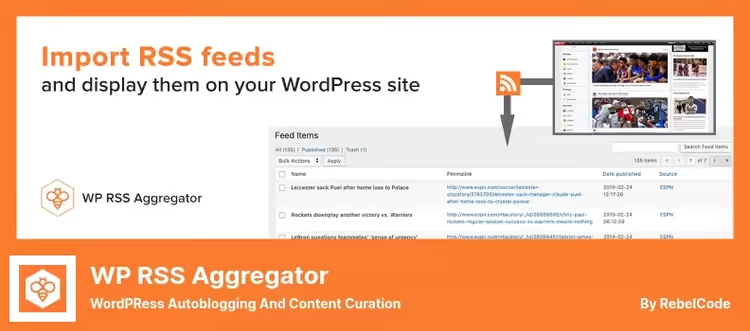
Flagship RSS aggregator from RebelCode with 50,000+ active installations and a 4.9 rating on wordpress.org. In practice, it imports, combines, and displays RSS and Atom feeds from an unlimited number of sources. The free version covers basic scenarios: news collection, building a news aggregator, displaying a list of links to external articles through shortcodes or Gutenberg blocks.
The Feed to Post extension (Pro) turns the feed into a full-fledged autoblog: articles are imported as WordPress posts with images, categories, and tags preserved. Keyword filtering weeds out irrelevant junk before publication. Full Text RSS fetches the complete article text, not just an excerpt, which is critical for serious curation.
Pros:
- 50,000+ sites use the plugin, documentation is comprehensive, community is huge
- Feed to Post with filtering and Full Text RSS in Pro version
- Import podcasts, YouTube feeds, job listings, and product feeds
Cons:
- Key auto-import features only in paid version
- Admin interface is overloaded with settings for beginners
Price: basic version free on wordpress.org; Pro from $79 per year (1 site)
🔗 WP RSS Aggregator on WordPress.org🔗 Site and Pro plans
2. Feedzy RSS Feeds

Feedzy from Themeisle, in our experience, is a direct competitor to WP RSS Aggregator with a more user-friendly interface. The free version imports and displays an unlimited number of RSS feeds. Nice features: caching with a configurable interval, auto-insertion of placeholder images for feeds without pictures, and responsive output through shortcodes, Gutenberg blocks, and Elementor widgets.
The Pro version adds Feed to Post, keyword filtering, YouTube video import, and integration with WordAi / SpinnerChief for rewriting text before publication. Plus built-in content translation and image generation through the OpenAI API. For those who care about the uniqueness of curated content, not just aggregation.
Pros:
- Simple interface, lower entry barrier than WP RSS Aggregator
- Built-in text rewriting through WordAi / SpinnerChief and OpenAI (Pro)
- Compatibility with Elementor and other page builders out of the box
Cons:
- Pro version from $99 per year, more expensive than competitors
- Rewriting and AI features require separate API keys
Price: basic version free; Pro from $99 per year (1 site)
🔗 Feedzy on WordPress.org🔗 Pro plans
3. WP Content Pilot

WP Content Pilot from PluginEver is tailored for affiliate marketing. It automatically publishes articles, products, and videos based on specified keywords from 15+ sources: Amazon, eBay, Walmart, BestBuy, YouTube, Vimeo, Flickr, as well as RSS feeds. During publication, it embeds your affiliate identifier in links without manual replacement.
The latest update, April 2026 (version 2.2.2), the plugin is actively maintained despite old rumors of abandonment. The Pro version adds SpinnerChief and WordAi for auto-rewriting, content translation, find-and-replace in text, and an extended set of sources: Facebook, Reddit, Quora, Instagram, and others.
Pros:
- Auto-insertion of affiliate links in curated content
- 15+ sources: product grids, YouTube, Flickr, RSS
- Publication scheduler with flexible intervals
Cons:
- 1,000+ active installations, community is smaller than leaders
- Free Lite version does not include advanced filtering
Price: Lite free on wordpress.org; Pro from $49 per year
🔗 WP Content Pilot on WordPress.org🔗 Pro version
4. Blog2Social
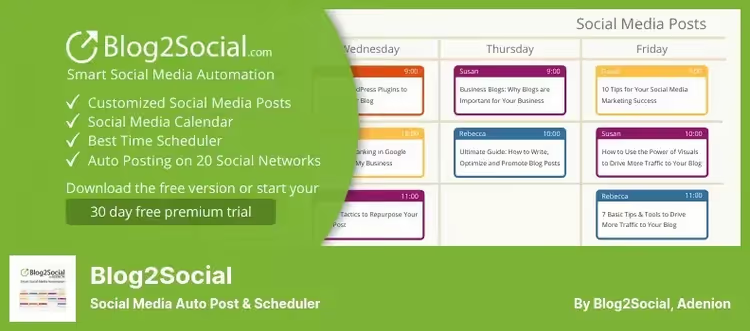
Blog2Social from Adenion solves the problem of cross-posting and content curation on social networks. It supports 20+ platforms: Facebook, X (Twitter), LinkedIn, Instagram, TikTok, Pinterest, Reddit, Telegram, Medium, Tumblr, VK, Bluesky, Threads, Mastodon, and others. The plugin automatically publishes new site posts on a schedule, converts WordPress tags to hashtags, and reposts updated content.
The Content Curation feature (Premium) allows you to fill social media feeds with a mix of your content and third-party materials, the part that makes Blog2Social a curation tool, not just an auto-poster. You specify sources, and the plugin forms the feed and publishes on a schedule. A separate plus, the built-in AI assistant for generating posts for each social network with its own tone and style.
Pros:
- 20+ social networks in one panel, including Telegram, VK, and Bluesky
- Smart hashtags: automatic conversion of WordPress tags
- Repost old content on a schedule
Cons:
- Does not work with RSS feeds directly, only through social networks
- Content Curation feature is hidden in Premium
Price: basic version free; Premium from $7 per month
🔗 Blog2Social on WordPress.org🔗 Premium plans
5. DaazSync, RSS News Aggregator

DaazSync, a fresh replacement for the outdated RSS Feed Retriever, which has not been updated since January 2023 and stopped working on WordPress 6.9. The plugin from daazlabs turns a site into a news hub in a few minutes: you add an RSS/Atom feed, choose an output layout (Grid, List, Carousel, Hero, Minimal), and insert the [newssync] shortcode on any page.
The free version includes auto-import to WordPress posts with a scheduler, smart caching of each feed as a WordPress transient, and fast output without a single front-end API request. The Pro addon adds keyword filtering with AND/OR logic, AI summaries through GPT-4o or Claude (your API key), and full article text reloading.
Pros:
- 5 ready-made layouts for any task: from sidebar to homepage
- AI article summaries on your API key (Pro)
- Direct replacement for the abandoned RSS Feed Retriever plugin, migration in a couple of clicks
Cons:
- Only 100+ active installations, the plugin is new (April 2026)
- Free version does not filter by keywords
Price: basic version free; DaazSync PRO (price on request at daazlabs.com)
Here is a video that clearly shows the logic of content curation in WordPress through an RSS aggregator:
⁉️🤔 Frequently asked questions
What is content curation in WordPress and why is it needed?
Content curation is the automatic or semi-automatic collection, filtering, and publication of materials from external sources on your site. The task is not copying, but aggregating relevant news and articles with source attribution. The result: the site is always fresh, search engines see regular updates, the audience gets a selection of the best content on the topic without your manual effort.
How does curation differ from autoblogging?
Autoblogging is fully automatic import of RSS feeds to posts without editorial control. Curation involves a selection stage: you set up keyword filters, exclude duplicates, add editorial comments. In practice, the difference is precisely in the quality of the final content. Autoblogging without moderation gives a stream of junk, curation gives a structured selection.
Is it mandatory to buy the Pro version for proper curation?
The free versions of WP RSS Aggregator or Feedzy are enough for a basic scenario: added RSS sources, displayed a list of links with a shortcode on a page. But as soon as you need auto-import to posts with keyword filtering, that is Pro. Plus Full Text RSS for loading the full article text instead of an excerpt is also a paid feature. DaazSync in the free version gives auto-import to posts, but without keyword filtering.
Which plugin to choose for an affiliate site?
WP Content Pilot. It is the only one of the five that embeds affiliate links automatically in curated articles and products. Plus it supports product grids from Amazon, eBay, Walmart, not just RSS. If the affiliate component is not the main thing, but text uniqueness is important, take Feedzy with WordAi: rewriting makes the text more original, and affiliate links can be placed manually.
Can you use two plugins at the same time?
Yes, and this is common practice. For example, WP RSS Aggregator for importing RSS to posts plus Blog2Social for automatically announcing these posts on social networks. Or Feedzy for curating news plus WP Content Pilot for affiliate product selections. There are no conflicts: the plugins solve different tasks and do not overlap in functionality.
Is DaazSync a real replacement for RSS Feed Retriever or just a novelty?
A real replacement. The original RSS Feed Retriever (wp-rss-retriever) has not been updated since January 2023 and broke on WordPress 6.9. DaazSync was written by daazlabs in 2026 as a modern alternative: the same basic features plus 5 output layouts, caching through transients, and AI summaries in Pro. The author directly indicates joint installation with RSS Feed Retriever as a migration method, the old plugin is deactivated after transferring feeds.
What to install in 2026
If you need the most reliable RSS aggregator with a huge community, WP RSS Aggregator. Want a simpler interface and AI rewriting out of the box, Feedzy. Affiliate site with auto-insertion of referral links, WP Content Pilot. Cross-posting to 20+ social networks, only Blog2Social. And if you are migrating from the dead RSS Feed Retriever and need a lightweight modern aggregator with AI summaries, DaazSync was created precisely for this scenario.
Choose for your task, not someone else's rating. And start with the free version: each of the five gives enough to evaluate the plugin in action before buying Pro.

A professional team of writers and editors specializing in creating quality content.