













 AIIllustrative image: AI-generated
🔌 8 WordPress category and tag plugins 2026: organizing your taxonomy
WordPress provides categories and tags out of the box. This is sufficient for a blog with twenty posts. With a hundred entries, tasks appear that the built-in functionality cannot handle: manual reordering of categories is not supported, auto-tagging of old posts is unavailable, and you have to put up with /category/ in URLs.
We tested eight plugins in practice that solve real WordPress taxonomy challenges: from automatic tagging to converting categories into tags. Each one can be installed for free from the WordPress.org directory without conflicts with popular themes and page builders.
💡 Quick overview:
Identify your task: auto-tagging, category sorting, clean URLs, displaying posts via shortcode, grouping tags, or taxonomy for pages
Choose a plugin from the table below based on your scenario and install it for free from WordPress.org
Configure in a few minutes: most plugins work immediately after activation without additional settings
Plugin | For whom | Price | Key feature |
|---|---|---|---|
TaxoPress | Content sites with hundreds of posts | Free / Pro | Auto-tagging + Auto Links |
Category Order and Taxonomy Terms Order | Any site with multiple categories | Free | Drag-and-drop category ordering |
Tag Groups | Sites with dozens of tags | Free / Pro | Tabs and accordion for tags |
No Category Base | Blogs prioritizing clean URLs | Free | Removes /category/ from addresses |
List Category Posts | CMS sites with index pages | Free |
|
Post Tags and Categories for Pages | Sites where Pages are used as content | Free | Taxonomy for Pages post type |
Categories to Tags Converter | Site taxonomy restructuring | Free | Bidirectional category and tag conversion |
Ultimate Category Excluder | Sites with utility categories | Free | Precise exclusion of categories from site zones |
1. TaxoPress: auto-tagging and complete taxonomy management
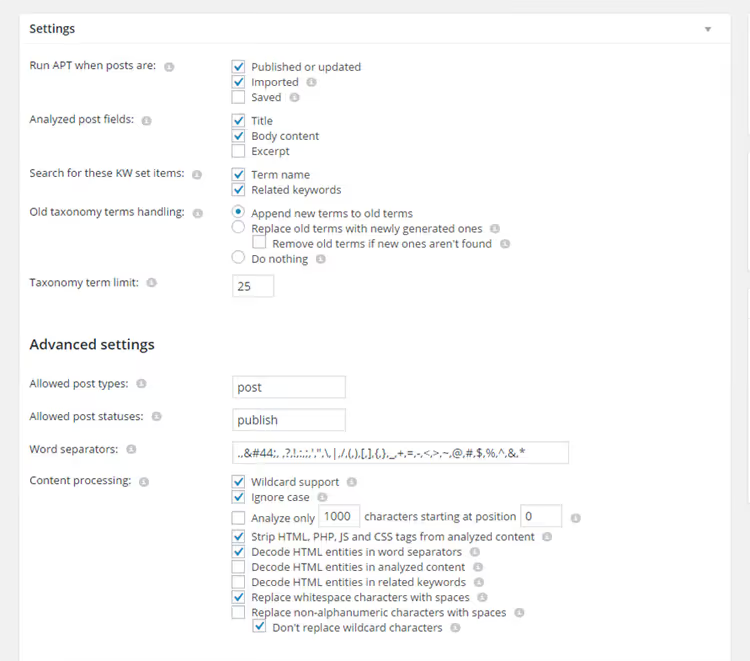
TaxoPress covers several scenarios that would otherwise require multiple separate plugins. Automatic tagging by keywords, bulk taxonomy term management, tag cloud creation, linking words in text to tag archive pages.
Auto-tagging works when saving or publishing a post: the plugin analyzes the title and content, finds matches with your keyword dictionary, and adds the appropriate tags. The bulk processing tool lets you run through hundreds of already published entries in a single pass. In practice, this is convenient when migrating to a new tag structure or initially tagging old content. The Auto Links feature goes further: every mention of a specified term in the text automatically becomes a link to the corresponding tag archive page. For example, every word "SEO" in posts links to /tag/seo/. This improves internal linking without manually adding links. Custom taxonomies, WooCommerce products, pages, and media files are supported.
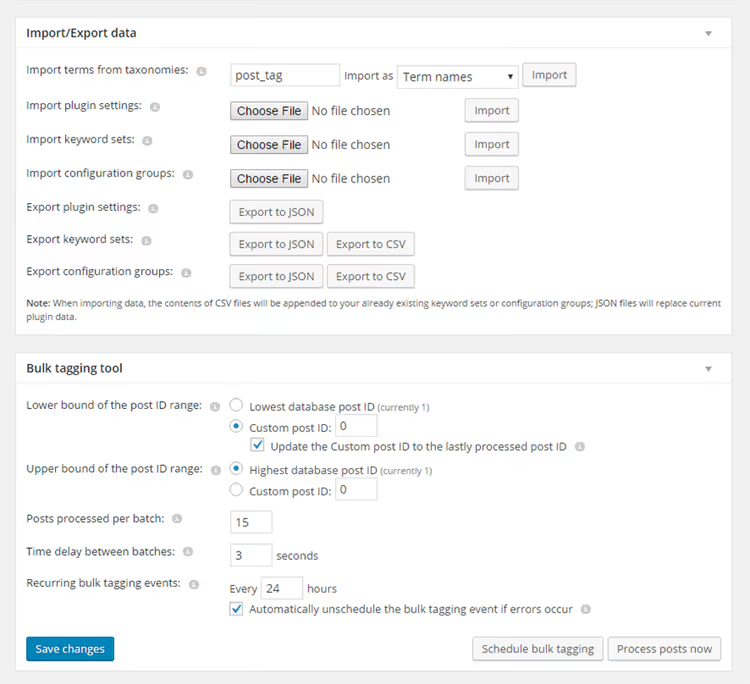
The free version of TaxoPress on WordPress.org covers most tasks. The Pro version adds integration with third-party APIs for intelligent text analysis and real-time tag suggestions.
- Pros: one plugin instead of several; bulk tagging of old posts; Auto Links for automatic interlinking; support for custom taxonomies and WooCommerce
- Cons: overloaded settings interface (beginners need time to learn); auto-tagging requires careful dictionary setup, otherwise tags will be irrelevant
- Price: free; Pro with extended APIs on the developer's website
- Download: 🔗 TaxoPress on WordPress.org
2. Category Order and Taxonomy Terms Order: drag-and-drop for categories
WordPress sorts categories alphabetically by default, and this order cannot be changed without code. If the "News" category should always be first in the list, there are no standard means to do this. Category Order and Taxonomy Terms Order solves the task with simple drag-and-drop.
After installation, drag-and-drop appears in the admin panel for any hierarchical taxonomies: WordPress categories, WooCommerce product categories, custom taxonomies. The order saves instantly without page reload. The plugin only changes the menu_order field value for each term, without extra load on the site. Works with any themes and page builders, translated into 23 languages. In our experience, setup takes literally one minute: drag the needed categories into the correct order and save.
- Pros: instant drag-and-drop sorting; support for any hierarchical taxonomies; zero performance impact
- Cons: works only with hierarchical taxonomies (tags have no order by definition and are not supported)
- Price: free
- Download: 🔗 Category Order on WordPress.org
3. Tag Groups: structure instead of chaos in the tag cloud
The standard WordPress tag cloud: a hundred links of various sizes in random order. When tags accumulate to around a hundred, navigation becomes visual noise. Tag Groups solves this problem with semantic grouping.
You create groups, such as "Tools," "Platforms," "Methods," and distribute tags among them. On the site, groups display as tabs, accordion, alphabetical index, or table. The reader switches between groups and sees only what they need. The plugin works through Gutenberg blocks and shortcodes, embedding into any page or post. Compatible with WooCommerce product tags. Colors, sizes, and switching animations are adjustable without code.
- Pros: transforms a chaotic tag cloud into a structured navigation tool; multiple display styles (tabs, accordion, alphabetical index); Gutenberg blocks
- Cons: for a site with a dozen tags, grouping is excessive; advanced display styles are available only in the Pro version
- Price: free; Pro with additional styles on the developer's website
- Download: 🔗 Tag Groups on WordPress.org
4. No Category Base: clean URLs without /category/
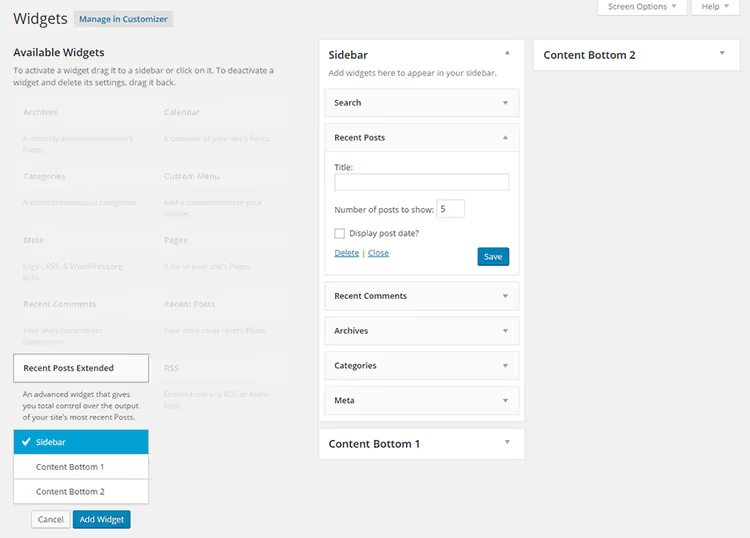
WordPress adds the /category/ prefix to all category URLs by default: site.com/category/news/. This segment is unnecessary, lengthens the address, and carries no meaningful information for the user. No Category Base (listed in the directory as Remove Category URL) removes it completely.
After activation, category URLs take the form site.com/news/: shorter and clearer. The plugin automatically sets up 301 redirects from old addresses, so search indexes and external links don't break. No manual configuration required. Compatible with WPML, subcategories, and multisite networks. Does not conflict with Yoast SEO and Rank Math. Over 80,000 active installations in the WordPress.org directory.
Note: before activation, make sure you don't have pages with the same slugs as categories. URL conflicts in this case will lead to routing errors.
- Pros: removes /category/ without editing code; automatic 301 redirects; compatibility with WPML and multisite
- Cons: possible URL conflict if a page slug matches a category slug (check before activation)
- Price: free
- Download: 🔗 No Category Base on WordPress.org
5. List Category Posts: category post list anywhere on the site
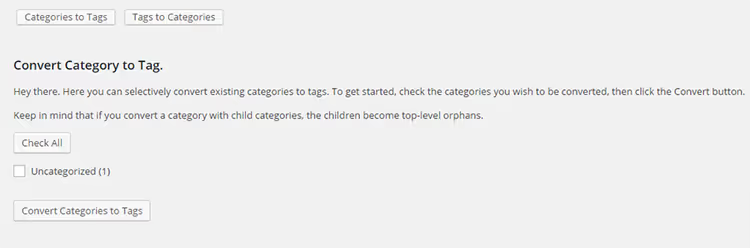
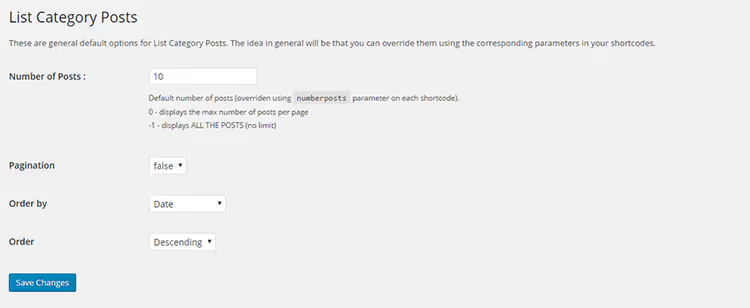
Need to display all articles from a specific category on a page with dates, authors, and thumbnails? Without a plugin, this requires creating a custom page template in theme code. List Category Posts does the same with a single shortcode: [catlist name="news"].
Shortcode parameters cover most scenarios: number of posts, sorting by date or title, displaying author, date, excerpt, thumbnail, custom fields. Pagination is supported: a long list is divided into pages. The post_type attribute allows outputting not only posts but also pages and any custom content types. The plugin is actively developed: over 50,000 active installations on WordPress.org, updated regularly.
- Pros: flexible shortcode with dozens of parameters; pagination support; works with any post types and custom content types
- Cons: visual shortcode builder is available as a separate addon, not built-in; custom output will require CSS
- Price: free
- Download: 🔗 List Category Posts on WordPress.org
6. Post Tags and Categories for Pages: taxonomy for pages
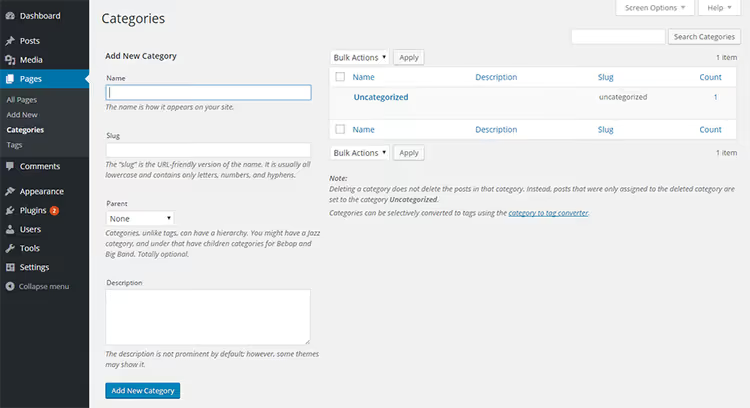
In standard WordPress, categories and tags are only available for posts. Pages are left out: they cannot be categorized or tagged. Post Tags and Categories for Pages fixes this gap: after activation, pages get the same category and tag metaboxes as posts.
Pages start participating in taxonomy archives. If you assign the "Services" category to a page, it will appear in /category/services/ alongside posts. No configuration required: activate and categories with tags appear in the page editor. Over 20,000 active installations, compatibility with current WordPress versions confirmed.
- Pros: instant addition of taxonomy to pages without any settings; pages participate in category archives; minimal site load
- Cons: the plugin does not output categories and tags in the page template automatically: to display on the frontend, you need to add
the_category()andthe_tags()to the theme template - Price: free
- Download: 🔗 Post Tags and Categories for Pages on WordPress.org
7. Categories to Tags Converter: term conversion without losses
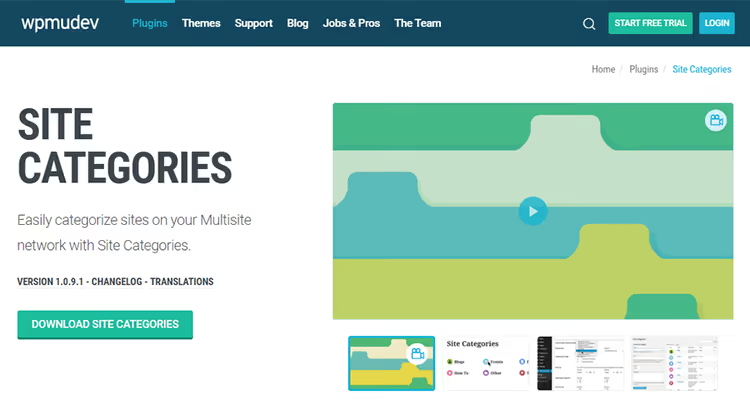
Created a category instead of a tag or vice versa? Manual reassignment of each post would take hours. Categories to Tags Converter does this in seconds through the standard WordPress import interface: Tools → Import → Categories and Tags Converter.
Conversion is selective: you don't need to touch the entire taxonomy, just specify particular terms. The plugin converts in both directions: category to tags and tag to category. The tool is useful not only for fixing mistakes: if you're revising your site structure and decide that some categories should become tags, Categories to Tags Converter will save hours of routine work. Over 50,000 active installations, last updated in October 2024.
Back up your database before conversion: the operation changes the taxonomy structure and has no undo through the standard interface.
- Pros: selective bidirectional conversion; works through the standard WordPress import interface; free
- Cons: no preview of results before conversion; minimalist interface without advanced options
- Price: free
- Download: 🔗 Categories to Tags Converter on WordPress.org
8. Ultimate Category Excluder: hide categories from specific zones
Not all categories should be visible everywhere. Utility categories, technical sections, content for a limited audience: sometimes they need to be removed from the homepage, archives, RSS feed, and search results. Ultimate Category Excluder solves this with checkboxes in the admin panel.
Go to Settings → Category Exclusion, check the needed categories, and choose where to hide them: homepage, archives, RSS, search, or any combination. The plugin works with native WordPress categories and does not affect WooCommerce categories. Over 50,000 active installations, last updated in December 2025. Author Marios Alexandrou actively maintains the plugin and responds to issues in the repository.
Note: on sites with Elementor, the plugin sometimes resets the page template to Canvas. Fix this by reselecting Elementor → Full Width in the page editor.
- Pros: precise exclusion of categories from different site zones; simple checkbox interface; actively supported by the developer
- Cons: does not work with WooCommerce categories; known conflict with Elementor (resets template to Canvas, requires manual reconfiguration)
- Price: free
- Download: 🔗 Ultimate Category Excluder on WordPress.org
🎥 Video: how WordPress categories and tags work
To understand when to use a category versus a tag, it's easier to see the difference in action:
⁉️🤔 Frequently asked questions
What is the difference between categories and tags in WordPress?
Categories: hierarchical taxonomy with parent and child categories ("Technology → Web Development → WordPress"). Every post must have at least one category. Tags: flat taxonomy without hierarchy, optional, describing specific details of the material ("shortcodes," "SEO," "performance"). A category answers "What is the post about in general," while a tag answers "What specifically is discussed."
Do categories and tags affect SEO?
Yes, directly. Category and tag archive pages are indexed by search engines and can rank for corresponding queries. Well-organized taxonomy creates additional entry points from search. The flip side: duplicate content on archive pages can be harmful. Manage archive indexing through Yoast SEO or Rank Math, or exclude technical categories via Ultimate Category Excluder.
Can you add categories to pages, not just posts?
Not with standard WordPress means: categories and tags are tied to the "post" post type. For pages, install Post Tags and Categories for Pages from this collection, or TaxoPress, which can attach taxonomies to any post types, including pages and media files.
How do I remove /category/ from category URLs?
Install No Category Base (Remove Category URL): the plugin removes the prefix and automatically sets up 301 redirects from old addresses. Alternative: put a dot in the "Category base" field in WordPress permalink settings, but the plugin is more reliable and doesn't require manual redirect management.
What if my tag cloud has turned into a mess of a hundred links?
Install Tag Groups: the plugin divides tags into semantic groups and displays them in tabs or accordion. The reader sees structured navigation instead of an endless list. Alternatively, TaxoPress also includes tag cloud functionality with display settings.
💎 Conclusions: which plugin to choose for your task
Eight tools, eight specific scenarios. Three of them cover most tasks for most sites.
- Auto-tagging hundreds of old posts and automatic interlinking by tags: get TaxoPress.
- Need control over category order in menus and widgets: get Category Order and Taxonomy Terms Order.
- /category/ in URLs bothers you: get No Category Base.
- Want to display a category post list on any page without code: get List Category Posts.
- Tags have become an unmanageable list: get Tag Groups.
- Need taxonomy for pages, not just posts: get Post Tags and Categories for Pages.
- Restructuring your site's taxonomy: get Categories to Tags Converter.
- Need to hide utility categories from the homepage, search, or RSS: get Ultimate Category Excluder.
Start with one task. Install the plugin, configure it, check the result. Adding tools gradually is better than enabling all eight at once and not understanding what does what. What category and tag challenge are you solving right now? Share in the comments.

A professional team of writers and editors specializing in creating quality content.