














📜 7 best WordPress activity log plugins 2026: free and premium
The plugin updated and half the site broke. Who did it? When? Authors shrug their shoulders, the admin panel is silent, and you can't read server logs.
A familiar situation for anyone managing a WordPress site with multiple users. In practice, without an activity log you're blind: it's unclear who changed settings, why a page disappeared, or where a rogue administrator came from.
Below are seven plugins that record every action on your site. From free "install and go" solutions to enterprise audit with Splunk export.
💡 Quick overview:
- WP Activity Log if you need to see absolutely everything: from password changes to WooCommerce order edits
- Simple History when you don't want to configure anything: activate and logs start flowing
- Stream for multisite networks: unified log across all sites, free
Comparison table: all seven plugins in 30 seconds
Plugin | For whom | Price | Active installations | Main feature |
|---|---|---|---|---|
WP Activity Log | Agencies, compliance | Free / $139/year | 300,000+ | SIEM integration, user sessions |
Sucuri Security | Those who need protection + audit | Free / $199.99/year | 800,000+ | Cloud firewall with logging |
Simple History | Solo admins, freelancers | Free / $79/year | 300,000+ | Zero configuration, logs right after activation |
Activity Log | Beginners, small sites | Free | 200,000+ | CSV log export out of the box |
Stream | Multisite, developers | Free | 100,000+ | WP-CLI and network log for free |
User Activity Tracking and Log | Session tracking | Free / from $63.89 | 30,000+ | Time on site and click tracking |
Website File Changes Monitor | File monitoring | Free | 20,000+ | Scans changes in theme and core files |
1. WP Activity Log: the most detailed audit
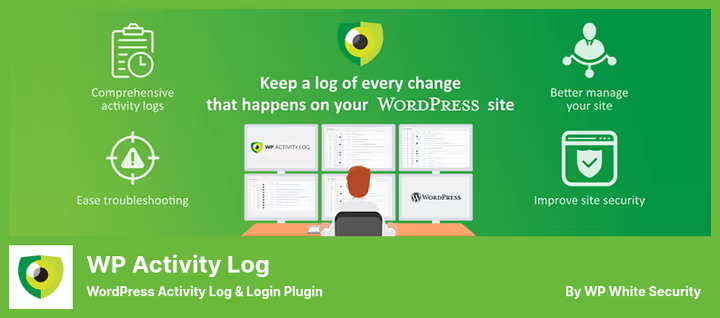
WP Activity Log from Melapress is the flagship audit plugin for WordPress. The free version logs absolutely everything: posts, pages, taxonomies, widgets, menus, users, logins, theme and core files. And this is without a single line of code.
What distinguishes it from the rest are built-in sensors for third-party plugins. WooCommerce, Gravity Forms, Yoast SEO, ACF, bbPress, MemberPress, LearnDash: for each plugin it collects events with precision down to the specific action. For example, with Gravity Forms you can see who changed a form, who submitted a request, and who edited notifications.
Premium at $139 per year adds what agencies actually use it for: log search with filters, email and SMS notifications via Twilio, Slack integration, user session management with forced logout. Enterprise at $189/year can mirror logs to Splunk, AWS CloudWatch, Loggly, and Papertrail.
- Pros: unmatched logging depth, sensors for 15+ third-party plugins, SIEM integration, user sessions with one-click disconnect
- Cons: premium pricing higher than competitors, easy for beginners to get lost in settings
- Price: Free on WordPress.org, Premium from $139/year, Enterprise from $189/year
- Download: 🔗 WP Activity Log on WordPress.org | 🔗 Melapress site
2. Sucuri Security: audit plus cloud firewall
Sucuri Security is not just an activity log but a complete security suite. The free version from the WordPress.org catalog provides file integrity audit, blockage monitoring, malware scanner, and user action logging.
Sucuri's feature is the cloud proxy firewall in the premium version. Traffic first passes through Sucuri servers where attacks are filtered, and only then reaches your site. This is both protection and a data source: every blocked request is logged with IP and timestamp.
The plugin sends email notifications for any system changes: who logged in, what changed in content, which files were modified. For multi-author sites and online stores this is critical.
Note that Sucuri is primarily protection and only secondarily audit. Logging depth is inferior to specialized plugins like WP Activity Log, but for a site that needs both functions, it's an optimal compromise.
- Pros: malware scanner + audit in one, cloud firewall with attack logging, email notifications for every event
- Cons: audit not as detailed as WP Activity Log, premium noticeably more expensive than competitors
- Price: Free on WordPress.org, Premium from $199.99/year
- Download: 🔗 Sucuri Security on WordPress.org | 🔗 Sucuri site
3. Simple History: install and logs flow
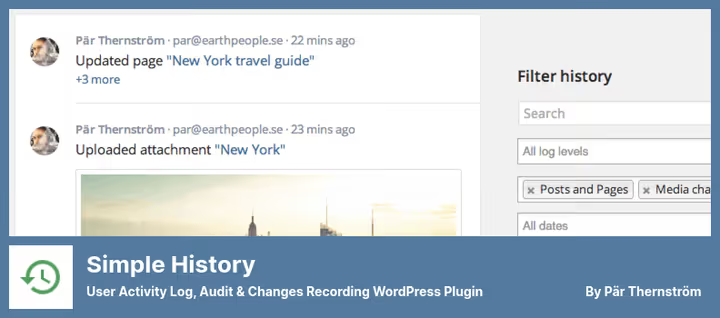
Simple History does exactly what the name promises. No setup wizard, no API keys. Activate it and the "Simple History" tab already shows recent events: who logged in, what they edited, and when.
The free version tracks posts, pages, media files, comments, taxonomies, widgets, menus, users, logins/logouts, failed login attempts, plugin and theme changes. Out of the box it supports Jetpack, ACF, WP Crontrol, Beaver Builder, and a dozen other popular plugins.
Important February 2026 update: forced security updates from WordPress.org are now marked separately from manual ones. And failed logins are divided into two categories: wrong password for a known user and login attempt with a non-existent username. The first is a human error, the second is probable brute force. This detail significantly speeds up diagnostics.
The main limitation of the free version is logs are stored for 60 days. For compliance this is not enough, for daily work it's sufficient. Premium at $79 per year removes the limit and adds CSV/JSON export, login geolocation, and notifications to Slack, Discord, and Telegram.
- Pros: true zero-config, logs start right after activation, 4.9/5 rating on 450+ reviews, minimal server load
- Cons: 60-day log storage in free version, limited multisite support
- Price: Free on WordPress.org, Premium from $79/year
- Download: 🔗 Simple History on WordPress.org
4. Activity Log: simplicity and CSV export
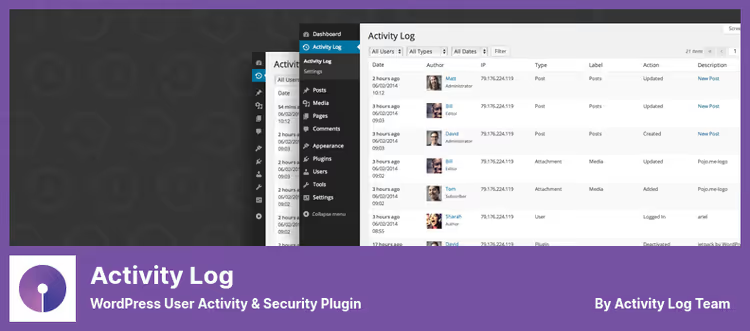
Activity Log (formerly Aryo Activity Log) is a veteran of the WordPress.org catalog with 200,000+ active installations. It works immediately after activation: logs changes to posts, pages, comments, taxonomies, widgets, menus, and user profiles.
Its strength is filtering and export. Logs can be sorted by user, role, event type, and date range. CSV export is available directly from the admin panel, useful for auditing or delivering a report to a client. Email notifications are configured in a few clicks.
The plugin is translated into 12+ languages including Russian, and tracks WooCommerce events in the free version. For a site where you need "just to work and not interfere," it's an excellent choice.
- Pros: CSV export out of the box, Russian translation, WooCommerce logging free
- Cons: basic functionality, no messenger notifications, no sensors for ACF and Gravity Forms
- Price: Free
- Download: 🔗 Activity Log on WordPress.org
5. Stream: multisite and WP-CLI for free
Stream is developed by XWP, the team behind the engineering part of WordPress.com VIP. This is the only plugin in the roundup that provides network activity log in multisite for free: super admin sees everything at once across all network sites.
For developers there is full WP-CLI integration: logs can be queried from the command line without entering the admin panel. Slack, IFTTT, and Papertrail connect natively.
Out of the box it tracks WooCommerce, Gravity Forms, Yoast SEO, ACF, BuddyPress, and Jetpack. All events are filtered by user, role, context, action, and IP. There is live feed updating: new events appear without page reload.
Setup requires connecting to a WordPress.com account, for some this is a plus (less hassle), for others a minus (extra external dependency). Pro tier with extended storage and notifications is available through WordPress.com.
- Pros: network log in multisite for free, XWP team behind it, WP-CLI out of the box
- Cons: WordPress.com account required, fewer sensors than WP Activity Log
- Price: Free (extended features through WordPress.com)
- Download: 🔗 Stream on WordPress.org
6. User Activity Tracking and Log: session and behavior tracking
User Activity Tracking and Log from Moove Agency focuses not on events but on sessions. The plugin shows which users are online right now, how much time they spent on the site, which pages they visited, and what they clicked on.
The free version provides basic tracking: logins/logouts, session duration, page views. Premium add-ons include time on page, detailed session analytics, email notifications, and data export.
For membership sites and WooCommerce stores this is a good addition to the main audit log. By itself the plugin does not replace full audit: it has no sensors for WooCommerce, Gravity Forms, and ACF. But paired with WP Activity Log or Simple History it covers the part that purely event-based plugins don't see: what the user did between login and logout.
- Pros: time on site and view depth, lightweight interface, log storage up to 4 years
- Cons: does not replace full event audit, no sensors for third-party plugins
- Price: Free on WordPress.org, Premium from $63.89
- Download: 🔗 User Activity Tracking and Log on WordPress.org
7. Website File Changes Monitor: watches files
Website File Changes Monitor solves a narrow task: tracks changes to WordPress files. Core, themes, plugins: any file addition, modification, or deletion is logged with exact time and path.
The plugin scans the file system with configurable frequency and sends email notifications about any changes. You can exclude directories, file types, and specific files from scanning, useful for cache folders and temporary data.
The main scenario is security. If malicious code appears on the site, you see which file was added or changed last. When recovering after a hack this speeds up finding infected files by an order of magnitude.
As a standalone activity log the plugin does not work: it does not log content and user changes. But together with any event plugin from the roundup it provides full coverage: what changed in the database + what changed on disk.
- Pros: detailed file system monitoring, configurable scan frequency, quick malicious file search after hack
- Cons: only files, does not track content and users, narrow specialization
- Price: Free
- Download: 🔗 Website File Changes Monitor on WordPress.org
If you're interested in security in general, check out our review of best WordPress protection plugins, where we cover comprehensive solutions from firewalls to two-factor authentication.
Here's a short video on the topic, a quick overview and comparison of activity log plugins:
⁉️🤔 Frequently asked questions
Do I need an activity log if I'm the only site administrator?
Yes, and here's why. First, the log captures not only human actions but automatic changes: plugin updates, settings changes after core updates, table creation/deletion in the database. When the site crashes after an auto-update, you see which specific plugin updated a minute before the crash. Second, in case of a hack, logs show which files were changed and when, saving hours during recovery.
Which plugin puts the least load on the server?
Simple History and Activity Log. Both use their own database table and write events asynchronously without noticeable impact on page load times. For high-traffic sites, WP Activity Log supports offloading logs to an external database.
Can I use two activity log plugins simultaneously?
Technically you can, but you shouldn't. Two audit plugins create double database load and confusion: one event recorded twice with different detail. Exception: Website File Changes Monitor paired with an event plugin: they look at different things (files vs database) and don't overlap.
What to do if the plugin stopped updating?
Check the plugin page on WordPress.org: if it has a "closed" status or the last update was more than two years ago, look for a replacement. A non-working audit plugin is worse than no audit, it creates a false sense of security. In the roundup, all seven plugins were updated in May-June 2026.
Does the plugin store logs on a third-party server?
By default, all plugins in the roundup store logs locally in the WordPress database. WP Activity Log Enterprise can mirror them to external systems (Splunk, AWS CloudWatch), Simple History Premium to Syslog and Datadog, Stream to Papertrail. But local storage is always enabled.
What to choose for your task
Seven tools cover the entire spectrum: from "just show who changed what" to compliance audit with export to corporate SIEM.
- If you have an agency or a site under PCI DSS / GDPR, get WP Activity Log. Detail and sensors for third-party plugins are head and shoulders above the rest here.
- If you need audit in multisite with no budget, Stream. Network log and WP-CLI for free, backed by the XWP team.
- If you want "activate and forget," Simple History. Zero configuration, high rating, minimal load.
- If budget is zero but logs with CSV export are needed, Activity Log. 200,000+ installations don't lie.
- If audit is needed as an addition to protection, Sucuri Security. Cloud firewall plus logging in one package.
- If it's important to know how much time users spend on the site, User Activity Tracking and Log. This is not a replacement but an addition to event audit.
- If the task is to monitor file integrity, Website File Changes Monitor. Narrow, but best in this niche.
Start with free Simple History: in five minutes you get a working log. Then decide whether you need the depth of WP Activity Log or a lightweight solution is enough. Which audit plugin do you use, and has it helped you in a real incident? Write in the comments.

A professional team of writers and editors specializing in creating quality content.