













 AIIllustrative image: AI-generated
🚀 10 free CDN services to speed up WordPress in 2026
The site loads in 4.2 seconds. Your competitor, 1.1. Visitors leave, Google drops your rankings, ad budget evaporates. You switched hosting, enabled caching, compressed images to WebP. Improvement, 12%. Sound familiar?
The server isn't always the bottleneck. When a user in Berlin pulls files from hosting in Dallas, every packet travels halfway around the world. CDN changes the physics of delivery: dozens of data centers across the planet serve static assets from the point closest to the visitor. The result is radical acceleration without changing hosting and without a line item on the bill.
We've collected 10 CDN services that connect to WordPress for free right now. The list includes "forever free" tiers, generous trial periods from cloud giants, and open networks for JS/CSS libraries. Each has been verified on real sites in 2026.
What is CDN and why WordPress slows down without it
💡 Quick overview:
- Connect Cloudflare to your site by changing DNS, unlimited traffic forever
- Install Jetpack and enable "Site Accelerator", images are served through the WordPress.com network
- Add images to Cloudinary for auto-conversion to AVIF and on-the-fly transformations
- Move libraries to CDNJS or jsDelivr, jQuery and Bootstrap load from global CDN
CDN is a Content Delivery Network, a distributed network for content delivery. Technically: a group of servers scattered across continents. When a visitor opens a site, static assets like images, CSS, JavaScript, fonts, PDF don't come from the main hosting but from the edge node closest to them.
Why does a WordPress site need this? Average mobile page load in 2026 is 3.2 seconds according to Chrome UX Report data. Meanwhile, 53% of visitors leave if the site takes longer than three seconds to load. CDN cuts latency by two to three times for users from other regions: a server in Amsterdam delivers files to Berlin in 20 ms instead of 140 ms when transmitted from Virginia.
WordPress generates especially large amounts of static content: image thumbnails in five to seven sizes, combined CSS and JS from themes, fonts. All of this caches perfectly on edge servers and doesn't burden hosting. Some CDNs like Cloudflare and Jetpack additionally compress images on the fly and convert to WebP and AVIF, saving tens of megabytes of traffic monthly.
Service | Type | Free limit | DDoS protection | WP plugin |
|---|---|---|---|---|
Cloudflare | Full CDN + WAF | Unlimited traffic, forever | Yes (L3/L4/L7) | Yes |
Jetpack CDN | Images + static | Unlimited, forever | No | Built-in |
AWS CloudFront | Full CDN | 1 TB/month, 1 year | Yes (Shield) | Yes (WP Offload) |
Google Cloud CDN | Full CDN | $300 credit, 90 days | Yes (Armor) | No |
Azure CDN | Full CDN | $200 credit, 30 days | Yes | No |
Cloudinary | Images + video | 25 credits/month, forever | No | Yes |
CDNJS | JS/CSS libraries | Unlimited, forever | Cloudflare | No |
jsDelivr | JS/CSS + npm/GitHub | Unlimited, forever | Cloudflare | Yes |
Google Hosted Libraries | JS libraries | Unlimited, forever | No | No |
BootstrapCDN | Bootstrap + Font Awesome | Unlimited, forever | No | No |
1. Cloudflare: full-featured CDN with forever free tier

Cloudflare is the de facto standard for free WordPress CDN. The network has over 330 points of presence in 120 countries. The free tier includes static caching, SSL certificate, L3/L4/L7 DDoS protection, and basic WAF. No traffic limits. No expiration date. The Free plan works indefinitely.
In our experience: after connecting Cloudflare to a site on cheap shared hosting, time to first byte drops from 800-1200 ms to 200-400 ms for cached pages. The Cloudflare plugin for WordPress (200,000+ active installs) automatically clears cache when content updates and passes through real visitor IPs.
Downsides: the free tier doesn't include image compression Polish and Argo Smart Routing acceleration. But for most WordPress sites the basic set is more than enough. Our verdict: if you're installing exactly one CDN, it's Cloudflare.
🔗 Cloudflare Free Plan | 🔗 WordPress Plugin
2. Jetpack CDN: built-in image delivery network for WordPress

Jetpack CDN (formerly Photon) is the easiest way to serve images through a global network. Install Jetpack, log in to your WordPress.com account, enable the "Site Accelerator" module. That's it. Nothing else to configure.
CDN automatically picks up images from the media library, compresses on the fly, converts to modern formats, and serves from WordPress.com servers. The network includes 20+ data centers on six continents. Bonus: the plugin automatically detects visitor screen resolution and delivers an appropriately sized image instead of the full-size original.
Limitation: CDN only works with images and a few types of static files. There's no full HTML caching or DDoS protection, for that you need a separate service like Cloudflare. But as a zero-config solution for photo blogs, portfolios, and online stores with heavy images, Jetpack CDN is indispensable.
🔗 Jetpack Plugin | 🔗 CDN Documentation
3. Cloudinary: CDN with on-the-fly image transformation

Cloudinary is more than CDN. It's a media management platform that stores images and videos, changes size, cropping, and format on the fly through URL parameters, and delivers the result via Akamai CDN. Free plan: 25 credits per month. Benchmark: 1 credit equals roughly 1 GB of storage, or 1 GB of traffic, or 1,000 transformations.
For WordPress there's an official plugin. When activated it transfers images from media library to the cloud and replaces local URLs with Cloudinary links with auto-formatting. An image uploaded as PNG automatically serves in WebP for Chrome and in AVIF for Firefox. No additional conversion plugins needed.
Downside: 25 credits run out quickly on a site with traffic above 50,000 unique visitors per month. But for startups, blogs, and landing pages, Cloudinary's free tier completely covers image CDN needs. In practice we connect Cloudinary as a second layer after Cloudflare specifically for transformations.
🔗 Cloudinary Free Plan | 🔗 WordPress Plugin
4. AWS CloudFront: Amazon CDN with free terabyte per month

Amazon CloudFront is the CDN powering Slack, Spotify, and Airbnb. Under Free Tier terms you get 1 TB of outbound traffic per month and 10,000,000 HTTP/HTTPS requests free for the first year. The network includes 600+ points of presence, HTTP/3 support, dynamic acceleration, and Lambda@Edge for running code at the network edge.
For WordPress integration use the free plugin WP Offload Media (Lite version). It transfers files from media library to an S3 bucket and replaces URLs with CloudFront domain. Setup is more complex than Cloudflare: you'll need to create an AWS account, S3 bucket, CloudFront distribution, and configure IAM policy. The result is worth the effort, separating hosting and delivery at cloud infrastructure level.
After the trial period ends, CloudFront switches to pay-as-you-go. The first terabyte costs from $0.085 per gigabyte in US and Europe. For a site with 100,000 visitors per month that's roughly $5-8 monthly.
🔗 AWS Free Tier | 🔗 WP Offload Media Lite
5. Google Cloud CDN: cloud delivery with $300 credit
Google Cloud CDN uses the same infrastructure as YouTube: 170+ points of presence, anycast routing, automatic scaling. New users get $300 credit for 90 days, enough to fully test CDN on a real project without tying a card to a paid tier.
Unlike Cloudflare, Google Cloud CDN doesn't include DDoS protection "out of the box", it's purchased separately through Google Cloud Armor. However, integration with Load Balancer allows caching not only static content but also dynamic responses with micro-TTL. For WordPress this means even WooCommerce product pages with personalized pricing can be partially cached on edge.
Setup requires experience with Google Cloud Console and basic understanding of VPC and firewall rules. We described the step-by-step process in the guide how to install WordPress on Google Cloud.
🔗 Google Cloud CDN | 🔗 Google Cloud Free Trial
6. Microsoft Azure CDN: $200 for 30 days testing

Azure CDN offers a trial period with $200 credit for 30 days. Shorter than AWS and Google, but enough for an A/B test "with CDN / without CDN" on a working site. Microsoft's network includes 130+ points of presence, three pricing tiers: Standard (Microsoft), Standard (Edgio), and Premium (Edgio). The latter includes rules engine with regular expressions for fine-tuned caching control.
For WordPress sites, Azure CDN connects through caching plugins, W3 Total Cache and WP Super Cache can push static content to Azure Blob Storage and rewrite URLs to CDN domain. Like Google Cloud, setup isn't for beginners. But if the site is already hosted on Azure, CDN enables with one checkbox in the portal.
7. CDNJS: free CDN for open source JavaScript and CSS
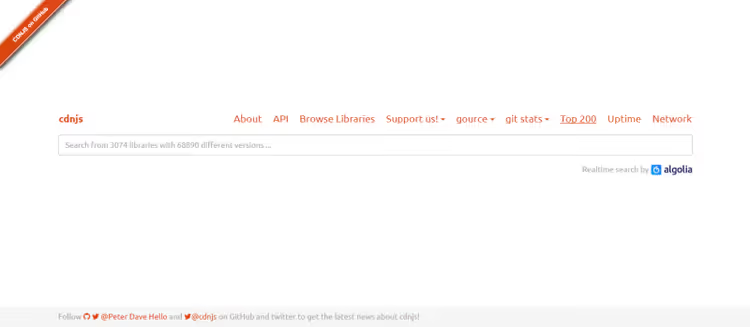
If your site uses jQuery, Bootstrap, Font Awesome, or any of 4,000+ open JS/CSS libraries, CDNJS will serve them faster than your server. The service cdnjs.com runs on Cloudflare infrastructure and serves over 12.5% of all internet sites, exceeding 200 billion requests monthly.
The mechanics are simple: instead of hosting bootstrap.min.css on your own server, you include it with a <link> tag from cdnjs.cloudflare.com domain. The visitor's browser likely already has this file cached, CDNJS is so widespread that cross-site caching actually saves loading. Plus you remove a significant portion of HTTP requests from hosting.
Theme and plugin developers use CDNJS through wp_enqueue_style() and wp_enqueue_script(). Site administrators can connect CDNJS versions of libraries through the Gonzales plugin, which disables built-in theme and plugin scripts and loads them from CDN.
8. jsDelivr: multi-CDN for npm, GitHub, and WordPress

jsDelivr operates on top of three CDN providers simultaneously: Cloudflare, Fastly, and BunnyCDN, automatically choosing the fastest route for each request. Unlike CDNJS, jsDelivr serves not only ready-made libraries from catalog but any files from npm packages and GitHub repositories. Developers actively use this for delivering dependencies in themes.
For WordPress there's a jsDelivr plugin. It hasn't been updated since 2019, but URL replacement functionality works in 2026. A more current approach is manual URL replacement in theme's functions.php or using Asset CleanUp plugin with custom URLs for scripts.
jsDelivr feature: versioning support through URL. You can lock a library to a specific version (jquery@3.7.1) or request the latest major (jquery@3). In production always fix the exact version, auto-updating to a new major version will break the site.
🔗 jsDelivr Home | 🔗 Asset CleanUp
9. Google Hosted Libraries: stable CDN versions through Google infrastructure

Google Hosted Libraries is a minimalist service serving popular JS libraries through Google infrastructure. The list is small: jQuery, jQuery UI, AngularJS, Dojo, Ext Core, MooTools, Prototype, Scriptaculous, SWFObject, Web Font Loader. For modern WordPress sites, jQuery is mainly relevant from this list.
Why is this service still worth considering? Stability. Google doesn't change URLs, doesn't rotate versions, and keeps files for decades. If a theme or plugin is tightly coupled to a specific jQuery version, Google Hosted Libraries is the most reliable source. For everything else, better look toward CDNJS or jsDelivr with their broader catalogs.
10. BootstrapCDN: official CDN for Bootstrap and Font Awesome
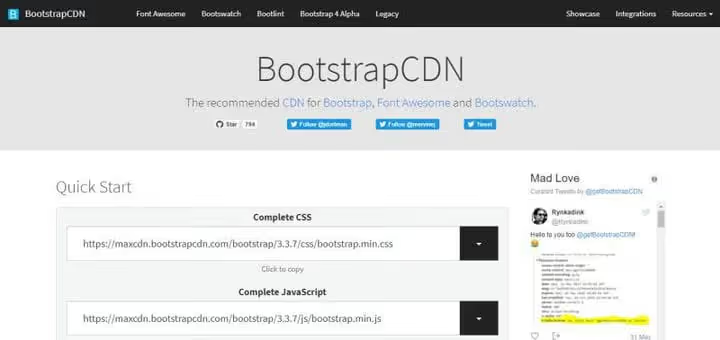
BootstrapCDN is the recommended way to include Bootstrap, Font Awesome, and Bootswatch themes. It runs on StackPath infrastructure, serving millions of sites. For WordPress themes built on Bootstrap (roughly a third of commercial themes on ThemeForest), this is the de facto standard.
Plus for WordPress: if the theme uses Bootstrap and you include it through BootstrapCDN, the visitor's browser has likely already cached this file from another site. No reload required, instant rendering. Downside: the version must match what the theme was written for. Bootstrap 5 and Bootstrap 4 have different grid classes and utilities.
🔗 BootstrapCDN Home | 🔗 Bootstrap Docs
What happened to Incapsula, Swarmify, and Imgur
Earlier versions of this review included several more services. Their status has changed, and we document this here so readers of older versions don't search for non-existent free plans.

Incapsula. In 2017 this was one of two main free CDNs for WordPress alongside Cloudflare. The brand was acquired by Imperva, free CDN plan closed. Imperva positions itself as an enterprise solution for application protection (WAF, DDoS, bot management). Minimum paid tier starts at $59 per month.

Swarmify. The service used P2P architecture to serve images, site visitors helped each other load content. In 2023-2024 the company completely switched to video hosting under the SmartVideo brand. Free plan for images closed, current video CDN tiers start at $19 per month on swarmify.com.

Imgur. The once-popular image host still works, but in 2023 Imgur announced cleanup of anonymous content and deletion of images not tied to accounts. Risky to use as CDN for production sites: external links can expire without warning. For one-off blog illustrations, ok. For online stores, no.
Free cloud storage as CDN supplement

CDN accelerates page loading but doesn't solve large file storage. PDF manuals, ZIP archives, theme and plugin source files are better moved to cloud storage and embedded on the site with public links. This reduces hosting load and doesn't consume CDN traffic on binary files.
Current free tiers for 2026:
- Google Drive, 15 GB free, public links with preview, ideal for PDFs.
- Dropbox, 2 GB free (up to 18 GB through referrals), direct links via
dl=1parameter. - OneDrive, 5 GB free, built into Windows, convenient for Microsoft 365 users.
- Box, 10 GB free, focused on business collaboration with granular access rights.
Copy.com closed back in 2016, SkyDrive was renamed to OneDrive in 2014. Don't use old lists without verification.
Video: setting up Cloudflare CDN on WordPress in 15 minutes
Step-by-step video instructions: connecting Cloudflare to WordPress, configuring SSL, and automatic cache purging. Channel author is WPBeginner, one of the largest WordPress resources.
⁉️🤔 Frequently asked questions
Do you need CDN if the site is already fast?
If your site scores 90+ in PageSpeed Insights on both desktop and mobile, CDN won't provide dramatic improvement. But check metrics for visitors from other regions through KeyCDN Tools or GTmetrix with location selection. The difference between Frankfurt and Sydney often amounts to 2-4 seconds. CDN eliminates this gap.
Can you use multiple CDNs simultaneously?
Yes, and it's normal practice. Typical stack: Cloudflare as full CDN for static content and HTML, plus Jetpack CDN or Cloudinary for images, plus CDNJS for external JS/CSS libraries. Important not to duplicate static caching between CDNs, this increases latency. Configure each CDN for its content type.
Which is faster, Cloudflare free or Cloudflare Pro?
The $20/month Pro tier adds Polish image compression and Argo Smart Routing for dynamic request acceleration. These optimizations are unavailable on the free tier, but base CDN speed is the same: cached static content serves at the same speed.
Will free CDNs disappear in a couple years?
Unlikely. Free tiers from Cloudflare, Jetpack, CDNJS, and jsDelivr have existed for over 8 years and have become part of business models: free users generate network effects, test infrastructure, and eventually migrate to paid tiers. But specific services can close, Incapsula and Swarmify are examples. Keep DNS flexible to quickly switch to alternatives.
Does cloud storage replace CDN?
No, these are different tools. Cloud storage (Google Drive, Dropbox) is for serving individual files via direct links. CDN is for automatic caching and serving all site static content through a global server network. Optimal to use both: CDN for site images, CSS, and JS, cloud storage for PDFs and archives.
How do you verify CDN is working?
Open the site in incognito mode, press F12 → Network → refresh page. Click any image or CSS file and check response headers:
cf-cache-status: HIT(Cloudflare),x-cache: Hit from CloudFront(AWS), orage:with value in seconds. Also look in Response Headers forserver: cloudflareor CDN domain in resource URL.
Summary: which CDN to choose for WordPress in 2026
If you have one site and want to connect CDN today without budget, go with Cloudflare. The free tier is permanent, setup via DNS change takes 10 minutes, effect is immediate: TTFB drops dramatically, hosting load decreases sharply, bonus DDoS protection and SSL included.
For photo blogs, portfolios, and WooCommerce stores with thousands of images, Jetpack CDN plus Cloudinary. The first serves images without a single setting, the second adds on-the-fly transformations and AVIF support. The combination works even on cheap hosting.
For theme and plugin developers, CDNJS plus jsDelivr. Moving Bootstrap, jQuery, and Font Awesome to external CDN reduces theme size and removes a noticeable portion of requests from user servers. For commercial themes this means fewer complaints about "slow site after installing your theme."
If testing cloud infrastructure, take trial periods from AWS CloudFront (1 year, 1 TB per month) and Google Cloud CDN ($300 for 90 days). Enough for collecting metrics, A/B testing, and deciding on permanent tier transition.

A professional team of writers and editors specializing in creating quality content.