














🔍 9 best WordPress FAQ plugins in 2026
We get a pile of emails from readers every week. And you know what? 7 out of 10 questions repeat. Same topics, same doubts, only the names in the "Sender" field change.
Answering every email manually when you have a commercial site with dozens of products or services is a surefire way to burn out in a month. You can hire a separate person for support. Or you can create an FAQ section once and forget about the routine.
A good FAQ section doesn't just unload you, it sells. The client gets an answer in 5 seconds instead of waiting a day and calmly clicks "Buy". And there's no magic: just the right plugin under the hood.
💡 Quick overview:
- Compare plugins using the table below: price, FAQ schema, compatibility with themes and builders, accordion mode
- Choose 2-3 candidates for your task: free start or premium functionality
- Install through WordPress admin panel, build your first FAQ section in 10 minutes and check the markup through Google Rich Results Test
Comparison table: 9 FAQ plugins for WordPress
Plugin | Free version | Premium from | FAQ schema | Drag-and-drop | Accordion | Elementor / Gutenberg |
|---|---|---|---|---|---|---|
Helpie FAQ | ✅ | $29 | ✅ | ❌ | ✅ | Both |
Heroic FAQs | ❌ | $49 | ✅ | ✅ | ✅ | Gutenberg |
Ultimate FAQ | ✅ | $35 | ✅ | ❌ | ✅ | Both |
Accordion FAQ | ✅ | $9 | ❌ | ✅ | ✅ | Shortcode |
Tribulant FAQ | ❌ | $34 | ✅ | ❌ | ✅ | Shortcode |
Quick and Easy FAQs | ✅ | - | ✅ | ❌ | ✅ | Gutenberg |
Easy Accordion | ✅ | $29 | ❌ | ✅ | ✅ | Both |
Accordion | ✅ | $15 | ❌ | ✅ | ✅ | Shortcode |
Awesome FAQ | ✅ | $29 | ✅ | ❌ | ✅ | Gutenberg |
Prices are as of June 2026 for a single site license. Premium column "-" means the plugin is distributed as free only.
1. Helpie FAQ
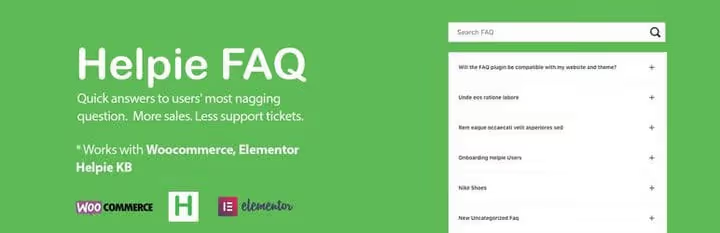
If you need a lightweight FAQ plugin with a decent set of features and no extra complexity, Helpie is one of the first candidates. In our experience, it covers the overwhelming majority of scenarios for an average blog or landing page.
The plugin can group questions into sections and embed them anywhere on the site via shortcode. The shortcode works in Elementor too, no conflicts with the builder. On Gutenberg, a shortcode block for displaying FAQ is available by default.
Nice touch: the free version already includes FAQ markup (schema.org), so Google picks up questions and answers without additional hassle. Premium for $29 adds advanced layout, sorting, FAQ database search and priority support.
What we didn't like: drag-and-drop is absent in the free version, question order changes only through manual numbering. For a collection of 5-10 questions it's tolerable, for 30+, it's already painful.
2. Heroic FAQs
🔗 Heroic FAQs on HeroThemes site
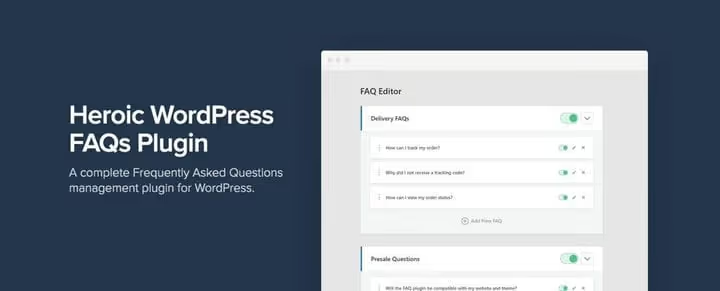
Heroic is a premium plugin without a free version, and that immediately sets the bar. $49 per site with annual support and 30-day refund. We tested it on several TechBlogSD projects, and here's what we noticed: it integrates into any theme without style conflicts, not imposing a ready-made design.
The drag-and-drop editor lets you rebuild the FAQ structure in a minute. 15 icon variants, accordion or toggle, CSS animations, lists, video and images inside answers, serious toolset. Plus translation to any language out of the box.
Key advantage: WooCommerce adaptation. If you have a store, Heroic adds an FAQ tab right on the product page, no hook gymnastics. For a commercial site with hundreds of products, this saves hours of support.
The downside is obvious: no free start. A small blog has no reason to overpay.
3. Ultimate FAQ
🔗 Ultimate FAQ on WordPress.org
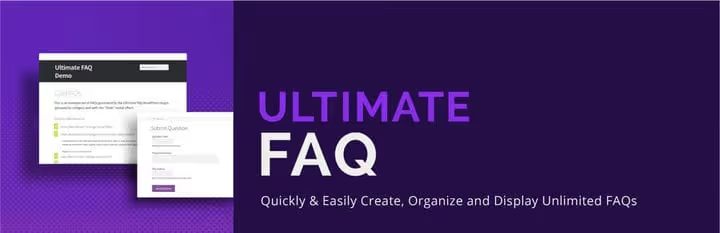
Ultimate FAQ lives up to its name: unlimited number of FAQ entries, categories and tags, all in the free version. Our experience shows this is the best start for a site planning to grow: today you have 10 questions, in a year, 200, and the plugin won't choke.
The display flexibility is refreshing: for each FAQ you can enable or hide category, tag, date. Gutenberg blocks, shortcodes, FAQ tab on WooCommerce product pages, all in the base. FAQ schema for SEO is active by default.
Premium for $35 adds integration with WP Forms, social media buttons on FAQ, media file uploads in answers, search Gutenberg block and icon set changes. For a content site or store, solid choice.
From nuances: the admin interface is overloaded with settings. First visit takes 10-15 minutes to figure out what's what.
4. Accordion FAQ
🔗 Accordion FAQ on WordPress.org
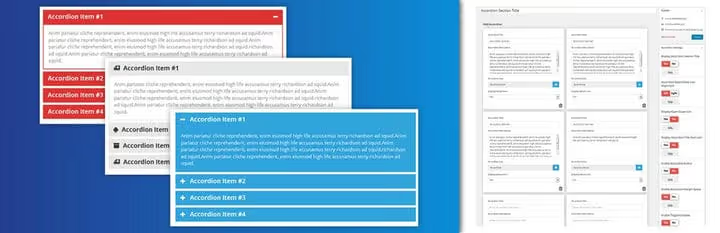
The most budget option in the selection: free version with full-fledged drag-and-drop, premium for $9. The plugin comes from the accordion builder camp, but an FAQ section assembles on it without problems.
Unlimited colors, Font Awesome icons, responsive layout. Gulp build out of the box speeds up customization if you're coding manually. Premium gives ready templates, content animation, hover accordion and sidebar widget.
Minus: no built-in FAQ markup. For SEO effect you'll have to install a separate structured data plugin or tinker with code. If search positions matter to you, consider this.
5. Tribulant FAQ

🔗 Tribulant FAQ on developer's site
Tribulant stands apart: it can not only show FAQ, but also accept questions from visitors. A user asks a question, you get a notification, answer in the admin panel and publish. After publication the question author gets an email.
This turns the FAQ section from a static page into a live feedback channel. Setup is easy: you can require registration before submitting a question, or you can open the form to everyone. Built-in search looks through questions and answers simultaneously.
Price $34 per site, one-time. No free version. For a site where audience feedback matters, not a plugin but a gem. For simple FAQ, overkill.
6. Quick and Easy FAQs

🔗 Quick and Easy FAQs on WordPress.org
Free Gutenberg plugin with FAQ markup out of the box, rare combination. In our experience, this is the best candidate to replace outdated shortcode plugins: editor blocks give live preview without switching tabs.
The plugin is extremely simple: added an FAQ block to the page, entered questions and answers, FAQPage schema automatically goes into the markup. Accordion mode with smooth reveal, + and - icon settings, title color selection through Gutenberg panel.
Free and without premium tier, according to wordpress.org data, current version 1.3.14 (December 2025). Light as a feather: doesn't load extra scripts on pages without FAQ block.
The minus is obvious: no drag-and-drop, no categories, no WooCommerce tab. If you have 200 questions in 5 categories, look at Ultimate FAQ. For a blog with 15-30 questions, ideal.
7. Easy Accordion
🔗 Easy Accordion on WordPress.org
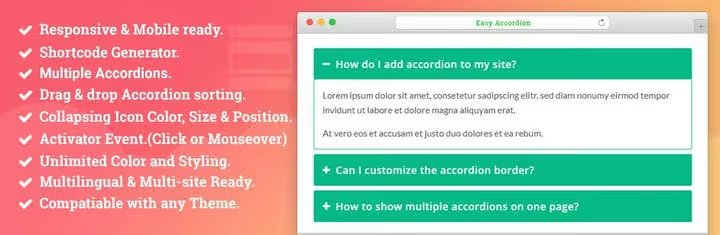
Another accordion builder that handles FAQ tasks perfectly. Drag-and-drop for creation and sorting, several accordion modes (multi-open, collapse, icon toggle), RTL support and keyboard navigation.
CSS customization without digging into code: title background color, text size and position, description color, all through visual settings. Multisite supported out of the box.
Free version is generous. Premium for $29 adds 16+ design themes, 25+ animations, multi-level accordion and WooCommerce integration. If the site is in multiple languages, RTL support really helps (Arabic, Hebrew).
8. Accordion
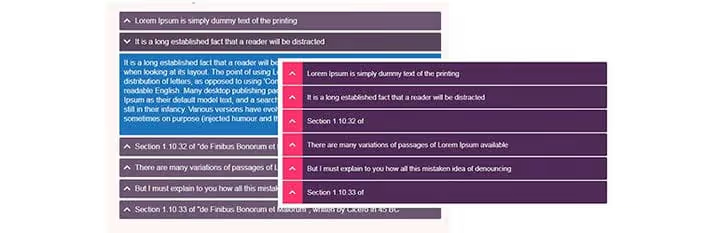
Accordion by PickPlugins is a combine that can do not only FAQ accordions, but also tabs, a knowledge base and Q&A section. Lazy loading out of the box: a page with 50 answers doesn't lag because content loads as you scroll.
Color settings, font size, title style, icons, all in the admin panel, no code. WooCommerce integration exists: you can add an FAQ tab to the product page.
Free version covers basic scenarios. Premium for $15 gives extended features, one of the most accessible upgrades in the selection. If you need a multi-purpose "accordion + tabs + FAQ" tool in one bottle, take a look.
9. Awesome FAQ

🔗 Awesome FAQ on WordPress.org
Closes the selection with Awesome FAQ, a modern Gutenberg plugin with accordions and tabs. In our experience, one of the fastest: reveal animation is instant, no jerks on mobile.
Free version gives accordion mode, color settings and FAQ markup. Premium for $29 adds like/dislike system for answers, 35+ ready templates, FAQ search and Elementor integration.
Version 2.2.0 from June 2026 is actively supported, rare case when a plugin updates monthly. Gutenberg blocks and shortcodes work in parallel, you can combine.
Minus: premium features like search and Elementor integration are hidden behind a paywall, and the free version has no FAQ categories. For a catalog of 100+ questions without categories it will be a mess, here Ultimate FAQ wins.
⁉️🤔 Frequently asked questions
Is FAQ markup needed for SEO in 2026?
Yes, although Google reduced the display of FAQ rich results in search, FAQPage markup (schema.org) still helps the search engine understand page structure. Plugins like Helpie FAQ, Heroic and Ultimate FAQ include it out of the box, we checked through Google Rich Results Test on TechBlogSD test stand in May 2026. For plugins without built-in schema (Accordion FAQ, Easy Accordion) a bundle with a separate SEO plugin will work.
Can you use multiple FAQ plugins on one site?
Technically yes, but in practice this creates style conflicts and shortcode duplication. On the test stand we tried a bundle of Ultimate FAQ (main section) + Heroic (WooCommerce tab), it worked stably after manual z-index adjustment. For most sites one plugin tailored to your task is enough.
How is an FAQ plugin better than a custom section on Gutenberg?
Three things: schema.org markup out of the box (Google sees questions and answers as structured data), accordion interface without JavaScript debugging and manageability during growth: 200 questions through Gutenberg blocks turn into hell, in a plugin this is filtered by categories in a second.
Which plugin to choose for a WooCommerce store?
If budget allows, Heroic FAQs (from $49), FAQ tab on product page out of the box. Free alternative: Ultimate FAQ (FAQ tab for WooCommerce products is in the free version). Both plugins were tested by us with WooCommerce 9.x in June 2026, no conflicts detected.
Do free FAQ plugins lag behind paid ones in loading speed?
According to our measurements, no. The speed difference between free Ultimate FAQ and paid Heroic on the same page with 20 questions is less than 100 ms (Google PageSpeed Insights, May 2026). Paid versions win not in speed, but in additional features: drag-and-drop, search, icon customization, WooCommerce integration.
Which FAQ plugin to choose for your task?
Short breakdown by scenarios, based on our testing experience:
- Blog or landing page, need a free start: Ultimate FAQ with markup, unlimited categories, Gutenberg blocks. All in the free version.
- WooCommerce store: Heroic FAQs, from $49 or free Ultimate FAQ. Both add FAQ to product page without code.
- Need to accept questions from users: Tribulant FAQ (from $34). The only one in the selection with full-cycle feedback.
- Maximum cheap and no hassle: Accordion FAQ (from $9) or free Quick and Easy FAQs.
- Agency / multisite: Awesome FAQ (from $29) or Easy Accordion with RTL support.
All plugins from the selection were personally tested on WordPress 6.7 in June 2026. Choose for the task, not for the loud headline, and your FAQ section will start selling.

A professional team of writers and editors specializing in creating quality content.