














💬 11 plugins to extend WordPress comments (2026)
Visitors drop in, read, and leave. No comments, no discussion, no return visit, no signal to search engines that the page is alive. A familiar picture for hundreds of WordPress sites.
The problem isn't the content. The standard WordPress form is too basic: no social login, no reply subscriptions, every submission reloads the page. The reader wants to leave a thought here and now, but the system puts up barrier after barrier.
Below, 11 plugins that remove these barriers. From fast AJAX publishing to gamification, email subscriptions and meaningful comment display. With prices, pros, cons and scenarios so you can take what your site needs.
💡 Quick overview:
- AJAX and speed: wpDiscuz, WP Ajaxify Comments and Comment Edit Core make publishing instant, and editing available to readers
- Social login and community: Disqus, Jetpack and wpDiscuz allow commenting through social networks without registration
- Subscriptions and retention: WPMU DEV Comments+ and Comment Experience bring readers back to the discussion with email notifications
- Display and reactions: Decent Comments shows comments beautifully, and Comments Like Dislike adds likes and dislikes
- Maximum features: Thrive Comments and Facebook Comments, for those who want gamification or native integration with social networks
Comparison table: top 5 by task
Product | For whom | Price | Feature |
|---|---|---|---|
wpDiscuz | Most sites | Free + addons from $25 | AJAX, no ads, own database |
Jetpack Comments | Minimalists | Free | One checkbox and done |
Disqus | Those who want a ready community | Free / from $12/mo | Huge user base |
Thrive Comments | Marketing and retention | $49/year | Calls to action after comment |
Comment Edit Core | UX care | Free | Comment editing by readers |
1. Jetpack Comments

Jetpack from Automattic, a Swiss Army knife for WordPress, and the comments module in it is just one of many features. After activation, the standard form is replaced with a built-in one: login through WordPress.com, Twitter, Facebook or Google, email notifications and basic spam filter.
Jetpack has over a million active installations, and that's the main argument for stability. The comments module itself doesn't require a paid plan. But if you only need the form and nothing else, all of Jetpack can be excessive: even in minimal configuration it pulls modules you didn't ask for.
- Pros: free, stable, social login out of the box, constant updates
- Cons: large plugin for one function, tied to WordPress.com account
2. Disqus Comment System

Disqus, one of the largest third-party comment systems on the internet. It's used by ABC News, Entertainment Weekly and Rotten Tomatoes. For WordPress the plugin installs in a minute and takes existing comments without loss.
The main plus, a discussion community: readers come with a profile, history and reputation. The minus, ads on the free tier. Disqus inserts sponsored blocks into the form, and it's annoying. You can disable ads on a paid plan (from $12 per month). The plugin is actively updated, version 3.1.4 was released in 2025.
- Pros: largest community, social login, WordPress sync, powerful moderation
- Cons: ads on free tier, dependency on third-party service
3. wpDiscuz

wpDiscuz, the most popular AJAX plugin for WordPress comments: over 100,000 active installations and a 4.5 star rating. Version seven brought a modern interface, lazy loading of comments and built-in voting.
Key difference from Disqus: all comments are stored in your database. No ads, no dependency on third-party API. Social login (Facebook, Twitter) turns on with one checkbox. There's inline commenting: a reader highlights a text fragment and writes a review right to it.
The plugin itself is free. Premium addons, from $25: media uploads, mentions, reCAPTCHA, subscriptions. Full bundle, $99 per year.
- Pros: fast, no ads, comments in own database, many addons
- Cons: some features require paid additions, setup can be non-trivial
🔗 wpDiscuz on WordPress.org | 🔗 Demo
4. WPMU DEV Comments+
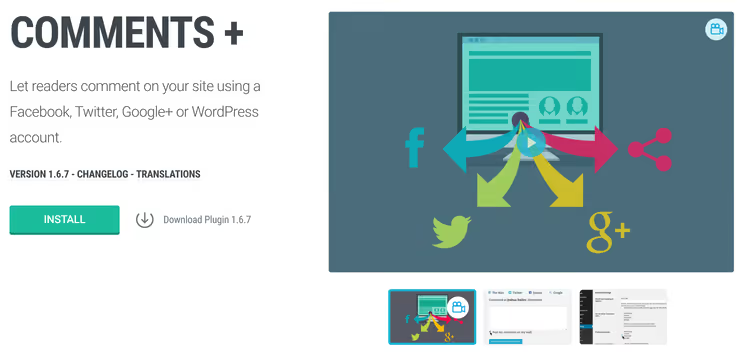
Comments+, part of the WPMU DEV ecosystem, a premium platform for WordPress developers. The plugin adds login through Facebook, Twitter, Google and WordPress.com, ability to share a comment on social networks and a dozen extensions: Mailchimp integration, auto-posting to Twitter and featured images for Facebook.
Available by WPMU DEV subscription for $49 per month, which includes all platform plugins, themes and hosting. For freelancers and agencies it's justified: in one package, managing multiple sites, backups, monitoring and support.
- Pros: social network integration, part of powerful ecosystem, professional support
- Cons: subscription only, excessive for one site
5. WP Ajaxify Comments

WP Ajaxify Comments solves one specific task: removes page reload when submitting a comment. You write a reply, click "Submit", it appears instantly. Validation errors are shown right there, without a separate screen.
Since 2024 the plugin supports lazy loading of comments: the discussion block loads only when the reader scrolls to it. This speeds up the page and reduces DOM size. The plugin was updated in April 2026 (version 3.2.2), compatible with Astra, Divi, GeneratePress, Blocksy.
Free, about 2,000 active installations, 4.7 rating. The author, Ronald Huereca from DLX Plugins, actively responds to bugs.
- Pros: lightweight, AJAX without reload, lazy loading, active support
- Cons: requires selector setup for some themes
🔗 WP Ajaxify Comments on WordPress.org
6. Decent Comments

Decent Comments from itthinx studio, not a form replacement, but a tool for beautiful comment display anywhere on the site. Widget, shortcode, Gutenberg block or function call in template: you show author avatars, text previews and links to posts.
You can display comments for a specific post, post type, category or tag. Configure the number of words in preview, avatar size, sorting. The plugin is free, updated in 2026 (version 3.0.2), tested up to WordPress 6.9.
Typical scenario: show a "What's being discussed" block in the sidebar with faces and quotes, this brings readers back to the discussion.
- Pros: flexible display, Gutenberg block, shortcodes, active updates
- Cons: doesn't replace comment form, display only
🔗 Decent Comments on WordPress.org
7. Comment Edit Core

Comment Edit Core (formerly Simple Comment Editing) solves a problem familiar to every commenter: a typo, wrong link, poorly thought out wording, and you can't fix it anymore. The plugin gives readers a 5-minute window to edit their comment after publishing.
No settings, install and it works. For non-logged-in users the timer is compact and visible, for logged-in users, editing without time limits. The author, Ronald Huereca (the same developer who made WP Ajaxify Comments), has been maintaining the plugin since 2023, version 3.3.0 tested up to WordPress 7.0.
Pro version adds @-mentions, commenter avatars, Mailchimp and ConvertKit integration, Zapier webhooks and spam protection through Cloudflare Turnstile.
- Pros: simplicity, free, active support, tested up to WP 7.0
- Cons: free version, basic editing only, no moderation
🔗 Comment Edit Core on WordPress.org
8. Comments Like Dislike

Comments Like Dislike, a lightweight plugin that adds "Like" and "Dislike" buttons under each comment. No form rebuilds, no dependency on third-party services: just two icons that make discussion interactive.
5,000+ active installations, 4.5 star rating, tested up to WordPress 7.0. There are several icon templates and reaction counters visible to all visitors. Sorting comments by number of likes is not provided, the plugin does exactly what's stated, without bloating functionality.
For sites where it's important to see audience reaction to specific replies (and not just to the post as a whole), this is a simple and clean tool.
- Pros: lightweight, free, doesn't change standard form, active updates
- Cons: likes and dislikes only, no rating sorting
🔗 Comments Like Dislike on WordPress.org
9. Comment Experience by Progress Planner

This plugin used to be called Yoast Comment Hacks: Joost de Valk's team collected practical tweaks they use on their own sites. Now the project is developing under Progress Planner's wing as Comment Experience.
What's inside: cleaned email notifications (without extra markup), comment length limits, minimum and maximum, thank you page for first comment, redirect notifications to another user, change parent comment on edit screen. The plugin is free, version 2.1.6, updated in 2025.
- Pros: battle-tested hacks, clean email, spam limiting by length
- Cons: modest feature set for those expecting a "combine"
🔗 Comment Experience on WordPress.org
10. Thrive Comments

Thrive Comments, a premium plugin from Thrive Themes that turns the comments section into a marketing tool. Social sharing, voting, badges for active commenters, engagement analytics, transition to next article after submitting a comment.
The creators' idea: a comment is not the end of interaction, but a point for the next step. After submitting, the reader sees a call to action or similar post recommendation. The plugin is available in Thrive Suite for $299 per year (together with all Thrive tools) or separately for $49 per year.
- Pros: gamification and retention, built-in analytics, calls to action after comment
- Cons: expensive for single site, Thrive ecosystem
11. Facebook Comments for WordPress
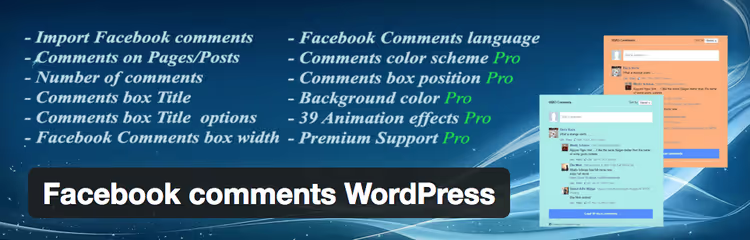
If your audience lives on Facebook, it makes sense to let them comment through their familiar environment. This plugin adds native Facebook commenting under posts directly through Facebook Graph API, without third-party services.
Free version, basic integration with moderation. Pro version adds appearance customization and priority support, price depends on developer license.
- Pros: direct Facebook commenting, simple installation
- Cons: audience outside Facebook won't be able to comment without an account, depends on Facebook API
⁉️🤔 Frequently asked questions
Do I need to replace the standard WordPress comments form at all?
Depends on the audience. If you get 3-5 comments per month, the standard form is enough. But if discussion is active, readers want to subscribe to replies, login through social networks and see avatars, the standard form doesn't cover these scenarios. Plugins like wpDiscuz add all this with one activation.
Which plugin to choose if I only need social login?
Jetpack Comments and wpDiscuz solve the task for free. Jetpack is simpler, one checkbox. wpDiscuz is more flexible: form field setup, layout, inline commenting. Both support Facebook, Twitter and Google.
Disqus or wpDiscuz: which is better in 2026?
If you need a ready community and you're willing to put up with ads, Disqus. If you want to store comments yourself and not depend on third-party API, wpDiscuz. For most sites wpDiscuz is now preferable: faster, no ads, with active updates.
How to let readers edit their comments?
Comment Edit Core solves exactly this task: 5 minutes to edit after publishing, without settings and extra code. For more advanced moderation and @-mentions there's a Pro version from the same developer.
What to do about comment spam?
Three levels. First: built-in WordPress spam filter and Akismet (free for non-commercial). Second: reCAPTCHA through wpDiscuz addons or CleanTalk. Third: moderation rules, length limiting through Comment Experience, pre-moderation of first comments, keyword blocking.
Which comment plugin to install in 2026
Universal choice for most sites, wpDiscuz: free, no ads, comments stay in your database. If you need a community "out of the box", Disqus, but remember about ads on the free tier. For minimalists who just want to speed up the form, WP Ajaxify Comments. For user care, Comment Edit Core and Comments Like Dislike. And if you're ready to invest in gamification and analytics, Thrive Comments.
Don't install all plugins at once. Take one for the form, one for display (Decent Comments) and one for interactivity, that's enough to make comments work as a repeat visit channel. The main thing is not the feature set, but how convenient it is for readers to leave a thought without barriers.

A professional team of writers and editors specializing in creating quality content.