














🚫 13 best plugins for WordPress brute force attack protection 2026 (free and Pro)
Brute force is not a hypothetical threat for a WordPress site. Any fresh blog or store gets scanned by bots within the first hours after deployment. There's no difference between sites: scripts don't care whose wp-login.php they hammer. 20,000 attempts in a couple of minutes, and the site is either compromised or down under load on cheap hosting.
Standard WordPress doesn't count login attempts. A hundred thousand times, a million, the login form processes without limit. This is an entrance door without a lock. The password will be guessed sooner or later, a matter of time, not probability.
We've collected 13 working plugins for blocking brute force attacks: from lightweight attempt counters to full-featured suites with firewalls, malware scanners and two-factor authentication. All with live screenshots, current pricing and experience from real sites.
💡 Quick overview:
- Lightweight attempt counter (Loginizer, Limit Login Attempts Security) blocks only brute force without server load.
- Suite (Wordfence, AIOS, Defender) adds firewall and malware scanner.
- For stores, a 2FA plugin with WooCommerce form protection is mandatory (miniOrange, Kadence Security).
- Don't install two plugins with firewalls simultaneously, conflicting rules will lock you out of admin.
Plugin comparison table
Plugin | 2FA | Firewall | Malware scanner | Price (from) | Active installations |
|---|---|---|---|---|---|
Wordfence | ✅ | ✅ | ✅ | Free / $149 | 5M+ |
Loginizer | ✅ (Pro) | ❌ | ❌ | Free / $24 | 1M+ |
Sucuri | ❌ | ✅ (WAF) | ✅ | Free / $199.99 | 800K+ |
Jetpack | ❌ | ✅ | ✅ | Free / $99 | 5M+ |
miniOrange 2FA | ✅ | ❌ | ❌ | Free / from $99 | 400K+ |
Shield Security | ✅ | ✅ | ✅ (Pro) | Free / from $99 | 100K+ |
Limit Login Attempts Security | ✅ | ✅ | ❌ | Free / from $60 | 2M+ |
WP Ghost | ✅ (Pro) | ✅ | ❌ | Free / $29.99 | 100K+ |
Security Ninja | ✅ (Pro) | ✅ | ✅ (Pro) | Free / $39.99 | 40K+ |
Kadence Security | ✅ | ✅ | ✅ (Pro) | Free / $80 | 1M+ |
AIOS | ✅ | ✅ | ✅ (Premium) | Free / from $49 | 1M+ |
Defender | ✅ | ✅ | ✅ (Pro) | Free / from $5/mo | 100K+ |
BulletProof Security | ❌ | ✅ | ✅ | Free / $69.95 | 20K+ |
1. Wordfence Security
Wordfence is not just a plugin, it's the de facto WordPress security standard. Over 5 million active installations, an in-house threat intelligence team and a 24/7 incident response group. If you need one "set and forget" tool, this is it.
Inside: endpoint firewall (works inside WordPress, not outside, so it doesn't break encryption and eliminates data leaks), malware scanner, brute force protection via login attempt limiting, two-factor authentication via any TOTP app and live traffic viewing in real time.
In practice, Wordfence is good because the free version covers the vast majority of needs for a small to medium site. Firewall rules and malware signatures in the free version arrive with a 30-day delay, acceptable for a blog or landing page. For a store, Premium is better: real Threat Defense Feed, country blocking and blocklist checking.
Downsides: the scanner sometimes loudly flags suspicious files that are actually safe, custom themes, cache files. You have to manually whitelist them.
- Brute force protection: attempt limiting + IP blocking + 2FA + reCAPTCHA on login
- Firewall: endpoint WAF, rules updated via Threat Defense Feed
- Scanner: checks core, themes and plugins for malware + file integrity against wordpress.org
- Price: free; Premium, $149/year
2. Loginizer
Loginizer is a lightweight and focused tool. No firewalls or scanners, only login protection. It handles that excellently: 1 million active installations and compatibility up to WordPress 7.0.
The principle is simple: 3 failed attempts, IP gets blocked for 15 minutes. After several blocks, 24-hour ban. Everything is flexibly configurable: number of attempts, block duration, IP whitelist and blacklist.
The Pro version adds 2FA via email or authenticator app, reCAPTCHA (v2/v3 + Cloudflare Turnstile), renaming wp-login.php and wp-admin, social login (Google, GitHub, Facebook) and Country Blocking. Lots of Pro features, but the core, the attempt counter, works flawlessly in the free version.
- Brute force protection: attempt counter + IP blocking + reCAPTCHA (Pro)
- 2FA: email code / TOTP app (Pro)
- Feature: change login slug, wp-admin, XML-RPC
- Price: free; Pro, $24/year
3. Sucuri Security
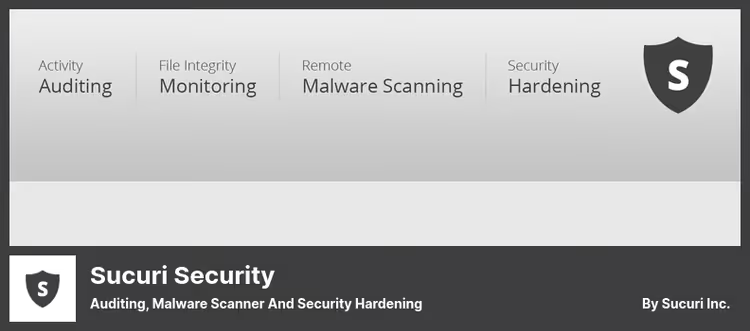
Sucuri is a company specializing in site security, and their plugin serves as a showcase for the ecosystem. The free version provides event audit, file integrity monitoring, remote malware scanning via SiteCheck, blocklist checking and a set of hardening recommendations. But Sucuri's main strength is hidden in the paid WAF.
Sucuri's cloud firewall routes all traffic through its points of presence before it reaches your server. DDoS, brute force attacks and exploit attempts get repelled before they arrive. Plus CDN for acceleration and virtual patching of vulnerabilities before official patches are released.
Downside for those who want everything in one plugin: free Sucuri is monitoring, not active protection. Brute force blocking is only available with WAF.
- Brute force protection: via cloud WAF (paid)
- Firewall: cloud WAF + DDoS protection + CDN (paid)
- Scanner: remote SiteCheck + file integrity
- Price: free; WAF, $199.99/year
🔗 Sucuri on WordPress.org | 🔗 Sucuri Firewall
4. Jetpack
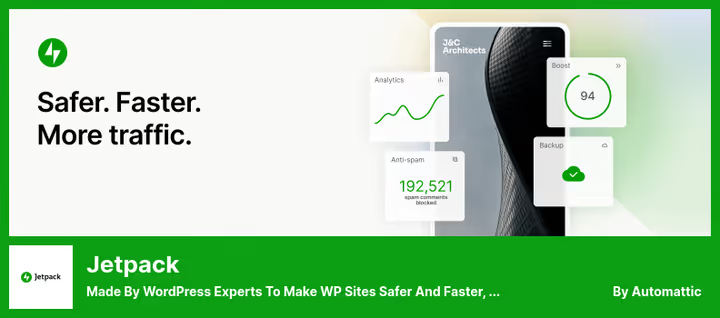
Jetpack from Automattic (the WordPress.com team) is a Swiss army knife where security is just one of dozens of modules. Inside: brute force protection via the free Protect module, backup, CDN for images, spam filter, analytics and email marketing.
Brute force protection works via a global network: if some IP attacked another Jetpack site, it gets blocked on yours too. This is stronger than a local attempt counter. The Protect module is free.
But the Jetpack interface is a labyrinth of toggles and submenus. Hard to figure out on the first try, and some features require connecting to WordPress.com. For those who only need security without extra bulk, it's heavy.
- Brute force protection: global Protect network + attempt counter
- Firewall: via Protect module
- Scanner: malware scanning + downtime monitoring (paid)
- Price: free; Security, $99/year
🔗 Jetpack on WordPress.org | 🔗 Jetpack Security
5. miniOrange 2FA, Two Factor Authentication
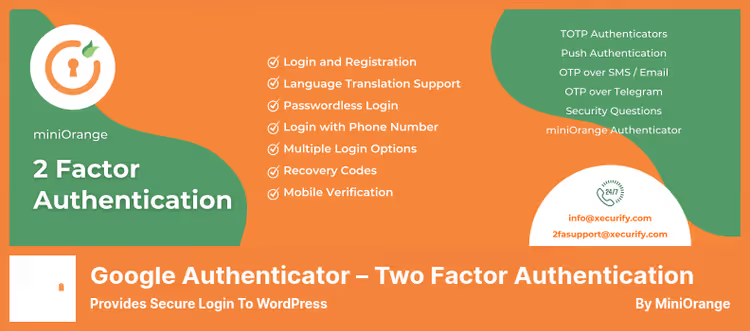
miniOrange 2FA is a narrowly specialized plugin. It doesn't handle firewalls or scan for malware. The only task is adding a second factor to login. And it does this better than most suites.
About a dozen methods: Google Authenticator, Microsoft Authenticator, Authy, Duo, OTP via email, SMS, WhatsApp, Telegram, security questions. Everything is configured by role: administrators get strict 2FA, authors get optional. WooCommerce login form is supported.
The free version works for 5 users, enough for a small blog with a couple of editors. Pro removes the limit and adds trusted devices, multisite and white label.
Important: this is only the second factor. The plugin doesn't protect against password brute force, install it together with an attempt counter.
- Brute force protection: via 2FA (guessed password won't grant access without second factor)
- 2FA methods: TOTP, email, SMS, WhatsApp, Telegram, security questions
- Feature: WooCommerce, Elementor, BuddyPress, full compatibility
- Price: free (up to 5 users); Pro, $99
🔗 miniOrange 2FA on WordPress.org | 🔗 miniOrange Premium
6. Shield Security

Shield Security grew as a replacement for the discontinued WP Cerber and surpassed it in many parameters. Main feature: the plugin makes blocking decisions automatically without admin involvement. Each visitor gets a reputation score based on signals, failed login, firewall trigger, silentCAPTCHA failure. Exceeds threshold, IP gets blocked automatically.
silentCAPTCHA is a passive bot detector that doesn't show checkboxes to real visitors. Works quietly, without external requests and JavaScript.
Perks: the free version automatically restores modified WordPress core files from wordpress.org and can distinguish legitimate bots (Google, Bing) from fakes. Pro adds AI malware scanner, passkeys (passwordless login via Face ID / Touch ID / Windows Hello), CrowdSec integration and vulnerability scanning for plugins and themes.
- Brute force protection: automatic blocking by reputation score + silentCAPTCHA + attempt counter
- Firewall: 8G rules + CrowdSec integration (Pro)
- Scanner: core integrity + PHP malware detector (Pro: AI scanner)
- Price: free; ShieldPRO, $99/year
🔗 Shield Security on WordPress.org | 🔗 ShieldPRO
7. Limit Login Attempts Security
This plugin used to be called Limit Login Attempts Reloaded, and after rebranding got a modern interface and cloud protection in premium. 2 million active installations, a serious number for a niche solution.
The core is a classic attempt counter: IP, username, block time. But there are nuances that competitors don't have: WooCommerce login protection, XML-RPC and custom login forms out of the box. Plus built-in 2FA in the free version.
Premium moves protection to the cloud: blocks sync between sites, global blacklists update in real time, and brute force attack load goes to WPChef cloud, not your server. The limit is 100,000 requests per month for the starter plan, more than enough for most sites.
- Brute force protection: attempt counter by IP and username + cloud (Premium)
- 2FA: built-in, free
- Feature: WooCommerce + XML-RPC + custom forms protection
- Price: free; Premium, $60/year
🔗 Limit Login Attempts Security on WordPress.org | 🔗 Premium
8. WP Ghost
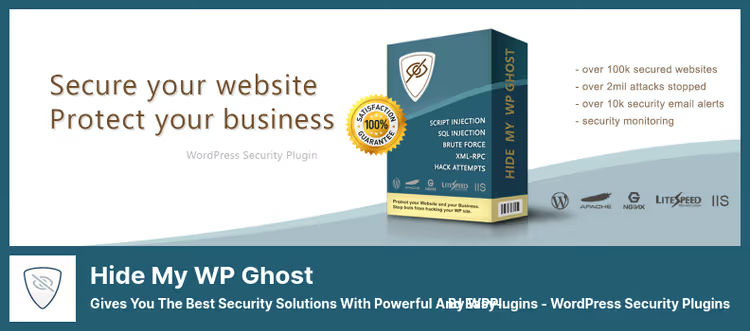
WP Ghost (formerly Hide My WP Ghost) approaches security differently: instead of deflecting attacks, it makes the site invisible to scanner bots. The plugin changes standard WordPress paths: /wp-admin becomes a custom slug, /wp-content to /media, and wp-login.php returns 404 to everyone except you.
This is not security through obscurity, but architectural hiding. The vast majority of attacks begin with reconnaissance: bots scan millions of sites per hour looking for wp-login.php. WP Ghost makes it so the scanner doesn't understand if it's WordPress.
Additionally: 8G/7G firewall, passkeys (passwordless login via Face ID / Touch ID / Windows Hello), AI crawler blocking (GPTBot, ClaudeBot) and GEO threat map. Works alongside Wordfence, AIOS, Sucuri without conflicts.
- Brute force protection: login URL change + 8G firewall + reCAPTCHA + attempt counter
- Masking: renaming /wp-admin, /wp-content, /wp-login.php, plugins and themes
- Feature: passkeys, AI bot blocking, CDN compatibility
- Price: free; Premium, $29.99/year
🔗 WP Ghost on WordPress.org | 🔗 WP Ghost Premium
9. Security Ninja
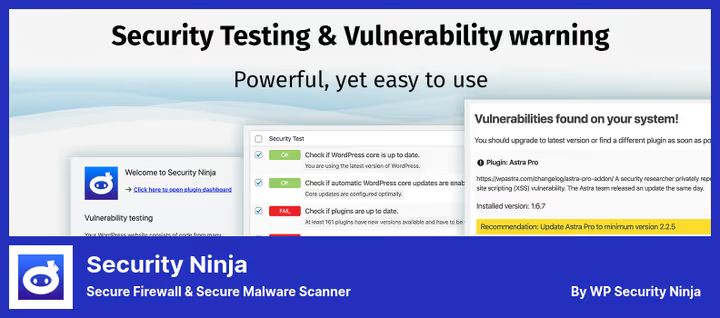
Security Ninja started as a lightweight security auditor on CodeCanyon and grew into a full suite. 50+ security tests in one scan, from weak passwords to file permissions and outdated plugin versions.
The free version provides a firewall based on 8G rules, plugin and theme vulnerability scanner, and core integrity check. Pro adds cloud firewall (600M+ known bad IPs), malware scanner with one-click cleanup, 2FA and login protection.
Feature: Security Ninja shows not just a list of problems, but a prioritized action plan, what to fix first. This saves beginners hours.
- Brute force protection: Login Protection + 2FA (Pro)
- Firewall: 8G (free), Cloud Firewall (Pro)
- Scanner: 50+ tests + malware scanner (Pro) + Core Scanner
- Price: free; Pro, $39.99/year
🔗 Security Ninja on WordPress.org | 🔗 Security Ninja Pro
10. Kadence Security
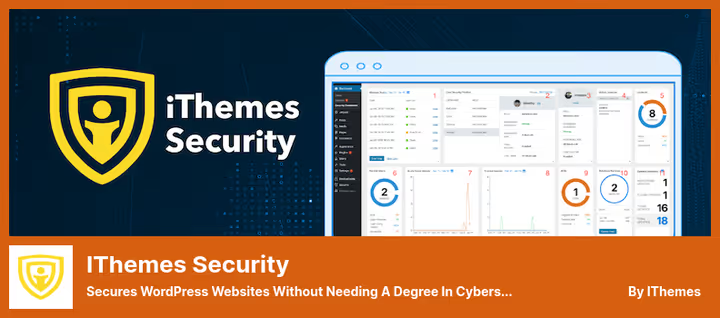
Kadence Security is the direct successor to iThemes Security from the Nexcess team. The product relaunched with a new name and rethought approach: instead of hundreds of scattered settings, security templates by site type. eCommerce, blog, portfolio, nonprofit, brochure, you choose a template and the plugin enables an adequate protection level automatically.
The free version provides: local and network brute force protection (nearly 1 million sites in the shared network), 2FA via Google Authenticator, password requirements, file change tracking and site scanning via Google Safe Browsing. Pro extends to reCAPTCHA, passwordless login, Trusted Devices, Patchstack integration for virtual vulnerability patching and User Logging.
Important: Kadence Security modifies .htaccess and wp-config.php, make a backup before activation.
- Brute force protection: local + network (community ~1M sites)
- 2FA: Google Authenticator + email (free), reCAPTCHA + passwordless login (Pro)
- Scanner: file change tracking + Google Safe Browsing (free), Patchstack (Pro)
- Price: free; Kadence Security Pro, $80/year
🔗 Kadence Security on WordPress.org | 🔗 Kadence Security Pro
11. All-In-One Security (AIOS)

All-In-One Security (AIOS), formerly All In One WP Security & Firewall, now belongs to the UpdraftPlus team. 4.7 stars on 1M+ installations, and deservedly so.
Among the features: a point-based security scoring system (understandable even to beginners), three feature levels, Basic, Intermediate, Advanced, and free 2FA with Google Authenticator, Microsoft Authenticator and Authy support. The firewall uses 6G rules from Perishable Press, a time-tested set.
The free version has everything needed to protect login: attempt counter, 2FA, forced logout on idle, user enumeration protection, admin username detection. Premium adds Smart 404 Blocking, Country Blocking, malware scanning and uptime monitoring.
- Brute force protection: attempt counter + 2FA + forced logout + user enumeration protection
- Firewall: 6G rules +.htaccess + PHP firewall
- Scanner: file change tracking (free), malware scanner (Premium)
- Price: free; Premium, $49/year
🔗 AIOS on WordPress.org | 🔗 AIOS Premium
12. Defender Security
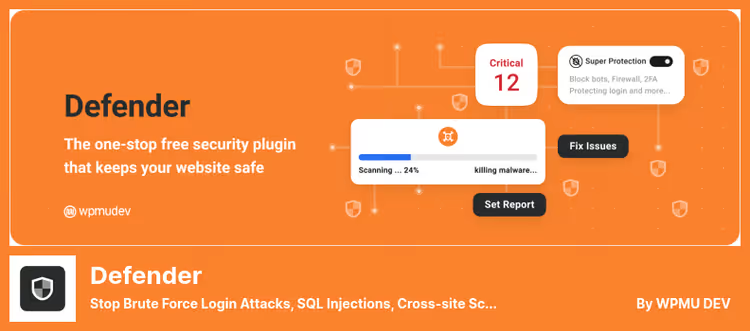
Defender from WPMU DEV is another suite that surprises with the volume of free features. Malware scanner, firewall, 2FA, attempt counter, login masking, Google reCAPTCHA, security headers and 404 limiter, all with minimal impact on site speed.
The AntiBot Global Firewall deserves special mention, free connection to the WPMU DEV cloud that blocks malicious IPs based on data from 750,000 sites.
Pro extends to: scheduled malware scanning, Safe Repair for suspicious files (one-click restore), known vulnerability detection and Google Blocklist Monitoring. Defender pleases in that it doesn't overload the interface, everything is logically grouped, several hardening recommendations apply simultaneously.
- Brute force protection: attempt counter + 2FA + login masking + reCAPTCHA
- Firewall: local + AntiBot Global Firewall (cloud across 750K sites)
- Scanner: malware + core integrity (free), Safe Repair + vulnerabilities (Pro)
- Price: free; Pro, in WPMU DEV from $5/mo
🔗 Defender on WordPress.org | 🔗 WPMU DEV
13. BulletProof Security
BulletProof Security is a veteran with 10+ years of history and version 7.2 for WordPress 7.0. Main feature: .htaccess firewall operating at server level before WordPress loads. This is faster than any PHP firewall.
BPS is not the most user-friendly plugin. The interface is spartan, configuration logic requires understanding .htaccess. But for those who know their way around, it's a powerful tool. The Pro version includes ARQ IDPS (AutoRestore Intrusion Detection & Prevention System): the plugin tracks all file changes and automatically restores originals from quarantine.
Important: BPS rewrites .htaccess and can conflict with other plugins that also write to .htaccess. Configure permalinks before installation.
- Brute force protection:
.htaccessfirewall + Login Security & Monitoring - Firewall:
.htaccessrules (server level) + PHP firewall - Scanner: MScan Malware Scanner + Core File Scanner
- Price: free; Pro, $69.95
🔗 BulletProof Security on WordPress.org | 🔗 BPS Pro
⁉️🤔 Frequently asked questions
What is a brute force attack on WordPress?
Brute force is automated password guessing. A bot sends requests to
wp-login.phpwith different login and password combinations until it finds the right one. By default WordPress doesn't limit the number of attempts, 20,000 requests in a few minutes is no problem for a bot. Hosting chokes in the process, and the site is either compromised or down.
Is one plugin enough for complete protection?
For a small to medium site, yes. Wordfence, AIOS or Defender cover the vast majority of threats: attempt counter, firewall, 2FA. For a store, it's better to combine: attempt counter (Limit Login Attempts Security) + 2FA (miniOrange) + cloud WAF (Sucuri). Don't install two plugins with firewalls simultaneously, conflicting rules can lock you out of admin.
Is a paid plugin needed if there's free Wordfence?
Free Wordfence covers basic needs. The difference with Premium is in real time: firewall rules and malware signatures in the free version arrive with a 30-day delay. For a blog this is fine, for a store with payments, it's a risk. Plus Premium provides country blocking, which is useful if the main attack flow comes from one region.
What to do if the plugin blocked my own IP?
Enable VPN on your phone (Opera Browser has built-in) and log in from a different IP. In admin, add your IP to the whitelist. If there's no VPN, via FTP or hosting file manager rename the plugin folder in
wp-content/plugins/, log into admin, restore the name and add the IP to the whitelist.
Which plugin is lightest on the server?
Loginizer and Limit Login Attempts Security, only attempt counter, no firewalls or scanners. Minimal load, maximum login protection. If you need a firewall without losing speed, Shield Security (8G rules processed at server level) or WP Ghost (only rewrite rules, no file modification).
Can you manage without a plugin?
You can, but it's harder. Manual
.htaccessconfiguration for attempt limiting, HTTP Basic Auth on wp-admin, Cloudflare WAF, all this works. But a plugin does the same in 5 minutes, with interface and logs. For client sites, a plugin is the only option.
What to install in 2026?
After testing a dozen solutions on real sites, the rule is simple: one free suite plus one specialized 2FA plugin if there's a store.
Wordfence is the standard for those who want out-of-the-box protection without configuration hassle. Loginizer is for minimalists who only need an attempt counter. WP Ghost is if the site regularly gets scanned by bots and it makes sense to hide WordPress traces.
If you need one universal free option, get Wordfence. Covers brute force, firewall, malware scanner and 2FA. For a WooCommerce store, the more reliable combination is: Limit Login Attempts Security (protects all login forms) + miniOrange 2FA (second factor). And when the site is under targeted attack and the counter can't cope, Shield Security with automatic blocking by reputation score saves the day without manual intervention.
And most important: brute force is not the only threat. A plugin doesn't replace regular backups, strong passwords and timely core updates. But without an attempt counter, everything else loses meaning, the door is open.

A professional team of writers and editors specializing in creating quality content.