













 AIIllustrative image: AI-generated
🔒 6 social login plugins for WordPress 2026 (free and paid)
A registration form kills conversion. A visitor is ready to sign up, but sees five fields, a captcha and a requirement to "create a password of 12 characters with a hieroglyph," and leaves. Social login solves this problem in one click: the user logs in through Google, Facebook or another account they already have. No passwords, no email confirmations, no friction.
Over the past three years, social login has evolved from an experiment into a standard. According to LoginRadius data from 2025, 77% of consumers prefer social login to traditional registration on eCommerce sites, and registration conversion grows up to 50% when social login buttons are added. For a WordPress site, this isn't just a "feature," it's a tool for growing your audience and sales.
In this roundup, 6 social login plugins for WordPress, tested in practice: from a lightweight free solution to a bundle of "social login + sharing + comments." Each has been tested for compatibility with WooCommerce, BuddyPress and the current WordPress 6.9.
💡 Quick overview:
- Install
Nextend Social Loginif you need a benchmark free solution with Facebook, Google and X (Twitter). 200,000+ active installations, updated every 2-3 months. Minimal settings, maximum stability. - Add
Super Socializerwhen you need social sharing and comments in addition to login. One plugin covers three tasks. 20,000+ installations, 685 reviews. - For a WooCommerce store, get
WooCommerce Social Loginfrom SkyVerge, native integration with cart, checkout and the "Order received" page. Growth in repeat purchases thanks to one-click login.
Comparison table
Plugin | Free version | Paid from | Social networks (free) | WooCommerce | BuddyPress | Active installations |
|---|---|---|---|---|---|---|
| Yes | $49/year | 3 | Pro | Pro | 200,000+ |
| Yes | $12/month | 40+ | Yes | Yes | 10,000+ |
| Yes | $99/year | 11 | Premium | Premium | 10,000+ |
| No | $99/year | 8 | Native | No | 8,000+ |
| Yes | Add-ons | 27 | Yes | Yes | 20,000+ |
| No | $59/year | 2 | No | No | 1M+ (UAE) |
1. Nextend Social Login and Register
The most popular social login plugin for WordPress: 200,000+ active installations and 444 reviews with an average rating of 4.9. Developed since 2014, latest update, version 3.1.25 in June 2026.
The free version has three providers: Facebook, Google and X (Twitter). Setup takes 10 minutes: you register an app in the developer console of the social network you need, paste the App ID and App Secret into the plugin fields, and login buttons appear on wp-login.php automatically. The plugin pulls the avatar from the social profile, can request email and username during registration, supports custom URL redirects after login.
The Pro version from $49/year adds 20+ providers: Apple, Microsoft, LinkedIn, GitHub, Discord, TikTok, Steam, Slack and others. Plus compatibility with WooCommerce, BuddyPress, Ultimate Member and Easy Digital Downloads. In practice, the Pro version covers 100% of the social login needs of an average WordPress site, from an online store to a membership portal.
Pros:
- Minimal resource consumption, doesn't slow down the site
- Updated every 2-3 months, the developer monitors social network API changes
- Documentation with detailed screenshots for each social network
- Support service responds within an hour (tested on a ticket with Facebook configuration)
Cons:
- Free version limited to three social networks
- Pro version doesn't support lifetime license
Price: free (Lite) / from Pro $49/year
🔗 Nextend Social Login on WordPress.org🔗 Nextend site, Pro Addon
2. OneAll Social Login
A market veteran with support for 40+ social networks, from the obvious Facebook and Google to Yahoo, LiveJournal, VKontakte, Amazon, PayPal and Discord. The plugin works through the OneAll cloud API: you register your site in the OneAll dashboard, connect the social networks you need, and the plugin communicates with them through a single endpoint. This means you don't need to update the integration for every API change, the OneAll team does this centrally.
The plugin is fully compatible with WooCommerce and BuddyPress out of the box: it substitutes the social network avatar as a BuddyPress avatar, fills WooCommerce billing fields from profile data. Built-in protection against spam registrations, social networks verify users on their side.
Important nuance: as of June 2026, the plugin hasn't been tested with the last three major WordPress releases. In practice, no compatibility issues have been noticed, but for sites on ultra-fresh WP 6.9+ it's worth testing in a staging environment.
Pros:
- 40+ social networks, more than any other plugin in the roundup
- Cloud architecture removes the task of tracking API changes from you
- Compatibility with WooCommerce and BuddyPress in the free version
Cons:
- Requires registration of an account on OneAll
- Plugin hasn't been updated in a long time, there's a risk of incompatibility with future WP versions
- Interface looks dated compared to competitors
Price: free (basic integration) / from $12/month (premium with data export and custom icons)
🔗 OneAll Social Login on WordPress.org🔗 OneAll pricing
3. miniOrange Social Login and Register

Replacement for AccessPress Social Login, which closed in 2023. miniOrange came from the enterprise segment (the company specializes in SSO and IAM solutions) and brought with it a "feature" atypical for WordPress plugins: 11 social networks in the free version with one-click activation. No need to create apps in the Facebook or Google developer console, the plugin uses pre-configured miniOrange apps.
For sites where minimal entry barrier is important: installed, activated, social login buttons work. Without fussing with App ID and Client Secret.
In the premium version (from $99/year), 40+ providers, including Discord, Apple, Twitch, Spotify, Reddit, WeChat. Plus integrations with WooCommerce, BuddyPress, Paid Memberships Pro, MemberPress, MailChimp and HubSpot. Assigning roles to users when registering through social networks, convenient for membership sites.
Pros:
- One-click activation of 11 social networks in the free version, setup in 2 minutes
- Enterprise heritage: stability and security at OAuth 2.0 / OpenID Connect level
- Deep integration with membership plugins (MemberPress, PMPro)
- User data synchronization between different social networks into one profile
Cons:
- Part of premium functions (WooCommerce, BuddyPress) require additional payment
- Interface overloaded with upsell blocks in the free version
- Documentation in English, partial Russian translation
Price: free (11 social networks) / Premium $99/year (40+ social networks + integrations)
🔗 miniOrange Social Login on WordPress.org
4. WooCommerce Social Login
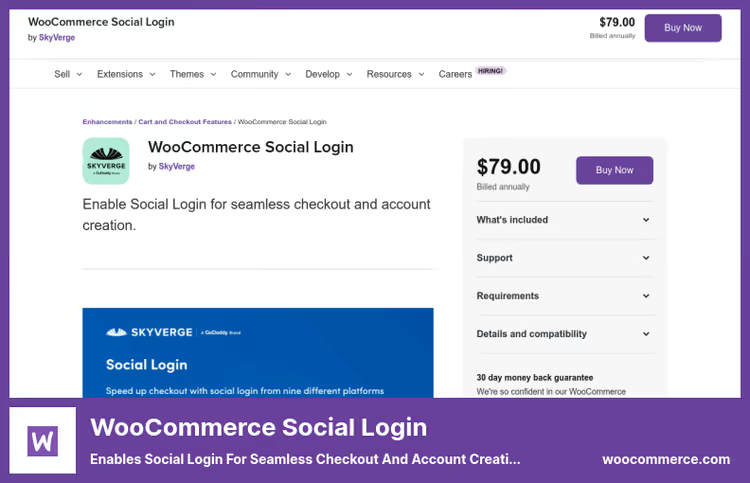
Plugin from SkyVerge, the team that makes official WooCommerce extensions. If you have a WooCommerce store, this is the first candidate: social login is built into checkout, the "My account" page and the "Order received" page.
The main "feature," an invitation to link a social account after purchase. A buyer checked out as a guest, sees an offer to "link Facebook/Google for quick login next time," and in one click converts into a returning customer. According to WooCommerce statistics, this reduces repeat purchase abandonment by 10-18%.
Supports 8 providers: Facebook, Twitter, Google, Amazon, LinkedIn, PayPal, Disqus and VK. There's a "Social Registration" report in the admin panel, you can see which social network buyers are registering through. The price has increased: the plugin used to cost $79/year, since 2025, $99/year for a license for 1 site.
Pros:
- Native integration with WooCommerce, no conflicts with cart and checkout
- Smart invitation to link social account after first purchase
- Support from the official WooCommerce team (SkyVerge)
Cons:
- No free version, only $99/year
- 8 social networks versus 40+ at OneAll and miniOrange
- Only for WooCommerce, no point on a regular site
Price: license $99/year (1 site)
🔗 WooCommerce Social Login on WooCommerce.com
5. Super Socializer
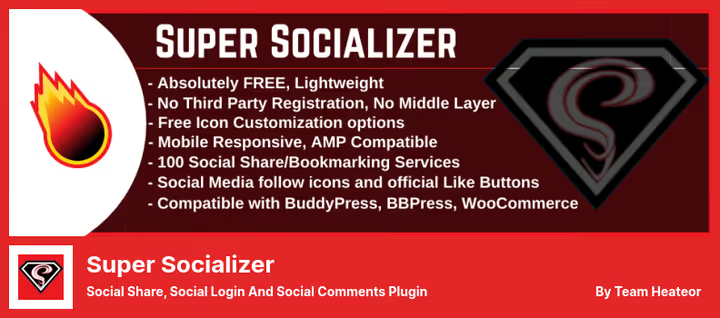
Swiss army knife of social functions. Super Socializer combines three tasks: social login (27 social networks), social sharing (~100 social networks) and social comments (Facebook + Disqus). One plugin instead of three.
The developer, Heateor, is an Indian team with an aggressive update cycle. The plugin is actively maintained: 685 reviews, average rating 4.7, compatibility with PHP 8 and WordPress 6.8+.
Social login works with Facebook, Google, LinkedIn, Twitter, VK, Discord, GitHub, Twitch, Spotify, Steam and others, 27 providers in total. Profile data (email, name, avatar) is synchronized with the WordPress profile. Out of the box compatibility with BuddyPress, bbPress and WooCommerce. For GDPR, double opt-in when registering through a social network.
Social sharing, a separate powerful module: ~100 social networks, repost counters, icon customization (shape, color, size), floating vertical panel, AMP compatibility.
Pros:
- Three functions in one plugin, saving on separate solutions
- 27 social networks for login + ~100 for sharing
- Free version is very generous
- Active support and frequent updates
Cons:
- Doesn't work on a local server (plugin requirement)
- Interface is dense, may be difficult for beginners
- Part of social login functions moved to a separate plugin Heateor Social Login
Price: free (core) / Add-ons through Heateor (prices from $9/month)
🔗 Super Socializer on WordPress.org🔗 Heateor Add-ons
6. Ultimate Elementor, Login Form Widget
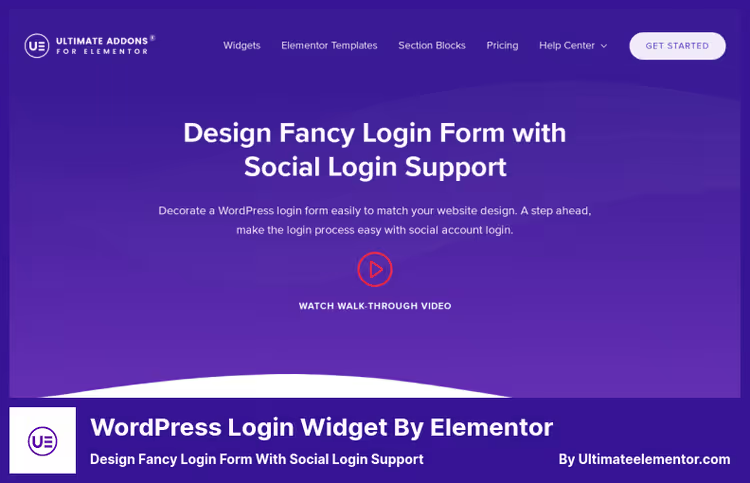
Not a separate social login plugin, but a widget from Ultimate Addons for Elementor (UAE) by Brainstorm Force, the team behind the Astra theme. If the site is already built on Elementor, this widget allows you to customize the login form visually without a line of code.
Social login through Facebook and Google, only two social networks, but with full visual freedom: the form inherits fonts, colors, spacing and styles of your theme. Drag-and-drop changes field order, adds custom links for redirect after login/logout, enables "remember me" and password recovery.
Important nuance: this is a widget, not a standalone plugin. Only works in combination with Elementor (Free or Pro) + Ultimate Addons for Elementor. On sites without Elementor, it makes no sense.
Pros:
- Full visual customization through Elementor, form as part of design, not a foreign block
- Native to the Astra/Elementor ecosystem
- Support for redirects and password recovery out of the box
Cons:
- Only 2 social networks (Facebook + Google)
- Requires Elementor + Ultimate Addons, this is additional weight on the site
- No integration with WooCommerce checkout
- Social login, a secondary function, the widget's main task, form customization
Price: $59/year (Ultimate Addons for Elementor, includes all widgets)
🔗 Ultimate Elementor Login Widget
⁉️🤔 Frequently asked questions
Is social login safe for a WordPress site?
Social login is safer than traditional registration for two reasons. First: the social network has already verified the user, email is confirmed, account is not fake (spam registrations drop to zero). Second: OAuth 2.0 and OpenID Connect protocols, through which all plugins in the roundup work, transmit only the data that the user explicitly allowed, usually this is name, email and avatar. The site doesn't receive the social network password. Plus GDPR compliance in Nextend, OneAll and Super Socializer out of the box. Social login doesn't replace regular registration, it complements it. The user always has the option to create a separate account on the site. An administrator can log in through a regular password, Nextend and miniOrange can prohibit social login for the "administrator" role.
What if a user deleted their Facebook account?
The account on the WordPress site remains. All plugins in this roundup link the social profile to a standard WordPress account. If a user unlinked or deleted their social account, they can log in through regular login-password (reset password through email). In the WordPress profile settings they see linked social networks and manage them. In practice, such cases are rare. According to Nextend, less than 1% of users unlink social accounts after registration.
Can you use multiple social login plugins at the same time?
Technically possible, practically unnecessary. Two social login plugins will conflict on
wp-login.php: two sets of Facebook buttons, two callback-URL handlers. If you need social login + sharing, get Super Socializer (all in one) or a bundle of Nextend + separate sharing plugin. Two plugins specifically for social login, guaranteed session conflict.
Which plugin is best for a BuddyPress community?
OneAll Social LoginandSuper Socializer, both substitute the social avatar as a BuddyPress avatar and synchronize profile data with xProfile fields. Nextend requires the Pro version for BuddyPress (plan $49/year). miniOrange, Premium version (plan $99/year). If budget is limited, get Super Socializer (free).
Does social login replace two-factor authentication?
No. Social login simplifies registration, but is not a second factor. To protect the admin panel, use a separate 2FA plugin (
Wordfence,Solid Security). At the same time, Google and Facebook on their side provide internal protection (Google Prompt, Facebook Login Alert), which adds a layer of security, but this is not a replacement for dedicated 2FA on the site.
Which social login plugin to install in 2026
The choice comes down to three scenarios:
If you need a simple and reliable solution, Nextend Social Login. Three social networks, 10 minutes to configure, 200,000+ sites can't be wrong. The free version is enough for 90% of business card sites and blogs. Upgrade to Pro ($49/year), if you need Apple, Microsoft or WooCommerce.
If you have a WooCommerce store, WooCommerce Social Login from SkyVerge. $99 per year pays for itself after the first 5-7 returning customers who didn't abandon their cart because of the requirement to "create a password." Integration with checkout and the "Order received" page, a unique feature that competitors don't have.
If the budget is minimal and you want maximum functionality, Super Socializer. Social login + sharing + comments in one free plugin. Ideal for content projects and communities on BuddyPress. Plus miniOrange Social Login as a backup option with one-click activation.
Choose for your task, not someone else's rating. Once installed, check the user path: social network, your site, redirect back. One error in the callback-URL can kill all the magic of social login.

A professional team of writers and editors specializing in creating quality content.