













 AIIllustrative image: AI-generated
👨💼 5 inventory plugins for WordPress 2026 (free and paid)
Inventory management without a plugin means Excel, manual entry, and the constant fear of miscounting hundreds of items. A good plugin takes stock tracking off your hands: it monitors quantities, warns you about shortages, and syncs the warehouse with the storefront. A bad one bloats the admin panel and confuses SKUs.
Under the hood, WordPress has no built-in inventory management. WooCommerce provides basic stock control, but for serious work with suppliers, purchase orders, and multi-warehouse setups, it's not enough. We tested 5 tools that fill this gap, from simple tracking to full purchase cycles and reporting.
💡 Quick overview:
- If your warehouse doesn't use WooCommerce, choose
WP Inventory Manager: independent, with custom fields and shortcodes for the frontend - Need sales and purchase tracking in one place,
PlainInventorygives you a clear picture without bloated code - WooCommerce store looking for an all-in-one solution,
ATUMcovers everything: Stock Central, suppliers, purchase orders, statistics, and it's free - Thousands of products and routine edits,
Smart Managerwith its Excel-like table saves hours on bulk editing - Need a quick and free stock dashboard,
Stock Manager for WooCommerceshows everything on one screen, no Pro or subscriptions
Comparison table
Plugin | WooCommerce | Free version | Pro price | Installs | Key feature |
|---|---|---|---|---|---|
| No (optional) | ✅ Unlimited | $49.99 | 120,000+ | Custom fields and shortcodes |
| Yes (integration) | ✅ | From $49 | 100+ | Purchase and sales tracking |
| WooCommerce only | ✅ | Add-ons from $29 | 10,000+ | Stock Central + purchase orders |
| Yes | ✅ Lite | $149 | 18,730+ | Excel-like bulk editor |
| WooCommerce only | ✅ Full | No Pro | 10,000+ | Stock dashboard |
1. WP Inventory Manager
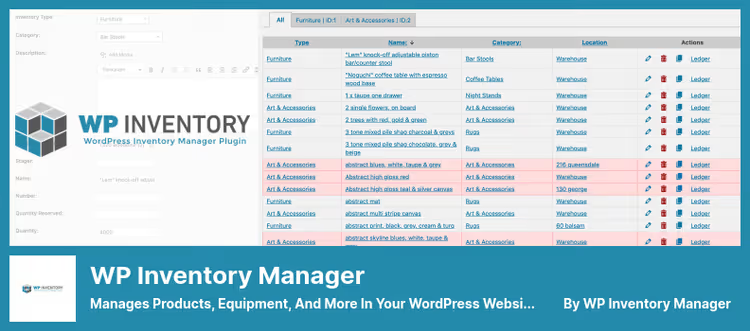
WP Inventory Manager, the only plugin in this collection that doesn't need WooCommerce. It works as an independent inventory system: you add items, group them by category, and display them on the frontend through shortcodes. Visitors search, filter, and browse the catalog without a line of code.
The plugin has been running on 120,000+ sites since 2013. It's chosen by car dealerships, galleries, parts suppliers, and anyone who needs warehouse management without an online store. Under the hood, it uses separate database tables instead of custom post types, so performance doesn't degrade even with thousands of items.
Pros:
- Doesn't depend on WooCommerce, install on any WordPress site
- Unlimited custom fields: text, number, date, dropdowns, checkboxes
- Frontend catalog with search and filtering via
[wpinventory] - Multilingual out of the box: Russian, Arabic, Chinese, German, and 5 more languages
Cons:
- Advanced features only through paid add-ons: reservation, CSV import, multi-warehouse
- Admin interface is functional but lacks modern UI
Price: Free core with no limits. Pro license, $49.99, unlocks add-ons: Advanced Inventory Manager, Import/Export, Reserve Cart, Location Manager, Ledger, and 5 more modules.
🔗 WP Inventory Manager on WordPress.org🔗 WP Inventory website
2. PlainInventory
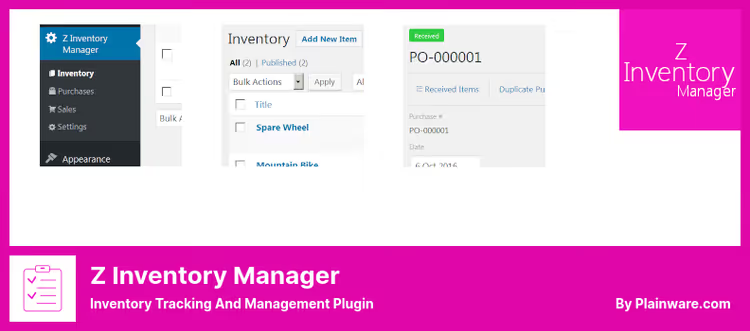
PlainInventory, a lightweight plugin for tracking purchases and sales. Unlike WP Inventory Manager, the focus here is on transactions: you create sales, purchases, link suppliers and buyers, and the system calculates stock in real time.
The plugin was formerly called Z Inventory Manager, in 2021 it was acquired by Plainware studio and relaunched with a simplified interface. WooCommerce integration pulls products from the catalog as a source for the inventory database. But keep in mind: the plugin hasn't received major updates in a while and hasn't been tested with the last three major WordPress versions.
Pros:
- Full cycle: purchases → stock → sales → reporting
- WooCommerce integration: storefront products = inventory database
- Quick start: quick start guide walks you from installation to first purchase
- Lightweight code, doesn't bloat the admin panel
Cons:
- Warning in the repository: not tested with recent WP versions
- Only 100+ active installs, minimal community
- Sparse documentation, support through form on developer's site
Price: Free core. Pro version adds stock statistics, transaction copying, and change history. Pro pricing is available on the developer's website.
🔗 PlainInventory on WordPress.org🔗 PlainInventory website
3. ATUM WooCommerce Inventory Management
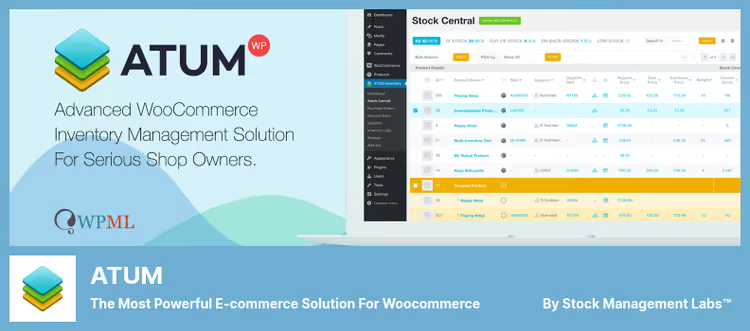
ATUM, the most powerful free tool for WooCommerce warehouse management. The developers from Stock Management Labs brought together 25+ years of inventory expertise and launched an all-in-one solution that's miles ahead of WooCommerce's built-in stock control.
The plugin's heart is Stock Central: all products on one screen with infinite scroll. You change SKU, price, purchase price, and stock with a click in the cell, without page reload. Filters by suppliers, categories, and statuses. Dedicated screens for purchase orders, inbound shipments, suppliers, and inventory logs. Free.
Pros:
- Stock Central, single screen for editing stock, prices, and SKUs
- Full purchase orders with PDF export
- Inventory Logs: reserves, returns, damages, inbound, complete movement history
- Sales statistics with charts: period, revenue, lost sales
- Free with no product limits
Cons:
- WooCommerce only, won't work without it
- Advanced features require add-ons: multi-warehouse, barcodes, Google Sheets export
- Interface is cluttered, beginners need an hour or two to get comfortable
Price: Free. Premium add-ons: Multi-Inventory, Product Levels, Action Logs, and others, from $29/year.
4. Smart Manager

Smart Manager, an Excel spreadsheet inside the WordPress admin. Manage products, orders, coupons, users, and any custom post types through a familiar table interface. Bulk edit 100,000+ records without slowdowns.
The plugin is from StoreApps, the same folks who make Smart Coupons. The Lite version is free and covers basic scenarios: inline edits, search with filters, CSV export, infinite scroll. Pro with a $149 license adds bulk edit with append/prepend/increase/decrease operations, scheduled edits, AI search, and undo.
Pros:
- Single editor for products, orders, coupons, users, and custom post types
- Handles 100,000+ records without performance degradation
- Inline cell editing: click → change → save
- Change history and undo, no fear of experiments
- Compatible with HPOS (High-Performance Order Storage)
Cons:
- Free Lite limited to 3 simultaneous edits without saving
- Pro at $149, expensive for a small store
- Table interface takes getting used to: not all fields are obvious at first glance
Price: Lite, free. Pro, one-time $149.
🔗 Smart Manager on WordPress.org🔗 Smart Manager website
5. Stock Manager for WooCommerce

Stock Manager for WooCommerce, a free stock dashboard with no Pro version or subscriptions. At all. The plugin shows all products and variations in one table where you edit SKU, price, stock status, backorders, and quantity.
It differs from ATUM in simplicity: no purchase orders, suppliers, or inventory logs. Just a table with filters by categories and statuses, plus CSV import/export. True, the developer honestly warns: the export function is rough, use at your own risk. Stock Log shows movement history for each product, convenient for auditing.
Pros:
- Completely free, no Pro, no add-ons, no subscriptions
- All products and variations on one screen with inline edits
- Filters: category, product type, stock status
- Stock Log, stock change history
- Actively updated: v3.8.0 (April 2026), compatible with WP 6.9.4 and WC 10.7.0
Cons:
- No purchase orders or suppliers, only stock tracking
- CSV import/export is unstable (official developer warning)
- No bulk editing, for mass changes see
Smart Manager
Price: Free.
🔗 Stock Manager for WooCommerce on WordPress.org
Video: quick inventory setup in WordPress
Setting up your first inventory plugin is easier than it seems. The video below shows basic WP Inventory Manager installation from scratch: from activation to your first frontend catalog.
⁉️🤔 Frequently asked questions
Is WooCommerce required for an inventory plugin?
Not always.
WP Inventory ManagerandPlainInventorywork independently, install on any WordPress site without WooCommerce and track inventory. If you already have a WooCommerce store, chooseATUMorStock Manager for WooCommerce, they integrate natively and don't duplicate data.
How does ATUM differ from Stock Manager for WooCommerce?
ATUMis an all-in-one solution: purchase orders, suppliers, inventory logs, sales statistics, charts.Stock Manageris a focused tool for quick stock viewing and editing in a table. The first covers the entire inventory cycle, the second does one task but makes it simpler without extra features.
Can I track inventory across multiple warehouses?
Yes, but with caveats.
WP Inventory Managersupports multi-warehouse through the Location Manager add-on.ATUM, through the Premium Multi-Inventory add-on.Stock ManagerandPlainInventorydon't support multi-warehouse.Smart Managerlets you filter and edit stock by custom fields, technically you can distribute products across warehouses manually.
Is a free plugin enough for small business?
For a store with up to 500 products,
Stock Manager for WooCommerceorATUMwill suffice. The first shows stock and lets you edit it in a table. The second adds purchase orders and statistics. Both are free. Pro features like CSV import, multi-warehouse, and reservation are needed when your assortment exceeds a thousand items and manual management becomes impossible.
Does Smart Manager replace ATUM and Stock Manager?
Partially.
Smart Manageris a data editor, not an inventory system. It brilliantly bulk-edits thousands of items but doesn't provide purchase orders, suppliers, or inventory logs. In practice,Smart Managerpairs well withATUM: the first edits, the second tracks.
Why 5 plugins in the collection instead of 6?
The sixth plugin from the original collection, WooCommerce POS Inventory Count, was closed in the WordPress.org repository in September 2025 due to license violations. It can't be installed or supported. Instead of picking a replacement just to fill a slot, we left five proven tools that actually work in 2026.
Which inventory plugin to choose in 2026
The choice comes down to three scenarios. If your warehouse operates separately from an online store, install WP Inventory Manager and skip WooCommerce. It will handle cataloging, search, and custom fields without extra code.
A WooCommerce store looking for a balance between power and simplicity, ATUM gives you the most for free: Stock Central, purchase orders, suppliers, statistics. And when you have thousands of products and need to edit prices and stock every week, Smart Manager cuts hours of routine down to a couple of clicks.
For a quick start with no budget, Stock Manager for WooCommerce. It's free, actively maintained (April 2026), and doesn't try to sell you anything.
Choose based on your task, not ratings. Install one plugin and enter a dozen real items, after 20 minutes it will be clear whether this tool is right for you or not.

A professional team of writers and editors specializing in creating quality content.