














👥 5 WordPress plugins for building an online community in 2026
A WordPress site has long outgrown the "just a blog" label. Today it serves as the foundation for niche communities: forums, private clubs, social networks, or user-generated content platforms. And you don't need custom code to build one.
We've selected five proven plugins that will let you launch a community this weekend rather than after a month of development. Each was tested on a live site, and we verified update frequency and reviews on WordPress.org.
💡 Quick overview:
- Define your community format: forum, membership club, social network, or user-generated content platform. Your choice determines which plugin you need.
- For a classic forum, go with bbPress. For a social network with profiles and groups, choose BuddyPress. For gated content, pick Simple Membership.
- If you want members to contribute their own content, add User Submitted Posts. To pull in your Facebook audience, use Mongoose Page Plugin.
Comparison table
Plugin | Best for | Price | Key feature |
|---|---|---|---|
BuddyPress | Social network with profiles and groups | Free | Ecosystem of hundreds of add-ons |
User Submitted Posts | User-generated content site | Free / Pro from $25 | Simple front-end post submission form |
Mongoose Page Plugin | Facebook community integration | Free | Lightweight shortcode, responsive feed |
Simple Membership | Gated content with subscriptions | Free | Unlimited membership levels, PayPal and Stripe |
bbPress | Classic forum | Free | Out-of-the-box WordPress integration |
Why build a community on WordPress in the first place
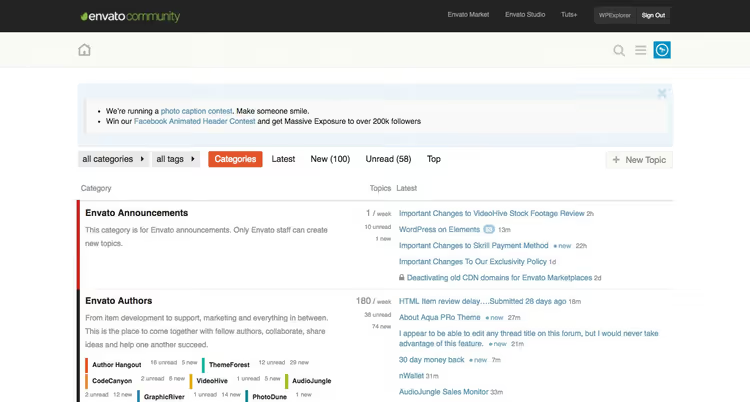
An online community doesn't have to be a massive forum with thousands of members. It can be a private support section for customers, a 50-person interest group, or a platform where users publish articles and share expertise.
The main advantage of WordPress over Facebook or Discord is ownership. You control the content, design, rules, and monetization. Nobody can change your feed algorithm or shut down your group without warning.
On top of that, the WordPress ecosystem offers modular flexibility: one plugin adds a forum, another handles subscriptions, a third manages profiles. Each tool solves a single problem without dragging in dozens of unnecessary features. Below are five such tools, selected based on WordPress.org ratings, update frequency, and real user reviews.
1. BuddyPress

BuddyPress turns WordPress into a social network. Member profiles, private messages, groups, activity feeds: everything you expect from mainstream platforms, but on your own domain under your own rules.
Members create extended profiles, add friends, and join interest-based groups. Admins manage everything through the native WordPress dashboard. The plugin is free and open source, and an ecosystem of dozens of add-ons has grown around it, from enhanced profiles to WooCommerce integration.
- Pros: free with no restrictions; rich add-on ecosystem; standard WordPress management interface; automatically inherits your site theme.
- Cons: initial setup of groups and permissions takes time; functionality is basic without add-ons.
- Price: free.
- Download: 🔗 BuddyPress on WordPress.org | 🔗 Live demo
2. User Submitted Posts

User Submitted Posts (USP) adds a front-end form that lets visitors submit posts and upload images. You get user-generated content without granting access to the admin area.
The plugin deploys with a single shortcode: [user-submitted-posts]. All incoming posts land in the standard Posts section with a Pending status, so you moderate them before publication. Google reCAPTCHA and Cloudflare Turnstile are supported for spam protection. The Pro version removes limits on the number of forms and fields.
- Pros: simple shortcode; built-in spam protection; user image uploads; active author support (Jeff Starr).
- Cons: free version offers one form with a limited field set; complex scenarios require the Pro version.
- Price: free; Pro from $25.
- Download: 🔗 User Submitted Posts on WordPress.org | 🔗 Screenshots and demo
3. Mongoose Page Plugin

Mongoose Page Plugin embeds your Facebook page feed directly on your WordPress site through a widget or shortcode. Visitors can like, share, and comment on posts without leaving your site.
The plugin uses the Facebook Graph API and supports 111 languages. The shortcode lets you configure width, height, tabs (posts, events, messages), and cover photo display. In practice, the feed adapts to the theme container width, but it may not load if an ad blocker is active (a Facebook SDK limitation, not a plugin issue). Version 1.9.2 (August 2025) updated the SDK to v23.0 and confirmed compatibility with WordPress 6.8.
- Pros: responsive feed; 111 language support; shortcode-based configuration; regularly updated.
- Cons: depends on the Facebook API (changes on Facebook's side may require an update); some users report conflicts with ad blockers.
- Price: free.
- Download: 🔗 Mongoose Page Plugin on WordPress.org | 🔗 Screenshots
4. Simple Membership

Simple Membership gates content behind subscriptions. You create unlimited membership levels (free, silver, gold) and protect any post or page with a couple of clicks in the editor.
The plugin accepts payments via PayPal, Stripe, and Braintree, both one-time and recurring. It includes a payment log, a developer API, and a login widget. The free version is fully functional: no add-ons required. Account activation via email and manual member approval are supported.
- Pros: unlimited membership levels; three payment gateways; full functionality in the free version; active support and documentation.
- Cons: settings interface looks sparse; WooCommerce integration requires a separate add-on.
- Price: free.
- Download: 🔗 Simple Membership on WordPress.org
5. bbPress

bbPress is a forum plugin from the same developers who built WordPress itself. Lightweight, free of unnecessary UI clutter, it integrates with any theme and doesn't conflict with other plugins.
Create forum sections, assign moderators, enable user topics, all through the standard admin panel. The plugin is open source and community-maintained. Extensions like bbPress Notify (No Spam) add new-reply notifications without spam. For a detailed setup walkthrough, see our bbPress guide.
- Pros: from the creators of WordPress; minimalist and fast; out-of-the-box theme integration; open source.
- Cons: interface looks dated compared to modern forum engines; core functionality is modest without add-ons.
- Price: free.
- Download: 🔗 bbPress on WordPress.org | 🔗 Live demo
Video: how to launch a WordPress community with BuddyPress
Want to see the full process from installation to a working social network? This 45-minute English tutorial walks you through BuddyPress setup, profile creation, groups, and activity feeds step by step.
⁉️🤔 Frequently asked questions
Can I use multiple plugins at the same time?
Yes, this is standard practice for WordPress communities. For example, BuddyPress handles profiles and groups, bbPress powers the forum, and Simple Membership gates some content behind subscriptions. All five plugins on this list are compatible with each other. The key is to avoid duplicating features: if BuddyPress already provides profiles, don't install a second plugin for the same purpose.
Which plugin should I choose for a paid membership club?
Simple Membership. It's specifically designed to protect content by subscription level and accepts payments via PayPal, Stripe, and Braintree. The free version covers the needs of most small clubs. If you need WooCommerce integration to sell products alongside subscriptions, add the WooCommerce Addon from the developer.
Why is BuddyPress better than separate solutions for each component?
The ecosystem. Instead of installing one plugin for profiles, another for groups, and yet another for private messages, you get everything in a single interface. Plus hundreds of add-ons extend functionality without replacing the core. The downside is overkill for simple scenarios: if you only need a forum, bbPress will be lighter and faster.
Does Mongoose Page Plugin work in 2026?
Yes, version 1.9.2 from August 2025 updated the Facebook SDK to v23.0 and confirmed compatibility with WordPress 6.8. However, keep the plugin updated: Facebook periodically changes its API, and the developer promptly releases patches. If you use strict tracker blocking in your browser or an active ad blocker, the feed may not load.
How do I moderate user content from User Submitted Posts?
All posts arrive with a Pending status in the standard WordPress admin. You see them in the Posts section alongside editorial content. Before publishing, you can edit the text, crop images, or change the author. The Pro version adds custom post statuses and fields if the default set isn't enough.
Do I need separate hosting for a community site?
Not to start. A small community with moderate activity runs comfortably on standard shared hosting with a current PHP version. BuddyPress and bbPress are optimized and don't create excessive load. When active users grow beyond a few hundred simultaneous visitors, consider moving to a VPS or cloud hosting with dedicated resources.
Which community plugin fits your goal
The golden rule: don't overcomplicate things prematurely. Start with one plugin for your specific task and add others as your community grows.
If you need a forum, install bbPress and launch discussions today. In our experience, basic setup with a couple of sections takes no more than an hour. Want a social network with profiles, groups, and a feed? BuddyPress covers the main scenarios. Running a private club with paid content? Simple Membership is your answer. Accepting user-submitted articles? Go with User Submitted Posts. If your audience already hangs out on Facebook and you want to pull them to your site, Mongoose Page Plugin bridges the platforms.
A community doesn't start with a plugin; it starts with the first topic you publish. Pick your tool and launch.

A professional team of writers and editors specializing in creating quality content.