














📅 6 best editorial calendar plugins for WordPress 2026 (free and paid)
Launched a WordPress blog, wrote five articles, and a month later lost track of what went live, what's stuck in drafts, what you forgot to finish. Without an editorial calendar, your content plan lives in your head. And heads have a tendency to forget.
An editorial calendar turns the chaos of drafts and postponed publications into a clear picture. You see all your content weeks ahead, drag posts across dates, spot gaps in the schedule in seconds. This isn't magic, it's a plugin you install from Plugins → Add New in two minutes.
We tested 6 tools for WordPress: from a minimalist free calendar to all-in-one suites with kanban boards and auto-posting to 20+ social networks. The list includes only active, maintained plugins as of mid-2026.
💡 Quick overview:
- Free minimum: Editorial Calendar or SchedulePress, visual drag-and-drop calendar, quick start without registration
- Team editorial workflow: PublishPress Planner, statuses, notifications, kanban board, editorial comments, Slack
- Cross-posting to social networks directly from WordPress: Nelio Content or SchedulePress, 20+ platforms, automated post chains
- SaaS all-in-one with external calendar: CoSchedule, cloud marketing calendar for blog, social media and email on one screen
- Commercial minimalism: Strive Calendar, checklists, revisions for SEO republishing, no social networks or extras
Plugin comparison table
Plugin | Free version | Pro / Premium | Social networks | Kanban | WP.org rating |
|---|---|---|---|---|---|
PublishPress Planner | Yes | From $69/year | Slack (Pro) | Yes | 4.4/5 (178 reviews) |
SchedulePress | Yes | From $49/year | 8+ platforms (Pro) | No | 4.7/5 |
Nelio Content | Yes | From $108/year | 20+ platforms | Yes (Pro) | 4.6/5 |
Strive Calendar | 14-day trial | From $99/year | No | No | Not on WP.org |
Editorial Calendar | Yes | No | No | No | 4.5/5 |
CoSchedule | Yes (connector) | From $29/month | All major | No | 3.8/5 (188 reviews) |
1. PublishPress Planner
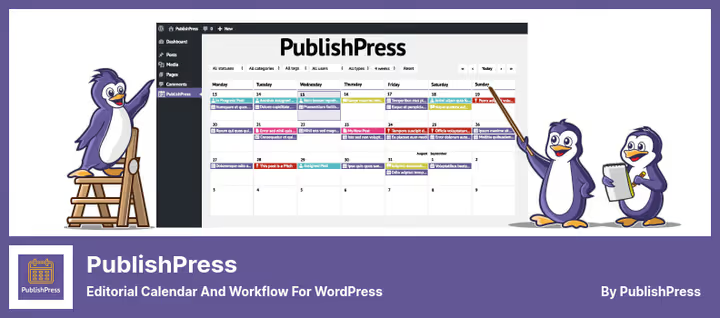
The flagship for team editorial planning. PublishPress Planner grew out of Edit Flow, but over the years has gained features its predecessor never even planned. Under the hood: a drag-and-drop calendar covering 5+ weeks ahead, content overview by status and author, kanban board and editorial comments right inside posts.
Built for teams. Set up custom statuses ("Under review", "Add images"), and the whole editorial team sees which stage each piece is at. Notifications arrive in WordPress and Slack (Pro), reminders fire before or after publication.
Pros:
- Kanban board and calendar in one plugin
- Custom statuses and editorial comments under each post
- Slack notifications and reminders in Pro
- 178 reviews on WordPress.org, active development
Cons:
- Pro from $69/year for one site
- Interface is overkill for solo bloggers
Price: free version on WordPress.org. Pro from $69/year.
🔗 PublishPress Planner on WordPress.org | 🔗 PublishPress official site
2. SchedulePress
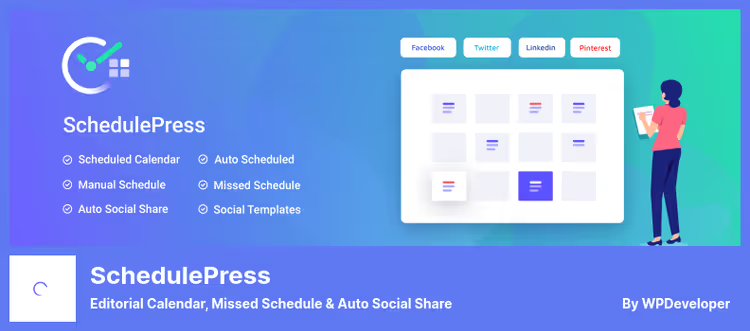
A plugin from WPDeveloper, the same team behind Essential Addons for Elementor. Until 2024 it was called WP Scheduled Posts, then renamed to SchedulePress. Focus on automation: calendar, auto-sharing to social networks and handling missed schedules.
The free version provides a visual drag-and-drop calendar, dashboard widget with drafts and schedule, email notifications to authors and auto-posting to Facebook, Twitter, LinkedIn, Pinterest, Instagram, Medium and Threads. Pro adds an auto-scheduler (you set an interval, the plugin distributes posts automatically) and a missed schedule handler.
Pros:
- 8+ social networks in the free version
- Auto-scheduler and missed schedule handler in Pro
- Compatibility with Elementor (scheduling from editor)
- Custom social media templates for each platform
Cons:
- No kanban board and editorial comments
- Auto-scheduler and republishing repeats only in Pro
Price: free version on WordPress.org. Pro from $49/year.
🔗 SchedulePress on WordPress.org | 🔗 WPDeveloper site
3. Nelio Content

The most powerful cross-posting plugin in this roundup. Nelio Content supports 20+ platforms: X, Facebook, LinkedIn, Instagram, Mastodon, Telegram, Bluesky, Threads, TikTok, Medium, Tumblr, Pinterest, Reddit, Discord, Slack, VK, and that's not the full list. Buffer and Hootsuite also connect.
But Nelio Content isn't just about social media. Inside: editorial calendar by week and month, Content Assistant (checks post for SEO and completeness before publication), built-in Google Analytics, re-promotion of top content in one click. Pro adds editorial comments, kanban board (Content Board), post duplicates and reusable social templates.
Pros:
- 20+ social networks, Buffer and Hootsuite out of the box
- Content Assistant with pre-publication post check
- Built-in GA analytics and automatic re-promotion of top posts
- RSS feeds from other blogs for inspiration right in the calendar
Cons:
- Price from $108 per year, more expensive than alternatives
- Overkill if you don't need social media at all
Price: free version on WordPress.org (up to 3 social profiles). Premium from $108/year.
🔗 Nelio Content on WordPress.org | 🔗 Nelio Content pricing
4. Strive Calendar
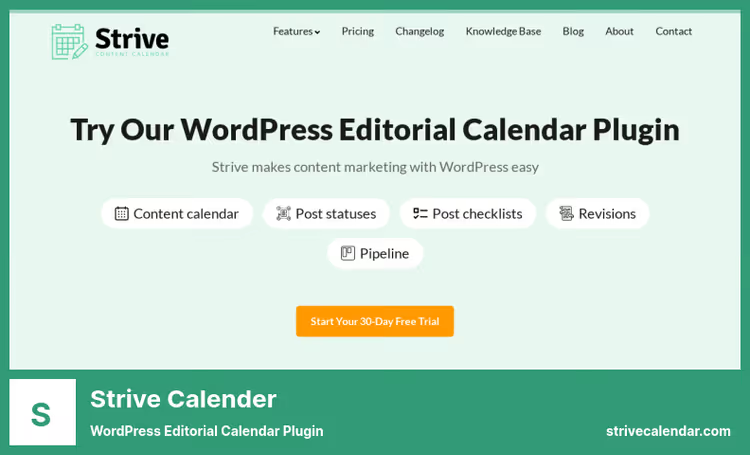
A commercial plugin from Compete Themes. Strive Calendar doesn't try to be everything at once: no social networks, no kanban boards, no Slack integrations. Instead, a polished interface and four features you need for content planning: calendar, custom statuses, checklists and revisions.
Statuses ("idea", "in progress", "under review", "ready") help you avoid losing drafts. Checklists are created right in the post editor. The main feature: revisions. Take an old post, create a revision, update the data and republish while preserving SEO weight. Pipeline shows all unfinished drafts in one place.
Pros:
- Clean, intuitive interface without clutter
- Checklists and statuses built into the post editor
- Revisions of old posts for SEO republishing
- Pipeline with unfinished drafts
Cons:
- No free version, only a 14-day trial
- No social media integration
- Plan from $99/year, expensive for solo bloggers
Price: 14 days free trial, then from $99/year.
🔗 Strive Calendar official site
5. Editorial Calendar
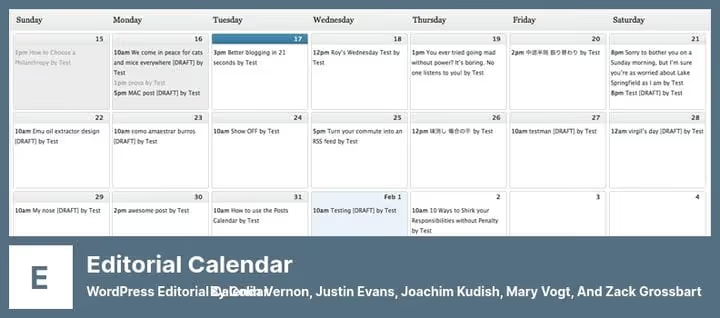
The oldest and simplest plugin in this roundup. Editorial Calendar does exactly what it promises: adds a calendar to the WordPress admin and lets you drag posts across dates. No registration, no Pro versions. Install, go to Posts → Calendar and work.
Despite its age, the plugin is alive: 4.5/5 rating on WordPress.org as of mid-2026. Supports drag-and-drop, quick preview and editing of titles, content and publish time right from the calendar cell. There's a separate Drafts Drawer panel for drafts. Authors and editors only see their own posts, administrators see everything.
Pros:
- Extremely simple, no settings or registration
- Drag-and-drop by day, quick editor from calendar cell
- Free, open source
- Translated to 15+ languages, including Russian
Cons:
- Calendar only: no statuses, checklists, notifications
- Conflicts with Polylang (according to user reviews)
- Supports only posts, not pages
Price: free.
🔗 Editorial Calendar on WordPress.org
6. CoSchedule
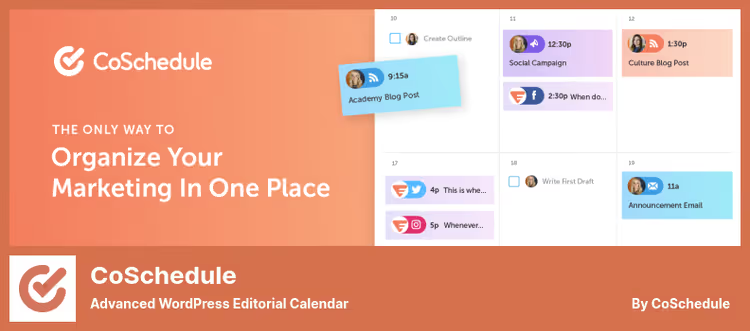
CoSchedule isn't just a plugin, it's a cloud marketing platform. The free connector on WordPress.org syncs blog posts with a cloud calendar where you manage not only content, but also social networks, email campaigns, team tasks and assets.
The main strength: an end-to-end marketing calendar on one screen. You see blog posts, social media publications, email campaigns and events simultaneously. For distributed teams with high content volume, this is a tangible boost. But Marketing Calendar costs from $29/month per user, and the full Marketing Suite is more expensive. CoSchedule isn't a budget solution for small teams.
Pros:
- Unified calendar for blog, social media, email and tasks
- ReQueue, automatic re-sharing of best posts on social media
- Headline Studio, headline analyzer
- Wide integrations with dozens of tools
Cons:
- SaaS with monthly subscription, not a one-time purchase
- Expensive for solo bloggers: from $29/month per user
- Mixed reviews about the connector (3.8/5 rating, 188 reviews)
Price: connector on WordPress.org, free. Marketing Calendar from $29/month.
🔗 CoSchedule on WordPress.org | 🔗 CoSchedule official site
See how SchedulePress works in practice, from installation to the first automatic publication:
⁉️🤔 Common questions
Do I need an editorial calendar if I run the blog alone?
For solo bloggers, Editorial Calendar or SchedulePress free version is enough. The first is as simple as it gets: go to Posts → Calendar and drag posts across dates. The second adds auto-posting to 8+ social networks for free. If you write rarely and without a team, Pro features like kanban boards and Slack notifications simply aren't needed.
Which plugin is best for team collaboration?
PublishPress Planner. Kanban board, custom statuses, editorial comments under each post and Slack notifications, a complete set for a newsroom of 3-10 people. Set up a status chain ("Idea → In progress → Under review → Ready → Published"), subscribe editors to notifications and the number of unnecessary calls noticeably drops. Pro for $69/year pays for itself.
Can I get by with a completely free solution?
Yes. Editorial Calendar for visual planning plus PublishPress Planner Free for statuses and notifications will cover most sites' needs. If you need social media, replace Editorial Calendar with SchedulePress Free: 8+ platforms without payment. You should start paying when the team has more than three people and manual coordination has become a bottleneck.
How is an editorial calendar different from the built-in WordPress scheduler?
The built-in WordPress scheduler works with one post: you set the date in the editor sidebar and forget. An editorial calendar is a map of all content on the screen at once. You see gaps in the schedule, notice that three posts piled up on one day. Drag it, the whole schedule adjusts. PublishPress and Nelio Content add statuses and notifications that vanilla WordPress doesn't have.
What to choose if I only need social media without editorial planning?
Nelio Content or SchedulePress, both build logic around the calendar and tie social media to WordPress posts. If you fundamentally don't need a calendar, look at Blog2Social: it publishes without a calendar, but you lose visual planning. In practice, the "calendar + social media" combo in one plugin is more convenient than two separate tools.
Which editorial calendar plugin to choose
One rule: don't pay for features you don't use.
- Solo blog, only need a calendar, get Editorial Calendar. Free, installs in a minute.
- Solo blog with active social media, get SchedulePress Free. 8+ platforms without payment.
- Team of 3 or more, get PublishPress Planner Pro. Statuses and Slack pay for the $69/year in the first month of coordination.
- Social media is priority plus analytics, get Nelio Content. 20+ platforms and Content Assistant for $108/year.
- Only calendar and revisions, nothing extra, try Strive Calendar (14 days free, then subscription from $99 per year).
- Large team with end-to-end marketing, look at CoSchedule Marketing Calendar.
All plugins in this roundup install from Plugins → Add New in a couple of clicks. Start with the free version, check that the interface fits, and only then decide whether paying for Pro is worth it. Tell us in the comments which editorial calendar you use.

A professional team of writers and editors specializing in creating quality content.