














🥇 6 best mega menu plugins for WordPress 2026 (free and paid)
The standard WordPress menu copes fine when a site has 5-10 pages. Add product categories, a blog, documentation and a couple of landing pages, and the familiar dropdown turns into a maze. Visitors get lost on the second click, search engines don't reach deep pages, and the mobile version becomes unusable.
Mega menu solves this problem architecturally: a wide panel unfolds 2-3 nesting levels simultaneously. Categories on the left, subcategories on the right, icons for orientation, widgets with search or products. The user sees a site map at a glance, without endless hovering and guessing.
We tested 6 mega menu plugins for WordPress on a test environment with four themes (Hello Elementor, Astra, Twenty Twenty-Five and the block theme Ollie). We selected those that actually work in 2026: from a free all-in-one with 300,000+ installations to a niche tool for vertical navigation.
💡 Quick overview:
- Compare key features in the table: price, menu type, main feature
- Choose a plugin for your task: free horizontal menu for a blog or a paid builder with tabs for WooCommerce
- Install and configure: each plugin in the collection is compatible with the current WordPress version and tested on the test environment
Comparison table
Plugin | Price | Menu type | WP.org | Site |
|---|---|---|---|---|
Max Mega Menu | Free / $29 Pro | Horizontal, offcanvas | Yes | megamenu.com |
UberMenu | $29 | Horizontal, vertical | No | codecanyon.net |
Superfly | $29 | Vertical, slide-in | No | codecanyon.net |
WP Mega Menu Pro | $19 / $29 | Horizontal, vertical | No | mythemeshop.com |
Groovy Menu | $29 | Horizontal, vertical, icon | No | codecanyon.net |
QuadMenu | Free / $49 Pro | Horizontal, offcanvas | Yes | quadmenu.com |
1. Max Mega Menu
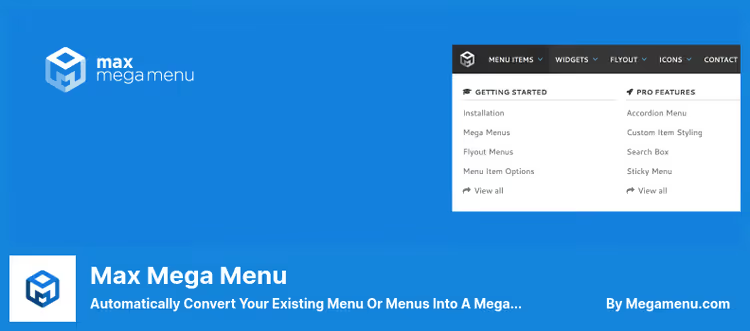
The most popular mega menu plugin in the WordPress catalog: 300,000+ active installations and a 4.8 rating on WordPress.org. Version 3.10.6 was updated in June 2026, the project continues to develop with no signs of slowing down.
Max Mega Menu extends the native menu editor. An existing menu converts to a mega menu with one click. Next, a built-in theme editor, grid column layout, adding widgets and custom HTML to submenus. Not a single line of manual CSS.
Pros:
- Full integration with the block editor, Divi, Elementor and Bricks: menu inserts as a block or module
- Built-in theme editor without manual CSS
- SVG icon support, Material Symbols and Font Awesome
- Offcanvas menu for mobile with custom breakpoint
Cons:
- Tabs, sticky, vertical menu and WooCommerce only in Pro
- Menu font through WordPress Font Library requires WP 7+
Price: free Lite in the WordPress.org catalog, Pro, $29/year on megamenu.com
🔗 Plugin page on WordPress.org | 🔗 Pro version site
2. UberMenu
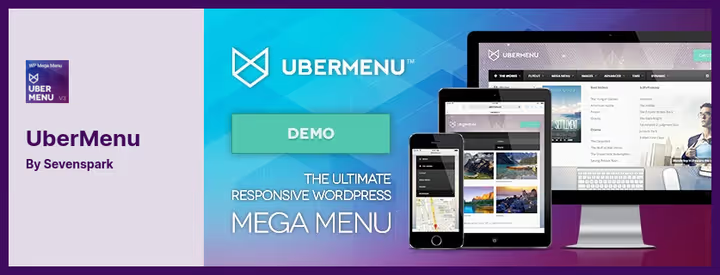
A veteran among WordPress mega menu plugins. UberMenu has been sold on CodeCanyon for over 10 years, has 90,000+ sales and a 4.7 rating. This is a purely commercial product with no free version, but the price is justified by the depth of customization.
50+ style options are customized through WordPress Customizer with live preview. Tabs inside mega panels, dynamic loading of posts and custom post types, WooCommerce integration: UberMenu is designed for sites where the menu needs to display content, not just links. Dynamic Posts and Dynamic Terms deserve special mention, the menu automatically pulls in fresh posts and categories without manual updates.
Pros:
- Built-in tabs for grouping content inside a mega panel
- Dynamic elements: submenus from categories, posts, custom types
- 50+ style options with live preview in Customizer
- Horizontal and vertical menu placement
Cons:
- One-time license does not include lifetime support (6 months)
- Learning curve steeper than Max Mega Menu
Price: $29 on CodeCanyon
🔗 UberMenu on CodeCanyon | 🔗 Live demo
3. Superfly
Superfly bets on vertical navigation. When a visitor enters the site, the menu is hidden behind a trigger icon. Click or hover, and the panel slides out from the side, opening a tree structure with support for mega layouts on sub-items.
The format is especially good for mobile: on a small screen a horizontal menu compresses into a burger, while Superfly is initially designed for vertical composition. At the same time, you can choose a static vertical menu without hiding for desktop.
Pros:
- 5 modes: slide-in, static, icon panel, oblique panel, fullscreen
- Custom panel background: color, pattern, image or video
- GDPR-friendly: the plugin does not collect visitor data
- Works great on mobile out of the box
Cons:
- Vertical format doesn't suit every site
- Price slightly above average for this collection
Price: $29 on CodeCanyon (12 months support and updates)
🔗 Superfly on CodeCanyon | 🔗 Live demo
4. WP Mega Menu Pro
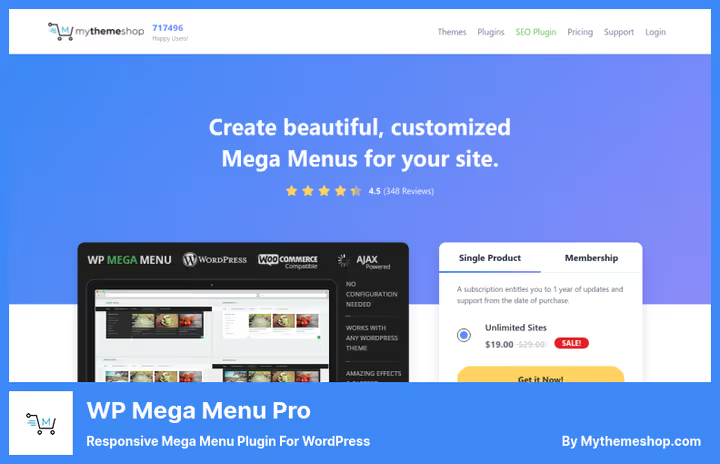
A product of the MyThemeShop team, folks who know a thing or two about WordPress optimization. The plugin is designed for speed: among 348 reviews on the vendor's site there are no complaints about slowness.
10 preset layouts cover scenarios from blog to WooCommerce catalog. Tabs inside the menu pack more content without visual noise, and 14 skins close the design question. I'll separately note role-based item visibility: editor, full menu, subscriber, trimmed menu.
Pros:
- 10 ready-made layouts and 14 skins: launch in 10 minutes
- Role-based menu item visibility
- Horizontal and vertical menu with mega layouts
- WooCommerce compatible and SEO-ready
Cons:
- Version 1.1.11, updates come less frequently than competitors
- Discounted price tied to MyThemeShop Membership plan
Price: from $19 (discount) to $29 full on MyThemeShop
🔗 WP Mega Menu Pro on MyThemeShop
5. Groovy Menu

Groovy Menu stands out with a visual approach: an online library of 20+ ready-made presets and 7 hover styles allow you to build a menu without a single line of code. The plugin from Grooni studio, authors of the Crane theme, is designed for seamless work with Elementor, Divi, WPBakery and the block editor.
The menu is assembled from blocks: you can insert a search form, contact form, map, WooCommerce cart or custom HTML. Dashicons, Font Awesome icons and uploading custom SVG are supported. For multilingual sites, full compatibility with WPML and RTL languages out of the box. A separate plus: the plugin is not tied to one theme, works with most modern WordPress themes.
Pros:
- 20+ ready-made presets and 7 hover styles: visual start in minutes
- Integration with Elementor, Divi, WPBakery and the block editor
- Online preset library imports in one click
- 2000+ icons, Dashicons support, Font Awesome and SVG
Cons:
- Commercial, no free version anymore (Free version removed from WordPress.org catalog)
- Some advanced styles require CSS tinkering
Price: $29 on CodeCanyon
6. QuadMenu

QuadMenu, the second most popular free mega menu plugin in the WordPress catalog. Developers from QuadLayers position it as a tool "for developers by developers": many filters and hooks for customization without editing the core. Version 3.3.6 was updated in June 2026.
The free version includes horizontal and vertical menu, offcanvas mode for mobile, customizer integration and Font Awesome support. Pro adds tabs, carousel, login and registration menu, and social icons.
Pros:
- Free version with impressive functionality
- Offcanvas and vertical out of the box in free version
- Architecture for developers: filters, hooks, child-theme friendly
- Sticky menu in free version
Cons:
- Version 3.3.6, update frequency lower than Max Mega Menu
- Pro features (tabs, carousel) locked behind subscription, from $49 per year
Price: free on WordPress.org, Pro, from $49/year
🔗 QuadMenu on WordPress.org | 🔗 Pro version site
⁉️🤔 Frequently asked questions
How is mega menu better than a regular dropdown menu?
A regular menu shows one nesting level: you hover, see 5-7 items, lose context. Mega menu unfolds 2-3 levels simultaneously in a wide panel: categories on the left, subcategories on the right, icons for orientation, widgets with search or products. According to our experience auditing online store navigation, after replacing dropdown with mega menu users reach deep pages on average one and a half times more often.
Does mega menu slow down site loading speed?
A good mega menu plugin loads the menu through a static CSS file without inline styles. With Max Mega Menu, less than 2 KB gzip JavaScript. The main load comes not from JS, but from custom icon fonts. Tip: use SVG icons instead of icon fonts, they are lighter and don't block rendering.
Are mega menus suitable for mobile devices?
Yes, but implementation differs. On mobile, mega menu transforms into an offcanvas panel or collapsible accordion. All 6 plugins from the collection have mobile mode. The main thing when choosing, check whether the breakpoint is configurable: some plugins have a hard 768px, others have a free value.
Can you use mega menu with any WordPress theme?
Technically yes: the plugin filters
wp_nav_menuand replaces the output. But the visual result depends on the theme's CSS. Sometimes manual style adjustment is needed. Plugins with a built-in customizer (Max Mega Menu, UberMenu) solve this problem with a theme editor, without requiring access to source code.
Which plugin to choose for a WooCommerce store?
Groovy Menu gives the best integration with Elementor and visual builder, cart and products embed into the menu as blocks. UberMenu supports WooCommerce through dynamic elements and tabs. Max Mega Menu in Pro version adds cart and products, but the interface is oriented toward content, not catalog.
Which mega menu plugin to install in 2026
If budget is limited, Max Mega Menu (free version on WordPress.org) and QuadMenu cover the vast majority of needs. The first pulls 300,000+ installations and updates monthly, the second gives offcanvas and vertical out of the box for free.
For a commercial project with a product catalog, Groovy Menu or UberMenu. The first wins in speed of visual customization and integration with page builders, the second in depth of customization and dynamic content. Superfly, a niche choice when vertical navigation is a conscious design decision, not a compromise.
WP Mega Menu Pro from MyThemeShop suits those who already work on their themes: native compatibility without conflicts. But the plugin's update frequency lags behind the leaders.
Take the one that's designed for your task. Not for someone else's rating. Try two free plugins from the collection on a test subdomain, in 30 minutes it will become clear which one suits your project.

A professional team of writers and editors specializing in creating quality content.