














🚀 7 WordPress plugins for social media in 2026: what actually works
Social media buttons, a feature you see on virtually every WordPress site. The abundance of plugins for this task turns selection into a real quest: hundreds of options in the repository, dozens of premium solutions, and not a single obvious favorite.
The problem isn't adding share buttons, any plugin can handle that. The problem is making the buttons load quickly, not collect user data without permission, look decent on mobile, and not tank PageSpeed at the first audit. After years of testing on production sites, we've filtered out everything that slows down, conflicts with themes, or gets abandoned by the developer a year after release.
Below are seven tested plugins that cover different scenarios: from minimalist free sharing to a combine harvester with 50+ networks and analytics. Each option has been verified for relevance in 2026, dead and abandoned solutions didn't make the cut.
💡 Quick overview:
- Define your priority: speed and simplicity or maximum social networks with analytics
- For most sites, the sweet spot is Social Warfare Pro from $29 or free Hubbub with registration
- If you need coverage of 100+ networks and a universal "Share" button, take AddToAny, it's free
- For Elegant Themes members, Monarch is already included in membership and covers 20+ networks with smart triggers
- For minimalism lovers with zero impact on speed, Scriptless Social Sharing without a single line of JavaScript
Comparison table: all 7 plugins in a minute
Plugin | Free version | Networks | Counters | Features |
|---|---|---|---|---|
Social Warfare | ✅ (basic) | 6 + Pro: 9 | ✅ | Click-to-Tweet, share recovery |
Easy Social Share Buttons | ❌ | 50+ | ✅ | 30+ positions, 55+ styles |
AddToAny | ✅ | 100+ | ✅ | Universal button, GA integration |
Monarch | ❌ | 20+ | ✅ | Triggers: comment, purchase, scroll |
Sassy Social Share | ✅ | 100+ | Buffer, Reddit, Pinterest | SVG icons, AMP, GDPR |
Hubbub | ✅ (Lite) | 4 + Pro: 17+ | ✅ | Save This, sticky mobile bar |
Scriptless Social Sharing | ✅ | 6+ | ❌ | Zero JS, HTML+CSS only |
1. Social Warfare
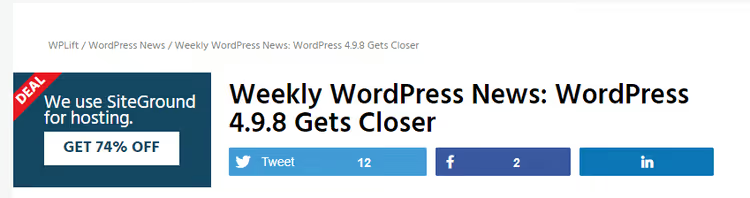
Social Warfare, one of the oldest premium sharing plugins, still holds its position through aggressive optimization of speed and convenient customization. The free version on WordPress.org provides basic buttons for Facebook, Twitter, Pinterest, LinkedIn, and Mix with three placement options: above content, below content, and floating panel.
What you get with Social Warfare:
- Click-to-Tweet: embedded quotes for Twitter that increase the number of tweets per post by 2-3 times, in our practice this works consistently
- Share count recovery after changing domain, protocol (HTTP → HTTPS) or permalink structure, an indispensable function when migrating a site
- Custom Open Graph data for each post: separate image, title, and description for Facebook/LinkedIn/Pinterest, not what the theme substitutes
- Content protection: built-in Frame Buster against transparent framing with third-party ad blocks
- Minimum counter threshold to avoid "negative social proof" (0 shares under a fresh article)
⚠️ The plugin has not been tested with the last three major versions of WordPress, when installing on WP 6.7+ check compatibility on staging. In our experience on WP 6.5-6.6 it works stably.
Price: free version on WordPress.org. Pro, from $29 for one site (lifetime license with one year of updates).
🔗 Social Warfare on WordPress.org | 🔗 Social Warfare Pro
2. Easy Social Share Buttons
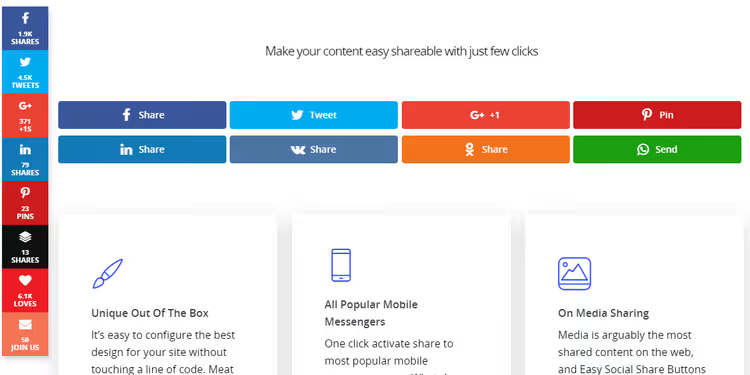
Easy Social Share Buttons, the most feature-rich plugin in this collection. According to CodeCanyon, it has a rating of 4.66 stars with over 24,800 sales, a record for the WordPress sharing niche.
Key capabilities:
- 50+ social networks, from standard Facebook/Twitter to niche platforms
- 30+ automatic display positions: inline, floating panels, top sticky bars, lightbox popups, action buttons
- 55+ button styles with animation and customization through Template API, can be adapted to any theme design
- Share counters with recovery, minimum threshold, and caching
- "Follow" buttons with follower counts for social profiles
- Integration** with Google Analytics** through UTM tags and click event tracking on buttons
The plugin is not lightweight, if you just need four buttons above and below the post, this combine harvester is excessive. But for news portals, content projects, and high-traffic blogs with an active social audience, this is the best choice in terms of price/features ratio.
Price: $20 (one-time purchase on CodeCanyon, license for one site with lifetime updates).
🔗 Easy Social Share Buttons on CodeCanyon
3. AddToAny
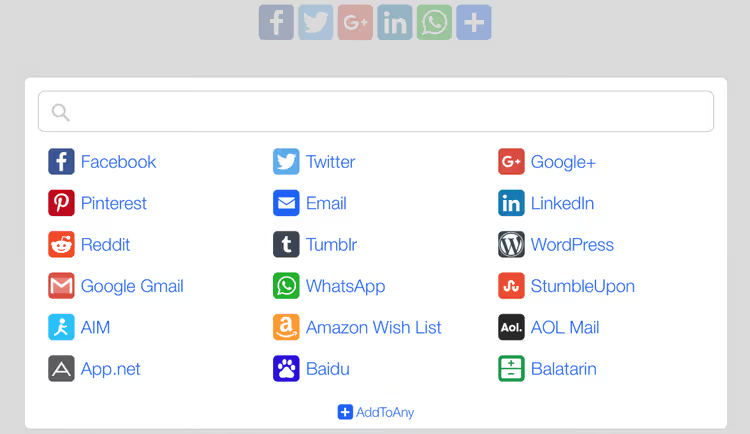
AddToAny, the most popular free plugin for social sharing in the WordPress repository. Its main advantage is the universal "Share" button, which opens access to 100+ social networks and services through a single menu, without cluttering the page with a dozen icons.
What you get for free:
- Featured buttons for priority networks (Facebook, Twitter, LinkedIn, Pinterest, WhatsApp) plus a universal menu for everything else, including email and clipboard
- Share counters with caching and the ability to disable for speed
- Three positions: above content, below content, and floating panel
- Asynchronous loading, scripts don't block page rendering
- Integration with Google Analytics through UTM markup
- AMP compatibility out of the box
Technical support on WordPress.org is active, most tickets are closed within a few days. The plugin is regularly updated and maintains compatibility with current WordPress versions.
The downside is obvious: no advanced features like Click-to-Tweet, custom Open Graph images, or A/B testing of positions. But for basic sharing with maximum network coverage, this is the best free solution.
Price: free.
4. Monarch
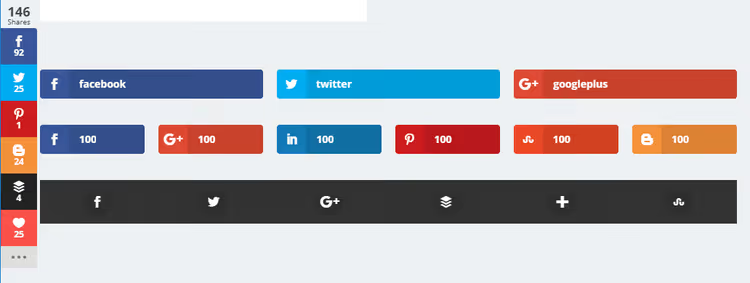
Monarch, a premium plugin from the Elegant Themes team, creators of the Divi theme. It is distributed exclusively as part of Elegant Themes membership for $89/year, which makes it the most expensive option in the collection, but also one of the most thoughtful.
Monarch supports 20+ social networks and five display positions:
- Above and below content
- Floating sidebar
- Automatic popup or fly-in
Of particular interest are smart triggers for automatic positions:
- After comment: reader left a comment, show share button (engaged user shares more willingly)
- After purchase (WooCommerce)
- By scroll depth (percentage of page scrolled)
- By time on page
- On site exit (exit-intent)
Plus Monarch includes built-in analytics for shares, subscriptions, and likes, as well as "Follow" buttons with follower counters.
We don't recommend buying Elegant Themes membership solely for Monarch, subscription price of $89/year offers more affordable alternatives with similar functionality. But if you're already using Divi, Bloom, or Extra, Monarch comes as a bonus and becomes an excellent choice without additional costs.
Price: as part of Elegant Themes subscription, $89/year.
5. Sassy Social Share

Sassy Social Share, a free plugin with over 100,000 active installations and an impressive rating on WordPress.org. Developers from Heateor keep it current: last update September 2025, full compatibility with WordPress 6.8.
What makes Sassy Social Share stand out among other free plugins:
- 100+ social networks and bookmarks including Mastodon, Threads, Bluesky, and even AI platforms (ChatGPT, Grok, Perplexity, Claude), such coverage is rare even in premium solutions
- SVG icons with free customization: shape (square, circle, rectangle), size, background and logo colors
- Floating and standard panels with the ability to set different button sets for desktop and mobile
- Share counters for Buffer, Reddit, Pinterest, Odnoklassniki, VK, and Fintel
- GDPR compliance: the plugin doesn't set cookies, doesn't communicate with external servers, all data is on your server
- AMP and WooCommerce compatibility
- Shortcodes and widgets for manual placement anywhere in the theme
The weak side is counters don't work for all networks, and support is in English (although they respond quickly, typically within a day). But for a project that needs powerful free sharing without registrations and external services, Sassy Social Share is one of the best options on the market.
Price: free. There are paid addons for extended analytics and myCRED integration.
🔗 Sassy Social Share on WordPress.org
6. Hubbub
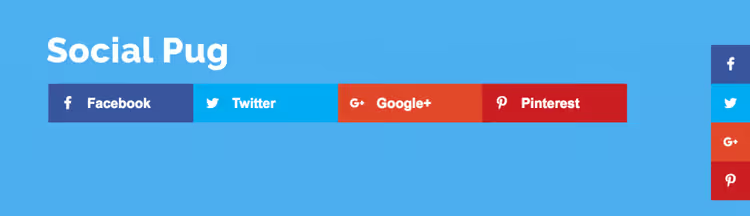
Hubbub is a rebrand of the familiar Social Pug plugin (briefly called Grow by Mediavine). Behind the development is the NerdPress team, and the name change benefited the product: codebase rewritten, interface cleaner, and update pace stable.
Hubbub Lite (free version) provides:
- Share buttons for Facebook, Twitter, Pinterest, and LinkedIn above and below content
- Floating sidebar with icons that follows the reader while scrolling
- Share counters with social proof
- SVG icons, sharp at any resolution
- Engagement Stats dashboard with an overview of the most shared posts across the entire site
When registering the free copy, 17+ additional networks unlock (Flipboard, Threads, Reddit, WhatsApp, Tumblr, email) and "Follow" buttons for Instagram, YouTube, Twitch, Behance, Apple Podcasts, Spotify.
Hubbub Pro ($99/year) adds custom Open Graph previews, sticky bar for mobile, popup triggers by action or time, and popular posts widget. Pro+ includes the Save This feature, a subscription form inside content to save the article to email.
Price: Hubbub Lite is free. Pro from $99/year, Pro+ from $149/year.
🔗 Hubbub on WordPress.org | 🔗 Hubbub Pro
7. Scriptless Social Sharing

Scriptless Social Sharing occupies a unique niche: it's the only sharing plugin that doesn't add a single line of JavaScript to the site. All buttons are pure HTML with SVG icons, styled through CSS. Result: zero impact on PageSpeed, no external requests, no ad blocker scripts that can break functionality.
What Scriptless can do:
- Share buttons for Facebook, Twitter, Pinterest, LinkedIn, Reddit, email, SMS, and clipboard, without a single external script
- Placement above and below content, via shortcode anywhere, or manual PHP hook in the theme
- Button heading customization (text before icons) and styles through theme CSS classes
- Print button and "Share via email" button with custom subject and email body
Limitations are obvious and deliberate: no share counters (JavaScript trackers absent by definition), no floating panels, and styling requires basic CSS skills. The plugin isn't for everyone, but for sites where speed matters more than bells and whistles, and for developers who want full control over button markup, this is the ideal tool.
Price: free.
🔗 Scriptless Social Sharing on WordPress.org
⁉️🤔 Frequently asked questions
Is a plugin for share buttons even needed in 2026?
Yes. Direct sharing through buttons on the page produces noticeably more reposts than counting on users to copy the URL themselves and paste it into a social network. Plus plugins allow you to control what title, description, and image go to the social network, without this social networks grab a random text fragment and the first available image.
Which plugin slows down the site the least?
Scriptless Social Sharing, zero impact (no JavaScript). Among plugins with counters and interactivity: Social Warfare and Hubbub load scripts asynchronously and don't block rendering. In PageSpeed tests, the difference between them and plugins without optimization (old versions of MashShare, ShareThis) reaches 8-12 points.
Can share counters be recovered after changing domain?
Social Warfare and Easy Social Share Buttons have built-in Share Recovery tools. They query social network APIs by old and new URL and sum the metrics. For other plugins, only manual transfer through the database, which is non-trivial.
Is a free plugin enough or is premium needed?
For a blog with 500-2000 visitors per day, AddToAny or Hubbub Lite is sufficient. Premium features (custom Open Graph, counter recovery, A/B testing of positions) start paying off at traffic from 5000 unique visitors per day, when even a small increase in shares gives thousands of additional clicks.
Why isn't MashShare in the collection?
MashShare was permanently closed in August 2025 at the author's request and is no longer available for download. Instead, we recommend Sassy Social Share, a free plugin with a comparable set of networks (100+) and significantly more active support.
What to install on a site in 2026
The choice comes down to three scenarios, and we've been through each one in practice:
- Maximum features for reasonable money: Easy Social Share Buttons for $20, 50+ networks, 30+ positions, analytics and counters. No other plugin gives this volume for this price.
- Free and without design compromises: Hubbub Lite with registration unlocks 17+ networks and looks modern out of the box. If speed is critical, add Scriptless Social Sharing to completely remove JavaScript from the sharing equation.
- Already in the Elegant Themes ecosystem: Take Monarch without thinking, it's already paid for with membership and covers 20+ networks with the best-in-class display triggers.
If you're considering Social Warfare Pro, test the free version on staging with your WordPress version. The plugin hasn't been updated for the latest WP releases, and although it works stably on versions 6.5-6.6, with WP 6.7+ there may be nuances.

A professional team of writers and editors specializing in creating quality content.