














🔗 7 best plugins for checking broken links in WordPress 2026
A link points to a 404, and you're the last to know. The reader left, the search engine noticed, reputation and rankings fade quietly but steadily.
According to the Broken Link Checker page on WordPress.org, plugin users find 50,000+ broken links daily. The problem is widespread. But it's solved automatically if you choose the right tool.
Below are seven plugins for finding and fixing broken links in WordPress: from lightweight pre-publication scanners to cloud-based combines with site-wide coverage.
💡 Quick overview:
- Checking links when saving a post: grab Save Post. Check Links.
- Need a bulk scanner with history and bulk edits: Broken Link Checker by WPMU DEV.
- Managing dozens of sites: InfiniteWP gives you a single panel for everything.
- Want to boost internal linking while you're at it: Link Whisper.
Plugin comparison table
Plugin | Primary use case | Price | Special feature |
|---|---|---|---|
Save Post. Check Links. | Pre-publication check | Free | Doesn't load your server |
InfiniteWP Broken Link Checker | Multi-site panel | $127/year | Single dashboard for dozens of sites |
Link Whisper | Internal linking + broken links | $77/year | Auto-suggests links by keywords |
Video Link Checker | Video checking (YouTube, Vimeo, SoundCloud) | $29 one-time | API keys out of the box |
SEO Help | AI combine: content + broken links | Free / Pro | llms.txt, auto-blogging, FAQ generator |
Link Checker | External crawler for 500 URLs (free) | Free / Pro from €49 | Doesn't load your server |
Broken Link Checker | Universal cloud scanner | Free / Cloud | 17M+ downloads, two engines |
1. Save Post. Check Links.
SPCL from the pluginkollektiv team works differently than the other six on the list: it checks links right when you save a draft or publish. No background load, no cron jobs.
The plugin pings every URL in the post content, both external and internal (except relative ones). If a link leads to a 404 or doesn't respond, a warning appears in the editor before the post goes to the reader. In practice, this saves you from typos in URLs and accidentally deleted pages: the error is discovered before publication, not a week later in Search Console.
- Pros: zero impact on site speed, no background tasks, catches typos in URLs instantly, free and ad-free, updated for WordPress 6.9.
- Cons: doesn't retroactively scan already published pages, works only with posts (pages are out of scope), modest user base, fewer than 200 active installs.
- Price: Free.
- Download: 🔗 Save Post. Check Links. on WordPress.org
2. InfiniteWP Broken Link Checker
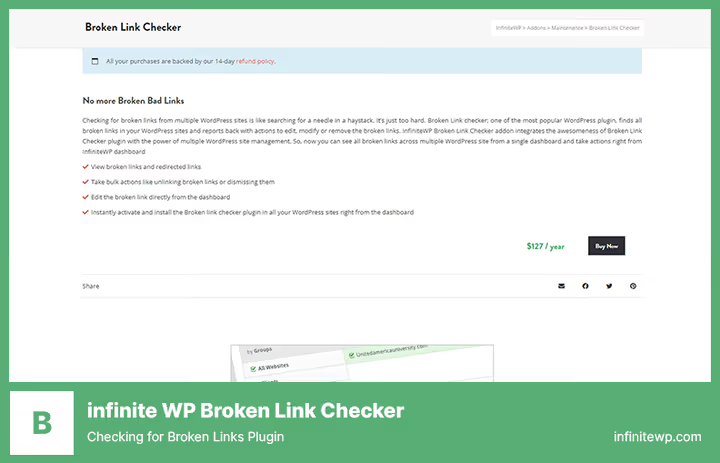
If you manage a dozen sites, logging into each admin panel just to check links is hours lost per week. This addon for the InfiniteWP platform solves the problem radically: all broken links from all connected sites are visible in one panel.
The addon integrates the Broken Link Checker engine directly into the InfiniteWP dashboard. You can bulk unlink problematic links, replace URLs, or mark them as fixed, all without switching between sites. On installation, the addon automatically activates the plugin on all selected sites at once. In our practice, the savings are noticeable starting from five managed sites.
- Pros: single panel for unlimited sites, bulk operations across all sites at once, one-click plugin installation across the network, sees both broken and redirect links.
- Cons: requires the InfiniteWP platform itself (separate installation), $127/year is substantial for a freelancer, tied to the vendor's ecosystem.
- Price: $127/year (part of InfiniteWP).
- Download: 🔗 InfiniteWP Broken Link Checker
3. Link Whisper
Link Whisper solves two tasks at once: finds broken links and suggests relevant internal links for interlinking. This isn't just a scanner, it's an SEO growth tool.
The plugin builds a map of all site URLs and when writing a new post automatically suggests where to place internal links based on specified keywords. At the same time, it tracks broken links (internal and external) and displays them in an error panel with the source page and discovery date indicated. Google Search Console integration shows traffic data directly in the plugin interface.
- Pros: auto-suggests internal links by keywords, GSC integration for traffic data, shows the number of incoming internal links to each page, organic positions by keywords in one screen.
- Cons: $77/year, no free version, keyword-based interlinking requires initial setup, overkill for small sites with 20-30 pages.
- Price: $77/year.
- Download: 🔗 Link Whisper
4. Video Link Checker

The only plugin in the collection specifically tailored for video links. If your site aggregates videos from YouTube, Vimeo, DailyMotion, SoundCloud, or Google Drive, Video Link Checker verifies whether the video has been deleted or blocked in the target region.
The plugin works with the APIs of the listed platforms, YouTube, SoundCloud, and Vimeo keys are already pre-registered. Scanning runs on schedule or manually. After checking, an email report arrives with a list of problematic URLs and error codes.
- Pros: checks not just the URL but actual video availability, API keys out of the box, scans posts, statuses, and custom fields, email report after each scan.
- Cons: only video links, regular URLs are out of scope, one-time CodeCanyon purchase means only 12 months of update support, interface is visually outdated.
- Price: $29 (one-time CodeCanyon purchase, 12 months support).
- Download: 🔗 Video Link Checker on CodeCanyon
5. SEO Help

SEO Help by QuantumCloud started as a set of SEO utilities with a broken link checking module. By 2026, it grew into a full-fledged AI combine: content generator via ChatGPT/Gemini, llms.txt creation for AI bots, AI traffic tracking, RSS auto-blogging, FAQ generator, and YouTube subtitle import into articles.
The broken link checking module is one of twenty plugin features. It scans external URLs with filtering by post types and time frames. For a blog with a hundred pages: quick scan and readable report. The free version is generous by the standards of such combines.
- Pros: many SEO tools in one plugin, clickbait headline generator, llms.txt for AI search, auto-tagging, updated to version 6.8.6 in June 2026.
- Cons: checks only external links, internal ones are out of scope, the plugin has grown large, panel has lots of Pro version ads, core value has shifted to AI generation rather than link work.
- Price: Free / Pro from $49/year.
- Download: 🔗 SEO Help on WordPress.org
6. Link Checker

Link Checker by Marco Beierer uses an external crawler server: it walks the site like a regular visitor and returns a list of broken links. Load on your hosting is around zero because the cloud does all the work.
The free version has a 500 URL limit. Enough for a small blog. Pro removes the limit (up to 500,000 URLs), adds broken image and YouTube video checking, CSV export, and a scheduler with daily email reports. The plugin was updated in June 2026, supports Polylang and WPML.
- Pros: doesn't load your server, Polylang and WPML support, robots.txt and crawl-delay are respected, Pro checks images and videos, regular updates.
- Cons: 500 URLs in the free version, not enough for a medium site, external server means passing URLs to a third party, Pro from €49 for 25,000 URLs is pricey for large sites.
- Price: Free (up to 500 URLs) / Pro from €49.
- Download: 🔗 Link Checker on WordPress.org | 🔗 Pro version
7. Broken Link Checker
The niche flagship. According to the WordPress.org directory, the plugin has over 17 million downloads and a 4.2 out of 5 rating. WPMU DEV relaunched it in 2024 with a cloud engine, after which scanning speed increased by an order of magnitude compared to local checking.
Two modes: Cloud (zero load on your server, unlimited coverage) and Local (works without external connection, everything on your hardware). Both scan posts, pages, comments, custom fields, and even broken images. Found links are edited in bulk directly from the dashboard without entering each post.
- Pros: 17M+ downloads on WordPress.org, time-tested, two engines (cloud / local), bulk link edits in a couple clicks, email and dashboard notifications, Multisite compatibility, updated in May 2026.
- Cons: cloud engine requires a free WPMU DEV account even on the free tier, interface is overloaded with Upsell blocks, some old users are unhappy with the "bloat" after rebranding.
- Price: Free (both engines, cloud with limitations on free Hub account).
- Download: 🔗 Broken Link Checker on WordPress.org
See how Broken Link Checker works in a real installation, from first scan to bulk link fixing:
⁉️🤔 Frequently asked questions
Do broken links actually impact SEO or is that a myth?
They impact it, and directly. Google confirms: 404 errors worsen user experience, this is a ranking signal. Broken links break PageRank flow within the site and increase bounce rate. From experience working with client sites, cleaning several hundred broken URLs noticeably reduces errors in Search Console within a month.
Why is cloud link checking better than local?
A cloud engine (like Broken Link Checker by WPMU DEV) pings URLs from its own server, not from yours. This removes load from hosting and eliminates the risk of your IP being blocked by external sites for suspicious activity. Local mode is suitable if the site is behind a closed circuit (intranet) or you don't want to pass data to a third party.
Can you check links without a plugin?
You can, via Google Search Console (Coverage report) or external services like Ahrefs Site Audit or Semrush. But this is a manual process: found a broken URL, went to the admin panel, opened the post, fixed it. Plugins from this list let you fix links directly from the dashboard without entering each post. The difference is hours versus minutes.
Which plugin to take for a WooCommerce online store?
Broken Link Checker by WPMU DEV. It scans not only posts and pages but also products, custom fields, and comments, all WooCommerce entities. Plus the cloud engine won't crash the site when scanning thousands of products with many links.
SPCL checks links when saving, but what about old posts?
No way. That's its limitation. If you need to check an archive of hundreds of posts, take Broken Link Checker or Link Checker. SPCL works as a second line: prevents new broken links from getting on the site while the main scanner cleans the archive.
Which broken link plugin to take in 2026?
The choice comes down to three scenarios:
- If you have one site and want "set it and forget it," take Broken Link Checker by WPMU DEV. Both engines are on the free tier.
- If you're a freelancer or agency with a dozen sites, InfiniteWP Broken Link Checker. Single dashboard, bulk edits.
- If you write a lot and want to catch typos in URLs before publishing, Save Post. Check Links. On top of the main scanner.
Start with the free Broken Link Checker: it will cover most needs at no cost. And if you already use one of the plugins on the list, write in the comments how it works in practice.

A professional team of writers and editors specializing in creating quality content.