













 AIIllustrative image: AI-generated
🚀 60 best free SEO tools in 2026
An SEO specialist needs a solid toolkit. Yes, premium services like Ahrefs, Semrush, and Moz Pro cover the vast majority of daily tasks when the budget allows. But at the start, for one-off audits, or for specific tasks, free alternatives perform just as well and often deliver the same results without spending a dollar.
The problem is that there are literally hundreds of "free SEO tools" on the internet. Around every corner, freemium with ads, limited trials, or outright junk. We've selected 60 tools that actually work, are actually free, and are actually useful in 2026. The selection criteria were simple: the tool must either solve a specific SEO task without artificial limitations or provide enough data on the free tier to make informed decisions. Every item on the list has been tested in real work and comes with a link to the official website.
Below, a full breakdown by category: analytics, crawling, keywords, link building, local SEO, mobile optimization, technical audit, site speed, and WordPress. You can start using them right after reading: all tools are either completely free or have a generous free tier without requiring a card.
💡 Quick overview:
Step 1: Connect Google Search Console and Bing Webmaster Tools, the foundation of any SEO strategy; without these two tools you won't see the real picture of indexation
Step 2: Master one crawler, Screaming Frog (up to 500 URLs free) or Beam Us Up (unlimited, Windows), for technical audits and finding broken links
Step 3: Gather keywords through Answer The Public and Keyword Surfer, free keyword ideas without query limits
Step 4: Check your link profile through Ahrefs Backlink Checker and Link Miner, basic backlink verification without a paid subscription
Step 5: For WordPress sites, install Yoast SEO or Rank Math; free versions cover technical SEO out of the box
Result: free tool + Google Search Console + direct methodology = the vast majority of SEO tasks solved without a budget

Free SEO tools: analytics
Tools for analyzing search performance, monitoring SERPs, keywords, and competitors.
1. Bing Webmaster Tools
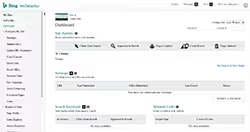
While Google Search Console gets all the glory, Bing Webmaster Tools quietly offers a full set of tools for webmasters. Particularly useful are the keyword reports, search query research, and indexing data. Bing powers search in Yahoo, DuckDuckGo, and Copilot, so the audience is wider than commonly thought.
2. Looker Studio (formerly Data Studio)
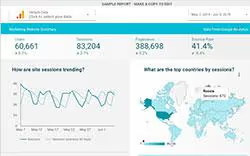
If you need to combine data from different sources, Search Console, Google Analytics, Ahrefs, and output them to one dashboard, this is the domain of Looker Studio (formerly Google Data Studio, renamed in 2022). The tool is free, pulls data from dozens of connectors, and allows you to build reports of any complexity. The community publishes hundreds of ready-made templates for typical SEO tasks.
3. Google Analytics Annotations Extension
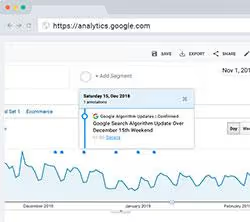
How do you understand whether a traffic drop is related to a Google algorithm update or a holiday? This Chrome extension overlays additional data on Google Analytics charts, algorithm updates, holidays, and events. Convenient for quick client screenshots: you can immediately see that traffic dropped not "just because" but on the day of a Google Core Update.
🔗 Google Analytics Annotations
4. Google Analytics
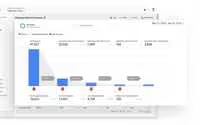
Google Analytics 4, the most widespread web analytics package in the world. The free version is surprisingly robust and integrates excellently with other Google products: Search Console, Looker Studio. GA4 has privacy questions, although Google claims they don't use this data for ranking. For most sites, it's the de facto standard.
Alternatives: Clicky, Open Web Analytics
5. Google Search Console
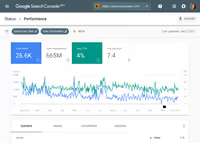
Perhaps the most useful free SEO tool in the entire list. It's hard to imagine modern SEO without access to Search Console data. This is the most reliable source of information about how Google crawls and evaluates your site, and the only place where you get reliable keyword data directly from the search engine.
Useful addition: Search Analytics for Sheets
6. Keyword Hero

Keyword Hero solves the eternal "(not provided)" problem in Google Analytics, using math and machine learning to restore lost keyword data. Not a perfect system, but for those trying to match keywords with conversions and other site metrics, this data becomes a valuable step in the right direction. Free up to 2,000 sessions per month.
7. MozCast
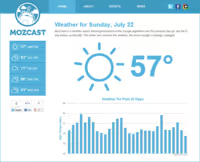
The brainchild of Dr. Pete from Moz and the original Google SERP "weather" tracker. MozCast shows the "temperature" of search results, how unstable results are on a specific day. If Google is rolling out an update, MozCast will capture the turbulence. Bonus feature is SERP feature tracking.
Alternatives: Algoroo
Crawling and indexing
Specialized tools for checking site accessibility to search engines and technical audits.
8. Beam Us Up
If you need a free desktop crawler without limitations, Beam Us Up is practically unmatched. Yes, functionally it's inferior to Screaming Frog, but it offers completely free scanning without a URL limit. Windows only, but open source. For projects larger than 500 pages, the first thing worth running.
9. Link Redirect Trace
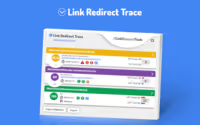
A free Chrome extension that many SEO specialists call the "universal redirect path analyzer." It reveals HTTP headers, rel-canonical, robots.txt, and basic link metrics. The screenshot save function is particularly useful for documenting audits.
10. Redirect Path
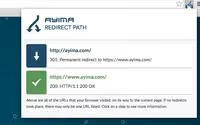
Similar to Link Redirect Trace, Redirect Path, an excellent tool from the Ayima team, shows redirect paths and headers for each visited URL. Simple, lightweight, almost always enabled in the browser of a practicing SEO specialist.
11. Screaming Frog SEO Spider
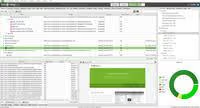
The most popular desktop crawler today. The free version allows you to scan up to 500 URLs per run. Not as functional as the paid version, but for small projects, quick audits, and one-off diagnostics, it's the perfect option. Most SEO specialists started with free Frog.
12. Screaming Frog Log File Analyzer
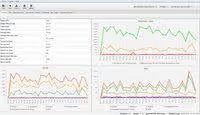
A separate log file analyzer from the same developers. The free version is limited to 1,000 lines, enough to diagnose basic crawl budget problems on a small site or for one-off analysis of problematic segments.
🔗 Screaming Frog Log File Analyzer
13. SEOlyzer

SEOlyzer, a log analyzer recommended by Aleyda Solis on her Crawling Mondays podcast. A tool with impressive features: real-time analysis, page categorization, cross-analysis of Search Console and log data. French product, fully GDPR compliant, servers located in France.
14. Xenu Link Sleuth

Xenu has appeared in every "free SEO tools" list since the dawn of the internet. This Windows crawler has remained virtually unchanged for the last 15 years and still works. Many SEO specialists continue to use it for basic site audits and finding broken links. A sort of retiree who's still on duty.
Keyword research
Tools to find out what people are searching for, with what volume and competition.
15. Answer The Public

Answer The Public, a tool with an almost rebellious interface. Enter a keyword, get a huge list of questions that real people ask. Perfect for building a content plan and finding low-competition topics. The free tier is generous: several queries per day without registration.
16. Keyword Explorer (Moz)
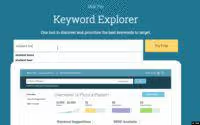
Moz Keyword Explorer offers precise volume ranges and the famous Keyword Difficulty metric. A free Moz community account gives a limited number of queries per month, but for one-off keyword research this is more than enough.
17. Keyword Surfer
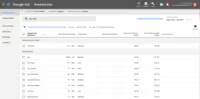
A free Chrome extension that shows search volume and keyword suggestions directly in Google's search results. Enter a query, see the data without needing to open a third-party tool. Installed by tens of thousands of SEO specialists, regularly updated.
18. Keywords Everywhere

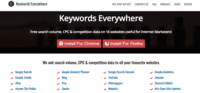
An extension for Chrome and Firefox that shows search volume, CPC, and competition data for dozens of sites. The free version shows basic metrics; paid credits are inexpensive and expand capabilities. One of the oldest and most popular SEO extensions.
19. AlsoAsked
AlsoAsked extracts data from Google's "People Also Asked" block and builds a tree map of related questions. Visually shows how users delve into a topic, invaluable for developing article structure and finding related subtopics. The free tier includes several queries per day.
20. Search Volume for Google Sheets
An add-on for Google Sheets that pulls search volumes directly into the spreadsheet through the Google Ads API. The data is accurate, not averaged. Convenient when you need to mass-evaluate volumes across a list of hundreds of keywords without switching between tools.
Search Volume for Sheets (available in Google Workspace Marketplace)
21. Keyword Tool
Keyword Tool uses autocomplete data from Google, YouTube, Bing, Amazon, and other platforms to generate hundreds of keyword variations from one query. The free version shows keywords without volumes; Pro adds metrics. An excellent start for building a semantic core.
22. Question DB
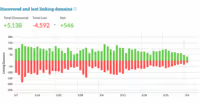
Question DB mines a giant database of questions from Reddit and returns hundreds of questions on any topic. Perfect for content marketing: find real user questions and write an article that answers them. The free limit is generous, registration not required.
Links and link building
Tools for analyzing and building link profiles.
23. Link Miner
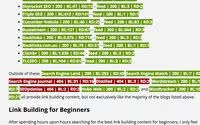
A free Chrome extension that quickly finds broken links on any page and shows basic link metrics when searching in Google. Developed by one of the masters of link building, Jon Cooper. Simple, easy, and requires no setup.
24. Detailed
A unique link research engine from Glen Allsopp. Detailed focuses on what drives links in the most popular niches on the web, filtering out noise and irrelevant data. Bonus, one of the best email newsletters about the SEO industry.
25. Ahrefs Backlink Checker
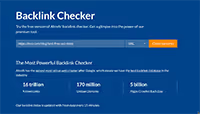
Many don't know that Ahrefs has a completely free backlink checker. Limited to 100 links, no prefix or folder search, but for a quick link profile check or working with a limited budget, it's an excellent option. No registration required.
Local SEO
Free tools for optimizing presence in Google Maps and beyond.
26. Google Business Profile

Formerly Google My Business, renamed in 2021. The main local SEO tool in markets served by Google. Allows you to claim a business, manage information in search results, respond to reviews, and publish updates. A verified business profile is the foundation of any local SEO strategy.
27. Google Review Link Generator
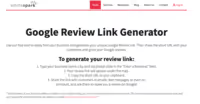
The review link generator from Whitespark solves a simple but important problem: how to give a client a direct link to review in Google. Reviews increase ranking in local results, but Google doesn't provide an obvious way to get this link. Whitespark makes it elementary, free, and without registration.
🔗 Google Review Link Generator
28. Local Search Results Checker
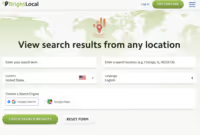
One of the most challenging local SEO tasks is understanding how your site ranks from a specific geographic point. BrightLocal solves this with a quick local ranking tool: it "lands" you at any point in the world and shows real local search results.
🔗 Local Search Results Checker
29. Moz Local Check
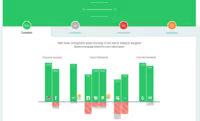
How consistent is your business information in the local search ecosystem? Moz Local quickly checks how the business appears in major data aggregators that Google and other search engines use for ranking. Convenient for initial local presence diagnostics.
Mobile SEO
Tools for optimizing sites in Google's mobile-first world.
30. Mobile First Index Checker
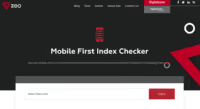
With Google's transition to Mobile-First indexing, it's critically important that key elements (links, structured data, content) match in mobile and desktop versions. Zeo offers one of the most comprehensive free Mobile-First indexing checkers on the market.
31. Mobile SERP Test
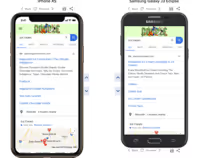
Mobile search results can differ radically depending on location and device. Mobile SERP Test from MobileMoxie allows you to compare search results on different devices anywhere in the world, down to a specific address. The free tier covers several checks per month.
32. Mobile-Friendly Test
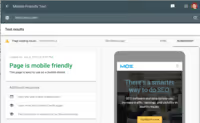
The gold standard for mobile-friendly checking from Google. If a page passes the test, Google considers it mobile-friendly, which is a small but confirmed ranking factor. If it doesn't pass, you get specific recommendations for fixes, down to line numbers in the code.
Multi-functional tools
Free SEO tools with so many features they need a separate category.
33. Chrome DevTools
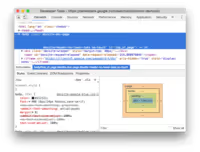
The volume of SEO tasks you can perform for free through Chrome DevTools is astounding. From JavaScript audits to load speed analysis and structured data checks, the best features are hidden in the Network, Lighthouse, and Elements panels. Installed with every Chrome user, which means everyone.
34. Marketing Miner

In the US, Marketing Miner isn't very popular, but in Eastern Europe it's one of the secrets of the SEO community. SERP data collection, rankings, reports, and competitive analysis, Marketing Miner does the heavy lifting and assembles everything into convenient reports. A paid tool, but the free version allows you to perform dozens of tasks daily.
35. MozBar
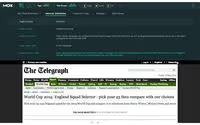
One of the oldest SEO toolbars, significantly updated in recent years. Log in with a free Moz account and get link metrics while browsing pages, on-page analysis, and search results data. The free version is quite useful on its own; Pro users get advanced keyword suggestions.
36. Semrush (free tier)
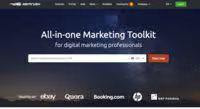
Like Moz, Semrush offers a full set of SEO tools with a free tier that works well if you have one site or need a quick look at top-level data. The free tier gives access to one "project": basic site audit plus limited keyword and domain reports.
37. SEO Minion
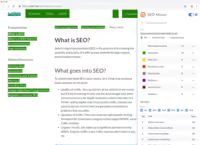
SEO Minion, a popular Chrome extension that goes beyond most SEO toolbars. Among quick features: on-page SEO analysis, broken link check, Hreflang check, SERP preview, and an excellent Google search simulator. Definitely worth trying, more features than many paid alternatives.
38. SEOquake
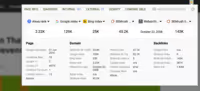
Of all the SEO toolbars available on the market, SEOquake is perhaps the most powerful and configurable. In addition to providing a mass of data for each URL, you can perform a basic on-page audit, compare domains, and export data to CSV with one click.
39. Sheets for Marketers
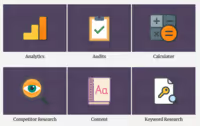
Not so much a tool as a site with hundreds of free Google Sheets templates for SEO tasks. Competitive analysis, site audit, analytics, keyword research, there's a ready sheet for everything. A site worth bookmarking and checking once a month for new templates.
40. Small SEO Tools
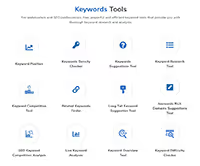
Small SEO Tools is a set of mini-tools: plagiarism check, word count, backlink check, keyword generator, and much more. Free, although with ads on the site. A good Swiss army knife for small SEO tasks when you don't want to open heavy tools.
On-page SEO
Tools for auditing and optimizing page content directly.
41. Lipperhey
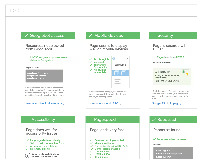
A free on-page SEO auditor. Lipperhey analyzes a site and gives concrete improvement recommendations: keyword density, header structure, load speed, and technical errors. Not the most well-known tool, but the reports are detailed and practical.
Lipperhey (lipperhey.com)
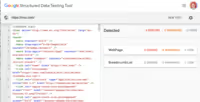
42. Schema Markup Validator
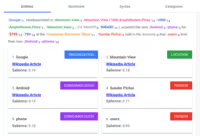
The official Schema.org validator, a tool for checking structured data. Detects errors in JSON-LD, Microdata, and RDFa, and suggests which schema types can be added to increase visibility in search results. Updated in 2024: now checks Google Rich Results compatibility.
Optimization
Tools for fine-tuning and improving SEO performance.
43. A/B testing in Google Analytics 4
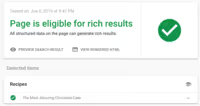
Google closed Optimize as a separate product in 2025, but its functionality has been moved to Google Analytics 4; now A/B testing and personalization are available directly in GA4, free and with familiar integration with other Google products.
🔗 A/B testing in Google Analytics 4
44. SERP Simulator
A simple but useful tool: shows how your title and meta-description will look in Google search results. Takes into account pixel length limits and text truncation. Saves time checking titles before publication.
SERP Simulator (searchenginejournal.com)
45. Google Tag Manager
Google Tag Manager allows you to insert tags (Google Analytics, social media pixels, tracking scripts) into HTML without editing code. Advanced users use GTM for many SEO functions: tracking clicks on external links, monitoring load speed, dynamic structured data insertion. Free and unlimited.
46. View Rendered Source
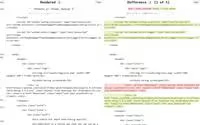
A simple JavaScript audit tool that does one thing and does it excellently. View Rendered Source, a free Chrome plugin showing the fully rendered DOM of any URL compared to the original HTML. Ideal for auditing JavaScript sites and finding hydration issues.
Research and competitive analysis
Free tools for competitive, historical, and technology analysis.
47. BuzzSumo
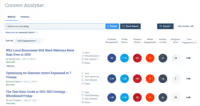
BuzzSumo, a content research tool. The Chrome extension gives reliable estimates of social sharing counts for any content. The free account is limited but gives access to popular content and trending topics. One of the best tools for finding content ideas.
48. Hunter
Hunter, a popular tool for finding email addresses. Use it to find a company or individual's address and verify any email you already have. 50 free requests per month, enough for one-off link building and outreach tasks.
Also popular: Voila Norbert
49. SimilarWeb

SimilarWeb is competitive analysis on steroids. Competitor traffic, top pages, engagement, marketing channels, all in one place. The free version is limited to five results per metric, but often this is enough to quickly get a picture of the market.
SimilarWeb (similarweb.com)
50. Wappalyzer
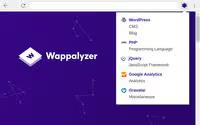
There are many tools for analyzing a site's technology stack, but Wappalyzer is the favorite of SEO specialists. Completely free (if you don't need advanced reports) and instantly shows what a site runs on: WordPress or custom, Yoast or Rank Math, which CDN and hosting. A must-have for competitive analysis.
51. Wayback Machine
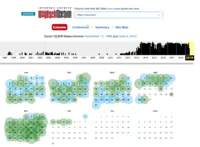
Wayback Machine from Internet Archive is used by SEO specialists several times a week. Ideal for uncovering historical data: what a competitor's site looked like a year ago, which pages were deleted, how the structure changed. You can even find historical robots.txt files. Completely free and invaluable for audits.
52. Bulk Domain Availability Checker
A bulk domain availability checker. Enter up to 20,000 domains at once, the tool quickly reports which ones are available. Especially popular among those who regularly register domains for projects and networks.
Bulk Domain Availability Checker (rankz.io)
Site speed
Tools for speeding up sites: higher engagement, higher conversion, higher ranking.
53. Cloudflare

So much can be said about Cloudflare that it's hard to choose the main thing. Free CDN for speeding up sites, simple DNS management, and DDoS protection, all on a free tier that's sufficient for the vast majority of projects. If you're ready to upgrade, Pro features are surprisingly affordable.
54. GTmetrix
GTmetrix, one of SEO specialists' favorite performance tests. Provides familiar PageSpeed, YSlow, and Waterfall reports, and automatically saves historical data for each analyzed page. The free tier includes testing from several regions.
55. Lighthouse

Lighthouse, Google's open source tool for measuring performance. The most modern of the free ones, especially in analyzing mobile speed and PWA. Google recommends Lighthouse for evaluating page speed and presumably uses similar metrics in ranking algorithms. Built into Chrome DevTools.
56. PageSpeed Insights
PageSpeed Insights, another Google tool built on top of Lighthouse, but with a key addition: field data from Chrome User Experience Report (CrUX). Shows how a page performs for real users around the world. Not every page has data, but when it does, it's the most accurate indicator of real performance.
57. SpeedMonitor.io
SpeedMonitor.io uses Lighthouse data to track site performance over time without manually logging into the tool every day. You can add competitor tracking and on-demand audits. If the site is unavailable, an alternative is Lighthouse CI for automated monitoring.
SpeedMonitor.io
Alternative: Lighthouse CI
58. WebPageTest
WebPageTest, a tool similar to GTmetrix, but with some of the most detailed performance reports among all alternatives. Breaks down speed into understandable scores plus detailed waterfall diagrams of each page element loading. Supports testing from different devices and geographic locations.
WordPress
There are hundreds of WordPress plugins useful for SEO. You almost always need a "general" SEO plugin; the two best free options are below. For other tasks, Kinsta has a good plugin list.
59. Rank Math
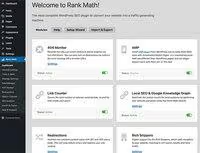
A relatively new player in the WordPress SEO plugin niche, Rank Math quickly gained cult status among professionals. Fully functional out of the box and comes with a range of interesting features, for example, built-in redirects and 404 monitor, which eliminate the need to install separate plugins.
60. Yoast SEO
Yoast, the biggest name in WordPress SEO. More than 30 million active installations, regular innovations in structured data and content analysis. The Yoast team has done tremendous work integrating Schema.org and improving readability analysis. On most of our WordPress sites, it's Yoast, tested over the years.
Alternatives: All in One SEO Pack, SEOPress
In the video above, a step-by-step overview of the best free SEO tools for 2025-2026: from Google Search Console to Ahrefs Webmaster Tools, with setup demonstrations and practical tips for applying each tool.
⁉️🤔 Frequently asked questions
Are all 60 tools actually free in 2026?
Yes, every tool on the list offers a working free tier or completely free functionality. Some services (Semrush, Ahrefs, Moz) are limited by number of queries on the free tier but provide real data without entering a bank card. Some products have changed names: Data Studio became Looker Studio, Google My Business became Google Business Profile. The article indicates current names for 2026.
Is Google Search Console alone enough for SEO?
For basic monitoring, yes. Search Console provides indexing data, keywords, Core Web Vitals, and errors directly from Google. But for site audits (broken links, duplicate pages) you need a crawler like Screaming Frog, for competitor analysis, SimilarWeb or Semrush, for keywords, Answer The Public. One tool won't cover all tasks, but Search Console is the one to start with.
What's the difference between Screaming Frog's free and paid versions?
The free version is limited to 500 URLs per scan. The paid version removes this limit and adds: custom extractions (CSS Path, XPath), integration with Google Analytics and Search Console, spell check, crawl comparison, and near-duplicate content detection. For small sites (up to 500 pages) the free version is fully sufficient; there are no functionality limitations within those 500 URLs.
Rank Math or Yoast SEO, which to choose for WordPress in 2026?
Both plugins solve basic tasks: XML sitemaps, meta tags, Open Graph, canonical URLs, breadcrumbs. Yoast is time-tested, more than 30 million users, excellent documentation, and the largest community. Rank Math is newer but more aggressive in functionality: built-in redirects, 404 monitor, more free features out of the box. Practical advice: if the site is already on Yoast, don't migrate without a serious reason; new WordPress project, take a look at Rank Math, it has more free capabilities.
What to do if the free query limit runs out?
Combine tools. For keywords: Keyword Surfer + AlsoAsked + Answer The Public give a complete picture without a single query to paid APIs. For links: Ahrefs Backlink Checker (first 100 links) + Link Miner for Chrome. For audits: Screaming Frog for the first 500 URLs + Google Search Console for monitoring indexing of the entire site. Free tools assembled into a stack cover most daily tasks without needing to pay.
Which tools from the list became unavailable or changed by 2026?
Google Data Studio was renamed Looker Studio (October 2022). Google My Business became Google Business Profile (November 2021). Google Optimize closed as a separate product in 2025; its features were moved to Google Analytics 4. Some sites (SpeedMonitor.io) may be periodically unavailable; the article indicates current alternatives. The remaining 55+ tools from the list work stably.
What to put in your SEO stack in 2026
Here's a matrix for quickly choosing tools for specific tasks:
- Webmaster and analytics: Google Search Console + Bing Webmaster Tools, mandatory for every site without exceptions
- Keywords at start: Keyword Surfer (Chrome) + Answer The Public, in 15 minutes give a map of topics and search queries
- Site audit: Screaming Frog (up to 500 URLs) if the site is smaller; Beam Us Up if larger but you work on Windows
- Competitor analysis: SimilarWeb (free limit) + Wappalyzer, technology stack and competitor traffic channels
- Speed: PageSpeed Insights + GTmetrix, two perspectives on the same metrics, field and lab data
- WordPress: Yoast SEO or Rank Math, cover technical SEO out of the box without requiring separate plugins
- Link building: Hunter (50 email searches per month) + Ahrefs Backlink Checker, find contacts and check links
Assemble a stack of 5-6 tools for your tasks, not chase all 60. Google Search Console + one crawler + one Chrome extension + one speed analyzer = the vast majority of daily SEO tasks covered. The remaining 54 tools from the list are for specific situations: JavaScript audits, local SEO, content research, migrations.
The main rule of free tools: they pay off in knowledge, not money. Spend an hour setting up Google Search Console, half an hour mastering Screaming Frog, and the results won't be long in coming. A free SEO stack assembled wisely gives an edge over many paid combines bought "just in case" without understanding methodology.

A professional team of writers and editors specializing in creating quality content.