














🔗 Link Whisper: smart internal linking for WordPress in 2026
What is Link Whisper and why you need it
Link Whisper is a WordPress plugin for automating internal linking. It scans your site's content and suggests relevant links directly in the editor, eliminating the need to manually sift through dozens or hundreds of pages.
Manual internal linking takes hours even on a small site. You miss links, lose indexing budget, and behavioral metrics suffer. And orphan content (articles without a single inbound link) may not get indexed by search engines at all. Link Whisper solves these problems: it finds connections between articles faster and more accurately than a human.
The developer is Spencer Haws and the Niche Pursuits team. The plugin has been around since 2019 and has built a solid reputation: over 2000 reviews on wordpress.org with an average rating of 4.9. Recently, Link Whisper released a free version in the official WordPress directory; previously the product was premium only.
💡 Quick overview:
- Go to the Reports section and see all orphan articles in 5 seconds.
- Open any post in the editor, and a panel with suggested internal links appears on the right.
- Check the boxes next to suitable options, and links are inserted automatically with meaningful anchor text.
- For bulk linking, run Auto-Linking mode: set keywords and the plugin places links across your entire site.
Key features of Link Whisper
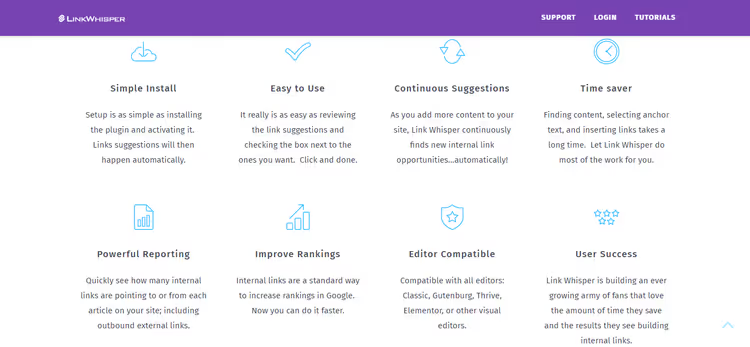
The plugin is not overloaded with settings. The developers deliberately made the interface minimalist: you activate the license and immediately get working internal linking. Under the hood, however, there are several well-designed mechanisms.
Auto-suggestion of links while writing
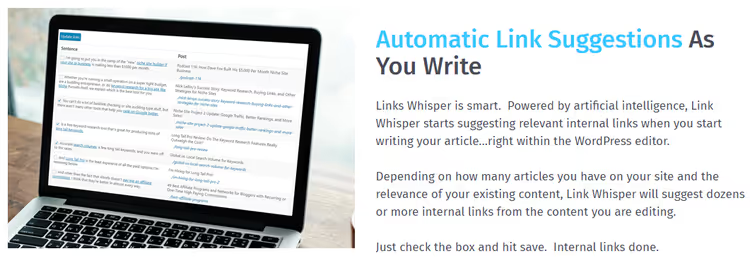
When you write a new post, Link Whisper analyzes its content in real time and matches it with existing articles on your site. The result is a list of suggested internal links in the editor's sidebar.
The mechanics are simple: you see the candidate article's title and the suggested anchor text. One click on the checkbox adds the link. No need to minimize the editor, open another tab, or copy URLs. Everything happens in one window, in the background.
In practice, this reduces the time spent on internal linking per post from 10-15 minutes to a couple of minutes. For a site with a hundred articles, the difference is measured not in minutes but in days.
Smart anchor text
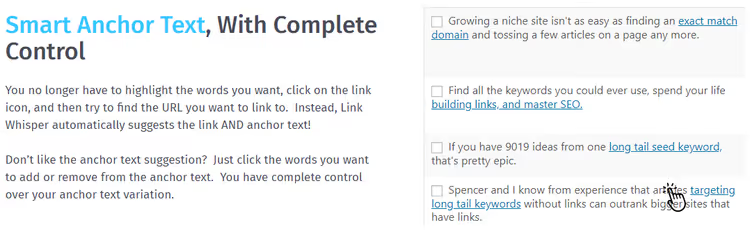
Anchor text is one of the underrated factors in internal linking. Search engines read the anchor as a signal about the page the link points to. Anchor diversity matters more than it seems.
Link Whisper automatically selects anchors from the titles and content of target articles. If the suggested option doesn't work for you, you can edit it manually: remove extra words or add a keyword. The plugin also considers existing anchors on your site and tries not to duplicate them unnecessarily.
Standard advice from SEO specialists: multiple links with different anchors should point to each target page. Link Whisper makes this achievable without manual tracking.
Reports and orphan content detection
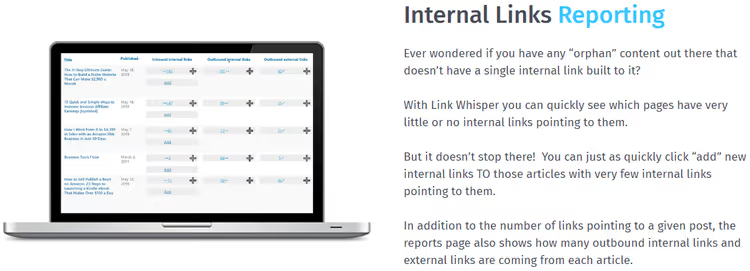
The Reports section is the plugin's command center. Here you see the complete picture of your site's internal linking in one interface:
- Orphan articles: pages with no inbound internal links. Critical: search engines may not find them.
- Number of inbound and outbound internal links for each post.
- Number of external links: also useful for audits.
- Ability to add links in bulk without opening each article separately.
On sites with 200+ articles, orphan content inevitably appears: something got lost during structure changes, something was simply forgotten. The Link Whisper report highlights such pages in seconds. From there, you either manually add links to specific pages or run auto-linking by keywords.
Global settings
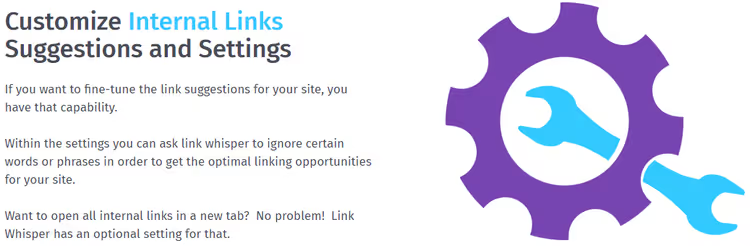
There are few settings, and that's a good thing. Main options:
- Open internal links in a new tab with a single toggle.
- Ignore certain words and numbers so the plugin doesn't suggest links on utility terms.
- Select post types for scanning: posts only, or posts + pages + custom post types.
- Debug mode if you need to identify conflicts with your theme or other plugins.
Most users get by with the default settings. The plugin starts working immediately after license activation, with no configuration fuss.
Documentation and support
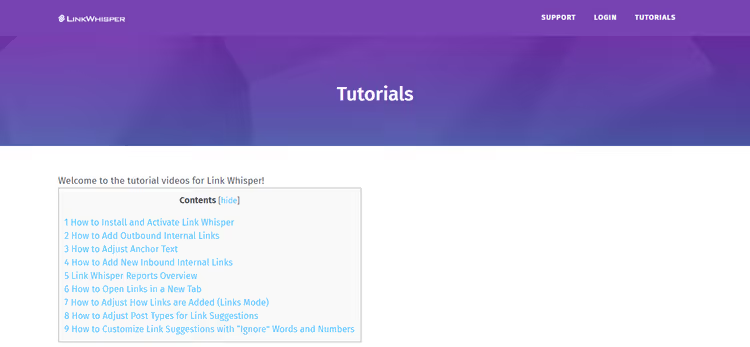
Link Whisper is a premium product, and support reflects that. Included:
- Video tutorials on installation and setup.
- A detailed knowledge base with answers to common questions.
- A ticket system for direct support requests.
The plugin is simple enough that not everyone makes it to the knowledge base. But if you get stuck, a response typically arrives within 24 hours, based on our experience.
Free version vs Premium
Until 2024, Link Whisper was exclusively paid. Now a free version is available in the official wordpress.org directory. This is a significant shift because the free tier covers the basic needs of a small site.
What Free offers:
- Internal link suggestions in the editor when writing a post.
- Automatic anchor text selection.
- Manual link insertion via checkboxes.
What remains in Premium:
- Link reports (including orphan page detection).
- Auto-linking: bulk link placement by keywords.
- Broken link detection.
- Cross-site linking: linking between different sites where Link Whisper is installed.
- Priority support.
Current Premium pricing (2026), data from the official site:
- Starter: $97/year, 1 site, 2000 AI credits.
- Growth: $197/year, 3 sites, 3000 AI credits.
- Pro: $297/year, 10 sites, 5000 AI credits.
- Agency: $497/year, 50 sites, 10000 AI credits.
All plans come with a 60-day money-back guarantee. If the plugin doesn't work out, they refund your money without questions.
For a site with 30-50 articles, the free version is more than enough. Premium becomes justified when you have more than a hundred pages and manual link management becomes a problem.
Installation and activation
Link Whisper is a premium plugin, so you won't find it through the standard search in the admin panel. The free version installs like any regular plugin from the WordPress directory. The Premium version requires uploading a ZIP file.
Purchasing and downloading Premium
Go to the official Link Whisper website and click the Get Link Whisper Now button.

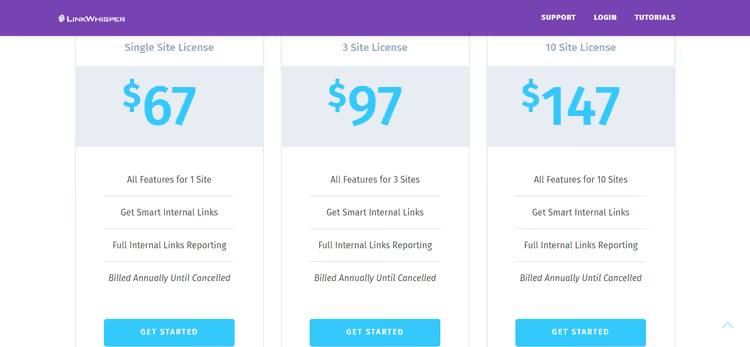
Select the appropriate pricing plan and click Get Started under the option you want.
Fill in payment details (PayPal or card) and click Buy.

After payment, the site will redirect you to your account dashboard.
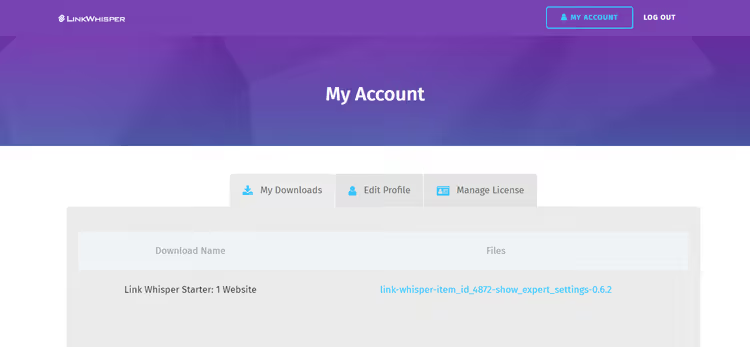
In the dashboard, you'll see your license key and a button to download the plugin's ZIP archive. A copy of the instructions will also be sent to your email.

Download the plugin to your computer.
Uploading to WordPress
In the WordPress admin, go to Plugins → Add New.

Click Upload Plugin, then Choose File, select the downloaded ZIP archive, and click Install.

After installation, click Activate Plugin.

Activating the license
A Link Whisper item will appear in the admin sidebar menu. Navigate to it.

Enter your license key (available in your account dashboard and in the email) and click Activate License.

After activation, additional submenu items will appear under Link Whisper: Reports, Settings, and others.

Done. The plugin is active and immediately begins analyzing your site's content.
First run
To see the link report, go to Link Whisper → Reports.

Plugin settings are available in Link Whisper → Settings.

From this point on, site internal linking takes minutes rather than hours. The plugin works in the background: suggesting links when writing new posts, monitoring orphan pages, and providing reports on link structure.
Comparison with alternatives
Link Whisper is not the only internal linking plugin. Here's a brief look at the closest competitors:
Internal Link Juicer. A free plugin with a Pro version. It can automatically place links by keywords but falls short of Link Whisper in usability: the interface is cluttered, and the settings logic is less transparent. The upside is that the free tier is more generous: auto-linking is available without payment. The downside is no reports on orphan content and no smart anchor selection.
Linkilo. A relatively new plugin (2023) positioned as a direct Link Whisper competitor. Similar functionality: real-time link suggestions, auto-linking, reports. Lower pricing, starting at $69/year for 1 site. The downside is a smaller community and fewer reviews; the product is still in its early maturity stage.
Yoast SEO Premium. Internal linking is one of the features of the flagship SEO plugin. It highlights orphan content and suggests links while writing. But it doesn't do this as specialized as Link Whisper: no bulk auto-linking, and anchors are selected more primitively. If you're already paying for Yoast Premium, basic needs are covered. If not, combining free Yoast + Link Whisper Free gives you more for the same money.
Manual internal linking. The cheapest and most time-consuming option. It works on a site with 20 pages. On a site with 200 pages, it becomes a part-time job.
Considering all factors (functionality, usability, support, developer reputation), Link Whisper remains the best specialized tool for WordPress internal linking in 2026. Especially with the free version now available: the plugin now covers those for whom Premium isn't in the budget.
Here's how the plugin looks in action, from installation to first results:
⁉️🤔 Frequently asked questions
Does Link Whisper work with any theme and plugin?
Yes, no conflicts have been noticed with popular themes and plugins. The developers test compatibility with major page builders (Elementor, Beaver Builder, Gutenberg) and SEO plugins (Yoast, Rank Math). If a conflict occurs, tech support responds within 24 hours.
Can I use Link Whisper on a site in other languages?
Yes, the plugin correctly analyzes content in any language. Anchor text is selected from your articles' titles and content; language doesn't matter. The plugin interface is in English, but all elements are intuitive.
How long does the initial site scan take?
It depends on the amount of content. On a site with 200 articles, the first scan takes 3-5 minutes. After that, scanning is incremental: only new and modified posts. The plugin doesn't affect site performance: analysis runs in the background without loading the frontend.
What happens to internal links if I deactivate the plugin?
All internal links already placed will remain in your articles. Link Whisper inserts standard HTML links into the post body; they don't depend on the active plugin. You'll only lose the ability to add new links and see reports.
Do I need Link Whisper if I'm already using Yoast SEO?
The free version of Yoast doesn't include internal linking tools. Yoast SEO Premium offers basic internal link recommendations but without auto-linking, without orphan page detection, and without smart anchor selection. If internal linking is important to you, Link Whisper provides more specialized and deeper functionality.
Does auto-linking replace manual link placement?
Auto-linking is a powerful tool for bulk link placement, but we recommend using it as a supplement rather than a replacement. Manual review of each suggested link produces a more meaningful structure. The optimal approach: auto-linking for baseline coverage plus manual refinement for key pages.
Conclusion: is Link Whisper worth it in 2026
Link Whisper handles internal linking faster and cleaner than any manual approach. With the free version now available, the plugin has become accessible to virtually any WordPress site owner, from a blog with 20 articles to a media portal with several thousand pages.
Quick decision matrix:
- Up to 50 articles: the free version is sufficient. Install it, add links to existing posts, and use the suggestions when writing new ones.
- 50 to 200 articles: Starter pays for itself in saved time within the first month. Reports and auto-linking are no longer a luxury here; they're a necessity.
- More than 200 articles or multiple sites: Growth or Pro. At these volumes, manual internal linking consumes hours every week, and automation becomes mandatory.
- Agency or network of sites: Agency. 50 sites in one dashboard, cross-site linking.
Link Whisper's main advantage over alternatives is product maturity. Six years on the market, tens of thousands of users, regular updates, and responsive support. This isn't a startup that might shut down in six months; it's a stable product with a clear roadmap.
Try the free version. Installation takes three minutes, and you'll see the first results immediately in the Reports section. If internal linking is eating up your time, Link Whisper will give you hours back in the first week.

A professional team of writers and editors specializing in creating quality content.