













🔌 10 plugins for Facebook integration with WordPress in 2026
A site without Facebook integration loses reach. Feed, share buttons, Messenger chat, events, four channels that bring audiences from social networks to WordPress sites. The repository offers dozens of plugins for each task.
The problem is that half the plugins either overload the site with scripts, haven't been updated in years, or require a Facebook Developer App for no apparent reason. We tested current tools for each scenario, from embedding feeds to auto-sharing and live chat, and selected 10 that work in 2026.
💡 Quick overview:
- Embed a Facebook feed on your site using Smash Balloon or Buttonizer: both without a Facebook App, with caching and SEO-friendly markup.
- For auto-posting to social networks, choose Nelio Content (free, 15+ networks) or Social Auto Poster (one-time payment, CodeCanyon).
- Add share buttons with Sassy Social Share (free, 100+ networks, vector icons).
- Implement live chat via Messenger with Tidio (multichannel, Facebook + WhatsApp + Instagram, freemium) or Zotabox (marketing suite, 30-day trial).
- Set up social login with Nextend Social Login (free, Facebook + Google + X).
- Display Facebook events calendar with Events Calendar for WordPress (CodeCanyon).
Comparison table:
Plugin | Purpose | Price | Facebook App |
|---|---|---|---|
Smash Balloon Social Post Feed | Facebook feed | Free / $49/year | No |
Social Auto Poster | Auto-posting | $45 one-time | Yes |
Nelio Content | Editorial calendar + auto-posting | Free / $9/month | Yes |
Tidio | Multichannel live chat | Free / $29/month | Yes |
Facebook Events Calendar | Facebook events calendar | $39 one-time | Yes |
Buttonizer | Social buttons + Facebook feed | Free | No |
Sassy Social Share | Share buttons | Free | No |
Social Warfare | Share buttons | Free / $29 | No |
Nextend Social Login | Social login | Free / $50 | Yes |
Zotabox Messenger Live Chat | Facebook Messenger chat | Trial / from $9.99/month | Yes |
1. Smash Balloon Social Post Feed
The leading plugin for embedding Facebook feeds on WordPress sites. Previously called Custom Facebook Feed, now Smash Balloon Social Post Feed. In practice, it installs in a minute: authorization through your Facebook account, [custom-facebook-feed] shortcode on a page, and the feed works.
Key feature, built-in cache. The feed doesn't hit the Facebook API on every page load, it serves a cached version. Cache duration is configurable. Plus, feed content is indexed by search engines, unlike iframe solutions, which are empty for SEO.
Pros:
- Setup without Facebook Developer App
- Caching out of the box, doesn't load the server
- Responsive layout, Elementor and Divi blocks
- GDPR compliance with auto-integration of cookie plugins
Cons:
- Free version shows only text and links, no photos or videos
- Facebook group feeds no longer supported (API changes from April 2024)
Price: Free (Lite version on WordPress.org), Pro from $49/year.
🔗 Smash Balloon on WordPress.org🔗 Smash Balloon Pro on site
2. Social Auto Poster
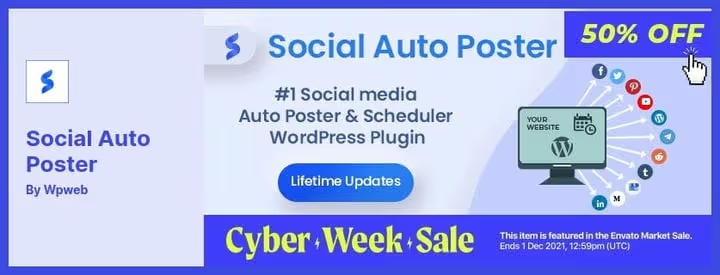
A CodeCanyon plugin for automatically publishing WordPress posts to social networks. Works with Buffer, Facebook, LinkedIn, Instagram, Pinterest, Telegram and Twitter. Write a post, the plugin distributes it to connected accounts on schedule.
In practice, Social Auto Poster is valuable for sites with regular content: news feeds, company blogs, content projects. Set up templates once and forget about manual cross-posting.
Pros:
- One-time payment, no subscription
- Support for 7+ networks via Buffer API
- Flexible scheduling for each social network separately
- Last updated January 2026, active development
Cons:
- Requires Facebook App for setup
- Interface not translated to Russian
Price: $45 one-time on CodeCanyon.
🔗 Social Auto Poster on CodeCanyon
3. Nelio Content
Editorial calendar and social media scheduler in one plugin. Nelio Content embeds directly into the WordPress admin and provides a drag-and-drop calendar showing posts, social messages and editorial tasks. No separate service needed, everything is inside the site.
The free version supports auto-posting to Facebook, X, LinkedIn, Instagram, Mastodon, Telegram, Pinterest, Reddit, Threads, Bluesky and a dozen more networks. Premium adds team features: editorial comments, status boards, post collections.
Pros:
- 15+ social networks in the free version
- Built-in post quality analysis (SEO, images, tags, excerpts)
- Auto-repost top content on schedule
- Google Analytics and social metrics right in the WordPress dashboard
Cons:
- Premium from $9/month for team collaboration
- Requires API app setup for networks
Price: Free (on WordPress.org), Premium by subscription on site.
🔗 Nelio Content on WordPress.org
4. Tidio
Live chat platform with Facebook Messenger, WhatsApp, Instagram and email integration into a single interface. Tidio combines site chat, messengers and social networks in one window where the team sees all customer messages regardless of channel.
After the closure of Facebook Chat Plugin in May 2024, Tidio became one of the most popular alternatives for WordPress. The free tier includes 50 live chats per month, unlimited agents and basic chatbots. Paid plans add AI automation and priority support.
Pros:
- Multichannel: Facebook Messenger, WhatsApp, Instagram, email in one interface
- AI chatbots for auto-replies and lead qualification
- Asynchronous loading, doesn't block the page
- Mobile app for agents
Cons:
- Free tier limited to 50 chats per month
- Advanced AI features only on plans from $29/month
Price: Free (up to 50 chats/month), paid plans from $29/month.
🔗 Tidio on WordPress.org🔗 Tidio official site
5. Facebook Events Calendar
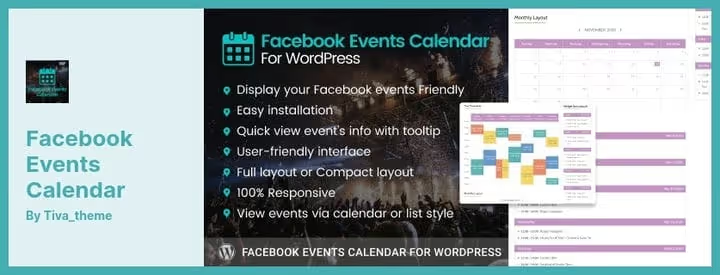
A CodeCanyon plugin that pulls events from your Facebook page and displays them as a calendar on your WordPress site. Works through the official Facebook API, events sync automatically.
Two insertion modes: widget in the sidebar or shortcode on any page. In the Premium version, you can configure colors, element sizes and hide unnecessary blocks. For event organizers, clubs and public venues, this is a ready-made bridge between Facebook Events and your site.
Pros:
- Direct sync with Facebook Events via API
- Widget and shortcode, two insertion methods
- Responsive calendar, works correctly on all devices
- Step-by-step instructions for connecting Facebook account
Cons:
- Only paid version (CodeCanyon)
- No Russian interface
Price: $39 one-time on CodeCanyon.
🔗 Facebook Events Calendar on CodeCanyon
6. Buttonizer
A plugin, formerly known as Widget for Social Page Feeds, now called Buttonizer. Does three things: floating social media buttons, sticky share buttons and Facebook feed embedding via block or widget.
One million active installations speak for themselves. Facebook feed setup is elementary: insert the page URL, block is ready. Supports shortcodes, language settings, hiding cover and avatar.
Pros:
- Free, no limitations for Facebook feed
- 40+ social media icons, 2000+ Font Awesome icons
- Smart display filters: by device, pages, time of day
- Integration with WhatsApp, Telegram, Viber, Signal, Slack
Cons:
- Visually cluttered for simple "feed only" scenario
- Some advanced features in PRO
Price: Free on WordPress.org.
7. Sassy Social Share

Free plugin for share buttons from Heateor. Supports Facebook and 100+ other social networks and services. Vector icons (SVG), look perfect on Retina screens, load quickly.
Unlike the discontinued Shared Counts, Sassy Social Share is actively updated: compatibility with WordPress 6.8, integration with ChatGPT and Perplexity for sharing to AI platforms, regular security patches. No registrations or external servers, everything runs on your hosting.
Pros:
- Completely free, no external services
- 100+ social networks and AI platforms
- Vector icons, don't blur
- GDPR compliance, doesn't set cookies
- WPML and AMP compatibility
Cons:
- Share counts only for Buffer, Reddit, Pinterest, VK
- Doesn't work on localhost
Price: Free on WordPress.org.
🔗 Sassy Social Share on WordPress.org
8. Social Warfare
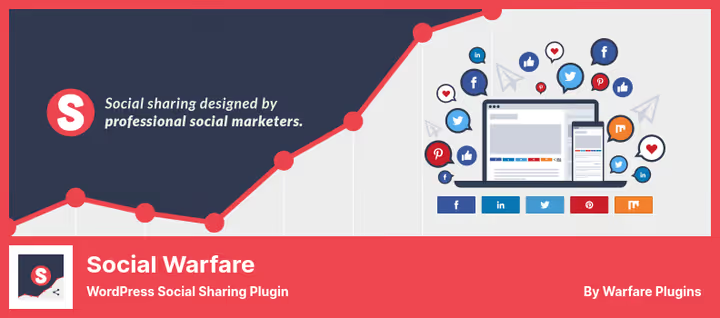
A share button plugin focused on performance. Developed by a team of social media marketers: buttons don't slow down the site and look decent on any screen.
The Share Recovery tool restores lost share counts when changing domains or migrating from HTTP to HTTPS. Unique feature, Click to Tweet: a quote in post text becomes a tweet button with one shortcode.
The plugin is actively updated: recent releases 4.5.5 and 4.5.6 came out in 2025 with PHP warning fixes and compatibility with WordPress 6.7+. Test on staging before installing on a live site.
Pros:
- Fast buttons, don't affect loading speed
- Share Recovery when changing URLs
- Click to Tweet and content protection (Frame Buster)
- Image and description settings for each social network (Pro)
Cons:
- Twitter share counts only in Pro
- Lack of modern networks (Bluesky, Mastodon, Threads)
Price: Free (Lite on WordPress.org), Pro from $29.
🔗 Social Warfare on WordPress.org🔗 Social Warfare Pro
9. Nextend Social Login
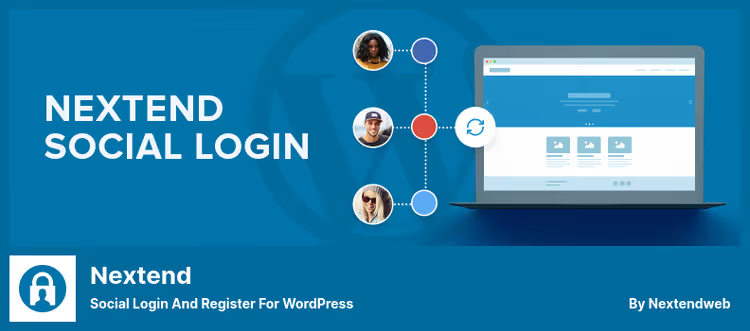
Professional social login plugin. Allows visitors to register and log in via Facebook, Google and X (Twitter) in one click. The free version fully covers the basic scenario.
Under the hood: social accounts are linked to a WordPress user, avatar is pulled from the social profile, redirects after login are configured separately for each provider. Pro version adds WooCommerce, BuddyPress, LinkedIn, Apple, GitHub, Discord and two dozen more providers.
Pros:
- Three major social networks in the free version
- Avatar from social profile automatically
- Configurable redirects after login
- 450+ reviews, active updates (June 2026)
Cons:
- Pro for $50 for additional providers
- Russian interface absent
Price: Free (on WordPress.org), Pro addon from $50.
🔗 Nextend Social Login on WordPress.org🔗 Nextend Pro
10. Zotabox Messenger Live Chat

Live chat plugin via Facebook Messenger from Zotabox. Has 20,000+ installations and 212 reviews on WordPress.org. Along with the chat comes a package of 20+ marketing tools: popups, banners, contact forms, push notifications.
The plugin hasn't been tested with the last three major WordPress releases. In practice, users note that activation requires registration on Zotabox, and the free period is limited to 30 days.
Pros:
- Chat history accessible to both owner and client
- 20+ marketing tools in the package
- Asynchronous loading, doesn't block the page
- Integration with 20+ email services and Facebook Pixel
Cons:
- Essentially paid after the 30-day trial period
- Not tested with recent WordPress versions
- Dependency on external Zotabox service
Price: 30-day trial, then from $9.99/month.
🔗 Zotabox Messenger Live Chat on WordPress.org
The video above shows step-by-step Facebook feed integration in WordPress. The author demonstrates the process from plugin installation to a live feed on the site in 15 minutes.
💎 What to install in 2026
Plugin choice depends on the channel you're connecting to Facebook.
If you need a Facebook feed on your site, go with Smash Balloon. Installs without a Facebook App, caches content, indexed by search engines. This is the standard for WordPress in 2026.
If the task is auto-posting and you don't want to pay monthly, Social Auto Poster for $45. If you also need an editorial calendar with analytics, Nelio Content.
If you're embedding share buttons, Sassy Social Share. Completely free, actively updated, no external dependencies. It covers the discontinued Shared Counts with room to spare.
For live chat, Tidio, if you need a multichannel approach with Facebook Messenger, WhatsApp and Instagram integration into a single interface. Free tier up to 50 chats per month, paid from $29/month. Zotabox, if you need a marketing suite with popups, forms and pushes, and monthly payment from $9.99 doesn't bother you.
Choose for your task, not for someone else's ranking. And before installing any plugin, test it on staging: your stack, your theme, your PHP version.
⁉️🤔 Frequently asked questions
Is a Facebook Developer App needed for embedding a feed?
Not always. Smash Balloon Social Post Feed and Buttonizer connect a Facebook feed without creating an app, authorization through your Facebook account is enough. For auto-posting (Nelio Content, Social Auto Poster) and chat (Tidio, Zotabox), a Facebook App will be required.
Which plugin doesn't load the site?
From a server load perspective: Tidio (chat on the messenger side), Buttonizer (asynchronous loading), Sassy Social Share (vector icons, no external requests). Smash Balloon uses caching, load is minimal after the first API call.
Can you display a Facebook feed in the sidebar?
Yes. Buttonizer and Smash Balloon support widgets for the sidebar. Drag the block to the widget area and specify the Facebook page URL.
What to do if a plugin hasn't been updated for a year or more?
Check three things. First: test on a staging site with the current version of WordPress and PHP 8+. Second: look for an alternative in the WordPress.org repository by the same tag. Third: if the plugin is critical, write to the author, clarify plans. Zotabox from this list is a candidate for such a check.
How to replace the discontinued Shared Counts?
The author closed the plugin in September 2024. Direct replacement, Sassy Social Share (free, 100+ networks, vector icons). If you need share counts for Facebook, connect the official Facebook Share Dialog via Smash Balloon or a separate script.
How to automatically post to Facebook from WordPress?
Two ways. Simple: Nelio Content, free, built into the admin, supports 15+ networks. Advanced: Social Auto Poster, one-time payment $45, flexible schedule for each social network. Both require a Facebook App.

A professional team of writers and editors specializing in creating quality content.