














⚡ 10 best WordPress caching plugins in 2026
Three seconds of load time, and half your visitors leave for competitors. Seven seconds, conversion drops 32% with each extra second, according to Google. Caching doesn't physically make a site faster, but it eliminates repeating the same work: instead of building a page from scratch for each visitor, the server delivers ready-made static HTML.
We've selected 10 caching plugins for WordPress that cover all scenarios: from a lightweight blog on shared hosting to a WooCommerce store with 50,000 products. Each has been tested in practice in 2026. No theory, only working implementation.
💡 Quick overview:
- Set up caching in 5 minutes without server configuration,
WP RocketorWP Fastest Cache - Maximum speed on a LiteSpeed server comes from LiteSpeed Cache, no alternatives
- Cover both cache and code optimization for free,
W3 Total Cache+Autoptimizetogether - For multisite and agencies,
Hummingbird(WPMU DEV) orWP-OptimizePremium - No budget and minimal settings,
WP Super CacheorCache Enabler
Comparison table
Plugin | Free version | Premium from | Active installations | Page cache | Minification | Lazy Load | CDN | Database optimization |
|---|---|---|---|---|---|---|---|---|
WP Rocket | ❌ | $59/year | 4M+ | ✅ | ✅ | ✅ | ✅ | ❌ |
W3 Total Cache | ✅ | $99/year | 1M+ | ✅ | ✅ | ✅ | ✅ | ❌ |
LiteSpeed Cache | ✅ | - | 5M+ | ✅ | ✅ | ✅ | ✅ | ✅ |
WP Fastest Cache | ✅ | from $49 | 1M+ | ✅ | ✅ | ✅ | ✅ | ❌ |
WP Super Cache | ✅ | - | 2M+ | ✅ | ❌ | ❌ | ✅ | ❌ |
WP-Optimize | ✅ | $39/year | 1M+ | ✅ | ✅ | ✅ | ❌ | ✅ |
Autoptimize | ✅ | from €69/year | 1M+ | ❌ | ✅ | ✅ | ❌ | ❌ |
Hummingbird | ✅ | $190/year | 200K+ | ✅ | ✅ | ✅ | ✅ | ❌ |
Cache Enabler | ✅ | - | 100K+ | ✅ | ✅ | ❌ | ✅ | ❌ |
Hyper Cache | ✅ | - | 9K+ | ✅ | ❌ | ❌ | ❌ | ❌ |
1. WP Rocket
The most popular premium caching plugin, and for good reason. After installation, cache activates automatically, without a maze of settings. For a beginner, this is the deciding factor: install, activate, site is already faster.
Under the hood: GZIP compression, HTML/CSS/JS minification, lazy loading for images and iframes, Google Fonts optimization. Separate plus, deep integration with Cloudflare: the plugin automatically clears Cloudflare cache when content updates.
WP Rocket is tailored for e-commerce. Works with WooCommerce out of the box: automatically excludes cart, checkout and user account from cache to avoid breaking dynamic blocks.
Pros:
- Instant caching without configuration
- Integration with Cloudflare and WooCommerce
- Cache preloading, pages always fast for every visitor
- Rocket Insights (2026), built-in recommendations based on GTmetrix
Cons:
- No free version
- No database optimization, needs a separate plugin
Price: $59/year for 1 site, $119/year for 3 sites, $299/year for unlimited.
2. W3 Total Cache
A veteran with 15 million downloads over its lifetime. W3 Total Cache, the only free plugin that gives control over every caching level: page cache, object cache, database cache, fragment cache, browser cache. You can store cache in memory (Redis/Memcached), on disk or on CDN.
The price for flexibility is complexity of configuration. The interface is overloaded, and choosing the wrong two or three options can break the site. This plugin is for those who understand how caching works at the server level, not looking for a "make it fast" button.
Unique features: AMP support, direct import of attachments to media library, settings export for replication between sites. Pro version ($99/year) adds REST API, deferred script loading and premium support from BoldGrid.
Pros:
- Maximum control: all caching levels through one plugin
- Free version is not cut down, full functionality
- Redis and Memcached support
Cons:
- Interface is overloaded and not intuitive
- Wrong configuration → site breaks
- With each WordPress update, risk of conflicts
Price: Free (Lite), $99/year (Pro).
🔗 W3 Total Cache on WordPress.org🔗 W3 Total Cache Pro on BoldGrid
3. LiteSpeed Cache
The fastest free plugin, if your server runs on LiteSpeed or OpenLiteSpeed. On Apache or Nginx, functionality is sharply reduced: no server cache, and without it the plugin loses its main advantage.
On a LiteSpeed server, the picture is different: built-in page cache at server level + CSS/JS/HTML minification + lazy load + image optimization (including WebP) + database cleanup, all in one plugin. In practice, this means LiteSpeed Cache replaces 3-4 separate plugins.
More than 5 million active installations. The plugin is completely free, no Pro versions and limited features. Separate plus, WooCommerce caching and independent cache for desktop and mobile (requires LiteSpeed server).
Pros:
- Server cache + optimization at all levels
- Free, without Pro limitations
- Image optimization and WebP out of the box
Cons:
- Full functionality only on LiteSpeed/OpenLiteSpeed
- On Apache/Nginx loses most of its purpose
Price: Free.
🔗 LiteSpeed Cache on WordPress.org
4. WP Fastest Cache

Simple and fast. The interface is one page with checkboxes: enable cache, minification, GZIP, done. For a blog on shared hosting or a small corporate site, this is enough.
The free version provides: page cache via mod_rewrite (the fastest method), HTML/CSS minification, GZIP compression, caching for mobile and logged-in users. Premium ($49 one-time for 1 site, $135 for 5 sites) unlocks JS minification, CSS/JS combining, lazy loading and image optimization.
Weak point is CDN. The plugin supports CDN, but integration is superficial: resource URL replacement without advanced scenarios.
Pros:
- The simplest interface of the entire ten
- Free version covers basic needs
- Premium is one-time payment, not subscription
Cons:
- JS minification and lazy load only in Premium
- Superficial CDN integration
Price: Free (Lite), Premium, $49 (1 site) one-time.
🔗 WP Fastest Cache on WordPress.org🔗 WP Fastest Cache Premium
5. WP Super Cache
Developed by Automattic, the same people who make WordPress itself. Completely free, without a Premium tier. The principle is simple: instead of heavy PHP scripts, the plugin delivers static HTML, and the vast majority of visitors get instant loading.
Three cache delivery modes: Expert (mod_rewrite, Apache, maximum speed), Simple (PHP, works everywhere) and WP-Cache (for logged-in users and dynamic URLs). Can compress pages, cache for mobile and connect CDN.
The minus is no minification, no lazy loading, no database optimization. This is a pure cacher, not a combine. Paired with Autoptimize gives excellent results, but alone covers only half the tasks.
Pros:
- From Automattic: stability and compatibility with WordPress core
- Free and without limitations
- Cache for mobile and logged-in users
Cons:
- Only caching, without minification and optimization
- Expert mode setup requires.htaccess editing
Price: Free.
🔗 WP Super Cache on WordPress.org
6. WP-Optimize
Three tasks in one plugin: page caching, CSS/JS minification and database cleanup. The latter is a key difference from competitors: WP-Optimize cleans spam comments, revisions, transients and orphaned metadata on schedule.
Automatic scheduling system: set up a schedule, the plugin cleans the database and updates cache itself without administrator participation. For multisite, out-of-the-box support (Premium), you can select specific tables for optimization on each site in the network.
Premium version ($39/year for 1-2 sites) adds cache preloading, priority loading of fonts and icons for Google PageSpeed Insights, and removal of unused images from media library.
Pros:
- Cache + minification + database cleanup in one plugin
- Automation by schedule
- Multisite (Premium)
Cons:
- No built-in CDN
- Lazy loading is basic, without advanced settings
Price: Free (Lite), Premium, $39/year (1-2 sites).
🔗 WP-Optimize on WordPress.org🔗 WP-Optimize Premium
7. Autoptimize

Not a cacher, but a code optimizer, and the best at it. Autoptimize aggregates and minifies CSS, JS and HTML; inlines critical CSS in <head> and defers full CSS; moves scripts to footer; optimizes Google Fonts. Images get lazy loading with WebP and AVIF support.
Key scenario is pairing with a pure cacher (WP Super Cache or Cache Enabler). Autoptimize compresses the frontend, the cacher delivers static content, two plugins cover performance without buying Premium.
Pro version (Accelera, from €69/year) adds page caching, CDN, automatic critical CSS and image optimization. But for most sites, the combination of free Autoptimize + free cacher is a more flexible and cheaper solution.
Pros:
- Best CSS/JS/HTML minification among free plugins
- Critical CSS and defer full CSS
- Flexible API for customization
Cons:
- Doesn't cache pages, needs a second plugin
- Critical CSS requires manual selection or a separate tool
Price: Free (Core), Pro, from €69/year.
🔗 Autoptimize on WordPress.org
8. Hummingbird
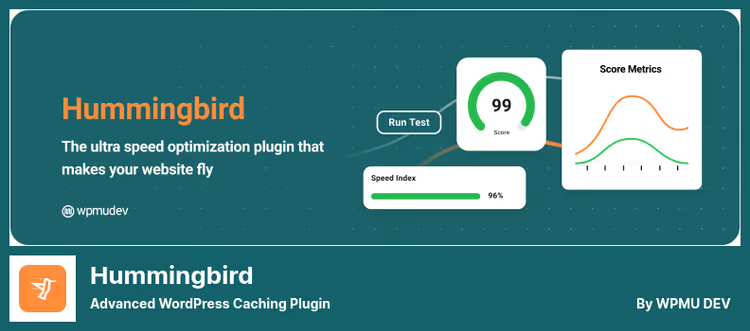
From the WPMU DEV team, who made Smush for image optimization. Hummingbird scans the site and produces a list of speed problems with the ability to fix them in one click: minification, GZIP, browser caching, deferred loading.
The main feature is full-page cache plus browser cache plus Gravatar cache. Three caching levels in one plugin. Plus integration with Cloudflare: manage browser cache and Automatic Platform Optimization (APO) directly from WordPress admin.
The free version (from WordPress.org) covers basic needs. Pro ($190/year as part of WPMU DEV) adds scheduled performance reports and automatic recommendations.
Pros:
- Scan and fix problems in one click
- Three caching levels
- Integration with Cloudflare APO
Cons:
- Pro version is expensive and only in WPMU DEV package
- On some hosts conflicts with server cache
Price: Free (Lite), Pro, $190/year (WPMU DEV).
🔗 Hummingbird on WordPress.org🔗 Hummingbird Pro on WPMU DEV
9. Cache Enabler

A minimalist cacher from KeyCDN, developers of one of the oldest CDN services. Does exactly two things: generates static HTML pages and supports WebP conversion for images (via Optimus, ShortPixel or EWWW Cloud).
The interface is one tab with basic options: cache clearing, retention period, exclusions. No minification, no database optimization, only cache. And this is a plus for those who need a predictable tool that doesn't conflict with anything.
Perfect combination is Autoptimize (code minification) + Cache Enabler (static HTML). Both are free, both from trusted teams, both don't conflict.
Pros:
- Extremely simple, setup in one minute
- Stability: doesn't conflict with anything
- From the KeyCDN team
Cons:
- Only page cache, without minification and optimization
- WebP via third-party services
Price: Free.
🔗 Cache Enabler on WordPress.org
10. Hyper Cache
A lightweight PHP cacher for very small sites. Written in pure PHP, doesn't require.htaccess edits, doesn't depend on server software, works on any hosting. Caches for desktop and mobile, supports HTTPS and compression of non-cached pages.
Updated in February 2026, the project is alive, though niche (about 9,000 active installations). Among the pluses: after deactivation leaves no traces, cleans up everything. Among the minuses: no minification, no lazy loading, no CDN, no database optimization. Only cache, and nothing else.
What it's suitable for: a one-page business card site or landing page, where simplicity is more important than depth of optimization. For everything else, take plugins higher on the list.
Pros:
- Completely in PHP, works everywhere
- Clean removal without traces
- Cache for mobile out of the box
Cons:
- Minimal functionality: only cache
- 9K installations, small community
- No CDN, minification, lazy loading
Price: Free.
🔗 Hyper Cache on WordPress.org
⁉️🤔 Frequently asked questions
Is a caching plugin needed if hosting already caches at server level?
Server cache and caching plugin are different levels. Server cache (Nginx FastCGI, LiteSpeed LSCache) works faster, but doesn't manage minification, lazy loading and cache clearing when content updates. The ideal option is server cache + plugin that manages it. For example,
LiteSpeed Cacheon a LiteSpeed server does exactly this.
Can you use two caching plugins at the same time?
No. Two page caching plugins will create a conflict: one's cache will overwrite the other's cache, you'll get broken pages or infinite redirects. But the combination of "cacher + optimizer" works great. Example:
WP Super Cache(cache) +Autoptimize(minification, lazy load, critical CSS). This is the standard stack for budget optimization.
What's better: a caching plugin or Cloudflare APO?
Cloudflare APO (Automatic Platform Optimization) caches WordPress pages on Cloudflare edge servers, faster than any plugin. But APO costs $5/month (free on Pro plan $20/month) and doesn't replace minification and lazy loading. The optimal stack: Cloudflare APO for cache +
Autoptimizefor code optimization. OrWP Rocketwith Cloudflare integration, it manages both.
Which plugin is best for WooCommerce?
WP Rocket: automatically excludes cart, checkout and user account from cache.LiteSpeed Cache, if the server is on LiteSpeed, provides server cache + WooCommerce compatibility for free. Regular cachers without e-commerce mode will cache the cart, the buyer will see someone else's items.
Is it necessary to clean the database for speed?
Yes, but this is a separate task from caching. A bloated database (thousands of revisions, spam comments, transients) slows down wp-admin and indirectly the frontend. From our ten,
WP-OptimizeandLiteSpeed Cachecan clean the database. Or a separate plugin likeAdvanced Database Cleaner.
What to install in 2026
Decision matrix for your scenario:
- Budget blog on shared hosting,
WP Super Cache+Autoptimize. Free, reliable, covers both cache and frontend. - WooCommerce or commercial site,
WP Rocket(from $59/year). Automatic caching without risk of breaking store dynamics. - Server on LiteSpeed,
LiteSpeed Cache. Free all-in-one for cache, minification, image and database optimization. - Agency with multisite,
WP-OptimizePremium (from $39/year). Automated cleanup and caching across site network. - Control over every byte,
W3 Total Cache. Complex, but maximum flexibility.
Choose for your task, not someone else's rating. After installation, check via PageSpeed Insights and GTmetrix. Good cache cuts 1-3 seconds from load time. In practice, this is the difference between a visitor and a customer.
Write in the comments which caching plugin works for you and on which hosting, we'll collect live statistics.

A professional team of writers and editors specializing in creating quality content.