













 AIIllustrative image: AI-generated
🔃 9 best lazy loading plugins for WordPress 2026 (free and paid)
The site is slow not because of poor hosting. It's slowed down by images that load all at once, even those below the fold. The user hasn't scrolled to the middle of the page yet, but the browser is already pulling 15 full-size photos from the gallery.
Lazy loading solves this problem in two clicks. Images, videos, and iframes load only when they enter the viewport. The result: fewer HTTP requests, faster First Contentful Paint, lower bounce rate. Google PageSpeed Insights stops complaining about "defer offscreen images."
We've collected 9 plugins for WordPress that implement lazy loading correctly, without conflicts with themes, without extra weight, and with fine-tuning for different scenarios.
💡 Quick overview:
- Choose a plugin for your task, lazy loading, compression, or infinite scroll.
- Install and activate, most work right after activation without modifications.
- Configure exceptions for above-the-fold content so LCP doesn't suffer.
- Check the result in PageSpeed Insights and GTmetrix, "defer offscreen images" disappears.
Comparison table
Plugin | Free version | Lazy load for videos | Lazy load for iframes | Script weight | WooCommerce | CDN |
|---|---|---|---|---|---|---|
WP Rocket Lazy Load | ✅ | ✅ (preview) | ✅ | ~10 KB | ✅ | ❌ |
Smush | ✅ | ❌ | ❌ | Medium | ❌ | ❌ |
Optimole | ✅ (up to 5,000 visitors) | ❌ | ❌ | Medium | ❌ | ✅ (CloudFront) |
Perfmatters | ❌ (from $24.95/year) | ✅ | ✅ | Lightweight | ❌ | ❌ |
Autoptimize | ✅ | ❌ | ❌ | Lightweight | ❌ | ❌ |
A3 Lazy Load | ✅ | ✅ | ✅ | Medium | ❌ | ❌ |
WP-Optimize | ✅ | ❌ | ❌ | Lightweight | ❌ | ❌ |
Ajax Load More | ✅ (basic) | ❌ | ❌ | Heavy | ✅ | ❌ |
Load More Products | ✅ (basic) | ❌ | ❌ | Medium | ✅ | ❌ |
1. WP Rocket Lazy Load
The most popular standalone lazy loading plugin from the WP Rocket team. Doesn't require the main caching plugin, works independently, and plays nicely with any cache.
The script weighs less than 10 KB and doesn't pull in jQuery. In practice, this means the overhead for lazy load is close to zero, you're not trading one problem for another. The plugin handles images in content, thumbnails, avatars, smileys, iframes, and background images. It replaces YouTube videos with preview images: the iframe loads only on click. The savings on one page with three embedded videos can reach 1.5-2 MB of traffic.
Pros:
- Extremely lightweight script: less than 10 KB without jQuery
- Out-of-the-box WooCommerce support for product images and galleries
- YouTube iframe replacement with preview for faster loading
- Developed by the WP Rocket team, regular updates and compatibility
Cons:
- No fine-tuning for appearance animations
- Doesn't work with images hardcoded in themes
Price: Free. Plugin page on WordPress.org
🔗 WP Rocket Lazy Load on WordPress.org
2. Smush
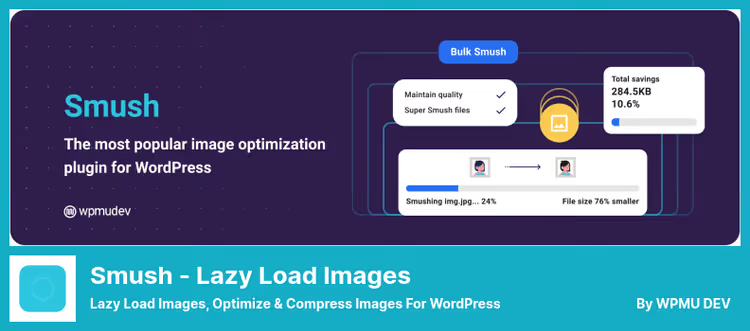
Smush solves two tasks at once: optimizes images and lazy loads them. This isn't just a lazy load plugin, it's a full-featured tool for working with media files.
Compression works on the fly: you upload a photo to the media library, Smush automatically removes extra metadata and reduces file size without visible quality loss. Lazy loading is configured granularly: you can enable it only for widgets, only for the content area, or only for thumbnails. Bulk Smush processes up to 50 images at a time, convenient when you have thousands of files in your media library.
Pros:
- Compression + lazy load in one plugin
- Batch optimization: up to 50 images simultaneously
- Flexible configuration of lazy load application areas
- Auto-detection of incorrectly sized images
Cons:
- Doesn't compress images above a certain threshold in the free version
- No lazy load for videos and iframes
Price: Free version with basic features. Pro, from $3/month on WPMU DEV.
🔗 Smush on WordPress.org🔗 Smush Pro on WPMU DEV
3. Optimole
Optimole works differently: it routes images through a cloud service. Images on the page are replaced with cloud URLs, where compression, device-specific resizing, and WebP/AVIF conversion happen. Lazy loading is built in and enabled automatically.
The main feature is pixel-level adaptiveness. Optimole determines the actual container size on the visitor's device and delivers an image sized exactly for it. Retina screens get a higher-density version, slow connections get reduced quality. The free tier includes CloudFront CDN (200+ points) and 5,000 visitors per month.
Pros:
- Cloud compression without server load
- Adaptive delivery for screen size and DPR
- CloudFront CDN in the free tier
- Auto-conversion to WebP/AVIF
Cons:
- Dependence on cloud service, if their API fails images may not load
- Free tier limited to 5,000 visitors/month
- Sparse documentation compared to competitors
Price: Free tier up to 5,000 visitors/month. Pro, from $19.08/month on Optimole.com.
🔗 Optimole on WordPress.org🔗 Optimole Pro
4. Perfmatters

Perfmatters doesn't position itself as a lazy load plugin, it's a full-featured tool for fine-tuning WordPress by removing unnecessary code. But the lazy loading module here is one of the best: it works at the browser level via loading="lazy" and doesn't add a single kilobyte of JavaScript.
In addition to images, Perfmatters lazy loads videos (YouTube and Vimeo) and iframes. There are exceptions by CSS classes and page types, for example, you can disable lazy load for the first image in the post body so Largest Contentful Paint doesn't suffer. Script Manager lets you unload unnecessary scripts on specific pages. In practice, Perfmatters together with a caching plugin gives +15-25 points in PageSpeed Insights, we've seen this more than once.
Pros:
- Native
loading="lazy", zero additional JS - Script Manager for disabling unnecessary scripts per page
- Exceptions for above-the-fold content
- Lightweight: the entire plugin weighs less than 200 KB
Cons:
- No free version (only paid, from $24.95/year on Perfmatters.io)
- No image compression (only lazy load)
- For maximum effect you need a caching plugin
Price: From $24.95/year for 1 site on Perfmatters.io.
5. Autoptimize

Autoptimize is known primarily as a plugin for minifying CSS and JavaScript. But since version 2.7 they added lazy loading for images, and it works great. The setup is one checkbox in the "Images" section, and all images below the fold get loading="lazy".
In addition to lazy load, Autoptimize aggressively minifies and combines style and script files, defers non-critical CSS, and optimizes Google Fonts. This makes it an ideal choice if you want to address several site speed tasks with one plugin. The plugin is free and actively updated: as of late 2025, more than 1 million active installations and regular releases.
Pros:
- Lazy load + CSS/JS minification + critical CSS in one plugin
- Free, with 1M+ active installations
- Works out of the box, one-click setup
- Regular updates and active community
Cons:
- Lazy load only for images, no videos or iframes
- No appearance animations
- Aggressive minification can break layout on complex themes
Price: Free. Plugin page on WordPress.org
🔗 Autoptimize on WordPress.org
6. A3 Lazy Load
A3 Lazy Load is a veteran in the niche with many years of development history. Supports everything: images, videos, iframes, background images, gravatars. Configuration via toggle switches is intuitive even for those seeing the WordPress admin for the first time.
Appearance animations add visual smoothness: fade-in, spinners, slide. You can insert videos by URL directly into posts and pages. jQuery Mobile is supported out of the box. The plugin hooks into standard WordPress functions, if a theme or another plugin uses custom markup bypassing the_content, A3 Lazy Load won't process them. This is the main limitation.
Pros:
- Support for all media types: images, videos, iframes, backgrounds
- Customizable appearance animations (fade-in, spinners)
- Video insertion by URL in posts and pages
- Full jQuery Mobile support
Cons:
- Doesn't work with hardcoded images in themes
- There have been complaints about conflicts with non-standard themes
- Premium version has fewer features than competitors at the same price
Price: Lite, free. Premium, $29 on A3Rev.
🔗 A3 Lazy Load on WordPress.org🔗 A3 Lazy Load Premium
7. WP-Optimize

WP-Optimize is a Swiss Army knife for speeding up WordPress. Cleans the database (revisions, spam, transient records), compresses images, and enables lazy loading. All in one plugin, with a unified interface.
The lazy load module is based on native loading="lazy" and doesn't add JavaScript. You can enable it for images, iframes, and videos. Settings are minimal: choice of content types and exceptions by classes. Image compression works on a schedule, as does database cleanup. For a site on cheap hosting with limited database space, WP-Optimize often becomes the only necessary performance plugin.
Pros:
- Three functions in one: database cleanup, image compression, lazy load
- Native
loading="lazy"without JavaScript - Scheduled operation for all tasks
- Free version covers most needs
Cons:
- No lazy load for background images
- Image compression is inferior to specialized plugins (Smush, Optimole)
- Premium needed for multisite and advanced scheduler
Price: Free. Premium, from $49/year on WP-Optimize.com.
🔗 WP-Optimize on WordPress.org🔗 WP-Optimize Premium
8. Ajax Load More

Ajax Load More is not a classic lazy load for images, but infinite scroll with AJAX content loading. Posts, pages, comments, WooCommerce products load as you scroll, without page reload.
The built-in shortcode builder lets you create complex WordPress queries without code. Filtering by post types, formats, categories, tags, custom taxonomies. Query caching reduces server load. For WooCommerce, full compatibility with popular plugins. You can insert AdSense ad blocks and CTAs between loaded elements.
Pros:
- Infinite scroll + pagination + "load more" button
- Shortcode builder for complex queries
- Insert ad blocks between loaded elements
- Compatibility with WooCommerce and popular plugins
Cons:
- Not a pure lazy load plugin for images
- Pro version is expensive ($149 on Connekthq.com)
- Heavier than specialized lazy load solutions
Price: Lite, free. Pro, from $149 on Connekthq site.
🔗 Ajax Load More on WordPress.org🔗 Ajax Load More Pro
9. Load More Products for WooCommerce
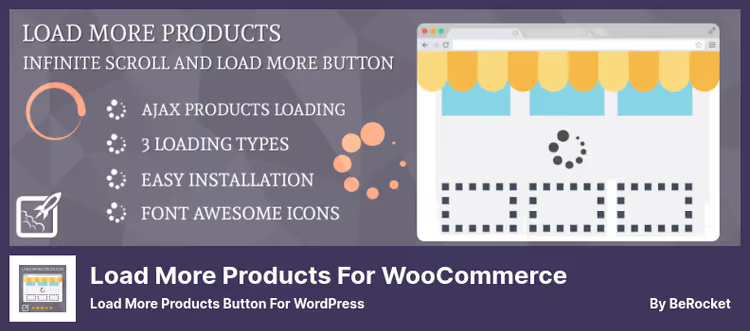
A highly specialized plugin for WooCommerce stores. Replaces standard pagination with a "load more" button, infinite scroll, or combined mode. Lazy loading of product images is built in and activated automatically.
40+ animations for the load button, customization of text and icon, configuration of products per page, and URL navigation with address bar updates. "Load previous" button for reverse navigation. You can insert a custom message at the beginning or end of the product feed. JavaScript hooks and CSS for those who want to customize further.
Pros:
- Three modes: button, infinite scroll, pagination
- 40+ animations for the load button
- URL navigation with address bar updates
- Full customization of button appearance and text
Cons:
- WooCommerce only, doesn't work with regular posts and pages
- Not quite a lazy load plugin: main function is loading products
- Pro version ($34 on BeRocket site) for advanced features
Price: Lite, free. Pro, from $34 on BeRocket.com.
🔗 Load More Products on WordPress.org🔗 Load More Products Pro
The video shows a step-by-step process of installing and configuring lazy loading for WordPress. Demonstrated on a real site: from plugin installation to checking the result in PageSpeed Insights.
⁉️🤔 Frequently asked questions
Does lazy loading slow down Largest Contentful Paint (LCP)?
Yes, if the first image on the page (above the fold) is lazy loaded. The browser waits for the lazy load script to load before starting to load the image, this adds delay. The solution is simple: exclude the first image from lazy load. WP Rocket Lazy Load, Perfmatters, and A3 Lazy Load have this setting. For sites on WordPress 6.5+ with native
loading="lazy", the browser determines priority itself.
How does native loading="lazy" differ from JavaScript plugins?
Native
loading="lazy"is an HTML attribute that the browser processes without JavaScript. It works at the engine level: faster, no overhead, no HTTP request for a script. But it has no animations, spinners, class exceptions, or lazy load for videos. JavaScript plugins (lazysizes, WP Rocket) give more control but add weight. The choice depends on your needs.
Is it necessary to install a plugin if the theme already supports lazy load?
Not always. Built-in theme lazy load usually only works with images from
the_content. Widgets, thumbnails, background images, videos, and iframes often remain without lazy load. Plus, the built-in solution can't be fine-tuned to your needs. Check your theme via GTmetrix: if you see unloaded images below the fold, install a separate plugin.
What to do if lazy load conflicts with a caching plugin?
In practice, conflicts are rare. Most modern lazy load solutions (WP Rocket Lazy Load, Perfmatters, A3 Lazy Load) are designed with compatibility with popular cache plugins in mind. If a conflict is detected: disable lazy load in the caching plugin and leave the specialized lazy load tool. Usually this is enough.
Does lazy loading hurt SEO?
No, if the content eventually loads and gets indexed. Googlebot executes JavaScript and sees the loaded content. But for safety: use
<noscript>versions of images (available in WP Rocket Lazy Load). This guarantees that search bots will see all images, even if JavaScript doesn't execute.
What to install in 2026
There's no universal answer, everything depends on the scenario:
If budget is limited and you need "set it and forget it," go with WP Rocket Lazy Load. Lightweight, free, from a proven team. Active installations: 600,000+.
If you need compression and image optimization in addition to lazy load, choose between Smush (simpler, cheaper) and Optimole (cloud CDN, adaptive delivery). The first installs in a minute, the second requires accounting for visitor limits.
If you're willing to pay for maximum performance, Perfmatters. Script Manager together with lazy load gives gains you can't get from image plugins alone.
For a site where every function in one plugin matters, Autoptimize (minification + lazy load) or WP-Optimize (database cleanup + compression + lazy load). Both are free and actively updated.
For an online store on WooCommerce, Ajax Load More or Load More Products. The first is for beautiful infinite scroll of any content types, the second is narrowly tailored for the WooCommerce product feed.
Try one of the plugins, activation takes a minute, and the result is immediately visible in PageSpeed Insights. Write in the comments which lazy load tool you use and how much your speed metrics changed.

A professional team of writers and editors specializing in creating quality content.