














📅 11 calendar plugins for WordPress 2026 (free and premium)
A calendar on your website without booking capability is just a colorful picture in the sidebar. A good calendar plugin turns a visitor into a client. A bad one overloads the server, conflicts with your theme, and frustrates users with broken slots.
The WordPress calendar market was shaken up in 2025-2026. All-in-One Event Calendar from Time.ly moved to SaaS and was removed from the repository. Modern Events Calendar was closed for violating WordPress.org rules. Fresh players took their place: EventPrime, Eventin, and WP Event Manager, all with AI event generation and Zoom out of the box.
We've reassembled our roundup: removed dead plugins, added live alternatives, and verified each entry through the WordPress.org API. The result is 11 tools for different scenarios, from simple meeting display to platforms with ticket sales and WooCommerce.
💡 Quick overview:
- Open your WordPress admin, install a calendar plugin from our roundup, activate it, and a basic calendar is ready in 5 minutes
- For displaying meetings and client bookings,
Sugar CalendarorBooking Calendar: minimal setup, calendar works immediately - For selling tickets and event platforms,
Events ManagerorWP Event Managercover the full cycle: event, registration, payment, QR check-in - For beautiful external calendars with color coding,
EventONorEventPrimedeliver Envato-level design and an AI assistant for events
Comparison table: all 11 plugins at a glance
Plugin | Free version | Premium from | Key feature | Active installations |
|---|---|---|---|---|
| Yes | $149/year | Industry standard, 700,000+ installations | 700,000+ |
| Yes | $89/year | Full booking cycle with SMS and Zoom | 60,000+ |
| Yes | $49/year | Google Calendar sync without duplication | 50,000+ |
| Yes | $99/year | WooCommerce for tickets and QR check-ins | 20,000+ |
| Yes | From $79/year | AI event creation and drag-and-drop | 7,000+ |
| Yes | From $49 | Day and slot booking | 50,000+ |
| Yes | $59/year | Accessibility-first: accessible calendar | 20,000+ |
| Lite free | From $25 | #1 design on CodeCanyon, 63,000+ sales | 6,000+ |
| Yes | $75/year | BuddyPress, multisite, multiple ticket types | 70,000+ |
| Yes | $49.50/year | Stripe partner, TEC migration in 1 click | 10,000+ |
| No | $59 (one-time) | WooCommerce and 6 calendar widgets | CodeCanyon |
1. The Events Calendar
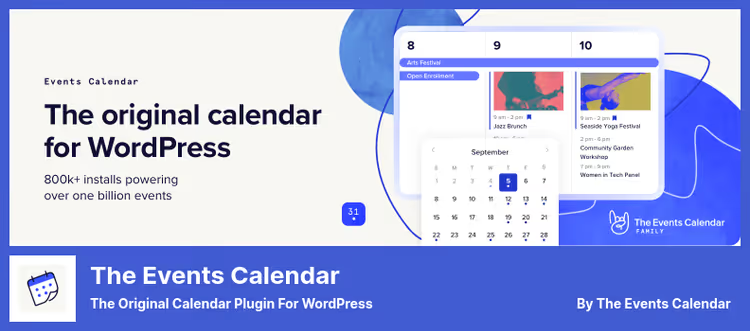
The flagship free calendar for WordPress: 700,000+ active installations, version 6.16, updated June 15, 2026. The standard against which all other plugins in this niche are compared. Developed by StellarWP, a team with 10+ years of experience in the WordPress ecosystem.
Under the hood: month view with tooltips, event list, day view, search, Google Maps, taxonomies (categories and tags), iCal export, REST API. Everything runs on AJAX, transitions between months without page reload. Works out of the box with Avada, Divi, Enfold, Genesis, and dozens of other themes.
Pros:
- Largest ecosystem: dozens of addons, including Event Tickets and Event Aggregator
- JSON-LD Structured Data for event SEO
- REST API for headless projects and mobile apps
- Russian translation included in core
Cons:
- Recurring events, scheduling, and advanced filters only in Pro
- Free version doesn't include ticket sales
- Pro version costs $149/year, upper end of the market
Price: Free (Lite), Pro from $149/year.
🔗 The Events Calendar on WordPress.org🔗 Pro version site
2. Bookly
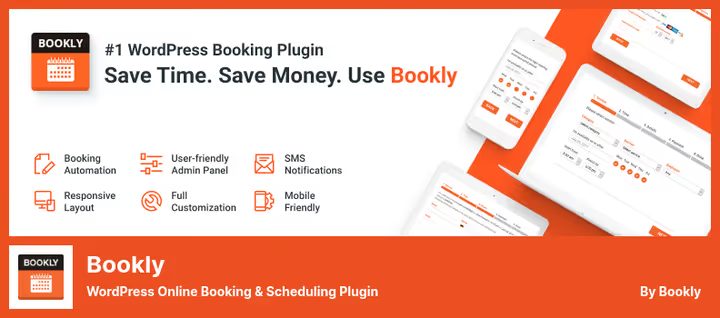
Bookly is not so much a calendar as a full-fledged online booking system. Version 27.7, 60,000+ active installations. The free version provides basic booking: services, staff, time slots. The Pro addon unlocks unlimited services, online payments, SMS notifications, and Zoom.
In practice: a client visits the site, selects a service, convenient time, and specialist, receives SMS confirmation and a Zoom link. The administrator sees everything in a single panel: booking calendar, client list, payment statuses.
Pros:
- Full cycle: booking, payment, reminder, Zoom
- Free Zoom integration (Pro not required)
- Drag-and-drop booking form builder
- Search, filter, and sort client list
Cons:
- Free version heavily limited: no payments and unlimited services
- Pro version from $89/year plus separate paid addons
- Overkill for simple event display
Price: Free (Lite), Pro from $89/year.
🔗 Bookly on WordPress.org🔗 Bookly Pro site
3. Simple Calendar
The most direct way to connect Google Calendar with WordPress. Simple Calendar pulls events from a public Google calendar and displays them on your site in a responsive grid or list. Manage meetings in the familiar Google interface without duplicating entries in WordPress admin.
Version 4.0.4, updated June 16, 2026, 50,000+ installations. Works on WordPress versions from 4.2 and PHP 8.1+. Code is open on GitHub.
Pros:
- One-way sync with Google Calendar: events live in one place
- Responsive design, auto-inherits theme styles
- Custom tags for display customization without code
- Free Event Calendar Newsletter addon for mailings
Cons:
- Tied to Google Calendar: useless without it
- Week and day views only through paid FullCalendar Add-on
- Private calendars and colors through Google Calendar Pro Add-on
Price: Free (Lite), Pro addons from $49/year.
🔗 Simple Calendar on WordPress.org🔗 Pro addons site
4. WP Event Manager

A new name in the roundup and immediately a strong contender. WP Event Manager (v3.4.0, June 2026) came to replace the closed Modern Events Calendar. 20,000+ active installations, 80% rating, 37+ premium addons.
Main feature: WooCommerce compatibility for selling tickets right out of the box. Plus frontend event submission form: organizers add events to the site themselves, you only moderate. Separate Organizer App for QR code check-in at the entrance.
Pros:
- WooCommerce integration for ticket sales without additional plugins
- Frontend event submission by organizers
- 37+ addons: recurring events, calendar, registrations, countdown
- Organizer app with QR scanning for check-in
Cons:
- Calendar and recurring events only through premium addons ($39-99)
- Free version is event listing, not a full calendar
- Fewer active installations than market veterans
Price: Free (core), premium addons from $39 to $99/year.
🔗 WP Event Manager on WordPress.org🔗 WP Event Manager site
5. EventPrime

EventPrime (v4.3.4.1, June 2026) is one of the fastest-growing calendar plugins. Came to replace the closed All-in-One Events Calendar. 90% rating, interface in modern WordPress admin style.
Main advantage: drag-and-drop events directly in the backend calendar. Drag an event from Monday to Wednesday, the date updates automatically without opening the editor. Built-in ticketing system with categories, discounts, and early-bird offers. PayPal and Stripe for accepting payments.
Pros:
- Drag-and-drop in admin calendar for changing event dates
- Built-in ticketing system with categories and promo offers
- Frontend event submission: users submit, admin approves
- Views: month, week, day, agenda, grid, masonry
Cons:
- 7,000+ installations, behind veterans in reach
- Advanced features through paid extensions from $79/year
- Russian translation incomplete, part of interface in English
Price: Free (core), paid extensions from $79/year.
🔗 EventPrime on WordPress.org🔗 EventPrime site
6. Booking Calendar
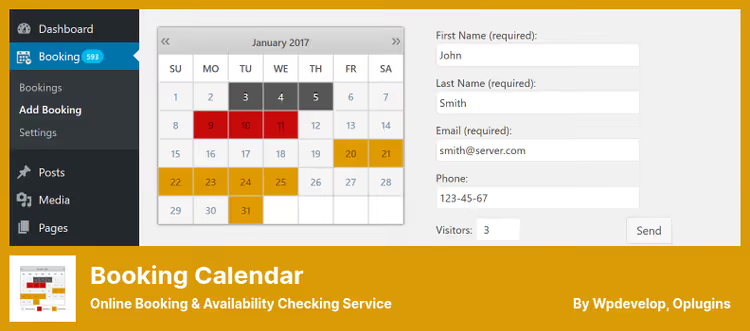
If Bookly is a full booking with the entire cycle, then Booking Calendar (v11.1, updated May 2026) is a lighter tool specifically for booking. 50,000+ installations, 94% rating on WordPress.org.
Works on the principle of "availability calendar": configure available days and slots, visitor selects, you confirm or decline. Suitable for rentals, consultations, booking services with fixed slots.
Pros:
- Drag-and-drop booking form builder in new version
- Prevents double bookings on already booked dates
- Stores all data in own database, no third-party accounts
- Notifications to administrator and visitor about specific bookings
Cons:
- Booking forms can't be heavily customized in free version
- Premium versions differ in functionality, easy to get confused in tiers
- Not suitable for selling tickets to mass events
Price: Free (Lite), premium from $49.
🔗 Booking Calendar on WordPress.org🔗 Booking Calendar site
7. My Calendar

My Calendar (v3.7.15, updated June 14, 2026) is the only plugin in the roundup built on the accessibility-first principle. Author Joe Dolson is one of the leading web accessibility experts in the WordPress ecosystem. If your site must comply with ADA or WCAG, this is the choice without alternatives.
The plugin doesn't sacrifice functionality: custom templates, recurring events, REST API for event exchange between sites, import from.ics and.csv. Pro version adds frontend submission and custom fields.
Pros:
- Accessibility-first: keyboard navigation, screen-reader, ADA/508
- Posting to X, Bluesky, and Mastodon when creating event via XPoster
- Shortcode generator for custom calendar views
- JSON-LD Structured Data for events and venues
Cons:
- Visually simpler than
EventONandSugar Calendar - Pro version ($59) required for frontend submission and custom fields
- 20,000+ installations, fewer than flagships
Price: Free (Lite), Pro $59/year.
🔗 My Calendar on WordPress.org🔗 My Calendar Pro site
8. EventON
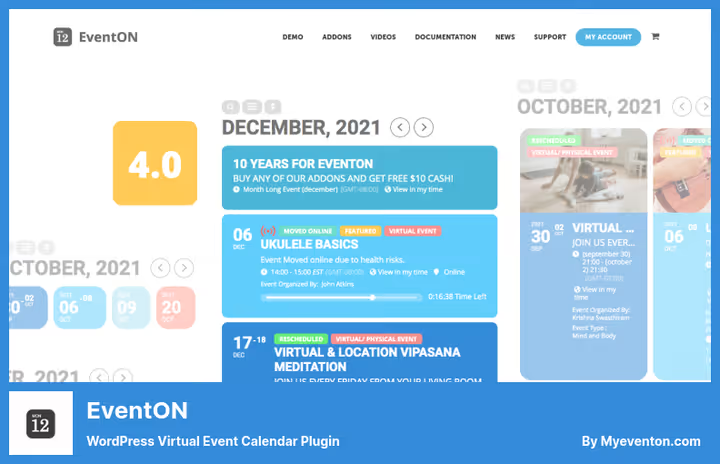
EventON is a CodeCanyon bestseller with 63,000+ paid installations since 2011. Lite version (v2.5.5, updated May 2026) is available on WordPress.org for free. Main feature is design: colored event tiles, custom icons, gradient event colors. Looks like a premium product even in the free version.
In June 2026, they added AI integration with OpenAI: the plugin generates event title, subtitle, and description with one button click. Plus posting to X.
Pros:
- #1 design on the market: color coding, minimalist grid, responsive
- AI content generation for events via OpenAI
- Interactive shortcode generator in Block Editor
- Free Lite with impressive set: Google Maps, iCal, recurring events
Cons:
- Lite version doesn't include tickets, RSVP, and Seats, need full version from $25
- Full version only on CodeCanyon, inconvenient for multisites
- 6,000+ free version installations, community smaller than
The Events Calendar
Price: Free (Lite), full version from $25 (CodeCanyon).
🔗 EventON Lite on WordPress.org🔗 EventON site
9. Events Manager

Events Manager (v7.3.5, updated June 10, 2026) is a veteran with 70,000+ active installations and 84% rating. First release in August 2008, 18 years in service. Yet actively developing: in 2026 they added MCP integration for AI, REST API, support for multiple time slots within a day.
Particularly strong in multisites and BuddyPress: events can be shared between network sites, users get personal calendars, BuddyPress activity syncs with events.
Pros:
- Multisite and BuddyPress/BuddyBoss out of the box
- Multiple ticket types, venues, and events
- Zoom integration through separate free addon
- Gutenberg blocks for calendar, event list, and locations
Cons:
- Pro for $75/year, WooCommerce integration separate
- Admin interface overloaded, entry threshold higher than
Sugar Calendar - Documentation in English, Russian translation incomplete
Price: Free (Lite), Pro $75/year.
🔗 Events Manager on WordPress.org🔗 Events Manager Pro site
10. Sugar Calendar

Sugar Calendar (v3.11.1, updated May 2026) is a project by Syed Balkhi, founder of WPBeginner. Lightweight, fast, without bloat. 10,000+ active installations, 88% rating, official Stripe partner.
Ideal for migrating from The Events Calendar: built-in one-click migration transfers all events, categories, and settings. Out of the box: ticket sales through Stripe, RSVP, Google Calendar sync, dark mode, Gutenberg blocks, and Elementor widgets.
Pros:
- Lightweight and fast: doesn't load extra scripts
- Migration from The Events Calendar in 1 click
- Stripe partner: payment acceptance verified by Stripe
- Import and export events via JSON
Cons:
- Advanced features only in Pro ($49.50/year)
- Fewer addons than
The Events Calendar - Community and documentation more modest than flagships
Price: Free (Lite), Pro from $49.50/year.
🔗 Sugar Calendar on WordPress.org🔗 Sugar Calendar site
11. StacheThemes Event Calendar

StacheThemes Event Calendar is a commercial plugin from CodeCanyon, one of the sales leaders in the "Calendars" category. Price $59 one-time, without annual subscription, which favorably distinguishes it from yearly payment models. Developer is Elite Author on Envato Market.
Built-in WooCommerce integration for selling tickets. Recurring payments for multi-session events. Six customizable widgets: grid, boxes, map, schedule. Frontend event submission form by users.
Pros:
- One-time payment $59, no annual subscription
- WooCommerce and payments within one plugin
- Six calendar widgets with different layouts
- Frontend form for user events
Cons:
- Only commercial license, no free version
- Not on WordPress.org, updates through CodeCanyon
- Fewer integrations with third-party services than
Events Manager
Price: $59 (one-time), includes 12 months of support and updates.
🔗 StacheThemes Event Calendar on CodeCanyon
📺 Video: comparing calendar plugins in action
Watch a 15-minute overview where the author walks through installation and setup of the top 5 calendar plugins for WordPress in 2026, from The Events Calendar to Sugar Calendar, with real frontend examples.
⁉️🤔 Frequently asked questions
What's the difference between a calendar plugin and a booking plugin?
A calendar plugin displays events: meetings, webinars, conferences with dates, times, and descriptions. A booking plugin adds a booking form, slot selection, payment, and notifications.
The Events CalendarandSimple Calendarare pure calendars.BooklyandBooking Calendarare booking systems.Events ManagerandSugar Calendarare hybrids: both calendar and tickets and booking. In 2026, the line has blurred:Sugar Calendarin Pro sells tickets, andBooklydisplays a meeting calendar on the frontend. Choose by scenario: need client booking, get a booking plugin. Need to inform about events, get a calendar.
Can I sync a WordPress calendar with Google Calendar?
Yes, in two ways. First:
Simple Calendarpulls events from Google Calendar to the site in real time, you manage meetings in Google, display on WordPress. Second:The Events Calendar,Events Manager, andSugar Calendargenerate an iCal feed for subscription in Google Calendar. For two-way sync, there's no ready free solution,The Events Calendaroffers Event Aggregator (Pro) for import, but it's one-way.
Which calendar plugin is best for WooCommerce?
WP Event ManagerandEvents Managerlead in native WooCommerce integration: selling tickets as products, cart, checkout through standard payment gateways.StacheThemesalso claims WooCommerce in the commercial version.Sugar Calendaruses Stripe directly, bypassing WooCommerce, it's simpler but gives less flexibility. If the store is already on WooCommerce,WP Event Manager. If only tickets without a cart,Sugar Calendarwith Stripe.
What happened to Modern Events Calendar and All-in-One Event Calendar?
Both removed from the WordPress.org repository.
Modern Events Calendar(webnus.net) was closed in May 2022 for rule violations, not updated for more than 4 years.All-in-One Events Calendarfrom Time.ly was closed in August 2025 at the author's request: the company moved the product to SaaS, leaving the WordPress version without support. If your site is on either of these plugins, plan migration.Sugar Calendarmigrates fromThe Events Calendarin 1 click. For others: export to.ics and import to new plugin.
Which plugin is the fastest and doesn't overload the site?
Sugar CalendarandSimple Calendarare the lightest.Sugar Calendaris designed without bloat, inherits theme styles.Simple Calendardelivers events through Google Calendar API with caching, minimal database queries.The Events CalendarandEvents Manageradd more scripts and styles: unnoticeable on good hosting, noticeable on weak shared hosting. Test speed with and without the plugin, built-in caching softens the effect.
Do I need a calendar plugin for a simple business card site?
No, if you're just showing business hours. Yes, if there are real events: webinars, consultations, classes, meetings, and visitors should see the schedule and book. For a business card site of a psychologist or tutor,
Booking Calendarwill cover the need in 10 minutes: calendar, booking form, email notifications, without extra settings.
What to install for your task in 2026
There's no universal answer, but there are three clear scenarios.
If you just need a working event calendar without ticket sales and complex booking, The Events Calendar. 700,000+ users aren't wrong: stable, documented, translated to Russian.
If you're building client booking with payment and notifications, Bookly for service business or Booking Calendar for rentals and consultations. Both refined to automation over 10+ years of development.
If you're selling tickets for events and have WooCommerce, WP Event Manager. If events are your main content and design matters, EventON. And if you want "set and forget" without annual subscription, StacheThemes for $59 one-time.
Choose for your task, not someone else's rating. Install the plugin, create a test event, check the frontend, and only then transfer real events.

A professional team of writers and editors specializing in creating quality content.